

HARPA AI
HARPA AI TECHNOLOGIES OY · Programación
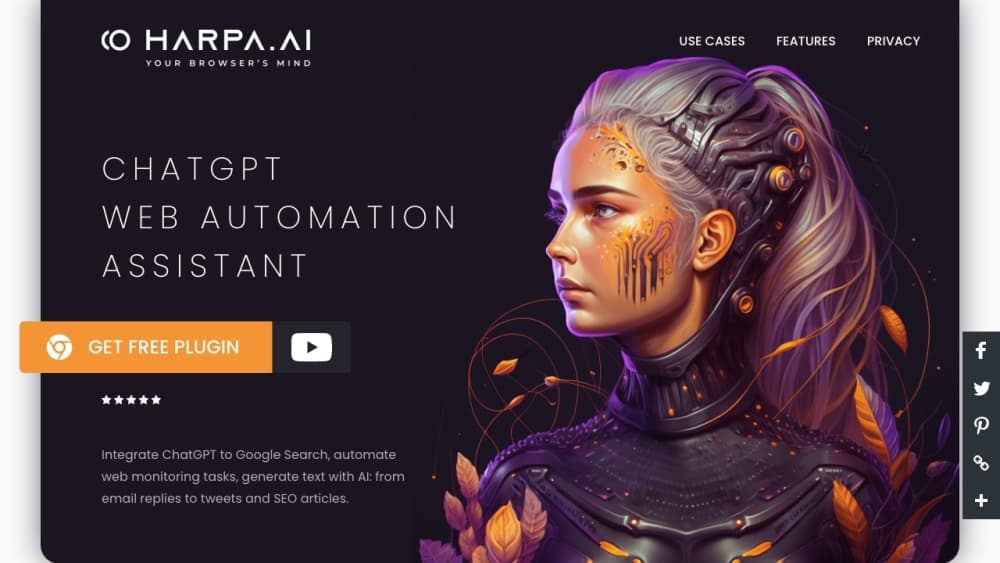
HARPA AI is a Chrome browser extension that turns your sidebar into an AI workspace. It connects models like GPT-5.4, Claude, Gemini, DeepSeek, and Perplexity to whatever page you're on. It summarizes YouTube videos and PDFs, drafts emails in your tone, extracts data, and monitors prices or page changes on a schedule. If you spend your day inside a browser, it's built to cut the switching between tabs, chatbots, and spreadsheets.
Acerca de HARPA AI
What Is HARPA AI
HARPA AI is an AI browser extension developed by HARPA AI TECHNOLOGIES OY, a Finland-based company. It pairs a hybrid AI engine with web automation, which means it can read the page you're viewing, run it through a language model, and then act on its own output. That combination is why it's often filed under AI web automation rather than a plain ChatGPT Chrome extension. The extension effectively works as a browser AI agent, with the scope limited to web pages rather than your whole desktop.
The product's core appeal is consolidation. Instead of paying for separate ChatGPT, Claude, and Gemini subscriptions and copying text between them, HARPA AI routes your requests through one interface and lets you switch models on the fly. Want to compare how two models answer the same prompt? Just switch mid-chat. You can also bring your own API keys, which keeps the subscription price low if you already pay for model access elsewhere.
The biggest constraint is that it lives in your browser, so anything outside a web page is out of reach. HARPA AI doesn't touch native desktop apps, and it won't run on Google Sheets yet. It also leans on third-party AI providers for generative tasks, which means your prompts travel to OpenAI, Google, or Anthropic servers for processing. The company states it doesn't store those prompts or your browsing data on its own servers. That's a reasonable privacy setup. It's not airtight.
Getting Started
- Install the extension from the Chrome Web Store and sign in, or create a free account at harpa.ai to keep chat history and commands synced across devices.
- Pick an AI connection: free web sessions for ChatGPT, Claude, and Gemini on the demo tier, a CloudGPT plan with token credits, or your own API key through OpenRouter, Straico, or Azure.
- Open any page and press Alt+A (or type //) to open the sidebar. Ask a question, drag in a PDF, or pick from more than 100 ready-made commands.
- Switch to the Automate tab to set up a price monitor, a page-change tracker, or a scraping routine that exports to CSV or JSON.
- Chain the result into Zapier, Make.com, or n8n if you want the output to trigger another workflow.
Información del producto
Un vistazo rápido a los precios, las plataformas compatibles y el rendimiento de HARPA AI.
Ideal para
Los usuarios, tareas y casos de uso en los que esta herramienta encaja mejor.
Usuarios
- Consultants and analysts who research across many sites
- Marketers and SEO specialists
- Students and language learners
- Recruiters and job seekers
Tareas
- Summarizing long YouTube videos and PDFs
- Tracking price drops and page changes
- Extracting structured data from websites
- Drafting email and social replies in your own voice
Casos de uso
- Daily research and reading
- Competitive monitoring
- Content production at volume
- Workflow automation
Funciones clave
Multi-model AI sidebar
HARPA AI runs GPT-5.4, Claude Sonnet 4.6, Gemini 3.1 Pro, DeepSeek, Perplexity, Grok, and Llama 4 through one panel. You swap models mid-conversation with a keystroke. No juggling accounts. For anyone who wants to compare answers without paying several subscriptions, that's the main draw.
Page-aware commands
The extension reads the page you're on, so it can summarize an article, explain a chart, or pull facts without you pasting anything. More than 100 predefined commands cover marketing, SEO, e-commerce, copywriting, and recruiting. Custom commands let you build your own prompts with page parameters.
YouTube and PDF summarizer
Drop in a video or document and HARPA AI returns key takeaways with timestamp links back to the source. It works on hours-long lectures and dense reports. You can ask follow-up questions about the material afterward. The citations are grounded in the source, which cuts down on invented details.
Web automation engine
The Automate tab lets HARPA AI navigate pages, click buttons, fill forms, and scrape data. You can export results to CSV or JSON, or push them into Zapier, Make.com, and n8n through webhooks. For teams, the GRID API turns a website with no API into something you can query programmatically.
Price and competitor monitoring
A web monitor checks a page on a schedule and notifies you when the content changes. Price drops. Restock alerts. A competitor's pricing or listings. It saves the manual refresh habit for people who watch products or rival sites closely.
Writing that mimics your style
HARPA AI learns your writing voice and applies it to emails, tweets, LinkedIn messages, and articles. It can generate articles of unlimited length in 25 frameworks, and it pauses at each step to refine or add keywords. The same tool handles grammar checks, rephrasing, and translation through quick shortcuts.
Ventajas y desventajas
Ventajas
- Consolidates ChatGPT, Claude, Gemini, DeepSeek, and Perplexity into one subscription instead of several.
- Page-aware responses mean you don't copy text between tabs, which matters most during long research sessions.
- Free demo tier includes web session access to ChatGPT, Claude, and Gemini with daily limits, so you can test before paying.
- Privacy stance is documented: HARPA runs locally, doesn't log your conversations or actions, and is GDPR compliant.
- Automation and monitoring features go beyond chat, covering data extraction, price tracking, and workflow triggers.
Desventajas
- Chrome-only. Firefox, Safari, and mobile browsers aren't supported, so the workflow is tied to one browser.
- The biggest automation features sit behind paid tiers, and the free plan caps you at around 100 command runs and 10 daily messages.
- Token-based billing on CloudGPT plans takes some getting used to, since requests don't map cleanly to a fixed number of uses.
- Prompts still go to third-party AI providers for processing, so sensitive page content shouldn't be sent through it.
- Refunds aren't offered; the company relies on a demo period for an informed purchase instead.
Preguntas frecuentes
It handles browser-based AI tasks: it works as a web page summarizer for articles, videos, and PDFs, writes and replies to emails, extracts data, monitors prices and page changes, and automates repetitive web actions. Think of it as an AI assistant that already knows what's on your screen.
Contenido relacionado
Explora herramientas, habilidades y artículos relacionados con HARPA AI.
Alternativas a HARPA AI
Forefront
Forefront · ProgramaciónForefront es una plataforma web para construir con IA de código abierto. Te deja ajustar los principales modelos de lenguaje de código abierto con tus propios datos, evaluar cómo rinden y ejecutarlos a través de una API o exportarlos para alojarlos tú mismo. Los desarrolladores que quieren la comodidad de una plataforma cerrada pero insisten en ser dueños de sus modelos y sus datos son el público objetivo.

Startkit
StartKit.AI · ProgramaciónStartkit es un boilerplate para crear productos de SaaS con IA y wrappers de IA. Piénsalo como un boilerplate para startups de IA con las partes aburridas ya conectadas: autenticación, pagos con Stripe y Lemon Squeezy, límites de uso, correo transaccional y un kit de inicio de API de IA que habla con OpenAI, Anthropic, Groq o Llama. Clonas el repositorio, pones tu precio y te dedicas a la parte del producto por la que la gente paga de verdad. Está hecho con Next.js sobre React y Tailwind, así que buena parte del código boilerplate ya te resulta familiar.
Testim
Tricentis · ProgramaciónTestim es una plataforma de automatización de pruebas impulsada por IA para crear y ejecutar pruebas de extremo a extremo en aplicaciones web, móviles y Salesforce. Se apoya en el aprendizaje automático para mantener las pruebas estables cuando cambia una interfaz, así que los equipos dedican menos tiempo a reparar selectores rotos. No está nada mal para una herramienta de pruebas automatizadas que puedes empezar a usar hoy mismo. Creas pruebas grabando acciones en un navegador y luego añades JavaScript cuando necesitas más control. Es una opción sólida para equipos de QA con mucho trabajo.