

Adobe Podcast
Adobe · Voix et langage
Adobe Podcast is a free, browser-based audio toolset from Adobe for recording, cleaning up, and editing voice content. It centers on Enhance Speech, an AI audio enhancer that removes background noise and echo from recordings made on cheap mics, plus a Studio for recording solo or with remote guests and editing by transcript. No install, no timeline. The free plan covers casual use; heavier work needs the paid Firefly Pro tier.
À propos de Adobe Podcast
What Is Adobe Podcast
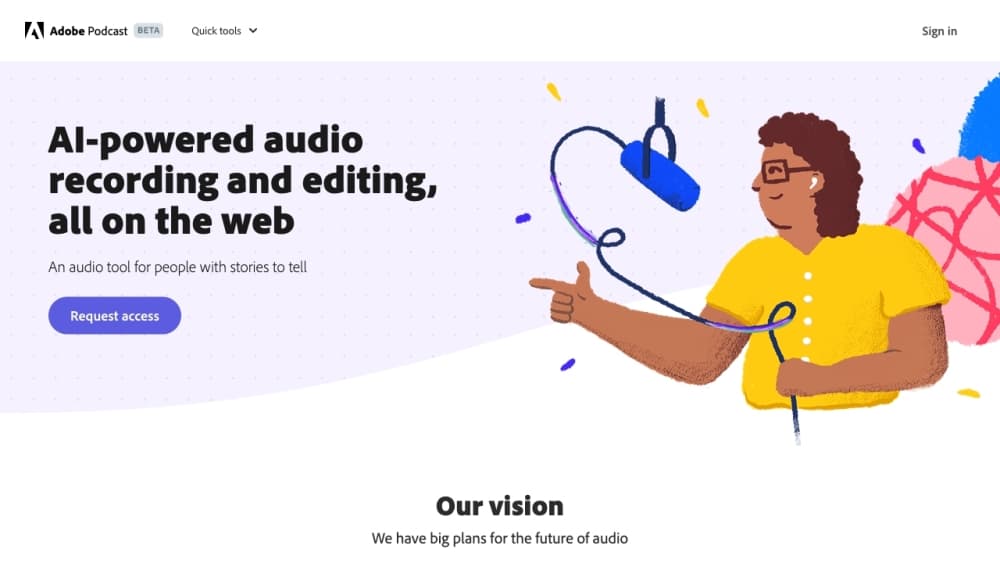
Adobe Podcast is a set of AI audio tools that run entirely in a web browser, with no desktop install. Think of it as a browser-based audio editor and an online podcast editor in the same tab. The flagship piece is Enhance Speech, which takes a rough voice recording and makes it sound like it came out of a proper studio. Fans, traffic, room echo, and muddy laptop-mic audio get cleaned up in one pass.
The target user is anyone who records their voice but doesn't own good gear. Podcasters, YouTubers, teachers, and people recording voiceovers on a phone are the obvious fits. Adobe's pitch is that you can skip the expensive microphone and the soundproofed room, because the software fixes the audio after the fact. Does that actually hold up? For voice content, mostly yes. It's podcast recording software and a video tool rolled into one place, with AI voice cleanup doing the heavy lifting.
The catch is the free tier. Enhance Speech on the free plan is audio only, handles one file at a time, and caps at 30 minutes per file and one hour per day. Studio projects on the free plan are limited to 30 minutes and two downloads per day, and audiograms carry Adobe branding. Classic Adobe. The tool is capable, and the free limits are deliberately tight to push you toward a subscription.
Getting Started
- Go to podcast.adobe.com and sign in with a free Adobe account. No credit card needed for the free plan.
- For clean-up work, open Enhance Speech and upload an audio file (wav, mp3, m4a, aac, or flac). For recording, open Studio and pick your microphone and camera in the device settings.
- Run the clean-up pass to strip noise and echo, then adjust the speech and background sliders if you're on a paid plan.
- In Studio, edit your recording by cutting and rearranging the transcript. The audio follows whatever you do to the text.
- Download the finished file or export an audiogram for social media. Free-plan downloads are capped, so check the limits before you commit to a long session.
Informations sur le produit
Aperçu des tarifs, des plateformes compatibles et des performances de Adobe Podcast.
Idéal pour
Les utilisateurs, tâches et cas d'usage où cet outil convient le mieux.
Utilisateurs
- Podcasters without studio gear
- Video creators cleaning up voiceovers
- Teachers and students recording lectures
Tâches
- Removing background noise from a voice recording
- Recording a remote interview
- Transcribing audio or video
Cas d'usage
- Fixing a one-off recording before publishing
- Producing a weekly podcast with guests
- Turning a long conversation into short clips
Fonctionnalités clés
Enhance Speech noise removal
Enhance Speech is the reason most people find Adobe Podcast in the first place. It removes background noise and echo from voice recordings and lifts clarity, using AI to rebuild speech that was captured on a mediocre mic. Version 2, released in early 2025, gives you separate sliders for speech and background so you can keep some room tone instead of stripping everything to a sterile result. That control matters. The free plan runs audio only, one file at a time, with no strength adjustment.
Transcription-based editing in Studio
Studio transcribes your recording using the same speech-to-text engine Adobe uses in Premiere Pro. You edit the transcript like a text document, and the audio updates to match. Cutting a rambling answer out of an interview becomes a copy-paste job instead of scrubbing a waveform. The same approach now works for video, and accuracy for accented English and crosstalk still varies, so a quick proofread of the transcript is worth the time.
Remote recording with separate tracks
Studio lets you invite guests by link or email and records everyone on individual tracks in 16-bit 48k WAV. That means a guest's shaky wifi doesn't drag your side of the conversation down with it, and you get clean stems to mix later. One catch. Remote recording only works in Chrome on desktop, which rules out a tablet or phone as your recording device.
Mic Check
Before you hit record, Mic Check analyzes your microphone setup and tells you what's wrong: too much background noise, gain set too high, or a mic sitting too far from your mouth. It's a small feature, but it saves the disappointment of finishing a session and finding out the recording was unusable. Worth ten seconds.
Export clips and audiograms
Studio can turn any transcript selection into a downloadable clip in mp3 or wav, or export an audiogram, which is an audio clip paired with a waveform visual for social feeds. Paid users get extra themes and the option to drop Adobe branding. It's a fast way to squeeze shareable moments out of a long episode without touching a separate design tool.
Pre-edited royalty-free music
Adobe Podcast ships a music library with intros, outros, transitions, and background beds already cut to podcast-friendly lengths. You can browse it inside Studio and drop tracks into your project. It saves hunting through stock audio sites. The selection is smaller than what a dedicated music service offers. Good enough for a first episode.
Avantages et inconvénients
Avantages
- Enhance Speech genuinely fixes bad audio with one click, and no settings are needed to get a usable result.
- The whole toolset runs in a browser, so there's nothing to install and you can work from any machine with Chrome. It's a capable browser-based audio editor without the download.
- Transcript-based editing removes the steepest part of the podcast learning curve: cutting audio on a timeline.
- The free plan is real. You can clean up short recordings indefinitely without paying.
- Studio records remote guests on separate tracks, which protects you from a bad connection on one end.
Inconvénients
- The free plan is tight: 30-minute files, one hour of enhancement per day, no video, no bulk upload, and only two Studio downloads per day.
- Video support, bulk processing, and strength adjustment all sit behind the $19.99/mo Firefly Pro plan.
- Remote recording is desktop Chrome only. Safari, Firefox, and mobile users are out of luck for the Studio recording step.
- There's no documented public API, so building your own automated pipeline on top of Enhance Speech isn't an option Adobe advertises.
Questions fréquentes
Yes, there's a free plan that covers the noise-removal tool on audio files and short Studio projects with a few downloads per day. Heavy use, video support, and bulk processing require the paid tier.
Contenus associés
Découvrez des outils, des compétences et des articles liés à Adobe Podcast.
Alternatives à Adobe Podcast

Prosp
Prosp · Rédaction · Voix et langage · MarketingProsp est un outil de prospection LinkedIn par IA, conçu pour les agences et les équipes commerciales. Il rédige le message et la note vocale avec votre propre voix pour chaque prospect, pour qu'ils répondent vraiment. Vous connectez vos comptes, trouvez des leads et laissez l'IA rédiger et envoyer des messages personnalisés à grande échelle, le tout depuis une seule boîte de réception. Il est fait pour qui prospecte en volume. C'est tout l'argument. Chaque contact doit quand même paraître humain.

Wordly AI Translation
Wordly · Voix et langage · ProductivitéWordly AI Translation est une plateforme de traduction et de sous-titrage par IA en temps réel conçue pour les réunions, les conférences et les événements. Elle fournit une traduction en direct, des sous-titres, des transcriptions et des résumés dans plus de 60 langues, et les participants rejoignent la session en scannant un QR code ou en ouvrant un lien, sans casque dédié. La plateforme fonctionne avec Zoom, Microsoft Teams, Google Meet et Webex, et elle vise les organisations qui veulent un accès multilingue sans embaucher d'interprètes humains pour chaque session. C'est aussi simple que ça.
Musicful
Musicful AI · Voix et langage · VidéoMusicful est un générateur de musique par IA et un créateur de clips musicaux par IA qui transforme un texte en musique en quelques minutes. Vous lui donnez un texte, des paroles ou une mélodie fredonnée, et il renvoie une piste finie avec voix et instruments. Il fait aussi office de générateur de chansons par IA, produit des clips musicaux à partir des chansons que vous créez et propose un outil de cover par IA ainsi qu'une API pour développeurs. La plateforme tourne dans un navigateur web et via une appli Android, donc vous pouvez commencer une chanson sur ordinateur et la reprendre sur votre téléphone.