

Erase.bg (Remove Background)
PixelBin · Image
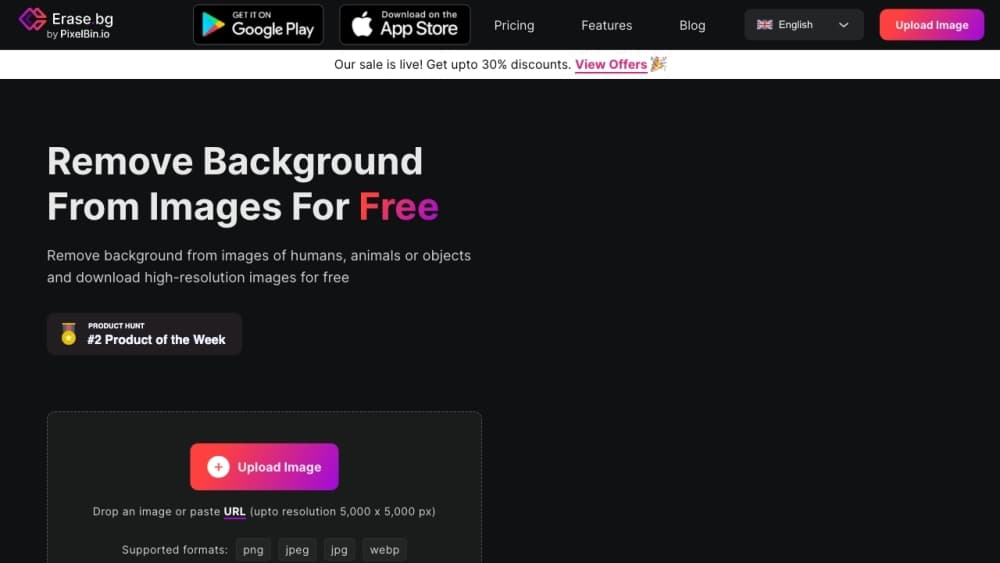
Erase.bg is a web-based AI background remover from PixelBin that strips the background out of an image and leaves you with a clean cutout. You upload a photo, the tool detects the subject, and it hands back a transparent PNG ready for a product listing, a social post, or a print layout. It handles images up to 5000x5000px, works in a browser on any device, and gives you 3 free credits when you sign up before you pay anything. If you've ever needed to remove a background from an image without opening Photoshop, this is the kind of tool that saves the afternoon.
À propos de Erase.bg (Remove Background)
What Is Erase.bg
Erase.bg is an online background eraser built by PixelBin. Removing a background used to mean opening Photoshop, drawing a mask around every strand of hair, and feathering the edges by hand. This tool skips all of that. Its algorithm finds the subject for you and deletes everything behind it, and for most photos the result holds up well enough to use without cleanup.
The job it solves is repetitive, which is where it earns its place. If you run an ecommerce store, every product photo needs the same white or transparent background, and doing that by hand eats hours. Erase.bg turns it into a drag, a click, and a download. Designers use it to pull a subject out for a composite. Social media managers use it to drop a person onto a new backdrop. Same tool, three different jobs.
The limits are worth knowing up front. You have to sign up before you can use it, and a free account starts with 3 credits, which is three HD downloads. Every transformation after that costs credits, and bulk work runs on the Pro plan or through the API. Very fine details, like flyaway hair against a busy background, still need a touch-up in a proper editor.
So it's a fast, cheap background eraser for people who remove backgrounds often, not a full image editor. If your work is one-off and small, the free credits cover it. If you're processing a catalog, you'll be paying.
Getting Started
- Go to erase.bg and sign up for a free account. Registration is required before any edit, and it unlocks your 3 free credits.
- Upload an image from your device or drag it into the upload box. Files can run up to 5000x5000px.
- Let the AI process it. The background disappears and the subject stays, usually within seconds.
- Preview the cutout and check the edges. Re-upload if the result needs a different crop.
- Download the result as a transparent PNG, or export on a solid background if you prefer.
Informations sur le produit
Aperçu des tarifs, des plateformes compatibles et des performances de Erase.bg (Remove Background).
Idéal pour
Les utilisateurs, tâches et cas d'usage où cet outil convient le mieux.
Utilisateurs
- Ecommerce sellers
- Graphic designers
- Social media creators
- Photographers
Tâches
- Making product background transparent
- Bulk background removal
- Swapping image backgrounds
- Cleaning up listing photos
Cas d'usage
- Stocking an online store
- Building a weekend social post
- Prepping a client deck
- Laying out a print flyer
Fonctionnalités clés
One-Click AI Background Removal
This is the whole point of the tool. Upload an image and the AI acts as a photo background remover that finds the subject on its own, no brush, no mask, no lasso. It reads the foreground edge, including hair and fur, and separates it from whatever sits behind. For a clean studio shot the result is basically instant. For a portrait against a cluttered street, expect a few stray pixels you'll want to clean up, so it isn't a replacement for careful manual work on the hardest edges.
HD to 4K Image Support
Erase.bg accepts files up to 5000x5000px, which covers the resolution most ecommerce and print work actually needs. A product photo that's too large for a cheaper free tool will pass through here, and the output stays at full pixel dimensions. That ceiling matters: it's the difference between a cutout you can print and one that turns fuzzy the moment it's scaled up. Larger source files take a little longer to process, but the quality holds.
Bulk Background Removal Service
The bulk service is built for volume. You can push hundreds or thousands of images through it, either from the online playground where you preview and fine-tune results, or through the API. Teams that list inventory weekly get the most out of this, since a whole catalog can be standardized without anyone sitting at a computer painting masks. It's a separate workflow from the single-image uploader, and it's aimed at businesses rather than someone editing one photo.
API Integration
Developers can wire background removal straight into their own app or pipeline through the Erase.bg API, with parameters you can adjust to match your requirements. That means an ecommerce platform can strip backgrounds as products are uploaded, or a design tool can offer cutouts as a built-in feature. Full API documentation comes with it. It's metered by credits like the web tool, so cost scales with how much you actually process.
Transparent PNG Export
Output comes back with a transparent background, which is the format you need for compositing. Drop the cutout onto a colored page, a photo, or a design canvas and the original background simply isn't there. JPEG and PNG are both supported on the way out, so if you'd rather have a solid color behind the subject you can export that instead. It's the kind of image cutout tool that fits into design work rather than just background swapping.
Cross-Platform Access
Erase.bg runs in any browser, so it works on Windows, Mac, Linux, iOS, and Android with nothing to install. There's also a mobile app on Google Play if you'd rather work from your phone. That portability is practical: a seller can shoot a product on a phone, upload it, and have a listing-ready cutout without touching a desktop.
Avantages et inconvénients
Avantages
- Removes backgrounds in seconds with a single upload, no masking required.
- Handles images up to 5000x5000px, enough for most ecommerce and print jobs.
- Works in any browser plus iOS and Android, with no install needed.
- Bulk service and API let you process large image sets at scale.
- Free tier gives 3 HD downloads, so you can test it on real work.
Inconvénients
- Sign-up is mandatory before any edit, so you can't try it without an account.
- Free users only get 3 credits, and every extra download costs money.
- Fine details like flyaway hair can need manual cleanup in a separate editor.
- The Pro plan is pay-as-you-go by credits, so heavy users have to track spend.
Questions fréquentes
Partly. Signing up gives you 3 free credits, which cover 3 HD downloads. After that, transformations cost credits, and the Pro plan starts at $5 for 10 credits with unlimited access to premium features. So it's free to try and cheap to use, but not free at volume.
Contenus associés
Découvrez des outils, des compétences et des articles liés à Erase.bg (Remove Background).
Alternatives à Erase.bg (Remove Background)

X Ray Interpreter
X-ray Interpreter · ImageX Ray Interpreter est un outil de radiologie par IA basé sur le web qui transforme les radiographies, les scanners, les IRM, les échographies et les images TEP en comptes rendus en langage clair. Vous téléchargez un examen, obtenez une interprétation préliminaire de la radiographie en quelques instants, puis posez des questions complémentaires si quelque chose mérite une explication. Il sert de second avis et d'aide à l'apprentissage, pas de diagnostic médical.

Aieasypic
AIEasyPic · ImageAIEasyPic est un générateur d'images par IA qui transforme de simples prompts texte en œuvres finies en quelques secondes. Vous pouvez aussi entraîner des modèles personnalisés sur vos propres photos, échanger des visages dans des images existantes et créer de courts clips vidéo à partir de texte, le tout depuis un navigateur. Il convient aux créateurs occasionnels qui veulent des visuels rapides et aux amateurs qui souhaitent bâtir un modèle personnel sans toucher à la moindre ligne de code.

Chargen
Chargen · ImageChargen est un générateur de personnages par IA et une boîte à outils de création d'univers conçue pour Donjons & Dragons et les autres jeux de rôle sur table. Il transforme une idée d'une ligne en un portrait de personnage peint, crée des PNJ, des monstres, des cartes et des rencontres dans la même session, et garde les détails de chaque créature à portée de main. Le volet art pour jeu de rôle sur table repose sur un système de crédits appelé Gold, tandis que les générateurs de texte restent gratuits pour tous.