

Galileo AI
Galileo AI (acquired by Google in May 2025; product now Google Stitch) · Image · Programmation
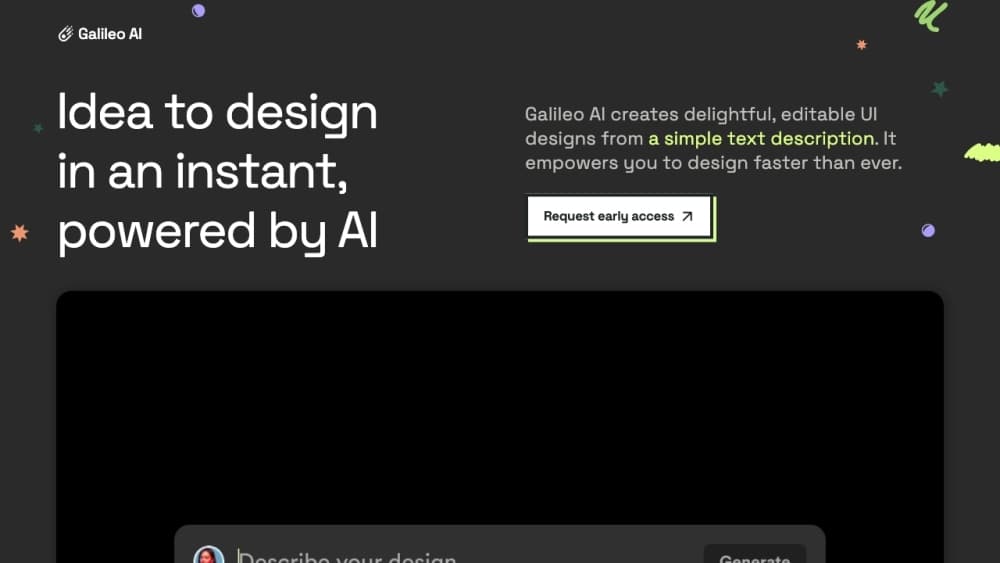
Galileo AI is an AI UI design generator that turns plain-language descriptions and reference images into high-fidelity, editable interface designs. Launched in 2022 as a text-to-UI startup, it became known for generating polished app and web screens from a single prompt and exporting them into Figma as editable layers. Google acquired the company in May 2025, and the standalone product was retired and folded into Google Stitch.
À propos de Galileo AI
What Is Galileo AI
Galileo AI was a design tool built around one idea: describe the interface you want, and get a finished-looking screen back in under a minute. You typed something like "a friendly booking app home screen with a search bar and nearby listings," and the tool returned several layout options with real UI elements, images, and placeholder copy already filled in. It handled mobile apps, web dashboards, landing pages, and e-commerce layouts, and it also accepted a screenshot or hand-drawn wireframe as the starting point.
The product mattered because it attacked a specific bottleneck. Designers spent hours on first-draft mockups that often got thrown away, and non-designers had no way to show anyone what they were picturing. That's the gap it filled. Its Figma export was the detail that earned it a following, because the output arrived as editable vectors and grouped components rather than a flat image you couldn't touch.
The biggest limitation is that the product no longer exists on its own. Google acquired the team in May 2025 and relaunched the technology as Google Stitch, running on Gemini models. The original usegalileo.ai site and its $19 and $39 monthly plans were wound down, and the service shut down for existing users on June 20, 2025. Anyone searching for Galileo AI today should expect to land on Stitch instead. That's not a small caveat. It means reviews, tutorials, and pricing tables written about Galileo AI before mid-2025 describe a product you can't sign up for.
Getting Started
- Recognize that Galileo AI itself is closed. New accounts were never reopened after the acquisition, so you can't create a Galileo AI login today.
- Go to stitch.withgoogle.com and sign in with a Google account. Stitch runs through Google Labs and doesn't ask for a credit card.
- Describe the screen you want in the chat box, or upload an image, sketch, or code snippet as context. Pick Gemini 2.5 Flash for speed or Gemini 2.5 Pro for more considered layouts.
- Refine on the canvas. Adjust theme colors, fonts, and corner radius, then connect screens into a clickable prototype.
- Export what you like. Stitch copies designs to Figma and hands off HTML and CSS, and it can package your design rules as a DESIGN.md file.
Informations sur le produit
Aperçu des tarifs, des plateformes compatibles et des performances de Galileo AI.
Idéal pour
Les utilisateurs, tâches et cas d'usage où cet outil convient le mieux.
Utilisateurs
- Product managers
- Startup founders building an MVP
- UI/UX designers
- Non-designers with an idea
Tâches
- Text to UI drafts
- Image to UI conversion
- Prompt to UI prototyping
- Figma handoff
Cas d'usage
- Pitching a concept in a meeting tomorrow
- Modernizing an outdated internal tool
- Early project research
- Building a deck or proposal
Fonctionnalités clés
Text to UI Generation
The core of the product. You describe the interface in natural language, and Galileo AI returns high-fidelity screens within roughly 30 to 60 seconds, usually as several variations you can compare side by side. Output quality tracks how specific your prompt is. A request for "a nice login screen" produces something generic, while naming the fields, the layout order, the theme, and the target platform gets you something closer to a real design. So what actually works? Specific prompts. It understands common patterns like dashboards, feeds, and checkout flows, and it handled data-heavy dashboard layouts better than most of its contemporaries.
Image to UI and Wireframe Conversion
Screenshots, existing UI captures, and hand-drawn sketches all work as inputs. The tool reads the layout structure, component arrangement, and visual hierarchy from the reference, then rebuilds it with editable elements, often filling in details the sketch left out, like icons, avatars, or chart placeholders. This made it useful for modernizing an aging interface without redrawing it from scratch. Upload quality matters more than people expect: a sharp screenshot with clear separation between elements converts noticeably better than a blurry or heavily compressed one.
Editable Figma Export
This was Galileo AI's strongest differentiator. Generated designs didn't leave the platform as screenshots. They arrived in Figma as editable vectors, text layers, and grouped components that followed the layout logic of the original, so you could select a button and change it rather than tracing over a picture. Designers who tested it repeatedly called out the layer structure as unusually clean. That's the difference between a throwaway mockup and a usable starting file.
Style and Theme Controls
Before exporting, you can adjust the global look of a generated design: fonts, accent colors, and corner radius, applied consistently across every screen in the project. That consistency is what stopped the output from looking like a pile of unrelated AI images. It's less granular than editing a full design system, which is exactly why it stays approachable for people who don't do design work.
Multiple Variations Per Prompt
Every prompt returns several options rather than a single answer. You pick the closest one, or borrow a header from one and a card layout from another. The team behind the tool described this as one of the most valuable things they learned internally. Seeing four directions at once helped people decide faster than iterating on one design through many rounds.
Design System Extraction
The current Google Stitch version of the technology can pull a design system out of any URL and store your rules in a DESIGN.md file, an agent-readable document you can move between projects and developer tools. It's a meaningful step past one-off screen generation, since it means the tool can keep brand rules consistent instead of rebuilding the same decisions each session. If you need to apply the same visual language across several projects, this is the feature that saves the most time.
Avantages et inconvénients
Avantages
- Generated screens arrived in Figma as editable components with clean layer grouping, which made them usable for real project work rather than reference only.
- Image to UI handled sketches and screenshots well, cutting out a lot of repetitive redrawing for teams modernizing existing interfaces.
- Returning multiple variations per prompt sped up early decisions, since comparisons happened before any polishing work began.
- The prompt box carried a short learning curve, and non-designers could produce presentable screens without design training.
Inconvénients
- The standalone product is gone. Google acquired Galileo AI in May 2025 and retired it in favor of Google Stitch, so older pricing and reviews no longer apply to anything you can sign up for.
- Output quality depends heavily on prompt detail, and vague descriptions produce generic layouts that need substantial rework before they're usable.
- It never aimed at pixel-perfect production design. It isn't a replacement for a full design tool, and the results still need a designer's pass. Not a dealbreaker, but worth knowing before you pitch its output to a client.
- Legacy paid tiers placed privacy and additional Figma exports behind the $19 and $39 monthly plans, and the free tier capped exports at three. Current Stitch access runs under Google Labs beta terms, which permit Google to use inputs for model improvement, so privacy-sensitive teams should check those terms first.
Questions fréquentes
No. Google acquired Galileo AI in May 2025, and the standalone service shut down on June 20, 2025. The team and technology became Google Stitch, available at stitch.withgoogle.com.
Contenus associés
Découvrez des outils, des compétences et des articles liés à Galileo AI.
Alternatives à Galileo AI

X Ray Interpreter
X-ray Interpreter · ImageX Ray Interpreter est un outil de radiologie par IA basé sur le web qui transforme les radiographies, les scanners, les IRM, les échographies et les images TEP en comptes rendus en langage clair. Vous téléchargez un examen, obtenez une interprétation préliminaire de la radiographie en quelques instants, puis posez des questions complémentaires si quelque chose mérite une explication. Il sert de second avis et d'aide à l'apprentissage, pas de diagnostic médical.

Aieasypic
AIEasyPic · ImageAIEasyPic est un générateur d'images par IA qui transforme de simples prompts texte en œuvres finies en quelques secondes. Vous pouvez aussi entraîner des modèles personnalisés sur vos propres photos, échanger des visages dans des images existantes et créer de courts clips vidéo à partir de texte, le tout depuis un navigateur. Il convient aux créateurs occasionnels qui veulent des visuels rapides et aux amateurs qui souhaitent bâtir un modèle personnel sans toucher à la moindre ligne de code.

Chargen
Chargen · ImageChargen est un générateur de personnages par IA et une boîte à outils de création d'univers conçue pour Donjons & Dragons et les autres jeux de rôle sur table. Il transforme une idée d'une ligne en un portrait de personnage peint, crée des PNJ, des monstres, des cartes et des rencontres dans la même session, et garde les détails de chaque créature à portée de main. Le volet art pour jeu de rôle sur table repose sur un système de crédits appelé Gold, tandis que les générateurs de texte restent gratuits pour tous.