

Stability AI Stable Diffusion 3.5
Stability AI · 画像
Stable Diffusion 3.5 is an open-source image generation model family from Stability AI, and it works as a text-to-image model you can run yourself: you type a written prompt and get images you own and can use commercially. It's the kind of AI image generator you install rather than subscribe to. It ships in three sizes, from a lightweight version for consumer GPUs to an 8.1-billion-parameter base model for professional work. Unlike closed image tools, you can download the weights, run them on your own machine, and fine-tune the image model for a specific style or product. No subscription required.
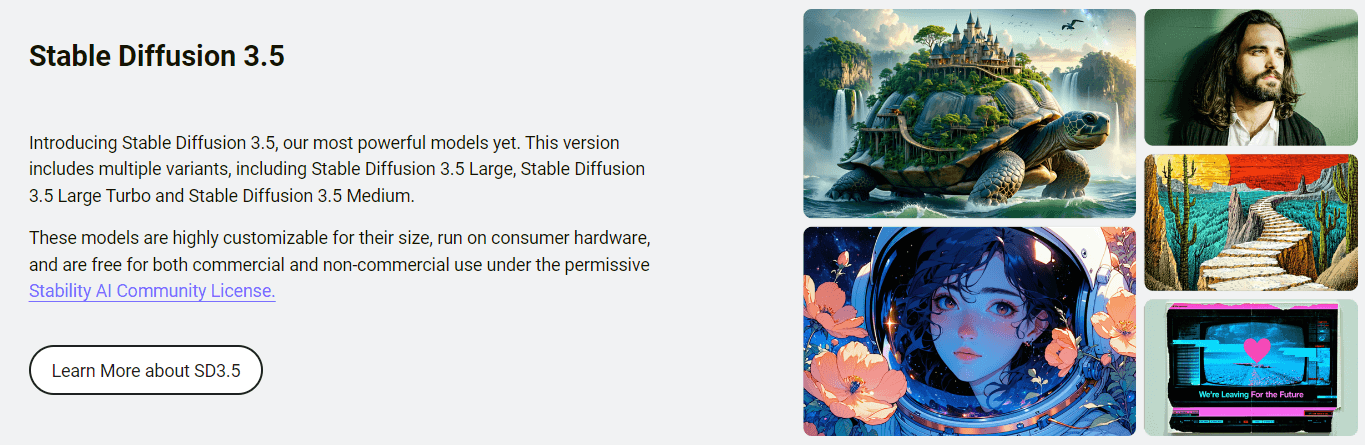
Stability AI Stable Diffusion 3.5 について
What Is Stable Diffusion 3.5
Stable Diffusion 3.5 is the image generation family Stability AI released in October 2024, and it's the successor to Stable Diffusion 3 Medium. The company has been open about that earlier release falling short of its own standards, and 3.5 is the rebuilt answer. What matters for you: the model weights are downloadable, the code is public, and most people can use the output without paying a license fee. That's rare.
The family covers three models so you don't have to pick between speed and quality. Stable Diffusion 3.5 Large has 8.1 billion parameters and targets professional images at 1 megapixel. Stable Diffusion 3.5 Large Turbo is a distilled version that gets a usable image out in 4 steps, which makes it noticeably faster. Stable Diffusion 3.5 Medium sits at 2.5 billion parameters and runs out of the box on everyday consumer hardware, generating images between 0.25 and 2 megapixels.
The catch is that this isn't a one-click web app for beginners. You need somewhere to run it, whether that's your own GPU, a hosted platform like Replicate or ComfyUI, or the paid Stability AI API. The models also lean toward diversity over consistency: the same prompt with different seeds can give you wildly different results, which is intentional. Ask for something vague and you'll get something vague back. Specific prompts get specific images.
So which of the three sizes should you actually grab? That depends entirely on your GPU.
Getting Started
Getting Stable Diffusion 3.5 running depends on which path you take. The self-hosted route is the most flexible and free for most users.
- Pick a model size. Grab Large for maximum quality, Medium or Large Turbo if your hardware is limited.
- Download the weights from Hugging Face (stabilityai on Hugging Face hosts all three) or pull the inference code from the Stability-AI/sd3.5 repository on GitHub.
- Load the model in a compatible interface. ComfyUI and similar tools handle the workflow wiring for you.
- Write your prompt, set resolution and seed, then generate. Medium needs around 9.9 GB of VRAM to reach full performance.
- Take the output and edit further in your usual editor. You own the images you make.
If you'd rather skip the setup, sign up for the Stability AI API or a hosted platform and call the model directly. That route costs money, but it saves you hours of configuration.
AIツール情報
Stability AI Stable Diffusion 3.5の料金、対応プラットフォーム、性能を簡単に確認できます。
こんな人におすすめ
このツールが最も力を発揮するユーザー、タスク、シーン。
ユーザー
- Independent artists
- Developers building image features
- Hobbyists with a decent GPU
- Researchers and students
タスク
- Generating marketing visuals
- Fine-tuning a custom style
- Prototyping before a shoot
- Building an app's image pipeline
シーン
- Running an image generator entirely offline
- Working on a laptop or desktop GPU rather than renting cloud compute every time.
- Shipping commercial content for a small studio where the $1M revenue ceiling isn't a concern.
主な機能
Three Model Sizes for Different Hardware
Stable Diffusion 3.5 comes in Large (8.1B parameters), Large Turbo (a distilled version built for 4-step generation), and Medium (2.5B parameters). Three separate models, three different jobs. The split lets you match the model to your hardware instead of forcing one size on everyone. Medium is the accessible entry point, while Large is the one aimed at professional, 1-megapixel output.
Customizability and Fine-Tuning
The models were built to be customized, not just used. Stability AI added Query-Key Normalization to the transformer blocks specifically to make training more stable, which simplifies fine-tuning and building derivative models. You can train a LoRA, adjust the base model, or build an app around a custom workflow, and the community license explicitly allows distributing and monetizing that work. Closed tools rarely let you do this.
Runs on Consumer Hardware
Medium needs only around 9.9 GB of VRAM, excluding the text encoders, to reach full performance. That puts it within reach of many consumer GPUs, which is unusual for a modern image model of this quality. If you've been holding off on local image generation because you assumed you'd need a data-center card, this is the model that changes the math. It really does run on a gaming rig.
Open License With Commercial Rights
The Stability AI Community License is free for research and personal use, and free for commercial use for anyone under $1M in annual revenue. You also keep ownership of the generated media. That combination is the main reason small studios and indie developers pick this over closed competitors. Read the terms before you ship.
Multiple Access Routes
You don't have to self-host. The same models are available through the Stability AI API, Replicate, Fireworks AI, DeepInfra, and ComfyUI. That means you can start with a hosted endpoint and migrate to self-hosting later, or mix both depending on the workload. No lock-in either way.
Improved Prompt Adherence
Stability AI describes 3.5 as top-tier on prompt adherence, the ability of the model to actually draw what you asked for rather than an approximation. For prompting-heavy work like detailed scenes or specific compositions, that's the difference between a few attempts and a frustrating afternoon. Vague prompts still misbehave. Fine-tuning tightens the gap.
メリットとデメリット
メリット
- Free weights under a permissive license, so there's no per-image cost when you self-host.
- You own the images and can use them commercially if your revenue is under $1M.
- Three sizes mean you can trade speed for quality based on your GPU.
- Fine-tuning and LoRA training are supported, letting you build a custom style or product.
- Works across self-hosting, the official API, and third-party platforms, so you're not locked into one vendor.
デメリット
- Not a beginner tool. There's no simple web button unless you use a hosted platform.
- Output varies a lot between seeds by design, so vague prompts give inconsistent results and you'll spend time iterating.
- Running the full Large model locally demands serious GPU memory, which rules out many laptops.
- Above $1M in annual revenue, the free commercial license ends and you need an enterprise agreement, which means contacting Stability AI for a quote.
よくある質問
It generates images from text prompts, and you can use it for everything from concept art and marketing visuals to building image features into an app. Because the weights are open, it also gets used as a base for fine-tuning and custom models, which makes it a workhorse for AI art generation at scale.
関連コンテンツ
Stability AI Stable Diffusion 3.5に関連するツール、スキル、記事を探す。
Stability AI Stable Diffusion 3.5の代替ツール

X Ray Interpreter
X-ray Interpreter · 画像X Ray Interpreter は、X 線、CT、MRI、超音波、PET の画像を平易な言葉のレポートに変えるウェブベースの AI 放射線ツールだ。スキャン画像をアップロードすると、X 線の予備的な読影結果がすぐに返ってくる。説明が必要な箇所があれば、その後で追加の質問もできる。位置づけはセカンドオピニオンと学習の補助であり、医療診断ではない。

Aieasypic
AIEasyPic · 画像AIEasyPicは、単純なテキストプロンプトを数秒で完成したアート作品に変えるAI画像生成ツールだ。自分の写真でカスタムモデルを訓練したり、既存の画像の顔を交換したり、テキストから短い動画クリップを作ったりもできる。すべてブラウザだけで完結する。手早くビジュアルが欲しい気軽なクリエイターにも、コードを一切触らずに個人モデルを作りたい趣味の人にも向く。

Chargen
Chargen · 画像ChargenはDungeons & Dragonsやその他のテーブルトークRPG向けに作られたAIキャラクター生成ツール兼ワールドビルディングツールキットだ。一行のアイデアを描き上げたキャラクター肖像に変え、同じセッションでNPC、モンスター、マップ、遭遇を生み出し、すべてのクリーチャーの詳細を手元に置く。テーブルトークRPGアートの部分はGoldと呼ばれるクレジット制で動き、テキスト生成ツールは誰でも無料のまま使える。