

Artflow.ai
Artflow AI Pte. Ltd. · 글쓰기
Artflow.ai is an AI visual content platform that builds a reusable digital identity, called an Actor, from your own photos, then generates portraits, illustrations, and talking videos that keep your face consistent across every image. It's aimed at content creators, marketers, coaches, and small business owners who want professional visuals of a specific person without booking a photographer or a studio. The tool runs in the browser and leans on a monthly credit system tied to a free-to-$99 tier range.
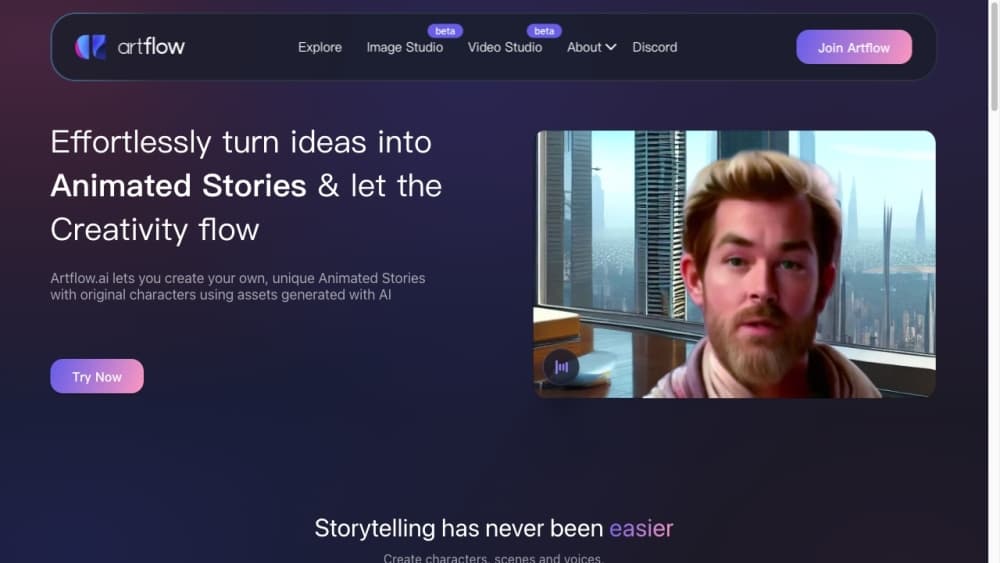
Artflow.ai 소개
What Is Artflow.ai
Artflow.ai creates visual content built around a person's real likeness. You upload 10 to 20 clear photos of your face, the platform trains an Actor model, and then you can place that identity into portraits, illustrations, animated characters, and short videos. The draw is consistency. Most AI image tools hand you a one-off picture with a stranger's face; Artflow tries to keep the same face, expressions, and presence across everything it makes.
The company says it introduced the world's first text-to-portrait service back in 2021 and now serves creators across 180+ countries. It's run by Artflow AI Pte. Ltd., based in Singapore. The product has since grown well past portraits into technology for generating video, writing dialogue for characters, and designing scenes you can animate.
The main catch is how it handles rights and likeness. Free and Basic plans restrict output to personal, non-commercial use, and every paid tier except Pro and Ultra asks you to credit Artflow when you post something publicly. That's a real constraint. You also can't train an Actor from photos you don't own the rights to, and anyone whose face appears in a generated image keeps publicity rights over their own likeness. For a business using this for ads, read the terms in full before you upload anything.
Getting Started
- Sign up at app.artflow.ai with an email address or Google account. No credit card is needed to start.
- Create an Actor by uploading 10 to 20 clear photos of your face. Skip sunglasses, hats, and group shots, since the model trains on what you give it.
- Wait for training to finish, which the company says takes somewhere between 10 and 30 minutes. Your first Actor is included on every plan.
- Open the image, video, or template studio, pick a scene or style, and generate. Each image and video draws from your monthly credit balance.
- Export the result. Depending on your plan you may need to add an Artflow credit line. Higher tiers remove the watermark and add background removal plus upscaling up to 64 megapixels.
제품 정보
Artflow.ai의 요금, 지원 플랫폼, 성능을 한눈에 확인해 보세요.
추천 대상
이 도구가 가장 잘 맞는 사용자, 작업, 상황입니다.
사용자
- Content creators and influencers
- Coaches, consultants, and solopreneurs
- Small business owners and marketers
작업
- Generating professional headshots and portraits
- Creating talking videos and animated characters
- Designing branded posters and print-ready art
- Producing multi-format social content
활용 상황
- Replacing a recurring photo shoot for social posts
- Building a personal brand page from scratch
- Making short video content without appearing on camera
주요 기능
Actor Builder
Upload 10 to 20 photos of your face and Artflow trains a personal model it calls an Actor, which then reappears in every image and video you generate. This is the feature that separates the product from one-off AI image tools, since the identity persists across projects instead of resetting each time. Training usually takes 10 to 30 minutes.
Persistent Identity Across Formats
Your Actor keeps the same face across every format. Portrait, social reel, print-ready poster, same person in all of them. That's what makes the AI avatar generator worth the setup cost, since one identity anchors a whole brand instead of resetting each session. Dual Actor support puts two identities in a single scene, and multi-Actor scenes are marked as coming soon.
Text-to-Portrait and Illustration
Type a prompt and the tool generates illustration or portrait imagery, matching the company's roots in text-to-portrait generation. It works as an AI text to illustration tool and an AI portrait generator in the same flow. You can direct the output toward fantasy portraits, editorial shoots, seasonal photo sets, or character designs, and apply style presets to steer the look.
Talking Video and Animation
The video studio turns a still character into a talking clip, and the company also markets it as a text to animation and talking video generator for short-form work. You choose a scene, drop in dialogue, pick a voice, and add camera effects, then assemble multiple segments before generating. The company also markets character animation for storytelling and short-form video.
Editing and Refinement Tools
Higher tiers add background removal, inpainting, and upscaling up to 64 megapixels, which the company pitches as sharp enough for a magazine cover. These finishing tools matter a lot. Take generated art into print or professional client work and you'll notice the difference immediately.
Templates and Scene Library
Artflow ships hundreds of scene templates you can drop your Actor into with a single tap, covering professional, lifestyle, social, storytelling, and design themes. Props and sets let you place real products and branded elements into a scene for marketing visuals.
장단점
장점
- One Actor identity carries across portraits, illustrations, and video, so your face stays consistent instead of changing with every generation.
- Pricing scales from a real free tier up to a $99/month Ultra plan, so you can test the output before committing.
- Editing tools like background removal, inpainting, and 64MP upscaling are bundled into higher plans rather than sold separately.
- Commercial licensing is included on paid plans, with Pro and Ultra dropping the attribution requirement that lower tiers carry.
단점
- Free and Basic output is non-commercial, and the free tier caps you at 25 credits a month, which limits how much you can actually produce before paying.
- Actor training needs a clean batch of 10 to 20 photos, so if you lack good clear pictures, results start weak and you'll burn credits retraining.
- No public API documentation exists, so developers hoping to integrate Artflow into an existing workflow have no confirmed path. That's a dead end for now.
- Everything runs in a browser. The credit system means heavy video generation can drain a monthly allocation quickly.
자주 묻는 질문
An Actor is your trained AI identity on the platform. You upload a set of your photos, Artflow learns your facial features, and every image or video you generate afterward can feature that same face. It's the feature that makes your output look like a specific person rather than a generic AI model.
관련 콘텐츠
Artflow.ai와 관련된 도구, 스킬, 아티클을 살펴보세요.
Artflow.ai 대안

Emailwritr
Emailwritr · 글쓰기 · 마케팅Emailwritr는 이미 보유한 리스트에서 더 많은 매출을 끌어내려는 제휴 마케터, 강의 제작자, 온라인 사업자를 위해 만든 AI 이메일 카피라이팅 도구다. 빈 페이지나 일반적인 챗봇 프롬프트 대신, 이 AI 이메일 작성 도구는 잘 알려진 다이렉트 리스폰스 카피라이터를 본뜬 프레임워크로 웰컴 시퀀스, 런칭 캠페인, 장바구니 이탈 이메일, 프로모 시리즈를 생성한다. 오토리스폰더를 연결하고 제안에 관한 몇 가지 질문에 답하면 나머지 문구를 대신 써 준다.

Swms
Swms AI · 글쓰기 · 생산성 · 비즈니스Swms는 작업에 대한 간단한 설명을 바로 쓸 수 있는 안전 문서로 바꿔 주는 AI 안전 컴플라이언스 도구다. 프로젝트, 직종, 이미 알고 있는 위험을 설명하면 안전 작업 방법 명세서, 작업 위험 분석, 안전 작업 절차서, RAMS, 안전 데이터 시트를 몇 초 만에 작성한다. 어떤 언어로든 산업 안전 질문에 답하는 채팅 어시스턴트 Oscar도 함께 제공된다. 건설, 광업, 운송, 창고 팀은 작업일을 잡아먹는 서류 작업을 줄이려고 이 도구를 쓴다.

Prosp
Prosp · 글쓰기 · 음성 및 언어 · 마케팅Prosp는 에이전시와 영업팀을 위해 만들어진 AI LinkedIn 아웃리치 도구다. 잠재 고객마다 자신의 목소리로 메시지와 음성 메시지를 작성해, 상대가 실제로 답장하도록 만든다. 계정을 연결하고 리드를 찾고, AI가 개인화된 메시지를 대량으로 작성해 보내도록 맡긴다. 전부 하나의 받은편지함에서 처리한다. 대량으로 아웃바운드를 돌리는 사람을 위해 만들어졌다. 그게 이 제품의 전부다. 그래도 모든 접점은 인간처럼 느껴져야 한다.