

Chatbase
Chatbase Inc. · 마케팅 · 챗봇
Chatbase is a no-code chatbot builder for AI customer support. It's an AI chatbot platform that trains agents on your own documents, website, and tickets. You add your content, pick a model, and deploy the agent across a website widget, email, WhatsApp, Slack, Messenger, Instagram, or inbound phone calls. It started as a way for small teams to answer repetitive questions, and it now sells an enterprise tier with SSO, SLAs, and HIPAA support.
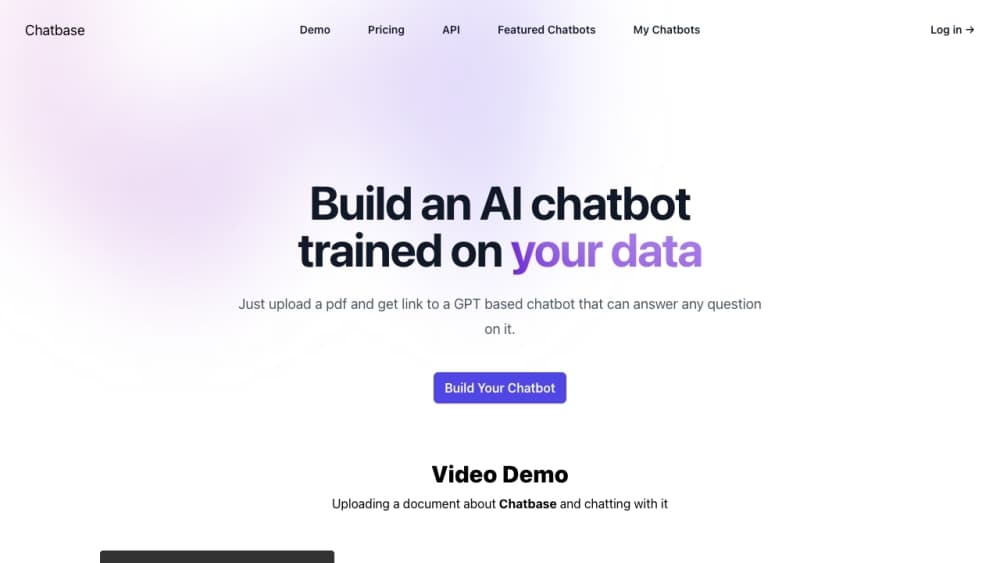
Chatbase 소개
What Is Chatbase
Chatbase is an AI agent platform built around customer support. You feed it your help center articles, PDFs, Notion pages, or Zendesk tickets, and the agent answers questions using that material instead of inventing answers. The pitch is simple: cut the queue of "where's my order" and "how do I reset my password" tickets without hiring more staff. No code required.
The product has moved well past the basic embed-a-chat-widget era. Agents can now take real actions inside connected systems, like looking up a Stripe subscription or checking a Shopify order, and hand a conversation to a human with the transcript and an AI summary attached. Phone support works too, through Twilio or your own SIP trunk. Voice is one of the pricier channels to run at scale.
The main limits are practical ones. Training content is capped by plan (1 MB on Free, up to 40 MB on Pro), and support tickets count as a data source only on paid tiers. Message credits, not conversations, are what you're really paying for, and a single user question can burn several credits if the agent runs an action. Prices start at $40/month. So what does that buy you? 700 message credits on Hobby, which is fine for a small site and thin for a busy one. If your documentation is messy or outdated, the agent will faithfully repeat your mess.
Getting Started
- Sign up at chatbase.co and create a new AI agent from the dashboard.
- Train it by adding sources: upload files (PDF, DOC, DOCX, TXT up to 20 MB each), point it at a website URL, paste text snippets, or paste Q&A pairs. The agent picks up changes within seconds, and there's no retrain button to click.
- Test in the Playground, where you can preview the agent across channels and adjust its instructions and tone in real time.
- Deploy by enabling a channel: a floating chat bubble, a hosted help page, Slack, WhatsApp, Email, or a phone number. Most website setups are a single script tag.
- Monitor conversations in the Activity log and check Analytics to see what people actually ask.
제품 정보
Chatbase의 요금, 지원 플랫폼, 성능을 한눈에 확인해 보세요.
추천 대상
이 도구가 가장 잘 맞는 사용자, 작업, 상황입니다.
사용자
- Small support teams drowning in repeat questions
- Ecommerce stores on Shopify or Stripe
- SaaS companies with a decent help center
- Agencies and freelancers building chatbots for clients
작업
- Answering product and pricing questions
- Triaging and escalating tickets
- Booking meetings
- Collecting leads
활용 상황
- Handling overnight support for a small brand
- Deflecting first-line tickets before they reach Zendesk or Intercom
- Standing up a beta chatbot in an afternoon
주요 기능
No-code agent builder with instant training
You build and train a custom AI agent from a dashboard, no programming required. Add files, a website URL, text snippets, Notion pages, or Q&A pairs and the agent picks them up within seconds. There's no retrain button, which removes a step that trips people up on other platforms. Edit a source and the agent learns the change before you close the tab.
A chatbot for customer service, not a general assistant
Chatbase is aimed at support work rather than open-ended chat. The agent answers from your help center and ticket history, and it stays inside the guardrails you set. That focus is why the escalation and action features feel complete instead of bolted on. It won't write your blog posts. It will handle the same password question for the hundredth time without complaining. Narrow scope, done well.
Multi-channel deployment from one agent
A single agent goes to a website chat bubble, a hosted help page, Slack, WhatsApp, Messenger, Instagram, email, and inbound phone calls. You enable and configure each channel separately, so you can start with web chat and add voice later without rebuilding. Native iOS and Android SDKs exist for teams embedding the agent inside their own apps. One agent, many doors.
Actions that change things, not just answer
Beyond answering questions, agents can run actions in connected systems: look up a Stripe subscription, browse Shopify products and manage carts, create cases in Salesforce, or post to Slack. That's the difference between a chatbot and a support tool. A custom action lets you call your own API or run browser code, which is how teams wire the agent into internal tools the standard integrations don't cover. Plenty of power here.
Human escalation with full context
When a conversation needs a person, the agent hands off with the transcript and an AI-generated summary attached, so the human doesn't start from zero. Rules are written in plain language rather than a code editor. Escalations route to Chatbase's own helpdesk or a connected platform like Zendesk or Salesforce. Fast handoff, no lost context.
Voice and phone support
Agents can take inbound calls through Twilio or your own SIP trunk, and transfer a live call to a human by forwarding to a phone number. Concurrent call handling is plan-dependent, and voice is one of the pricier channels to run at volume. Test it before you commit.
Procedures for multi-step workflows
Procedures let you define a workflow with a trigger, then the agent follows those steps end to end instead of improvising. This matters for anything with a required order, like a refund flow or an onboarding sequence, where a free-form answer would skip a step. Steps stay on rails.
Backstage, an AI copilot for managing the agent
Backstage is an operations layer where you describe changes in plain English and it handles the configuration. Instead of hunting through settings pages, you tell it what you want the agent to do differently. It won't replace understanding the settings, but it speeds up routine tweaks. Think of it as a copilot for admin work.
Security and compliance controls
Chatbase holds SOC 2 Type II and is GDPR compliant, with HIPAA Business Associate Agreements available on Enterprise. Data is encrypted at rest and in transit, and customer data isn't used to train shared models. Enterprise customers can choose data residency across US, EU, or APAC regions. For regulated teams, that matters more than any feature on this list.
장단점
장점
- Getting a working chatbot live takes minutes, and the embed is a single script tag for most sites.
- Training sources sync automatically, so updated help articles flow into the agent without manual retraining.
- Actions reach into Stripe, Shopify, Salesforce, and custom APIs, so the agent resolves issues instead of just describing them.
- Escalation carries a transcript plus an AI summary, which saves human agents real time.
- Multi-channel coverage from one agent spans web, email, WhatsApp, Slack, Instagram, and voice.
단점
- Message credits, not conversations, are the billing unit, and one user question can consume several credits when an action fires, so costs are harder to predict than a flat per-seat price.
- Training content is capped (1 MB on Free, 40 MB on Pro), which will bite anyone trying to load a large knowledge base.
- Annual support tickets and auto-resync of websites and Notion pages are paid-plan features, so Free users have to update sources by hand.
- Removing the "Powered by Chatbase" branding costs $99/month on top of your plan, which is a steep price for one small change.
- Voice and phone support add complexity and cost, so teams should treat it as a step up rather than a default channel.
자주 묻는 질문
Chatbase is used to build AI customer support agents that answer questions from your own content and resolve issues across chat, email, WhatsApp, Slack, and phone. Teams use it to deflect repetitive tickets, collect leads, and escalate complex cases to humans with context attached.
관련 콘텐츠
Chatbase와 관련된 도구, 스킬, 아티클을 살펴보세요.
Chatbase 대안

Emailwritr
Emailwritr · 글쓰기 · 마케팅Emailwritr는 이미 보유한 리스트에서 더 많은 매출을 끌어내려는 제휴 마케터, 강의 제작자, 온라인 사업자를 위해 만든 AI 이메일 카피라이팅 도구다. 빈 페이지나 일반적인 챗봇 프롬프트 대신, 이 AI 이메일 작성 도구는 잘 알려진 다이렉트 리스폰스 카피라이터를 본뜬 프레임워크로 웰컴 시퀀스, 런칭 캠페인, 장바구니 이탈 이메일, 프로모 시리즈를 생성한다. 오토리스폰더를 연결하고 제안에 관한 몇 가지 질문에 답하면 나머지 문구를 대신 써 준다.

Prosp
Prosp · 글쓰기 · 음성 및 언어 · 마케팅Prosp는 에이전시와 영업팀을 위해 만들어진 AI LinkedIn 아웃리치 도구다. 잠재 고객마다 자신의 목소리로 메시지와 음성 메시지를 작성해, 상대가 실제로 답장하도록 만든다. 계정을 연결하고 리드를 찾고, AI가 개인화된 메시지를 대량으로 작성해 보내도록 맡긴다. 전부 하나의 받은편지함에서 처리한다. 대량으로 아웃바운드를 돌리는 사람을 위해 만들어졌다. 그게 이 제품의 전부다. 그래도 모든 접점은 인간처럼 느껴져야 한다.

On Model
On Model · 이미지 · 마케팅On Model은 옷을 가상 모델에 입히는 AI 패션 모델 도구로, 온라인 스토어가 촬영을 예약하지 않고도 모델 착용 제품 사진을 얻을 수 있게 한다. Shopify 앱으로 작동하며, 기존 이미지의 모델을 교체하고 배경을 바꾸며, 잘린 사진이나 머리 없는 사진에 얼굴을 생성할 수 있다. 목표는 단순하다. 제품 사진을 고객에게 맞추고, 같은 공급업체 이미지를 쓰는 경쟁자와 차별화하는 것이다.