

Descript
Descript · 동영상
Descript is an AI-powered video and audio editor that treats your recording like a document, so you cut, rearrange, and polish footage by editing the transcript instead of dragging clips on a timeline. It's built around text-based video editing, which is why podcasters and YouTubers reach for it. It also bundles podcast editing software staples like AI transcription, screen recording, captions, and voice cloning, plus an AI co-editor called Underlord. It runs on Mac, Windows, and in the browser, and a free plan lets you test the core tools before paying.
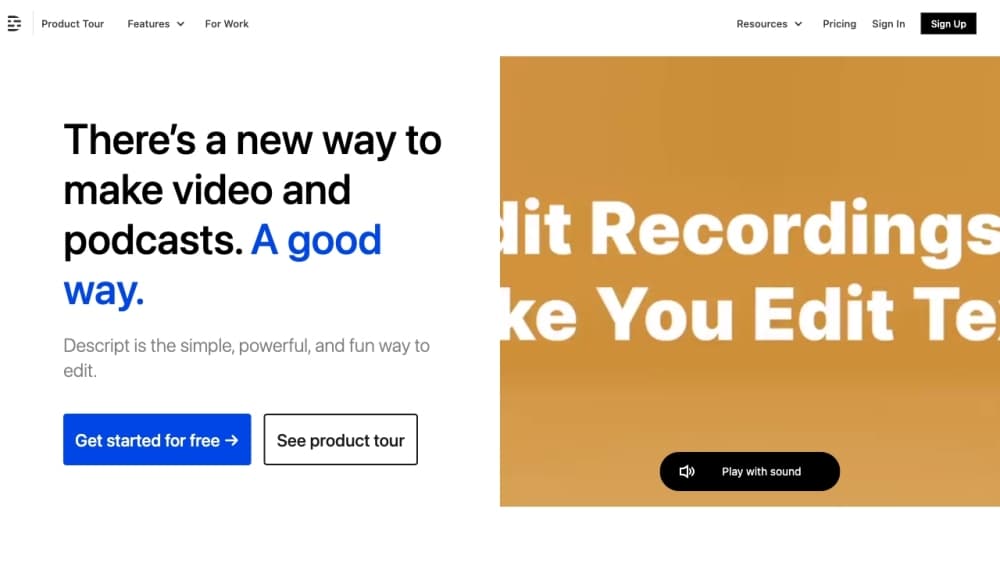
Descript 소개
What Is Descript
Descript inverts how editing usually works. You import a video or audio file, it transcribes everything, and then you edit that transcript. Delete a sentence, and the matching audio disappears. Move a paragraph, and the clip slides to a new spot. The company pitches this as editing "as easy as a doc," and for interview-style and spoken-word content, the claim mostly holds up. It came out of Detour, a walking-tour app, where a small team needed to cut down long recordings fast and kept running into the same wall with traditional timeline editors. They split it into its own product in 2017 and later raised funding from investors including the OpenAI Startup Fund. Today more than six million creators and teams use it, according to Descript, for podcasts, YouTube videos, tutorials, and internal company recordings.
The biggest limitation is scope. Descript handles talking-head video, multicam, and audio cleanup well, but it isn't built for heavy visual effects, motion graphics, or frame-level color grading. If your project needs cinematic compositing, you'll still export elsewhere. Long projects can also crawl on older machines. Hardware matters here.
Getting Started
- Create a free account at web.descript.com, or download the desktop app for macOS or Windows. No install is needed if you work in the browser.
- Start a new project and import media from your computer, Zoom, or Google Drive, or record your screen and camera directly inside Descript.
- Let the transcription finish, then edit the script text to cut your video. Deleting words removes the matching footage.
- Add scenes, captions, and layouts, or ask Underlord to handle bulk edits like removing filler words.
- Export at 1080p on the free and Hobbyist plans or 4K on higher tiers, then publish to YouTube, TikTok, or a share link.
제품 정보
Descript의 요금, 지원 플랫폼, 성능을 한눈에 확인해 보세요.
추천 대상
이 도구가 가장 잘 맞는 사용자, 작업, 상황입니다.
사용자
- Podcasters
- YouTube creators and streamers
- Marketing and sales teams
작업
- Turning a raw interview into a clean audio or video episode
- Repurposing a webinar or long stream into short clips
- Recording a tutorial or demo with screen and camera capture
- Translating and dubbing a video into another language
활용 상황
- Producing a weekly podcast without learning professional audio software.
- Editing a product demo or onboarding video on a laptop during a commute, using the browser version.
- Cleaning up a remote team standup recording so it can be shared as an update.
주요 기능
Text-based editing
This is the reason most people choose Descript. After transcription, every word maps to a slice of audio or video, so backspacing through a sentence removes that exact footage. No waveform hunting. No timeline zooming to find one filler word. If you have ever cut video, the shift feels immediate.
Underlord AI co-editor
Underlord is Descript's built-in assistant, and it works on real editing tasks rather than answering questions. You can ask it to write or tighten a script, remove every filler word, center each speaker, or pull the most engaging moments from a long video. It also knows the app's own features. So instead of hunting through menus, you just say what you want.
Studio Sound and audio cleanup
Studio Sound is a one-click tool that makes a phone or webcam recording sound closer to a studio mic. It removes background noise and evens out levels, which matters for podcasts and interviews recorded in less-than-ideal rooms. Filler-word removal and retake removal run alongside it, and the underlying AI transcription tool feeds every edit you make.
AI voice cloning and speech
Descript can build a voice clone from a sample and then generate new lines in that voice. That's useful for fixing a misread sentence without re-recording, or for adding narration you never actually said. Stock AI voices are also available, and higher plans add video translation with dubbing.
Automatic multicam, captions, and clips
Import several camera angles and Descript syncs and switches between them automatically. Captions generate from the transcript in a single click. The clip tool then finds highlight moments from a long recording. Together these cover the routine work that eats time on a weekly upload schedule.
Screen recording and Rooms
You can use the built-in screen recorder to capture your display and camera inside Descript, or record a remote conversation with another person in Rooms at studio quality. This means the capture step and the edit step live in the same app, so there is no file transfer between tools.
Brand Studio and team collaboration
Business and Enterprise plans add Brand Studio, which stores shared templates and brand guardrails so distributed teams produce consistent videos. Enterprise also adds SSO, SCIM, audit logs, and the option to opt out of model training. That last point matters for companies with strict data rules.
장단점
장점
- Editing by text is genuinely faster than timeline editing for interviews, podcasts, and tutorials.
- One subscription. Transcription, captions, screen recording, voice cloning, and an AI co-editor all live under it instead of four separate tools.
- A free plan covers real work, with 10 media hours and 400 AI credits per month.
- Runs in the browser as well as Mac and Windows, so you can edit on a machine that can't install software.
- Translation and dubbing in 30+ languages come with higher tiers, useful for reaching non-English audiences.
단점
- The free plan caps export at 1080p and limits you to 10 media hours a month, which a weekly show will exhaust quickly.
- It isn't built for motion graphics, heavy VFX, or precise color grading, so cinematic projects need another editor.
- Long or complex projects can feel slow on older laptops, and the browser version works best on Chromium browsers such as Chrome and Edge rather than Safari or Firefox, so check your setup first.
- Team features like translation, avatars, and Brand Studio sit on the Business plan, which is priced per person.
자주 묻는 질문
Descript is used to edit video and audio by editing a transcript, and it's most popular for podcasts, YouTube videos, interviews, and tutorials that need fast turnaround. It also records screens, generates captions, and offers an AI co-editor for bulk edits.
관련 콘텐츠
Descript와 관련된 도구, 스킬, 아티클을 살펴보세요.
Descript 대안

Vadu AI
Vadu AI · 이미지 · 동영상Vadu AI는 작성한 프롬프트나 정지 이미지를 짧은 클립으로 바꾸는 웹 기반 AI 영상 생성기이며, 이미지를 단독으로 생성하기도 한다. 원하는 내용을 입력하고 모델과 스타일을 고르면 플랫폼이 몇 분 만에 결과를 렌더링한다. 무료 플랜은 가벼운 테스트를 감당하는 수준이고, 유료 등급은 소비한 크레딧에 따라 월 9달러에서 77.40달러까지 이어진다.

Mykaraoke Video
MyKaraoke Video · 동영상Mykaraoke Video는 온라인에서 쓰는 캐러오케 영상 및 가사 영상 제작기로, 어떤 노래든 브라우저 안에서 가사가 동기화된 완성 영상으로 만든다. 귀찮은 부분을 대신 처리한다. AI가 믹스에서 보컬을 뽑아내고 가사를 박자에 맞춘 뒤, 배경과 글꼴, 색상을 조정하고 1080p MP4로 내보낼 수 있다. SNS, 파티, 음악 홍보용 가사 영상을 만든다면 소프트웨어 설치와 수작업 타이밍 맞추기를 통째로 건너뛸 수 있다. 저녁 시간을 다 잡아먹지 않는 캐러오케 영상 생성기를 원하는가? 그게 이 도구의 제안이다.

Finalframe
Finalframe · 동영상Finalframe은 동영상 클립에서 정확한 프레임을 뽑아내는 무료 브라우저 도구 모음이다. 가장 잘 알려진 기능인 마지막 프레임 추출 도구를 쓰면 어떤 동영상이든 마지막 프레임을 뽑아 Luma Dream Machine, Runway, Kling 같은 AI 동영상 도구의 시작 이미지로 쓸 수 있다. 클립을 이어가고 싶은가? 그 마지막 프레임이 출발점이다. 도구는 사용자의 브라우저에서 실행되고 가입도 비용도 필요 없다. 같은 팀이 만든 별도의 유료 AI 동영상 생성 앱은 다시 만드는 중이라 현재 오프라인이다.