

Erase.bg (Remove Background)
PixelBin · 이미지
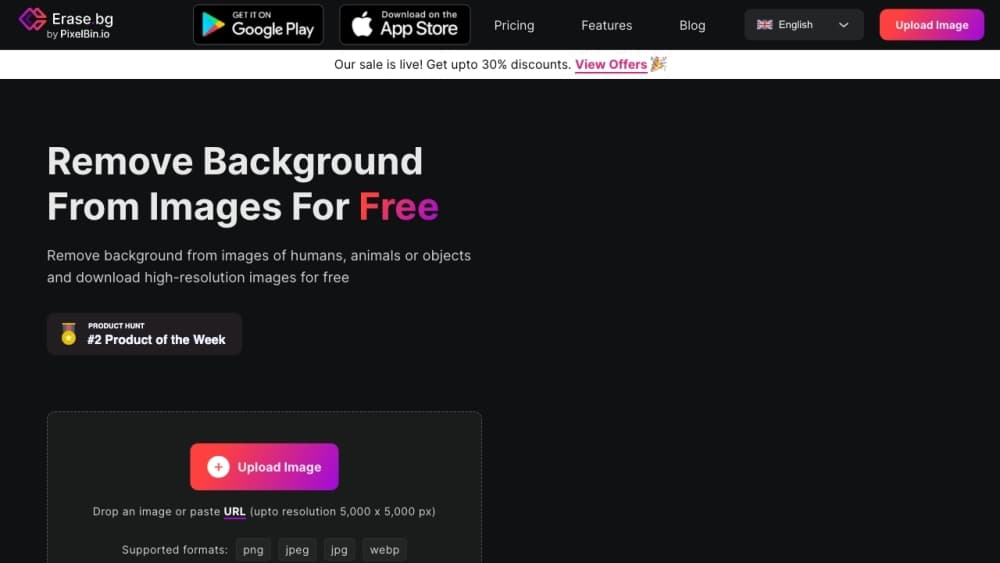
Erase.bg is a web-based AI background remover from PixelBin that strips the background out of an image and leaves you with a clean cutout. You upload a photo, the tool detects the subject, and it hands back a transparent PNG ready for a product listing, a social post, or a print layout. It handles images up to 5000x5000px, works in a browser on any device, and gives you 3 free credits when you sign up before you pay anything. If you've ever needed to remove a background from an image without opening Photoshop, this is the kind of tool that saves the afternoon.
Erase.bg (Remove Background) 소개
What Is Erase.bg
Erase.bg is an online background eraser built by PixelBin. Removing a background used to mean opening Photoshop, drawing a mask around every strand of hair, and feathering the edges by hand. This tool skips all of that. Its algorithm finds the subject for you and deletes everything behind it, and for most photos the result holds up well enough to use without cleanup.
The job it solves is repetitive, which is where it earns its place. If you run an ecommerce store, every product photo needs the same white or transparent background, and doing that by hand eats hours. Erase.bg turns it into a drag, a click, and a download. Designers use it to pull a subject out for a composite. Social media managers use it to drop a person onto a new backdrop. Same tool, three different jobs.
The limits are worth knowing up front. You have to sign up before you can use it, and a free account starts with 3 credits, which is three HD downloads. Every transformation after that costs credits, and bulk work runs on the Pro plan or through the API. Very fine details, like flyaway hair against a busy background, still need a touch-up in a proper editor.
So it's a fast, cheap background eraser for people who remove backgrounds often, not a full image editor. If your work is one-off and small, the free credits cover it. If you're processing a catalog, you'll be paying.
Getting Started
- Go to erase.bg and sign up for a free account. Registration is required before any edit, and it unlocks your 3 free credits.
- Upload an image from your device or drag it into the upload box. Files can run up to 5000x5000px.
- Let the AI process it. The background disappears and the subject stays, usually within seconds.
- Preview the cutout and check the edges. Re-upload if the result needs a different crop.
- Download the result as a transparent PNG, or export on a solid background if you prefer.
제품 정보
Erase.bg (Remove Background)의 요금, 지원 플랫폼, 성능을 한눈에 확인해 보세요.
추천 대상
이 도구가 가장 잘 맞는 사용자, 작업, 상황입니다.
사용자
- Ecommerce sellers
- Graphic designers
- Social media creators
- Photographers
작업
- Making product background transparent
- Bulk background removal
- Swapping image backgrounds
- Cleaning up listing photos
활용 상황
- Stocking an online store
- Building a weekend social post
- Prepping a client deck
- Laying out a print flyer
주요 기능
One-Click AI Background Removal
This is the whole point of the tool. Upload an image and the AI acts as a photo background remover that finds the subject on its own, no brush, no mask, no lasso. It reads the foreground edge, including hair and fur, and separates it from whatever sits behind. For a clean studio shot the result is basically instant. For a portrait against a cluttered street, expect a few stray pixels you'll want to clean up, so it isn't a replacement for careful manual work on the hardest edges.
HD to 4K Image Support
Erase.bg accepts files up to 5000x5000px, which covers the resolution most ecommerce and print work actually needs. A product photo that's too large for a cheaper free tool will pass through here, and the output stays at full pixel dimensions. That ceiling matters: it's the difference between a cutout you can print and one that turns fuzzy the moment it's scaled up. Larger source files take a little longer to process, but the quality holds.
Bulk Background Removal Service
The bulk service is built for volume. You can push hundreds or thousands of images through it, either from the online playground where you preview and fine-tune results, or through the API. Teams that list inventory weekly get the most out of this, since a whole catalog can be standardized without anyone sitting at a computer painting masks. It's a separate workflow from the single-image uploader, and it's aimed at businesses rather than someone editing one photo.
API Integration
Developers can wire background removal straight into their own app or pipeline through the Erase.bg API, with parameters you can adjust to match your requirements. That means an ecommerce platform can strip backgrounds as products are uploaded, or a design tool can offer cutouts as a built-in feature. Full API documentation comes with it. It's metered by credits like the web tool, so cost scales with how much you actually process.
Transparent PNG Export
Output comes back with a transparent background, which is the format you need for compositing. Drop the cutout onto a colored page, a photo, or a design canvas and the original background simply isn't there. JPEG and PNG are both supported on the way out, so if you'd rather have a solid color behind the subject you can export that instead. It's the kind of image cutout tool that fits into design work rather than just background swapping.
Cross-Platform Access
Erase.bg runs in any browser, so it works on Windows, Mac, Linux, iOS, and Android with nothing to install. There's also a mobile app on Google Play if you'd rather work from your phone. That portability is practical: a seller can shoot a product on a phone, upload it, and have a listing-ready cutout without touching a desktop.
장단점
장점
- Removes backgrounds in seconds with a single upload, no masking required.
- Handles images up to 5000x5000px, enough for most ecommerce and print jobs.
- Works in any browser plus iOS and Android, with no install needed.
- Bulk service and API let you process large image sets at scale.
- Free tier gives 3 HD downloads, so you can test it on real work.
단점
- Sign-up is mandatory before any edit, so you can't try it without an account.
- Free users only get 3 credits, and every extra download costs money.
- Fine details like flyaway hair can need manual cleanup in a separate editor.
- The Pro plan is pay-as-you-go by credits, so heavy users have to track spend.
자주 묻는 질문
Partly. Signing up gives you 3 free credits, which cover 3 HD downloads. After that, transformations cost credits, and the Pro plan starts at $5 for 10 credits with unlimited access to premium features. So it's free to try and cheap to use, but not free at volume.
관련 콘텐츠
Erase.bg (Remove Background)와 관련된 도구, 스킬, 아티클을 살펴보세요.
Erase.bg (Remove Background) 대안

X Ray Interpreter
X-ray Interpreter · 이미지X Ray Interpreter는 X선, CT, MRI, 초음파, PET 이미지를 쉬운 말의 리포트로 바꾸는 웹 기반 AI 영상의학 도구다. 스캔 이미지를 올리면 X선 예비 판독 결과가 곧바로 나오고, 설명이 필요한 부분이 있으면 이후에 추가 질문도 할 수 있다. 이 도구의 위치는 2차 소견과 학습 보조이며, 의료 진단은 아니다.

Aieasypic
AIEasyPic · 이미지AIEasyPic은 단순한 텍스트 프롬프트를 몇 초 만에 완성된 예술 작품으로 바꾸는 AI 이미지 생성기다. 자신의 사진으로 맞춤 모델을 훈련하고, 기존 이미지에서 얼굴을 바꾸고, 텍스트로 짧은 영상 클립을 만들 수도 있다. 모두 브라우저에서 끝난다. 빠른 비주얼을 원하는 가벼운 창작자에게도, 코드를 전혀 건드리지 않고 개인 모델을 만들고 싶은 취미 사용자에게도 어울린다.

Chargen
Chargen · 이미지Chargen은 던전 앤 드래곤과 다른 탁상용 롤플레잉 게임을 위해 만든 AI 캐릭터 생성기이자 세계관 구축 툴킷이다. 한 줄 아이디어를 그려진 캐릭터 초상화로 바꾸고, 같은 세션에서 NPC, 몬스터, 지도, 조우를 만들어내며, 모든 생물의 세부 정보를 손 가까이에 둔다. 탁상용 롤플레잉 아트 부분은 Gold라는 크레딧 시스템으로 돌아가고, 텍스트 생성기는 모두에게 무료로 남는다.