

Adobe Podcast
Adobe · Voz e linguagem
Adobe Podcast is a free, browser-based audio toolset from Adobe for recording, cleaning up, and editing voice content. It centers on Enhance Speech, an AI audio enhancer that removes background noise and echo from recordings made on cheap mics, plus a Studio for recording solo or with remote guests and editing by transcript. No install, no timeline. The free plan covers casual use; heavier work needs the paid Firefly Pro tier.
Sobre Adobe Podcast
What Is Adobe Podcast
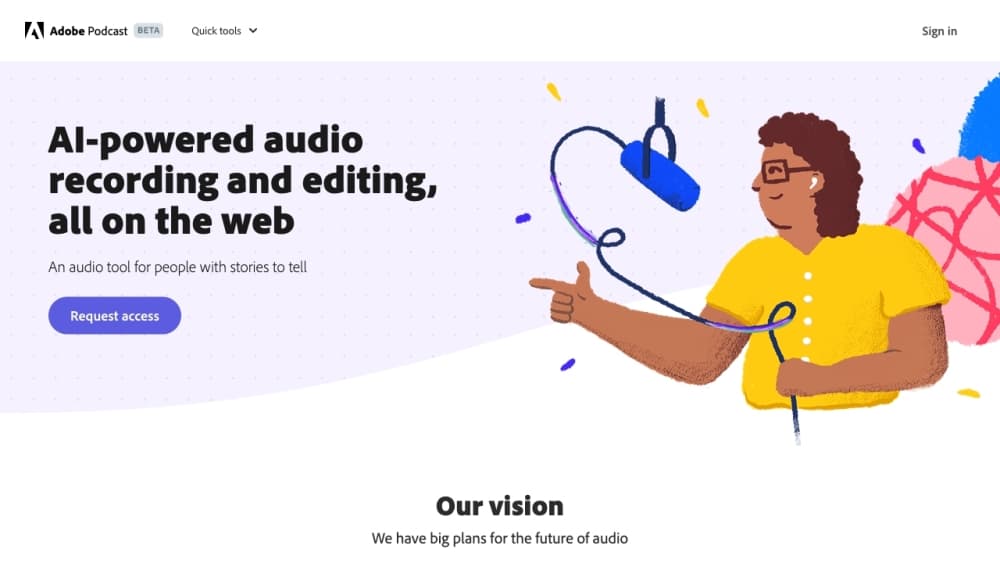
Adobe Podcast is a set of AI audio tools that run entirely in a web browser, with no desktop install. Think of it as a browser-based audio editor and an online podcast editor in the same tab. The flagship piece is Enhance Speech, which takes a rough voice recording and makes it sound like it came out of a proper studio. Fans, traffic, room echo, and muddy laptop-mic audio get cleaned up in one pass.
The target user is anyone who records their voice but doesn't own good gear. Podcasters, YouTubers, teachers, and people recording voiceovers on a phone are the obvious fits. Adobe's pitch is that you can skip the expensive microphone and the soundproofed room, because the software fixes the audio after the fact. Does that actually hold up? For voice content, mostly yes. It's podcast recording software and a video tool rolled into one place, with AI voice cleanup doing the heavy lifting.
The catch is the free tier. Enhance Speech on the free plan is audio only, handles one file at a time, and caps at 30 minutes per file and one hour per day. Studio projects on the free plan are limited to 30 minutes and two downloads per day, and audiograms carry Adobe branding. Classic Adobe. The tool is capable, and the free limits are deliberately tight to push you toward a subscription.
Getting Started
- Go to podcast.adobe.com and sign in with a free Adobe account. No credit card needed for the free plan.
- For clean-up work, open Enhance Speech and upload an audio file (wav, mp3, m4a, aac, or flac). For recording, open Studio and pick your microphone and camera in the device settings.
- Run the clean-up pass to strip noise and echo, then adjust the speech and background sliders if you're on a paid plan.
- In Studio, edit your recording by cutting and rearranging the transcript. The audio follows whatever you do to the text.
- Download the finished file or export an audiogram for social media. Free-plan downloads are capped, so check the limits before you commit to a long session.
Informações do produto
Uma visão rápida dos preços, das plataformas compatíveis e do desempenho de Adobe Podcast.
Ideal para
Os usuários, tarefas e cenários em que esta ferramenta se encaixa melhor.
Usuários
- Podcasters without studio gear
- Video creators cleaning up voiceovers
- Teachers and students recording lectures
Tarefas
- Removing background noise from a voice recording
- Recording a remote interview
- Transcribing audio or video
Cenários
- Fixing a one-off recording before publishing
- Producing a weekly podcast with guests
- Turning a long conversation into short clips
Principais recursos
Enhance Speech noise removal
Enhance Speech is the reason most people find Adobe Podcast in the first place. It removes background noise and echo from voice recordings and lifts clarity, using AI to rebuild speech that was captured on a mediocre mic. Version 2, released in early 2025, gives you separate sliders for speech and background so you can keep some room tone instead of stripping everything to a sterile result. That control matters. The free plan runs audio only, one file at a time, with no strength adjustment.
Transcription-based editing in Studio
Studio transcribes your recording using the same speech-to-text engine Adobe uses in Premiere Pro. You edit the transcript like a text document, and the audio updates to match. Cutting a rambling answer out of an interview becomes a copy-paste job instead of scrubbing a waveform. The same approach now works for video, and accuracy for accented English and crosstalk still varies, so a quick proofread of the transcript is worth the time.
Remote recording with separate tracks
Studio lets you invite guests by link or email and records everyone on individual tracks in 16-bit 48k WAV. That means a guest's shaky wifi doesn't drag your side of the conversation down with it, and you get clean stems to mix later. One catch. Remote recording only works in Chrome on desktop, which rules out a tablet or phone as your recording device.
Mic Check
Before you hit record, Mic Check analyzes your microphone setup and tells you what's wrong: too much background noise, gain set too high, or a mic sitting too far from your mouth. It's a small feature, but it saves the disappointment of finishing a session and finding out the recording was unusable. Worth ten seconds.
Export clips and audiograms
Studio can turn any transcript selection into a downloadable clip in mp3 or wav, or export an audiogram, which is an audio clip paired with a waveform visual for social feeds. Paid users get extra themes and the option to drop Adobe branding. It's a fast way to squeeze shareable moments out of a long episode without touching a separate design tool.
Pre-edited royalty-free music
Adobe Podcast ships a music library with intros, outros, transitions, and background beds already cut to podcast-friendly lengths. You can browse it inside Studio and drop tracks into your project. It saves hunting through stock audio sites. The selection is smaller than what a dedicated music service offers. Good enough for a first episode.
Prós e contras
Prós
- Enhance Speech genuinely fixes bad audio with one click, and no settings are needed to get a usable result.
- The whole toolset runs in a browser, so there's nothing to install and you can work from any machine with Chrome. It's a capable browser-based audio editor without the download.
- Transcript-based editing removes the steepest part of the podcast learning curve: cutting audio on a timeline.
- The free plan is real. You can clean up short recordings indefinitely without paying.
- Studio records remote guests on separate tracks, which protects you from a bad connection on one end.
Contras
- The free plan is tight: 30-minute files, one hour of enhancement per day, no video, no bulk upload, and only two Studio downloads per day.
- Video support, bulk processing, and strength adjustment all sit behind the $19.99/mo Firefly Pro plan.
- Remote recording is desktop Chrome only. Safari, Firefox, and mobile users are out of luck for the Studio recording step.
- There's no documented public API, so building your own automated pipeline on top of Enhance Speech isn't an option Adobe advertises.
Perguntas frequentes
Yes, there's a free plan that covers the noise-removal tool on audio files and short Studio projects with a few downloads per day. Heavy use, video support, and bulk processing require the paid tier.
Conteúdo relacionado
Explore ferramentas, skills e artigos relacionados a Adobe Podcast.
Alternativas a Adobe Podcast

Prosp
Prosp · Escrita · Voz e linguagem · MarketingO Prosp é uma ferramenta de abordagem no LinkedIn com IA, feita para agências e equipes de vendas, e escreve a mensagem e a nota de voz com a sua própria voz para cada prospect, para que eles realmente respondam. Você conecta suas contas, encontra leads e deixa a IA redigir e enviar mensagens personalizadas em escala, tudo em uma única caixa de entrada. É feita para quem faz abordagem em volume. Essa é toda a proposta. Cada toque ainda precisa parecer humano.

Wordly AI Translation
Wordly · Voz e linguagem · ProdutividadeO Wordly AI Translation é uma plataforma de tradução e legendagem com IA em tempo real feita para reuniões, conferências e eventos. Ele entrega tradução ao vivo, legendas, transcrições e resumos em mais de 60 idiomas, e os participantes entram escaneando um QR code ou abrindo um link em vez de usar fones dedicados. A plataforma funciona com Zoom, Microsoft Teams, Google Meet e Webex, e foi pensada para organizações que querem acesso multilíngue sem contratar intérpretes humanos para cada sessão. Simples assim.
Musicful
Musicful AI · Voz e linguagem · VídeoO Musicful é um gerador de música com IA e um criador de videoclipes com IA que transforma texto em música em minutos. Você entrega um texto, um conjunto de letras ou uma melodia cantarolada e ele devolve uma faixa pronta com vocais e instrumentos. Também funciona como gerador de músicas com IA, produz videoclipes a partir das músicas que você cria e oferece uma ferramenta de cover com IA mais uma API para desenvolvedores. A plataforma roda no navegador e em um app para Android, então você pode começar uma música no computador e continuar no celular.