

Chatbase
Chatbase Inc. · Marketing · Chatbot
Chatbase is a no-code chatbot builder for AI customer support. It's an AI chatbot platform that trains agents on your own documents, website, and tickets. You add your content, pick a model, and deploy the agent across a website widget, email, WhatsApp, Slack, Messenger, Instagram, or inbound phone calls. It started as a way for small teams to answer repetitive questions, and it now sells an enterprise tier with SSO, SLAs, and HIPAA support.
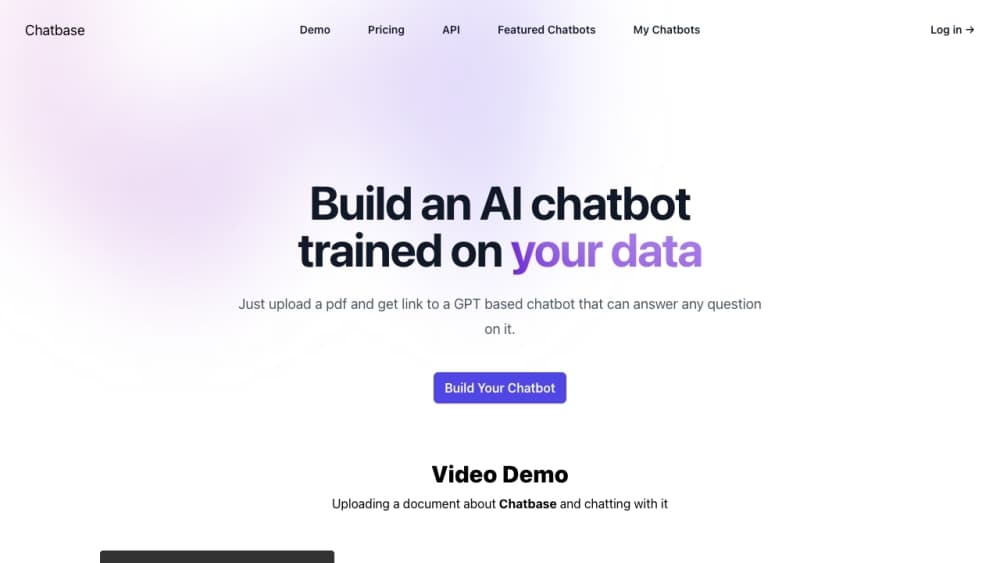
Sobre Chatbase
What Is Chatbase
Chatbase is an AI agent platform built around customer support. You feed it your help center articles, PDFs, Notion pages, or Zendesk tickets, and the agent answers questions using that material instead of inventing answers. The pitch is simple: cut the queue of "where's my order" and "how do I reset my password" tickets without hiring more staff. No code required.
The product has moved well past the basic embed-a-chat-widget era. Agents can now take real actions inside connected systems, like looking up a Stripe subscription or checking a Shopify order, and hand a conversation to a human with the transcript and an AI summary attached. Phone support works too, through Twilio or your own SIP trunk. Voice is one of the pricier channels to run at scale.
The main limits are practical ones. Training content is capped by plan (1 MB on Free, up to 40 MB on Pro), and support tickets count as a data source only on paid tiers. Message credits, not conversations, are what you're really paying for, and a single user question can burn several credits if the agent runs an action. Prices start at $40/month. So what does that buy you? 700 message credits on Hobby, which is fine for a small site and thin for a busy one. If your documentation is messy or outdated, the agent will faithfully repeat your mess.
Getting Started
- Sign up at chatbase.co and create a new AI agent from the dashboard.
- Train it by adding sources: upload files (PDF, DOC, DOCX, TXT up to 20 MB each), point it at a website URL, paste text snippets, or paste Q&A pairs. The agent picks up changes within seconds, and there's no retrain button to click.
- Test in the Playground, where you can preview the agent across channels and adjust its instructions and tone in real time.
- Deploy by enabling a channel: a floating chat bubble, a hosted help page, Slack, WhatsApp, Email, or a phone number. Most website setups are a single script tag.
- Monitor conversations in the Activity log and check Analytics to see what people actually ask.
Informações do produto
Uma visão rápida dos preços, das plataformas compatíveis e do desempenho de Chatbase.
Ideal para
Os usuários, tarefas e cenários em que esta ferramenta se encaixa melhor.
Usuários
- Small support teams drowning in repeat questions
- Ecommerce stores on Shopify or Stripe
- SaaS companies with a decent help center
- Agencies and freelancers building chatbots for clients
Tarefas
- Answering product and pricing questions
- Triaging and escalating tickets
- Booking meetings
- Collecting leads
Cenários
- Handling overnight support for a small brand
- Deflecting first-line tickets before they reach Zendesk or Intercom
- Standing up a beta chatbot in an afternoon
Principais recursos
No-code agent builder with instant training
You build and train a custom AI agent from a dashboard, no programming required. Add files, a website URL, text snippets, Notion pages, or Q&A pairs and the agent picks them up within seconds. There's no retrain button, which removes a step that trips people up on other platforms. Edit a source and the agent learns the change before you close the tab.
A chatbot for customer service, not a general assistant
Chatbase is aimed at support work rather than open-ended chat. The agent answers from your help center and ticket history, and it stays inside the guardrails you set. That focus is why the escalation and action features feel complete instead of bolted on. It won't write your blog posts. It will handle the same password question for the hundredth time without complaining. Narrow scope, done well.
Multi-channel deployment from one agent
A single agent goes to a website chat bubble, a hosted help page, Slack, WhatsApp, Messenger, Instagram, email, and inbound phone calls. You enable and configure each channel separately, so you can start with web chat and add voice later without rebuilding. Native iOS and Android SDKs exist for teams embedding the agent inside their own apps. One agent, many doors.
Actions that change things, not just answer
Beyond answering questions, agents can run actions in connected systems: look up a Stripe subscription, browse Shopify products and manage carts, create cases in Salesforce, or post to Slack. That's the difference between a chatbot and a support tool. A custom action lets you call your own API or run browser code, which is how teams wire the agent into internal tools the standard integrations don't cover. Plenty of power here.
Human escalation with full context
When a conversation needs a person, the agent hands off with the transcript and an AI-generated summary attached, so the human doesn't start from zero. Rules are written in plain language rather than a code editor. Escalations route to Chatbase's own helpdesk or a connected platform like Zendesk or Salesforce. Fast handoff, no lost context.
Voice and phone support
Agents can take inbound calls through Twilio or your own SIP trunk, and transfer a live call to a human by forwarding to a phone number. Concurrent call handling is plan-dependent, and voice is one of the pricier channels to run at volume. Test it before you commit.
Procedures for multi-step workflows
Procedures let you define a workflow with a trigger, then the agent follows those steps end to end instead of improvising. This matters for anything with a required order, like a refund flow or an onboarding sequence, where a free-form answer would skip a step. Steps stay on rails.
Backstage, an AI copilot for managing the agent
Backstage is an operations layer where you describe changes in plain English and it handles the configuration. Instead of hunting through settings pages, you tell it what you want the agent to do differently. It won't replace understanding the settings, but it speeds up routine tweaks. Think of it as a copilot for admin work.
Security and compliance controls
Chatbase holds SOC 2 Type II and is GDPR compliant, with HIPAA Business Associate Agreements available on Enterprise. Data is encrypted at rest and in transit, and customer data isn't used to train shared models. Enterprise customers can choose data residency across US, EU, or APAC regions. For regulated teams, that matters more than any feature on this list.
Prós e contras
Prós
- Getting a working chatbot live takes minutes, and the embed is a single script tag for most sites.
- Training sources sync automatically, so updated help articles flow into the agent without manual retraining.
- Actions reach into Stripe, Shopify, Salesforce, and custom APIs, so the agent resolves issues instead of just describing them.
- Escalation carries a transcript plus an AI summary, which saves human agents real time.
- Multi-channel coverage from one agent spans web, email, WhatsApp, Slack, Instagram, and voice.
Contras
- Message credits, not conversations, are the billing unit, and one user question can consume several credits when an action fires, so costs are harder to predict than a flat per-seat price.
- Training content is capped (1 MB on Free, 40 MB on Pro), which will bite anyone trying to load a large knowledge base.
- Annual support tickets and auto-resync of websites and Notion pages are paid-plan features, so Free users have to update sources by hand.
- Removing the "Powered by Chatbase" branding costs $99/month on top of your plan, which is a steep price for one small change.
- Voice and phone support add complexity and cost, so teams should treat it as a step up rather than a default channel.
Perguntas frequentes
Chatbase is used to build AI customer support agents that answer questions from your own content and resolve issues across chat, email, WhatsApp, Slack, and phone. Teams use it to deflect repetitive tickets, collect leads, and escalate complex cases to humans with context attached.
Conteúdo relacionado
Explore ferramentas, skills e artigos relacionados a Chatbase.
Alternativas a Chatbase

Emailwritr
Emailwritr · Escrita · MarketingO Emailwritr é uma ferramenta de copywriting de e-mail com IA criada para afiliados, criadores de cursos e negócios online que querem mais receita da lista que já têm. Em vez de páginas em branco ou prompts genéricos de chatbot, este redator de e-mails com IA gera sequências de boas-vindas, campanhas de lançamento, e-mails de recuperação de carrinho e séries promocionais a partir de frameworks inspirados em copywriters de resposta direta conhecidos. Você conecta seu autorespondedor, responde algumas perguntas sobre a oferta e a ferramenta escreve o texto por você.

Prosp
Prosp · Escrita · Voz e linguagem · MarketingO Prosp é uma ferramenta de abordagem no LinkedIn com IA, feita para agências e equipes de vendas, e escreve a mensagem e a nota de voz com a sua própria voz para cada prospect, para que eles realmente respondam. Você conecta suas contas, encontra leads e deixa a IA redigir e enviar mensagens personalizadas em escala, tudo em uma única caixa de entrada. É feita para quem faz abordagem em volume. Essa é toda a proposta. Cada toque ainda precisa parecer humano.

On Model
On Model · Imagem · MarketingO On Model é uma ferramenta de modelos de moda com IA que coloca suas roupas em modelos virtuais para que lojas online consigam fotos de produto com modelo sem agendar um ensaio fotográfico. Ele roda como app do Shopify, deixando você trocar o modelo de uma imagem existente, mudar os fundos e gerar rostos para fotos recortadas ou sem cabeça. O objetivo é simples: fazer suas fotos de produto combinarem com seus clientes e se destacarem dos concorrentes que usam as mesmas imagens de fornecedor.