
Arthub.ai
Arthub.ai · 圖片
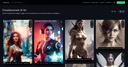
Arthub.ai is a browser-based community platform for AI generated art, where artists upload images alongside the exact prompts and settings used to make them. You can browse a public feed, search by tag or prompt text, build your own gallery, and generate new images directly on the site after signing in. It's three tools in one: a gallery, a prompt reference, and a light AI image generator. What sets this AI art community apart is that it lets you share AI art with the recipe attached.

關於 Arthub.ai
What Is Arthub.ai
Arthub.ai is a place to look at AI art and, more usefully, to see how it was made. Every post pairs the finished image with the prompt that produced it, and often with metadata like the sampler, steps, seed, and model version. That combination is the point: you aren't just admiring someone's dragon, you can copy the prompt, tweak two words, and run it yourself.
The site also hosts its own AI image generator, so you can create art in the browser without jumping to a separate AI art generator. Sign-in runs through GitHub or Discord rather than a fresh username and password, which keeps the barrier low. So what do people actually come here for? Mostly the prompts. The feed is organized around tags like cyberpunk, fantasy, and sci-fi, plus a prompt library that collects the AI art prompts on their own. Tags do the heavy lifting.
The biggest catch is the age of the content. The public feed is dominated by Stable Diffusion era work from 2023, and the footer still reads 2024. If you want the newest models and the sharpest community activity, this isn't that scene. The archive is deep, and the prompt data alone is worth the visit, but nobody here is racing to post the model that dropped last week. Treat Arthub as a large, searchable archive of prompts and reference images rather than a fast-moving feed.
Getting Started
- Open the site and sign in with GitHub or Discord to save and share work.
- Browse the Community feed, or search for a tag such as cyberpunk or fantasy to narrow the grid.
- Open any image to read its full prompt, then hit Copy to grab the text.
- Paste the prompt into the on-site AI image generator, or take it to your own tool, and adjust a few words.
- Upload your result to build a public gallery, or keep it in your personal library.
產品資訊
快速了解 Arthub.ai 的定價、支援平台與效能。
適合對象
這項工具最適合的使用者、任務與情境。
使用者
- New AI art enthusiasts
- Prompt-focused creators
- Artists building a public portfolio
任務
- Finding a starting prompt
- Learning prompt structure
- Generating a quick image in the browser
情境
- Weekend browsing for inspiration
- Building a reusable prompt file
- Showcasing a finished series
主要功能
Prompt-Backed Image Feed
Each upload shows the artwork together with the text that created it. Open a post and you'll see the full prompt, and often the generation settings like sampler, steps, seed, and model. That makes the feed a working reference, not just a gallery. If a look catches your eye, the recipe is right there. That's the whole idea.
On-Site AI Image Generator
Arthub runs its own text-to-image generator, reachable from the Generate link in the top navigation. You type a prompt and it produces an image without leaving the site. It's a convenience feature rather than a full studio, so expect a simpler set of controls than a dedicated desktop app would give you, and don't plan on fine-tuning every setting before you hit generate. For a quick draft, that's usually enough.
Tag and Search Discovery
The feed is split into categories such as Fantasy, Characters, Low Poly, Sci Fi, and Furniture, with a separate search that indexes prompt text. Searching a phrase like "cinematic lighting" surfaces every post that used it, which means you can reverse-engineer a style from a single phrase you half-remember. This is the fastest way to find examples of a specific style or subject. Type it, hit enter, done.
Prompt Library
Beyond individual posts, Arthub keeps a Prompt Library that strips the images away and lists the prompts themselves. It's built for people who want to read and collect wording, not scroll pictures. Copy a few entries and you have a starting template for your own work, which beats opening a blank generator and hoping for the best. No images required.
Personal Galleries and Profiles
Every user gets a profile page that collects their uploads. You can browse a single creator's entire body of work, from one experimental prompt to a long series. For anyone building an audience, the profile acts as a portfolio tied directly to the method behind the art. Simple, and it works.
Model and Settings Metadata
Under many posts you'll find the generation parameters: model name, seed, resolution, sampler, CFG scale, and even LoRA hashes. That level of detail lets you reproduce a result far more closely than the image alone would allow, since you can match the seed and sampler and land on nearly the same output. It's the kind of transparency most galleries skip, and it's the feature that turns a pretty picture into something you can actually learn from.
優缺點
優點
- Prompts are shown with the images, so you can copy the exact wording that produced a result.
- Search indexes prompt text, letting you find examples of a specific style or subject quickly.
- Free to browse, and free to use with a GitHub or Discord login.
- Many posts include full generation metadata, including seed and sampler, which makes results reproducible.
- The on-site generator means you can go from inspiration to a finished image without switching apps.
缺點
- The public feed leans heavily on 2023-era Stable Diffusion work, so it isn't a source for the newest models.
- Pricing and paid tiers aren't published on the site, so you can't plan costs in advance. Not a dealbreaker, but it's a blank spot.
- There's no documented public API, which rules it out for automated or bulk workflows.
- Some images and prompts are adult or explicit in nature, so the feed isn't safe to browse unmoderated around kids, and a content filter won't reliably shield anyone who stumbles into the wrong tag.
常見問題
It's a community site for browsing AI generated art and, more specifically, for seeing the prompts behind each image. People use it to find inspiration, collect prompt wording, and generate simple images in the browser. Think of it as an AI artwork platform you read as much as you look at.
相關內容
探索與 Arthub.ai 相關的工具、技能與文章。
Arthub.ai 替代方案

X Ray Interpreter
X-ray Interpreter · 圖片X Ray Interpreter 是一款以網頁為基礎的 AI 放射科工具,能把 X 光、電腦斷層、磁振造影、超音波與 PET 影像變成白話報告。你上傳一張掃描影像,片刻之間就得到初步的 X 光判讀結果,之後若有需要解釋的地方,還能繼續追問。它的定位是第二意見與學習輔助,而非醫療診斷。

Aieasypic
AIEasyPic · 圖片AIEasyPic 是一款 AI 圖片生成器,能在幾秒內把單純的文字提示變成完成的藝術作品。你也可以用自己照片訓練自訂模型、在現有圖片中替換臉部,並從文字建立短影片片段,全部都能在瀏覽器中完成。它適合想要快速視覺素材的休閒創作者,也適合想打造個人模型、又不想碰任何程式的業餘玩家。

Chargen
Chargen · 圖片Chargen 是一款 AI 角色生成器與世界觀建構工具,專為《龍與地下城》與其他桌上角色扮演遊戲打造。它能將一句構想變成手繪風格的肖像,在同一場工作階段中生出 NPC、怪物、地圖與遭遇,並把每隻生物的細節放在手邊。桌上角色扮演美術這部分靠一套名為 Gold 的點數系統運作,而文字生成器則對所有人保持免費。