

Chatbase
Chatbase Inc. · 行銷 · 聊天機器人
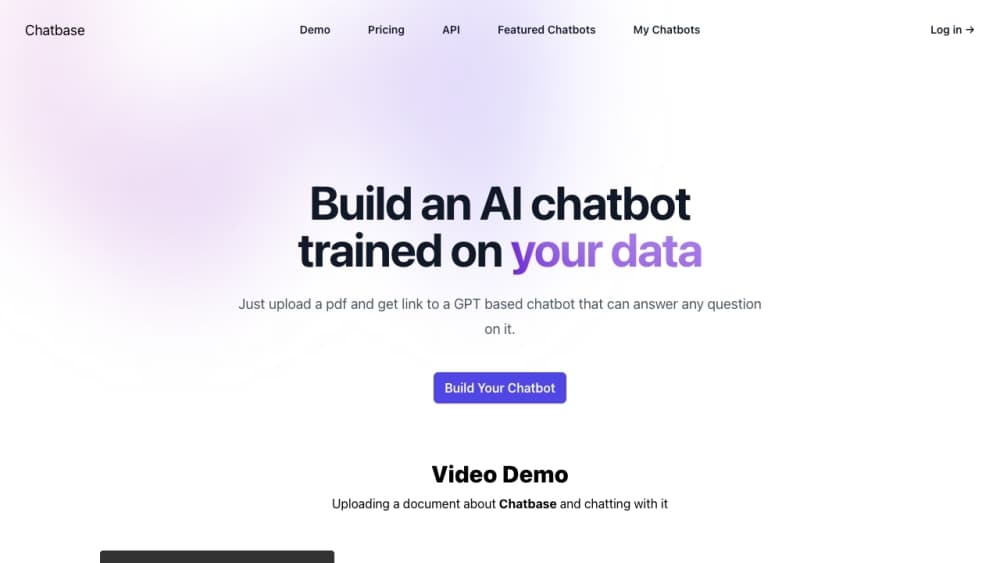
Chatbase is a no-code chatbot builder for AI customer support. It's an AI chatbot platform that trains agents on your own documents, website, and tickets. You add your content, pick a model, and deploy the agent across a website widget, email, WhatsApp, Slack, Messenger, Instagram, or inbound phone calls. It started as a way for small teams to answer repetitive questions, and it now sells an enterprise tier with SSO, SLAs, and HIPAA support.
關於 Chatbase
What Is Chatbase
Chatbase is an AI agent platform built around customer support. You feed it your help center articles, PDFs, Notion pages, or Zendesk tickets, and the agent answers questions using that material instead of inventing answers. The pitch is simple: cut the queue of "where's my order" and "how do I reset my password" tickets without hiring more staff. No code required.
The product has moved well past the basic embed-a-chat-widget era. Agents can now take real actions inside connected systems, like looking up a Stripe subscription or checking a Shopify order, and hand a conversation to a human with the transcript and an AI summary attached. Phone support works too, through Twilio or your own SIP trunk. Voice is one of the pricier channels to run at scale.
The main limits are practical ones. Training content is capped by plan (1 MB on Free, up to 40 MB on Pro), and support tickets count as a data source only on paid tiers. Message credits, not conversations, are what you're really paying for, and a single user question can burn several credits if the agent runs an action. Prices start at $40/month. So what does that buy you? 700 message credits on Hobby, which is fine for a small site and thin for a busy one. If your documentation is messy or outdated, the agent will faithfully repeat your mess.
Getting Started
- Sign up at chatbase.co and create a new AI agent from the dashboard.
- Train it by adding sources: upload files (PDF, DOC, DOCX, TXT up to 20 MB each), point it at a website URL, paste text snippets, or paste Q&A pairs. The agent picks up changes within seconds, and there's no retrain button to click.
- Test in the Playground, where you can preview the agent across channels and adjust its instructions and tone in real time.
- Deploy by enabling a channel: a floating chat bubble, a hosted help page, Slack, WhatsApp, Email, or a phone number. Most website setups are a single script tag.
- Monitor conversations in the Activity log and check Analytics to see what people actually ask.
產品資訊
快速了解 Chatbase 的定價、支援平台與效能。
適合對象
這項工具最適合的使用者、任務與情境。
使用者
- Small support teams drowning in repeat questions
- Ecommerce stores on Shopify or Stripe
- SaaS companies with a decent help center
- Agencies and freelancers building chatbots for clients
任務
- Answering product and pricing questions
- Triaging and escalating tickets
- Booking meetings
- Collecting leads
情境
- Handling overnight support for a small brand
- Deflecting first-line tickets before they reach Zendesk or Intercom
- Standing up a beta chatbot in an afternoon
主要功能
No-code agent builder with instant training
You build and train a custom AI agent from a dashboard, no programming required. Add files, a website URL, text snippets, Notion pages, or Q&A pairs and the agent picks them up within seconds. There's no retrain button, which removes a step that trips people up on other platforms. Edit a source and the agent learns the change before you close the tab.
A chatbot for customer service, not a general assistant
Chatbase is aimed at support work rather than open-ended chat. The agent answers from your help center and ticket history, and it stays inside the guardrails you set. That focus is why the escalation and action features feel complete instead of bolted on. It won't write your blog posts. It will handle the same password question for the hundredth time without complaining. Narrow scope, done well.
Multi-channel deployment from one agent
A single agent goes to a website chat bubble, a hosted help page, Slack, WhatsApp, Messenger, Instagram, email, and inbound phone calls. You enable and configure each channel separately, so you can start with web chat and add voice later without rebuilding. Native iOS and Android SDKs exist for teams embedding the agent inside their own apps. One agent, many doors.
Actions that change things, not just answer
Beyond answering questions, agents can run actions in connected systems: look up a Stripe subscription, browse Shopify products and manage carts, create cases in Salesforce, or post to Slack. That's the difference between a chatbot and a support tool. A custom action lets you call your own API or run browser code, which is how teams wire the agent into internal tools the standard integrations don't cover. Plenty of power here.
Human escalation with full context
When a conversation needs a person, the agent hands off with the transcript and an AI-generated summary attached, so the human doesn't start from zero. Rules are written in plain language rather than a code editor. Escalations route to Chatbase's own helpdesk or a connected platform like Zendesk or Salesforce. Fast handoff, no lost context.
Voice and phone support
Agents can take inbound calls through Twilio or your own SIP trunk, and transfer a live call to a human by forwarding to a phone number. Concurrent call handling is plan-dependent, and voice is one of the pricier channels to run at volume. Test it before you commit.
Procedures for multi-step workflows
Procedures let you define a workflow with a trigger, then the agent follows those steps end to end instead of improvising. This matters for anything with a required order, like a refund flow or an onboarding sequence, where a free-form answer would skip a step. Steps stay on rails.
Backstage, an AI copilot for managing the agent
Backstage is an operations layer where you describe changes in plain English and it handles the configuration. Instead of hunting through settings pages, you tell it what you want the agent to do differently. It won't replace understanding the settings, but it speeds up routine tweaks. Think of it as a copilot for admin work.
Security and compliance controls
Chatbase holds SOC 2 Type II and is GDPR compliant, with HIPAA Business Associate Agreements available on Enterprise. Data is encrypted at rest and in transit, and customer data isn't used to train shared models. Enterprise customers can choose data residency across US, EU, or APAC regions. For regulated teams, that matters more than any feature on this list.
優缺點
優點
- Getting a working chatbot live takes minutes, and the embed is a single script tag for most sites.
- Training sources sync automatically, so updated help articles flow into the agent without manual retraining.
- Actions reach into Stripe, Shopify, Salesforce, and custom APIs, so the agent resolves issues instead of just describing them.
- Escalation carries a transcript plus an AI summary, which saves human agents real time.
- Multi-channel coverage from one agent spans web, email, WhatsApp, Slack, Instagram, and voice.
缺點
- Message credits, not conversations, are the billing unit, and one user question can consume several credits when an action fires, so costs are harder to predict than a flat per-seat price.
- Training content is capped (1 MB on Free, 40 MB on Pro), which will bite anyone trying to load a large knowledge base.
- Annual support tickets and auto-resync of websites and Notion pages are paid-plan features, so Free users have to update sources by hand.
- Removing the "Powered by Chatbase" branding costs $99/month on top of your plan, which is a steep price for one small change.
- Voice and phone support add complexity and cost, so teams should treat it as a step up rather than a default channel.
常見問題
Chatbase is used to build AI customer support agents that answer questions from your own content and resolve issues across chat, email, WhatsApp, Slack, and phone. Teams use it to deflect repetitive tickets, collect leads, and escalate complex cases to humans with context attached.
相關內容
探索與 Chatbase 相關的工具、技能與文章。
Chatbase 替代方案

Emailwritr
Emailwritr · 寫作 · 行銷Emailwritr 是一款 AI 電子郵件文案工具,為想要從既有名單中創造更多營收的聯盟行銷者、課程創作者與線上事業而打造。這款 AI 郵件撰寫工具不靠空白頁面或通用的聊天機器人提示,而是依照知名直效文案寫手的框架,產出歡迎序列、上市活動、購物車挽回郵件與促銷系列。你連接自己的自動回覆器、回答幾個關於優惠的問題,它就替你把文案寫好。

Prosp
Prosp · 寫作 · 語音與語言 · 行銷Prosp 是一款 AI LinkedIn 開發信工具,專為代理商與業務團隊打造,會針對每位潛在客戶以你自己的聲音撰寫訊息與語音訊息,讓他們真的回覆。你連接帳號、尋找潛在客戶,讓 AI 大規模草擬並發送個人化訊息,全部在一個收件匣完成。它是為大量進行陌生開發的人設計的。這就是它全部的賣點。每一個接觸點仍然必須感覺像真人。

On Model
On Model · 圖片 · 行銷On Model 是一款 AI 時尚模特兒工具,會把你的服飾套在虛擬模特兒身上,讓線上商店不必預約拍攝就能取得模特兒實穿的商品照。它以 Shopify 應用程式的形式運作,讓你能更換現有圖片中的模特兒、改變背景,並為裁切過或沒有頭部的照片生成臉孔。目標很單純:讓你的商品照對應到你的顧客,並在同樣使用供應商圖片的競爭對手中脫穎而出。