

Codeium
Codeium (Exafunction, now part of Cognition) · 程式設計
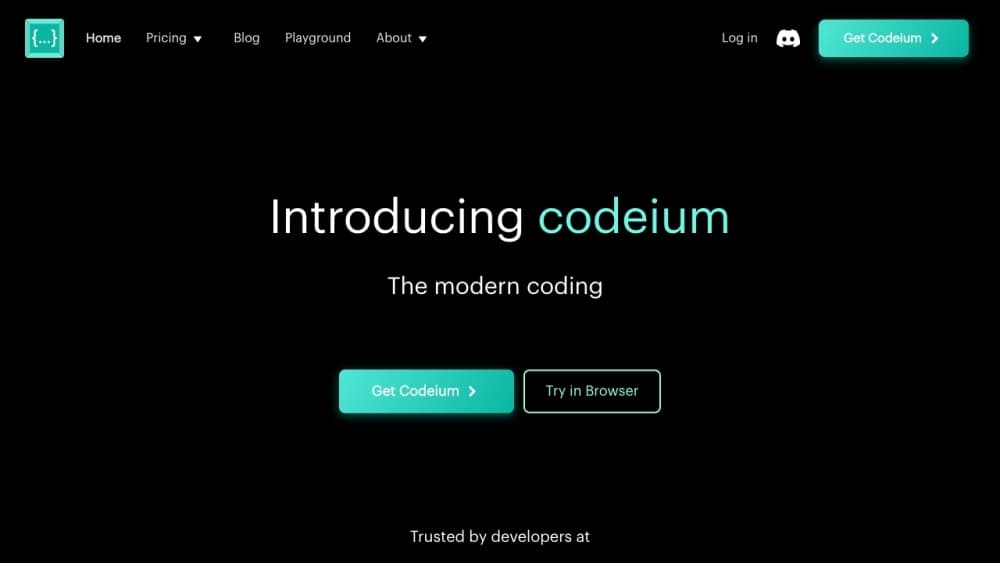
Codeium is a free AI coding assistant that plugs into the editor you already use and suggests code as you type. It covers 70+ programming languages and installs across 40+ editors, including VS Code, JetBrains, Vim and Neovim, Emacs, and Xcode. If you want AI autocomplete without a subscription, this is one of the few tools that still delivers it. The extension line was renamed Windsurf Plugins in April 2025, and the free tier still gives individual developers unlimited completions, in-editor chat, and natural language code search.
關於 Codeium
What Is Codeium
Codeium started life at Exafunction, a company founded in 2021 to speed up GPU workloads. The team rebranded to Codeium in 2022 and shifted to the application layer, betting that inline AI code completion should cost individual developers nothing. Teams and enterprises pay instead, mostly for governance, analytics, and private deployment.
That bet worked. Codeium became the plugin you installed alongside GitHub Copilot rather than instead of it, mainly because it didn't send a bill at the end of the month. The product does three things: it fills in code as you type, it answers questions in a chat panel about whatever you're working on, and it finds the exact function you're looking for when you can only describe what that function does. Nothing more.
Then the company changed shape. In November 2024 it launched the Windsurf Editor, a standalone AI-first IDE. In April 2025 the whole company rebranded to Windsurf and the original extensions became Windsurf Plugins. In 2026 the editor line moved on again, renamed Devin Desktop after Cognition acquired the company, while the extensions kept the Codeium ID in the VS Code marketplace and the Codeium vendor name on JetBrains.
The limits are real. Free-tier completions come from a smaller model than the paid tiers, so long-context or tricky suggestions miss more often. That gets annoying on big files. Codeium reads files in your open project to build context, and the free tier's context window is narrower than what you get after paying. Enterprise features like VPC deployment sit behind a sales conversation, not a checkout page.
Getting Started
- Install the extension from your editor's marketplace. Search "Codeium" in VS Code, JetBrains Marketplace, or your package manager for Vim and Neovim and Emacs. Xcode support comes as a separate download.
- Sign in. Codeium gives you a choice between GitHub, Google, and email. The free individual account activates without a credit card.
- Open a project and start typing. Completions appear inline in grey, and Tab accepts them. Nothing else needs configuring.
- Use the chat panel for questions that span files. Ask it to explain a function, write a test, or refactor a block, and it reads the files it needs from your workspace.
- If you want team features, an admin creates an organization from the web dashboard and invites seats from there.
產品資訊
快速了解 Codeium 的定價、支援平台與效能。
適合對象
這項工具最適合的使用者、任務與情境。
使用者
- Students and bootcamp learners
- Solo developers and freelancers
- Engineering teams that need governance
任務
- Writing repetitive code
- Learning an unfamiliar codebase
- Explaining someone else's code
- Drafting unit tests
情境
- Working offline or on a locked-down network
- Juggling two editors
- Late-night debugging
主要功能
Inline code completion
This IDE plugin is the core of the product. As you type, Codeium predicts the rest of the line and often the rest of the block, and you press Tab to accept. The free tier doesn't cap how many suggestions you take, which is the single biggest reason developers tried it over GitHub Copilot. Suggestions appear fast because the model runs on Codeium's servers, not your laptop.
In-editor chat
A sidebar panel answers questions about your code without a trip to the browser. It reads the files it needs from your open workspace, so you can ask it to explain a function, spot a bug, or rewrite a block in a different style. The chat sits next to the completions rather than in a separate app, which keeps you from context-switching mid-task.
Natural language code search
Instead of remembering a function name, you describe what the code does and Codeium finds the matching lines. If you've ever grepped for the wrong variable name for ten minutes, this is the feature you'll notice. It works across your project, not just the open file.
70+ language support
The completion engine covers Python, JavaScript, TypeScript, Java, C++, Go, Rust, PHP, Ruby, Swift, and dozens more. Config and markup languages show up too, since real projects are never written in one language alone. Coverage is broad rather than uniform, and languages with less training data get weaker suggestions. That's true of every assistant in this category.
40+ editor integrations
Codeium ships as an extension rather than a whole IDE, which is the point. It installs into VS Code, every JetBrains IDE, Vim and Neovim, Emacs, Xcode, Sublime Text, and Eclipse. Nobody has to switch editors.
Team and enterprise controls
Paid tiers add the things a manager asks for: an admin dashboard with usage analytics, centralized billing, SSO, and audit logs. Enterprise customers can deploy inside their own virtual private cloud, and Codeium states that enterprise data isn't used for training. Solo developers won't miss any of this.
Self-hosting option
Enterprise customers can run Codeium inside their own infrastructure, up to and including a VPC on major cloud providers. For regulated industries where source code legally can't leave the network, this is often the deciding factor between Codeium and a purely cloud-based rival.
優缺點
優點
- The free tier covers unlimited completions, chat, and code search for individual developers, with no card required.
- Wide editor coverage means you don't have to abandon VS Code, Neovim, or a JetBrains setup to use it.
- Setup takes a marketplace install and a sign-in. There's no project configuration step on the free tier.
- Codeium pricing stays at zero for individuals, so trying it against a paid rival costs you nothing.
- Paid tiers include admin analytics, SSO, and VPC deployment for teams that need to show an auditor where their code lives and who touched it.
- The extension kept its Codeium ID and vendor name after the rebrand, so existing installs keep working.
缺點
- Free-tier completions use a smaller model with a narrower context window, so suggestions on complex or long files miss more often than the paid tiers do, and the fix is a subscription rather than a setting you can toggle.
- The product line has been renamed twice in two years, first to Windsurf Plugins and then to Devin Desktop. If you follow a tutorial written in 2024, the names won't match what you see.
- API availability isn't documented for the extension itself, so you can't assume you can wire Codeium completions into your own tooling.
- Enterprise features sit behind a sales call, which makes pricing hard to plan for before you've talked to someone.
常見問題
Yes, for individual developers. Codeium pricing starts at $0 and the free tier keeps unlimited AI autocomplete, chat, and code search, with no credit card required. Teams and enterprises pay for admin controls, analytics, SSO, and private deployment.
相關內容
探索與 Codeium 相關的工具、技能與文章。
Codeium 替代方案
Forefront
Forefront · 程式設計Forefront 是一個用來打造開源 AI 的網頁平台。你可以用自己的資料微調主流的開源語言模型、評估它們的表現,再透過 API 執行,或匯出後自行架設。想要封閉式平台的便利、卻堅持要自己擁有模型與資料的開發者,就是這裡的目標客群。

Startkit
StartKit.AI · 程式設計Startkit 是一套用來打造 AI SaaS 與 AI 包裝產品的樣板。可以把它想成一個 AI 新創樣板,把枯燥的部分都先接好了:驗證、Stripe 與 Lemon Squeezy 付款、用量限制、交易型電子郵件,以及一套能與 OpenAI、Anthropic、Groq 或 Llama 溝通的 AI API 啟動套件。你複製儲存庫、設定價格,然後專心在產品中使用者真正願意付費的部分。它建構於 React 與 Tailwind 之上的 Next.js,所以大部分的樣板程式碼對你來說並不陌生。
Testim
Tricentis · 程式設計Testim 是專為網頁、行動與 Salesforce 應用程式打造的 AI 測試自動化平台,用來建立並執行端到端測試。它靠機器學習在介面變動時維持測試穩定,團隊因此少花時間修補壞掉的定位器。對於一款今天就能開始使用的自動化測試工具來說,這表現不算差。你透過在瀏覽器錄製動作來建立測試,需要更多控制時再補上 JavaScript。對忙碌的 QA 團隊來說,這是個可靠的選擇。