
DupDub Voice Generator
Mobvoi · 語音與語言
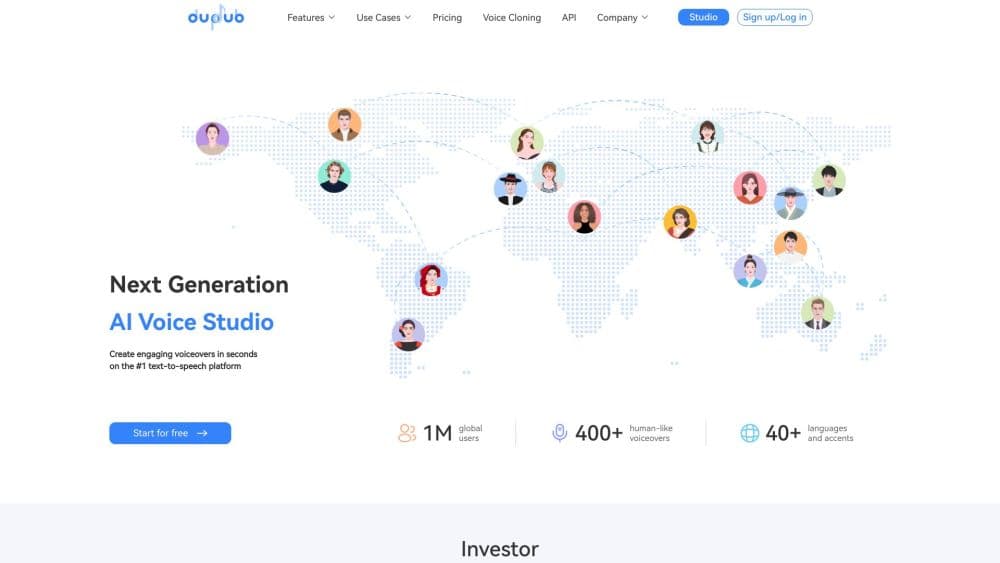
DupDub Voice Generator is an AI voice and content platform from Mobvoi that turns scripts into realistic speech with 700+ text-to-speech voices across 90+ languages and accents. Beyond basic text to speech, it handles instant voice cloning, AI avatars that animate still photos, AI dubbing and video translation, transcription and subtitles. It runs in a browser, needs no software install, and pairs each of those tools with API access on paid plans.
關於 DupDub Voice Generator
What Is DupDub
DupDub is a browser-based AI voice and video studio built by Mobvoi, a voice-AI company that has worked on speech technology since 2012 and counts Google among its investors. The product started as a text-to-speech editor and grew into a suite: text to speech, voice cloning, dubbing, AI avatars, transcription, subtitles and AI writing all sit behind one login. The core promise hasn't changed. You type or paste a script, pick a voice, adjust delivery, and get audio that sounds close enough to a real speaker for most narration, ad or training work.
What separates it from a plain TTS reader is the editing layer. You can mix several voices into a single file, fix a mispronounced name with phonemes or a custom lexicon, tune pitch and speed, and set pauses where the script needs them. Voice cloning is instant rather than trained over hours. Upload a short clip and the clone is ready, carrying your tone into 47 languages and 50+ accents. For video, DupDub translates and dubs clips while keeping each speaker's voice style and lip movement in sync.
So who is it for? Anyone whose work depends on spoken content but who doesn't want to book a studio. Podcasters, marketers, audiobook creators and developers all fit. If you need a licensed actor for a national TV spot, this isn't that tool. If you need a lot of usable AI voiceover and video content cheaply, it probably is.
Getting Started
- Sign up at dupdub.com with email or a Google account. The free tier opens with a 3-day trial of 10 credits and asks for no card.
- Pick a tool from the sidebar: Text to speech, Voice cloning, AI avatar, Video translation or AI transcription.
- For text to speech, paste your script or let the AI writing tool draft one, then choose a voice from the library and select a language or accent.
- Fine-tune the result: adjust pitch, speed and pauses, or use Phoneme, Say As and a custom Lexicon to correct pronunciation. Merge extra voices if a scene needs more than one speaker.
- Export as MP3, MP4 or SRT, or push the output to the video editor for subtitles and localization.
產品資訊
快速了解 DupDub Voice Generator 的定價、支援平台與效能。
適合對象
這項工具最適合的使用者、任務與情境。
使用者
- Podcasters and YouTubers
- Marketing and ad teams
- Audiobook and narration creators
- Trainers and e-learning designers
- Developers
任務
- Turning a script into a voiceover
- Cloning a voice from a short sample
- Dubbing a video into another language
- Transcribing audio or video
- Animating a still photo
情境
- Localizing a growing YouTube channel without re-recording in each language.
- Producing customer-service or onboarding audio in several languages from one script.
- Building a short-form ad in a single afternoon, using AI writing for the script and text to speech for the voice.
- Reusing one marketing video across regions by swapping the dubbing and subtitles instead of reshooting.
主要功能
700+ Realistic AI Voices Across 90+ Languages
The voice library is the headline. DupDub lists 700+ stock voices with more than 1,000 styles, spanning English, Spanish, Japanese, Arabic, Portuguese, Russian and dozens more. Each entry names its language and accent, so you can match a Brazilian Portuguese narrator to a Brazilian audience instead of settling for generic Portuguese. Because the voices come from Mobvoi's in-house speech models, the tone stays consistent between projects. That matters more than it sounds.
Instant Voice Cloning in 47 Languages
Cloning doesn't require a training run. You upload a short audio clip in MP3, WAV, MP4 or MOV, or record directly, and the clone is generated in seconds. The result carries your tone and rhythm and can speak 47 languages and 50+ accents, so one recording covers a whole multilingual campaign. Access is restricted to the original speaker, and DupDub states it enforces privacy controls around the samples. No training. No waiting. That keeps setup trivial.
Pronunciation and Delivery Controls
Most AI voices stumble on brand names, place names and technical terms. DupDub gives you three ways to fix that: Phoneme lets you spell out how a word should sound, Say As swaps a word on the fly, and a custom Lexicon stores replacements you can reuse. Alongside those, you can adjust pitch, speed and rhythm, and set precise pauses so a line lands the way you intended. Small settings. Big difference.
Multiple Voices in One File
For audiobooks, dialogues and multi-role narration, you can merge several voices into a single audio file. That means you don't have to stitch clips together in an external editor to get a conversation. Combine it with the per-character voice settings and you can give each character a distinct delivery without leaving the browser. One file, many speakers.
AI Avatars and Talking Photos
You can turn a still image into a talking avatar, or design your own avatars on the paid tiers. Higher plans add multi-character talking avatars and motion avatars, and the feature is available on Android, iOS and web, so a phone photo works as the source. For creators who need a face on screen without filming, it's the fastest path in the suite. No camera needed.
AI Dubbing and Video Translation With Lip Sync
Upload a video or paste a URL, choose source and target languages, and DupDub translates, dubs and lip-syncs the result. It handles multiple speakers, identifies who is talking, and preserves each speaker's tone and delivery style. Input supports 50+ languages and output covers 30+. You can also edit the translated text and re-dub a single line without reprocessing the whole video. Fix one line, keep the rest.
Transcription and Subtitles
AI transcription converts speech to text and doubles as a subtitle generator with SRT export. You can transcribe screen recordings and voice notes, add automatic subtitles to finished videos, and use subtitle alignment to sync text to audio. Transcription minutes are capped per plan, with file-length limits that grow from 20 minutes on Personal to 60 minutes on Professional.
Public APIs and Integration
DupDub exposes APIs for text to speech, voice cloning, AI avatar, video translation, transcription and more, with SSML support for fine control over output. API access appears from the Personal plan upward and scales with higher tiers or a custom enterprise agreement. That makes technical documentation, developer docs and error handling something to plan for before you commit. Worth reading the docs first.
優缺點
優點
- A large voice library (700+ voices, 1,000+ styles) with real accent variety, not just a handful of English options.
- Instant voice cloning needs only a short clip and no training, and reaches 47 languages and 50+ accents.
- The editing layer is deeper than most competitors: phonemes, custom lexicons, pause control and multi-voice merging in one file.
- AI dubbing preserves each speaker's voice style and adds lip sync, which lifts translated video past robotic narration.
- Browser-based with API access from the Personal tier, so it fits both manual creators and product teams.
- Unlimited commercial licensing is included on paid plans, which matters for client and monetized work.
缺點
- The free tier is a 3-day trial of 10 credits, not a standing free plan, so you can't test at length without paying. That catches people out.
- Credits and per-file ceilings create real friction: voiceover minute caps, character limits per file, and transcription length limits all rise by tier, so heavy use means regular upgrades.
- Video translation sits on higher tiers, so creators who mainly need dubbing will pay more than the entry price suggests.
- Voice cloning is limited to the original speaker, which blocks voice-double projects even when you have permission.
- The suite is broad, and features like avatar cloning and subtitle removal are tied to specific plans, so matching a plan to your exact workflow takes some reading.
常見問題
It turns text into realistic speech and handles the surrounding production work: voiceovers, voice cloning, AI avatars, video dubbing and translation, transcription and subtitles. Most people use it for narration, localized video and audio content without hiring voice talent or booking a studio.
相關內容
探索與 DupDub Voice Generator 相關的工具、技能與文章。
DupDub Voice Generator 替代方案

Prosp
Prosp · 寫作 · 語音與語言 · 行銷Prosp 是一款 AI LinkedIn 開發信工具,專為代理商與業務團隊打造,會針對每位潛在客戶以你自己的聲音撰寫訊息與語音訊息,讓他們真的回覆。你連接帳號、尋找潛在客戶,讓 AI 大規模草擬並發送個人化訊息,全部在一個收件匣完成。它是為大量進行陌生開發的人設計的。這就是它全部的賣點。每一個接觸點仍然必須感覺像真人。

Wordly AI Translation
Wordly · 語音與語言 · 生產力Wordly AI Translation 是一套為會議、研討會與活動打造的即時 AI 翻譯與字幕平台。它提供 60 多種語言的即時翻譯、字幕、逐字稿與摘要,與會者只要掃描 QR Code 或開啟連結就能加入,不必配戴專用耳機。平台可搭配 Zoom、Microsoft Teams、Google Meet 與 Webex 運作,專為想在每場活動提供多語言服務、又不想每場都請真人口譯的組織而設計。就是這麼單純。
Musicful
Musicful AI · 語音與語言 · 影片Musicful 是一款 AI 音樂生成器與 AI 音樂影片製作工具,能在幾分鐘內把文字變成音樂。給它一段文字提示、一組歌詞或一段哼唱的旋律,它就會回傳一首帶人聲與樂器的完成曲目。它同時也是 AI 歌曲生成器,能用你創作的歌曲產出音樂影片,並提供 AI 翻唱工具與開發者 API。平台可在網頁瀏覽器與 Android App 上執行,所以你能在桌機開始一首歌,再用手機接著做。