

Flair
Flair AI · 圖片
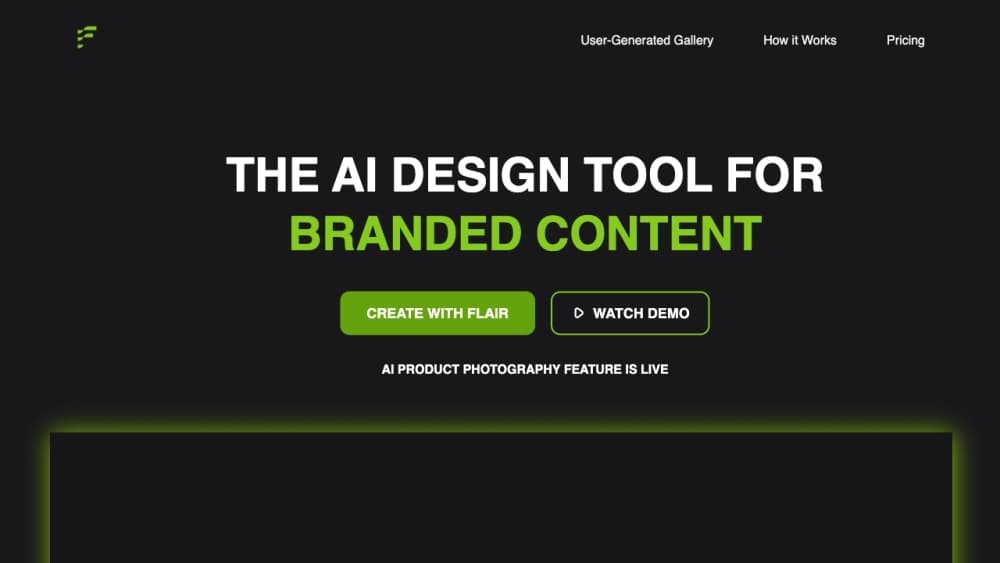
Flair is an AI product photography platform that turns plain product shots into studio-quality lifestyle images, on-model photos, short videos, and ad creatives. Brands upload a clean catalog photo, describe the scene they want, and Flair's generative models build the background, lighting, and human models around the product. Think of it as a product photo generator that replaces much of the work of a real photoshoot. It's built for ecommerce teams, agencies, and marketers who need product images at scale without booking a traditional photoshoot. No studio. No models. No waiting.
關於 Flair
What Is Flair
Flair is a web-based AI product photography and content generation tool. You hand it a normal product image, usually shot against a neutral background, and it places that product into new environments, on human models, or into marketing layouts. The company positions it as an alternative to the cost and scheduling of conventional photo shoots, which is where most of its value comes from.
The platform does more than still images. It also generates short product videos, marketing and ad creatives, and custom AI models that learn what a specific product or brand style looks like. Teams that sell apparel, jewelry, furniture, beauty products, and packaged goods tend to get the most out of it, since those categories depend on lifestyle and on-body imagery. So what sets it apart from a standard image editor? Generative AI photography is the core idea here, and it works best when the input image is clean.
The main catch is control. Flair uses generative AI, so the same prompt won't return identical results every time. Consistent output takes a trained custom model, a fixed prompt, and patience. The company also doesn't support negative prompts, so steering results away from an unwanted detail means describing what you do want instead. Mobile support is limited too. Flair works best in Chrome or Safari on a desktop. That rules out editing on a phone.
Getting Started
- Visit flair.ai and click "Try Flair AI for Free," then verify your email. There's no password to set up.
- Upload clean product images. For custom models, Flair recommends 6 to 10 consistent, high-quality shots, and multiple angles help training accuracy.
- Pick a custom model type or use the drag-and-drop tool to stage a scene. Product, Human, and Aesthetic are the three model templates available.
- Generate images, videos, or ad creatives from your prompt, then refine with the Image Editor.
- Download assets or share them with your team on Pro+ and Scale plans.
產品資訊
快速了解 Flair 的定價、支援平台與效能。
適合對象
這項工具最適合的使用者、任務與情境。
使用者
- Ecommerce sellers
- Marketing and ad teams
- Agencies and distributors
任務
- On-model apparel shots
- Product videos
- Bulk catalog production
情境
- Launching a seasonal campaign
- Filling gaps in an existing catalog
- Testing ad concepts early
主要功能
On-Model Photography
Flair can place a product on human models in poses, settings, and lighting that you choose, and it covers a spread of model types and styles. It's aimed at apparel, jewelry, and accessories where shoppers want to see the item worn, not just listed. You can refine the result afterward with the editing tools rather than starting over.
Custom AI Models
The custom model builder trains on your product or brand aesthetic so the output stays on brand. Three templates are available: Product, Human, and Aesthetic for style-focused work. Standard training takes about 3 hours and favors accuracy, while Fast training finishes in minutes at lower quality, and the Instant option generates immediately for quick experiments.
AI Product Videos
Flair generates short product videos from keyframes you upload; at least one start or end frame is required. You describe the motion and can add camera effects like rotate, zoom, or directional movement. Standard quality costs 1 video credit and highest quality costs 5, and video generation is limited to paid plans.
Video, Image, and Text in One Pass
The bulk content generation tool produces multiple content types from a single product upload, including images, videos, and ad creatives. That matters for large catalogs. You don't run separate tools for each asset type, and output is meant to stay on brand across formats.
Drag-and-Drop Scene Builder
A real-time editor lets you stage a product scene by dragging in props, backgrounds, and camera angles, similar to arranging a physical set. It's separate from the Image Editor and works well for building a background quickly without writing a long prompt. The Extend Image feature, which expands the canvas, is available on paid plans.
Image Editing Tools
Once an image is generated, the Image Editor handles most fixes. You can regenerate a product, erase unwanted elements with Magic Erase, create variations, extend the canvas, upscale a face, use virtual try on for apparel, or change a human pose. You can also fix logo and text placement with a mask tool. This is where a rough generation gets turned into something usable.
Flair API
Flair offers an API for companies that want to generate images, videos, and marketing assets programmatically at scale. As of the current documentation, API access is limited to Scale and Enterprise clients, so individual users can't call it directly. Teams can request access by contacting the company.
優缺點
優點
- Free plan with a limited number of image generations, so you can judge output quality before paying.
- Custom models keep results on brand once trained, which is the difference between a toy and a production tool.
- Covers images, videos, and ad creatives in one platform, which cuts the number of tools a catalog team juggles.
- Team collaboration on Pro+ and Scale plans, including shared model libraries and a collaborative Image Editor.
- Clear entry pricing starting at $8/mo for Pro. That's low for a tool in this category.
缺點
- Free, Pro, and Pro+ content may be featured on the public Flair Community site, so public showcasing is effectively part of the terms unless you're on a Scale plan.
- No negative prompts, which means steering away from an unwanted element takes a rewritten prompt rather than a simple exclusion.
- Standard custom model training takes about 3 hours, which slows down iteration compared with faster but lower-quality training modes.
- Desktop-only in practice; mobile support is limited, so you'll need a computer for real work. Editing on the go isn't an option.
常見問題
Flair generates product imagery and marketing content with AI. The main uses are on-model product photos, lifestyle shots with new backgrounds, short product videos, and ad creatives, mostly for ecommerce and brand marketing.
相關內容
探索與 Flair 相關的工具、技能與文章。
Flair 替代方案

X Ray Interpreter
X-ray Interpreter · 圖片X Ray Interpreter 是一款以網頁為基礎的 AI 放射科工具,能把 X 光、電腦斷層、磁振造影、超音波與 PET 影像變成白話報告。你上傳一張掃描影像,片刻之間就得到初步的 X 光判讀結果,之後若有需要解釋的地方,還能繼續追問。它的定位是第二意見與學習輔助,而非醫療診斷。

Aieasypic
AIEasyPic · 圖片AIEasyPic 是一款 AI 圖片生成器,能在幾秒內把單純的文字提示變成完成的藝術作品。你也可以用自己照片訓練自訂模型、在現有圖片中替換臉部,並從文字建立短影片片段,全部都能在瀏覽器中完成。它適合想要快速視覺素材的休閒創作者,也適合想打造個人模型、又不想碰任何程式的業餘玩家。

Chargen
Chargen · 圖片Chargen 是一款 AI 角色生成器與世界觀建構工具,專為《龍與地下城》與其他桌上角色扮演遊戲打造。它能將一句構想變成手繪風格的肖像,在同一場工作階段中生出 NPC、怪物、地圖與遭遇,並把每隻生物的細節放在手邊。桌上角色扮演美術這部分靠一套名為 Gold 的點數系統運作,而文字生成器則對所有人保持免費。