

Fliki
Nine Thirty Five LLC · 寫作 · 影片
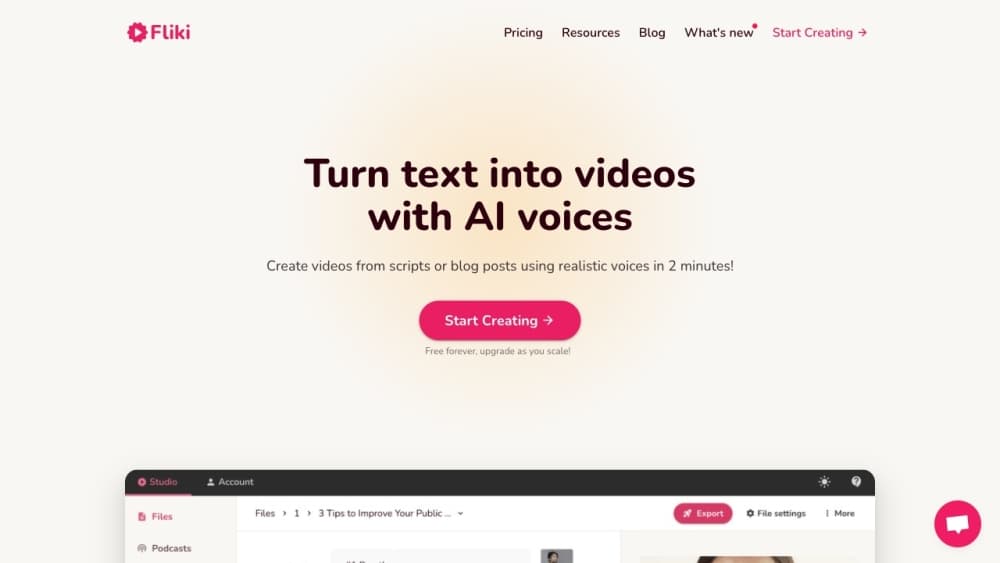
Fliki is an AI video generator and text-to-speech platform that turns written content into finished videos. You paste a script, a blog link, a slide deck, or a one-line idea, and it writes the narration, picks visuals, adds music and subtitles, and renders a publish-ready clip. It runs in a browser, and paid plans lift the free tier's watermark and one-minute export cap.
關於 Fliki
What Is Fliki
Fliki is a web-based AI video and voice platform from Nine Thirty Five LLC, built for people who need video output without a camera, a lighting setup, or an editing timeline that takes weeks to learn. Paste text into the editor and the tool breaks it into scenes, generates a voiceover from its voice library, and matches stock or AI-made visuals to each line. Audio-only projects work the same way, which is why podcasters and audiobook readers use it alongside social media creators.
The core appeal is speed and language coverage. Fliki advertises 2,000+ voices across 80+ languages, and its translation and dubbing tools let you re-cut the same script for viewers who don't speak English. So when does that actually help? Blog-to-video and PPT-to-video features handle repurposing, so a 1,500-word post or a deck can become a narrated clip without a rewrite.
The limits matter as much as the features. The free plan gives you 3 credits a month, a 720p ceiling, and a Fliki watermark on every export. Export length is capped at 1 minute free, 15 minutes on Standard, and 40 minutes on Premium. Credits drain whenever the tool reprocesses your audio, so heavy script edits cost more, and a project that looks cheap on paper can quietly eat through a month's allowance.
Getting Started
- Sign up at fliki.ai with an email or Google account. No credit card is required for the free plan.
- Choose a workflow: text to video, idea to video, blog post to video, or PPT to video. Paste your script, URL, or prompt and pick a language.
- Pick a voice from the library, then let Fliki generate scenes. Swap visuals, trim segments, and adjust pacing in the editor.
- Add music, subtitles, or an AI avatar if you want one, then export. Free exports run at 720p with a watermark.
- Publish directly to YouTube or TikTok, or download the file. Paid plans include commercial rights to the output.
產品資訊
快速了解 Fliki 的定價、支援平台與效能。
適合對象
這項工具最適合的使用者、任務與情境。
使用者
- Social media creators
- Small business owners
- Teachers and trainers
- Podcasters and authors
任務
- Turning a blog post into a video
- Dubbing a video into another language
- Making faceless videos at volume
- Cloning a voice for consistent narration
情境
- Keeping a posting schedule without a production team
- Localizing training material for a distributed workforce
- Quick turnaround on product or event promos
主要功能
Text to Video
Paste a script, an article, or a single prompt and Fliki assembles a video with narration, visuals, music, and burned-in captions, all without you touching a timeline or exporting assets between apps. It segments long text into scenes and lets you regenerate any part that doesn't fit. For social clips, the whole pass usually finishes in a few minutes.
Text to Speech and AI Voices
The voice library holds 2,000+ options across 80+ languages and 100+ accents, with control over pacing and emphasis that makes the output sound less like a flat read-aloud. You can generate voiceover for a video or export audio on its own. Voices range from standard to ultra-realistic, and the ultra-realistic tier is reserved for paid plans.
Voice Cloning
Record a short sample, often around two minutes, and Fliki builds a clone you can reuse across projects. The clone works in 70+ languages, so you can ship narration in a language you don't speak while keeping your own voice and accent intact. Free plans don't include cloning at all.
AI Avatars and Digital Twin
Fliki generates photo avatars and AI presenters, and its digital twin feature creates a talking version of you from a single recording. The twin handles presentations and lessons in 80+ languages without another shoot day.
Blog, PPT, and Idea to Video
Blog-to-video pulls the article text, writes a condensed script, and pairs it with visuals and captions in one pass. PPT-to-video converts each slide into a narrated scene, which fits training and onboarding decks where the material already exists. Idea-to-video starts from a prompt when there's no source text at all, and it's the option most people reach for on a blank day.
AI Video Translator and Dubbing
Upload a finished video and Fliki translates it into 80+ languages with a native-style voiceover and translated captions. The Premium tier adds lip-synced mouth movement for dubbed footage. Dubbing keeps the original visual cut, so one video covers many markets.
Series and Bulk Creation
Tell Fliki your topic, style, and posting schedule and it plans upcoming videos, writes the scripts, and stages them. Cross-posting to TikTok, Instagram, and YouTube runs from the same dashboard. Bulk tools and a Zapier integration help when you're producing many clips at once.
AI Model Access and API
Fliki routes generation through third-party models from OpenAI, Google, Kling, Bytedance, ElevenLabs, and others, and picks a model per task. Premium and Enterprise plans include API access for teams wiring Fliki into their own workflow. Everything else stays inside the browser editor.
優缺點
優點
- Text-to-video and text-to-speech sit in one editor, so you don't stitch two tools together for a narrated clip.
- Voice and language coverage is wide, with 2,000+ voices across 80+ languages and dubbing for finished videos.
- The free plan lets you test real output before paying, with 3 credits and no credit card.
- Blog, PPT, and URL inputs cover the repurposing jobs most teams actually need.
- Paid plans include commercial rights and watermark removal, which matters for monetized channels.
缺點
- Free exports carry a Fliki watermark and cap at 720p with a 1-minute limit, which rules out most real publishing.
- Credits are consumed on every reprocess, so editing a script heavily can burn through a month's allowance faster than expected.
- Voice cloning and API access are locked behind higher tiers, so the cheapest paid plan won't cover every use case.
- Some user reviews on app stores report billing friction and unexpected charges, so check the plan toggle before checkout.
常見問題
Fliki turns text into video and audio. It generates narration with AI voices, matches visuals to your script, and exports a finished clip for social media, training, or ads. It also handles audio-only projects like narration and podcast segments.
相關內容
探索與 Fliki 相關的工具、技能與文章。
Fliki 替代方案

Emailwritr
Emailwritr · 寫作 · 行銷Emailwritr 是一款 AI 電子郵件文案工具,為想要從既有名單中創造更多營收的聯盟行銷者、課程創作者與線上事業而打造。這款 AI 郵件撰寫工具不靠空白頁面或通用的聊天機器人提示,而是依照知名直效文案寫手的框架,產出歡迎序列、上市活動、購物車挽回郵件與促銷系列。你連接自己的自動回覆器、回答幾個關於優惠的問題,它就替你把文案寫好。

Swms
Swms AI · 寫作 · 生產力 · 商業Swms 是一款 AI 安全合規工具,能把一段對工作的簡單描述變成可直接使用的安全文件。你描述專案、工種與已知危害,它就會在數秒內寫出一份安全作業方法聲明、工作危害分析、安全作業程序、RAMS 或安全資料表。它還內建 Oscar,一個能用任何語言回答職場安全問題的聊天助理。建築、礦業、運輸與倉儲團隊都用它來減少那些原本會吃掉大半工作天的文書作業。

Prosp
Prosp · 寫作 · 語音與語言 · 行銷Prosp 是一款 AI LinkedIn 開發信工具,專為代理商與業務團隊打造,會針對每位潛在客戶以你自己的聲音撰寫訊息與語音訊息,讓他們真的回覆。你連接帳號、尋找潛在客戶,讓 AI 大規模草擬並發送個人化訊息,全部在一個收件匣完成。它是為大量進行陌生開發的人設計的。這就是它全部的賣點。每一個接觸點仍然必須感覺像真人。