

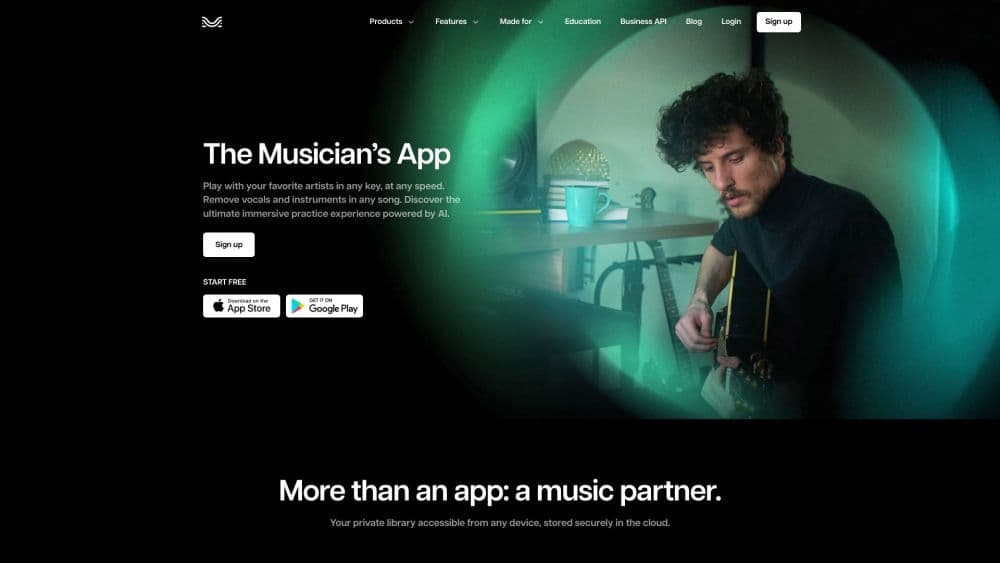
關於 Moises: The Musician's AI App
What Is Moises
Moises is an AI-powered music platform for musicians, producers, and anyone who wants to work with songs in new ways. It runs a process called stem separation, which uses machine learning to pull a finished track apart into individual parts like vocals, drums, bass, guitar, piano, and keys. You upload a song. Seconds later, you get separate files. You can mute, solo, or slow any of them on their own.
The company behind Moises is Moises AI. The platform works on the web, iOS, Android, macOS, and Windows. According to Moises, the app separates songs into up to 27 stem types, and its Mobile Studio has won a Microsoft Store Award in 2025 for Best Music App. It's widely used by guitarists practicing solos, vocalists training pitch, drummers chasing grooves, and producers who want clean loops without waiting on a full studio session or a paid engineer.
Getting Started
- Create a free account at moises.ai, or install the app from the App Store, Google Play, or the Microsoft Store.
- Upload a song from your device or link a track from a supported source.
- Let the AI separate the track into stems, which usually takes a few seconds.
- Mute or solo individual parts, then change the pitch, tempo, or key to match your practice needs.
- Save your mix, add a metronome or chord view, and export stems when you're ready to share.
產品資訊
快速了解 Moises: The Musician's AI App 的定價、支援平台與效能。
適合對象
這項工具最適合的使用者、任務與情境。
使用者
- Guitarists and bassists
- Singers
- Drummers and percussionists
- Producers and audio engineers
- Music teachers
任務
- Stem separation
- Pitch and tempo changes
- Chord detection
- Lyrics transcription
- Performance capture
情境
- Practicing a difficult solo slowly, then speeding it up as you improve.
- Building a custom backing track by muting the part you play.
- Learning a cover song in a new key that fits your vocal range.
- Writing and arranging with bandmates in a shared browser session on Moises Studio.
- Creating clean acapellas and instrumentals for remixes or DJ sets.
主要功能
AI Stem Separation
This is the feature that put Moises on the map. You upload any audio file, and the AI splits it into separate tracks for vocals, drums, bass, guitar, piano, keys, strings, and winds. Moises supports up to 27 stem types with its Hi-Fi models, according to the company, which means even less common instruments like winds and strings can be pulled out on their own for closer study. Once separated, each stem plays as its own file. What's the payoff? You can mute the guitar and play it yourself, or solo the drums to study a rhythm.
Pitch and Tempo Control
Moises lets you shift the pitch of a song up or down and change its tempo without distorting the sound. That means you can learn a song in a key that suits your voice. You can also slow a fast passage to half speed and still hear it clearly. The changes apply to the whole mix or to individual stems, so you get real control. This is the pitch and tempo changer most players reach for first.
Chord Detection
The app listens to your track and shows the chords as they change, which is a huge help if you're learning a song by ear. Follow the chord strip while you play. Check whether you heard a progression right. It pairs well with the pitch and tempo tools, since you can slow a section down and read the chords at the same time.
AI Lyrics Transcription
Moises can transcribe the words in a song automatically, then let you edit the result. This saves a lot of time if you want a lyrics sheet or you're checking a line you can't quite catch. Line the lyrics up with the audio. Fix any mistakes by hand. Handy for covers and language practice.
Metronome and Backing Tracks
A built-in metronome keeps you on tempo while you practice, and you can build a custom backing track by muting the part you play. Both features turn a finished song into a personal practice tool. Drummers often keep everything but the drums. Guitarists mute the guitar and play over the rest of the band. Simple idea, big payoff.
Moises Studio
Moises Studio is a browser-based space where you arrange, record, and edit the same session in real time with bandmates, producers, or co-writers. According to Moises, there's nothing to install and no file handoffs, which makes remote collaboration simpler. One session. Everyone on the same version at once. It's a clean way to write together when you can't share a room.
Video Recording and Social Export
Moises can film your performance with studio-quality audio and video in a single app. You then export and share to your social channels if you teach, perform, or want to build a following. No separate camera. No messy recording setup. It's aimed at creators who want a clean capture without the hassle.
Cross-Platform Access
The platform runs on the web, iOS, Android, macOS, and Windows, so your projects follow you across devices and you never have to rebuild a session from scratch when you switch machines. Start a session on a phone at band practice. Keep working on a laptop later. That flexibility is a big part of why it fits casual players and working musicians alike.
優缺點
優點
- Stem separation is fast and clean enough for real practice and remixing work.
- Pitch and tempo changes stay clear, so slowed-down songs are still easy to follow.
- A free plan lets you test the core features before you pay anything.
- It works across phones, tablets, desktops, and the web with one account.
缺點
- Stem quality drops on dense or low-quality recordings, so old live bootlegs, phone recordings, or heavily compressed files can start to sound muddy and full of artifacts after separation.
- The free plan limits how many songs you can separate and caps upload length, which gets frustrating fast for regular use and pushes most active players toward a paid tier sooner than they expected.
- The best stems and higher upload limits sit behind the paid tiers, so casual users hit a paywall sooner than expected.
- Automatic chord and lyric detection still needs manual fixes on complex songs, so you can't fully trust it for jazz, dense mixes, or anything with layered vocals and quick key changes.
常見問題
Moises takes a finished song and pulls it apart into separate tracks using AI. You can then mute, solo, slow down, or change the key of any part, which turns a normal recording into a flexible practice tool.
相關內容
探索與 Moises: The Musician's AI App 相關的工具、技能與文章。
Moises: The Musician's AI App 替代方案

Prosp
Prosp · 寫作 · 語音與語言 · 行銷Prosp 是一款 AI LinkedIn 開發信工具,專為代理商與業務團隊打造,會針對每位潛在客戶以你自己的聲音撰寫訊息與語音訊息,讓他們真的回覆。你連接帳號、尋找潛在客戶,讓 AI 大規模草擬並發送個人化訊息,全部在一個收件匣完成。它是為大量進行陌生開發的人設計的。這就是它全部的賣點。每一個接觸點仍然必須感覺像真人。

Wordly AI Translation
Wordly · 語音與語言 · 生產力Wordly AI Translation 是一套為會議、研討會與活動打造的即時 AI 翻譯與字幕平台。它提供 60 多種語言的即時翻譯、字幕、逐字稿與摘要,與會者只要掃描 QR Code 或開啟連結就能加入,不必配戴專用耳機。平台可搭配 Zoom、Microsoft Teams、Google Meet 與 Webex 運作,專為想在每場活動提供多語言服務、又不想每場都請真人口譯的組織而設計。就是這麼單純。
Musicful
Musicful AI · 語音與語言 · 影片Musicful 是一款 AI 音樂生成器與 AI 音樂影片製作工具,能在幾分鐘內把文字變成音樂。給它一段文字提示、一組歌詞或一段哼唱的旋律,它就會回傳一首帶人聲與樂器的完成曲目。它同時也是 AI 歌曲生成器,能用你創作的歌曲產出音樂影片,並提供 AI 翻唱工具與開發者 API。平台可在網頁瀏覽器與 Android App 上執行,所以你能在桌機開始一首歌,再用手機接著做。