

Sora 2
OpenAI · Video
Sora 2 is OpenAI's flagship AI video generator, capable of turning a text prompt or a single image into a short clip with synced dialogue, sound effects, and background audio. It launched in September 2025 as the engine behind the Sora app, a social iOS product built around remixing other people's generations. OpenAI has since retired the app and website, and the model now lives on only through its API, which is scheduled to shut down on September 24, 2026.
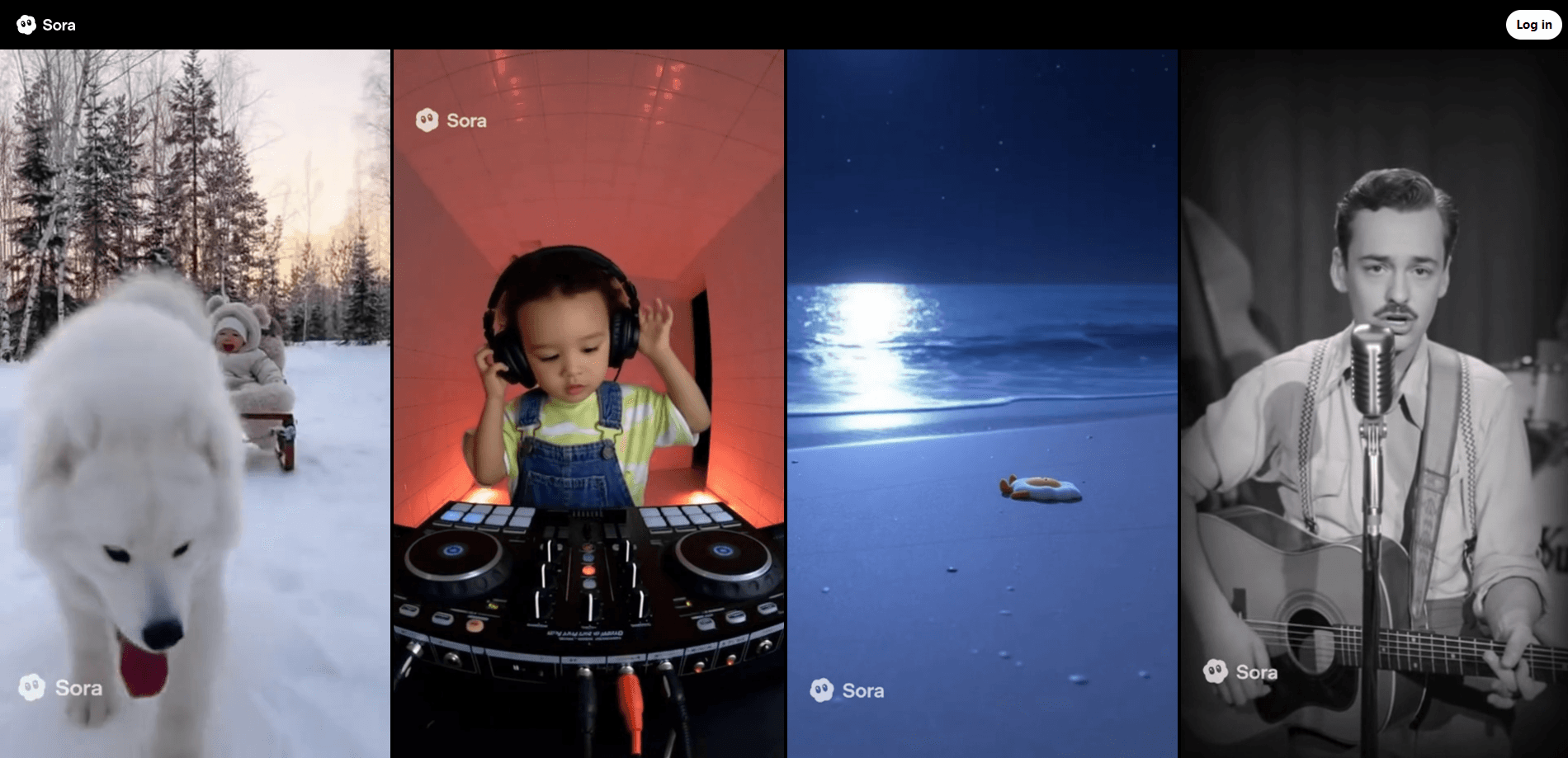
Über Sora 2
What Is Sora 2
Sora 2 is a video and audio generation model from OpenAI. You describe a scene in plain language, and it produces a clip that aims to obey real-world physics. So what changed? The jump over the original 2024 Sora is easiest to see in motion. Where earlier systems would teleport a missed basketball shot into the hoop just to satisfy the prompt, Sora 2 lets the ball bounce off the backboard. That sounds like a small thing. It's what makes fake footage feel less fake.
The model handles two jobs at once. It generates the picture and the sound together, so dialogue, footsteps, and room tone line up with what's happening on screen. That's video generation with audio, not a silent clip plus a separate sound pass. It also accepts an image as a starting point, which lets you animate a still photo instead of describing everything from scratch.
The main limitation is availability. Sora 2 was never a standalone product you could simply open and use. OpenAI discontinued the Sora web and app experiences on April 26, 2026, and it plans to retire the Sora API on September 24, 2026. Anyone evaluating it today is looking at a model on its way out, kept alive for developers who already built on it and for OpenAI's own world-simulation research.
Getting Started
- Create an OpenAI account and add billing on the OpenAI platform dashboard.
- Generate an API key from the project settings, then store it as an environment variable on your server.
- Send a prompt to the video endpoint, choosing Sora 2 for standard quality or Sora 2 Pro for higher output resolutions.
- Poll the job until the render finishes, then download the video file and its synced audio track.
- If you ran Sora generations through the app or web experience before April 2026, export your content at sora.chatgpt.com/sunset before OpenAI deletes it.
Produktinformationen
Ein kurzer Überblick über Preise, unterstützte Plattformen und die Leistung von Sora 2.
Am besten für
Die Nutzer, Aufgaben und Szenarien, für die dieses Tool am besten passt.
Nutzer
- Developers building video features into an app
- Researchers and writers who need quick visual mockups
- Marketing teams testing concept visuals
Aufgaben
- Turning a script into a short scene
- Generating dialogue-driven clips
- Animating product photos
Szenarien
- Prototyping a video ad before committing a budget
- Filling a social feed with original clips
- Building a proof of concept for an AI video pipeline
Wichtigste Funktionen
Synced Audio and Video in One Pass
Sora 2 generates the soundtrack alongside the picture instead of bolting it on afterward. Dialogue lands on the right beat, and ambient sound shifts with the scene. Anyone who has tried to match speech to a generated clip by hand knows the pain. This removes the most tedious part of the job.
Physics That Respect Failure
Earlier video models cheated. A dropped object would float, a missed shot would find its way to the target. Sora 2 lets things go wrong the way they do in real life, which matters if your clip needs to look like it came off a camera rather than a render farm.
Text to Video and Image to Video
Sora 2 handles classic text to video work and starts from a still image when you'd rather not write a long prompt. That cuts down prompt-writing because the composition is already decided, and it gives existing photography or artwork a second life as motion.
Character Consistency Across Shots
The model holds onto a character's look as the scene cuts. A face stays the same face. That's the difference between a random pile of clips and something that reads as one scene. OpenAI built the feature for a social app where inserting yourself into any generated world was the main draw, and it works just as well for dialogue-driven shorts.
Style Range
Sora 2 handles realistic, cinematic, and anime looks without a separate model for each. One prompt structure covers all three, so you don't relearn the controls when you switch styles.
Multi-Shot Instruction Following
A single prompt can describe a sequence with a cut in the middle, and the model carries world state across it. That level of instruction following is what made Sora 2 a step change from its predecessor.
Two Quality Tiers
The standard Sora 2 model outputs at 720p. Sora 2 Pro adds 1024x1792 and 1080x1920 options for higher-resolution work, at a higher per-second price. Pick based on where the clip ends up. Nobody needs 1080p for a rough cut.
Vor- und Nachteile
Vorteile
- Audio comes out synced with the visuals, saving a manual step most other video tools leave to the user.
- Physics hold up better than earlier generators, so footage survives a second look.
- Image-to-video and cross-shot consistency make multi-scene clips practical.
- Sora 2 pricing is transparent: $0.10 per second for standard 720p output via the API.
Nachteile
- The Sora app and website shut down on April 26, 2026, so the model is API-only now.
- The API itself ends on September 24, 2026, which makes it a bad foundation for anything long-term.
- Content generated in the app is being permanently deleted once the final export window closes, whether or not you saved it in time.
- Output still glitches on crowded or fast-moving scenes, so clips need review before use.
Häufige Fragen
It generates short videos with matching audio from a text prompt or a starting image. Teams used OpenAI Sora for concept clips, social content, and scenes that would be too expensive to shoot. The consumer-facing app is now closed, so access is API-only.
Ähnliche Inhalte
Entdecke passende Tools, Skills und Artikel zu Sora 2.
Alternativen zu Sora 2

Vadu AI
Vadu AI · Bilder · VideoVadu AI ist ein webbasierter KI-Videogenerator, der geschriebene Eingaben oder Standbilder in kurze Clips verwandelt, und der auch eigenständig Bilder erzeugt. Man tippt, was man will, wählt ein Modell und einen Stil, und die Plattform rendert das Ergebnis in Minuten. Ein Gratis-Tarif deckt leichtes Testen ab, während die bezahlten Stufen je nach verbrauchten Credits von 9 bis 77,40 Dollar pro Monat reichen.

Mykaraoke Video
MyKaraoke Video · VideoMykaraoke Video ist ein Online-Ersteller für Karaoke-Videos und Songtext-Videos, der jeden Song direkt im Browser in ein fertiges Video mit synchronisierten Songtexten verwandelt. Er nimmt Ihnen den langsamen Teil ab. Die KI trennt die Stimmen aus dem Mix und legt die Songtexte auf den Takt, danach passen Sie Hintergrund, Schriftarten und Farben an, bevor Sie als 1080p-MP4 exportieren. Wenn Sie Songtext-Videos für soziale Netzwerke, Partyabende oder Musikwerbung machen, sparen Sie sich komplett die Software-Installationen und die manuelle Timing-Arbeit. Sie wollen einen Karaoke-Video-Generator, der nicht Ihren ganzen Abend frisst? Das ist das Versprechen.

Finalframe
Finalframe · VideoFinalframe ist eine Sammlung kostenloser Tools für den Browser, mit denen du exakte Frames aus einem Videoclip ziehst. Die bekannteste Funktion, der Final Frame Extractor, holt den letzten Frame aus jedem Video, damit du ihn als Startbild für KI-Videotools wie Luma Dream Machine, Runway oder Kling nutzt. Du willst einen Clip fortsetzen? Dieser letzte Frame ist dein Ausgangspunkt. Das Tool läuft lokal in deinem Browser, verlangt keine Anmeldung und kostet nichts. Eine separate kostenpflichtige KI-Video-App desselben Teams ist derzeit offline, während sie neu gebaut wird.