

Adobe Podcast
Adobe · 음성 및 언어
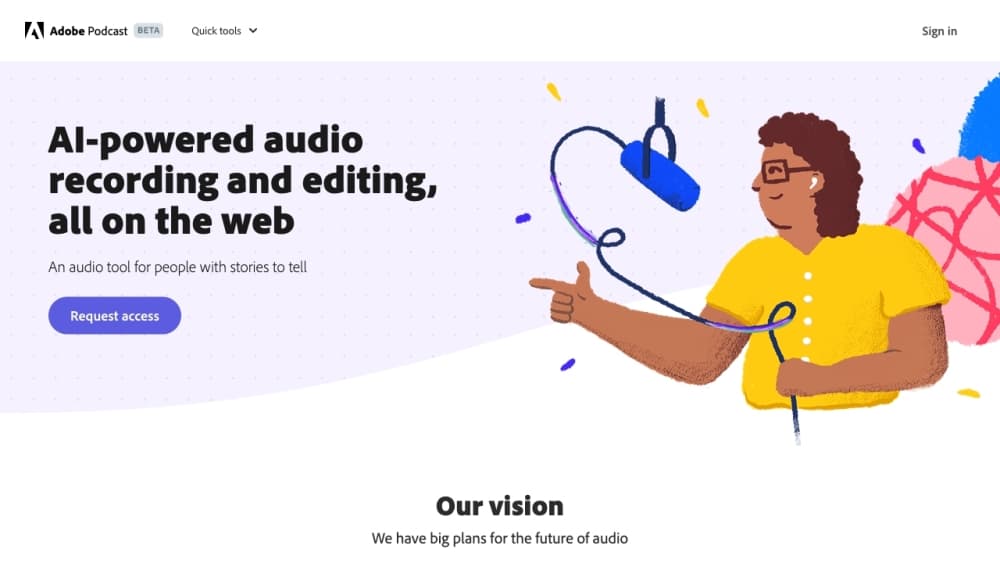
Adobe Podcast is a free, browser-based audio toolset from Adobe for recording, cleaning up, and editing voice content. It centers on Enhance Speech, an AI audio enhancer that removes background noise and echo from recordings made on cheap mics, plus a Studio for recording solo or with remote guests and editing by transcript. No install, no timeline. The free plan covers casual use; heavier work needs the paid Firefly Pro tier.
Adobe Podcast 소개
What Is Adobe Podcast
Adobe Podcast is a set of AI audio tools that run entirely in a web browser, with no desktop install. Think of it as a browser-based audio editor and an online podcast editor in the same tab. The flagship piece is Enhance Speech, which takes a rough voice recording and makes it sound like it came out of a proper studio. Fans, traffic, room echo, and muddy laptop-mic audio get cleaned up in one pass.
The target user is anyone who records their voice but doesn't own good gear. Podcasters, YouTubers, teachers, and people recording voiceovers on a phone are the obvious fits. Adobe's pitch is that you can skip the expensive microphone and the soundproofed room, because the software fixes the audio after the fact. Does that actually hold up? For voice content, mostly yes. It's podcast recording software and a video tool rolled into one place, with AI voice cleanup doing the heavy lifting.
The catch is the free tier. Enhance Speech on the free plan is audio only, handles one file at a time, and caps at 30 minutes per file and one hour per day. Studio projects on the free plan are limited to 30 minutes and two downloads per day, and audiograms carry Adobe branding. Classic Adobe. The tool is capable, and the free limits are deliberately tight to push you toward a subscription.
Getting Started
- Go to podcast.adobe.com and sign in with a free Adobe account. No credit card needed for the free plan.
- For clean-up work, open Enhance Speech and upload an audio file (wav, mp3, m4a, aac, or flac). For recording, open Studio and pick your microphone and camera in the device settings.
- Run the clean-up pass to strip noise and echo, then adjust the speech and background sliders if you're on a paid plan.
- In Studio, edit your recording by cutting and rearranging the transcript. The audio follows whatever you do to the text.
- Download the finished file or export an audiogram for social media. Free-plan downloads are capped, so check the limits before you commit to a long session.
제품 정보
Adobe Podcast의 요금, 지원 플랫폼, 성능을 한눈에 확인해 보세요.
추천 대상
이 도구가 가장 잘 맞는 사용자, 작업, 상황입니다.
사용자
- Podcasters without studio gear
- Video creators cleaning up voiceovers
- Teachers and students recording lectures
작업
- Removing background noise from a voice recording
- Recording a remote interview
- Transcribing audio or video
활용 상황
- Fixing a one-off recording before publishing
- Producing a weekly podcast with guests
- Turning a long conversation into short clips
주요 기능
Enhance Speech noise removal
Enhance Speech is the reason most people find Adobe Podcast in the first place. It removes background noise and echo from voice recordings and lifts clarity, using AI to rebuild speech that was captured on a mediocre mic. Version 2, released in early 2025, gives you separate sliders for speech and background so you can keep some room tone instead of stripping everything to a sterile result. That control matters. The free plan runs audio only, one file at a time, with no strength adjustment.
Transcription-based editing in Studio
Studio transcribes your recording using the same speech-to-text engine Adobe uses in Premiere Pro. You edit the transcript like a text document, and the audio updates to match. Cutting a rambling answer out of an interview becomes a copy-paste job instead of scrubbing a waveform. The same approach now works for video, and accuracy for accented English and crosstalk still varies, so a quick proofread of the transcript is worth the time.
Remote recording with separate tracks
Studio lets you invite guests by link or email and records everyone on individual tracks in 16-bit 48k WAV. That means a guest's shaky wifi doesn't drag your side of the conversation down with it, and you get clean stems to mix later. One catch. Remote recording only works in Chrome on desktop, which rules out a tablet or phone as your recording device.
Mic Check
Before you hit record, Mic Check analyzes your microphone setup and tells you what's wrong: too much background noise, gain set too high, or a mic sitting too far from your mouth. It's a small feature, but it saves the disappointment of finishing a session and finding out the recording was unusable. Worth ten seconds.
Export clips and audiograms
Studio can turn any transcript selection into a downloadable clip in mp3 or wav, or export an audiogram, which is an audio clip paired with a waveform visual for social feeds. Paid users get extra themes and the option to drop Adobe branding. It's a fast way to squeeze shareable moments out of a long episode without touching a separate design tool.
Pre-edited royalty-free music
Adobe Podcast ships a music library with intros, outros, transitions, and background beds already cut to podcast-friendly lengths. You can browse it inside Studio and drop tracks into your project. It saves hunting through stock audio sites. The selection is smaller than what a dedicated music service offers. Good enough for a first episode.
장단점
장점
- Enhance Speech genuinely fixes bad audio with one click, and no settings are needed to get a usable result.
- The whole toolset runs in a browser, so there's nothing to install and you can work from any machine with Chrome. It's a capable browser-based audio editor without the download.
- Transcript-based editing removes the steepest part of the podcast learning curve: cutting audio on a timeline.
- The free plan is real. You can clean up short recordings indefinitely without paying.
- Studio records remote guests on separate tracks, which protects you from a bad connection on one end.
단점
- The free plan is tight: 30-minute files, one hour of enhancement per day, no video, no bulk upload, and only two Studio downloads per day.
- Video support, bulk processing, and strength adjustment all sit behind the $19.99/mo Firefly Pro plan.
- Remote recording is desktop Chrome only. Safari, Firefox, and mobile users are out of luck for the Studio recording step.
- There's no documented public API, so building your own automated pipeline on top of Enhance Speech isn't an option Adobe advertises.
자주 묻는 질문
Yes, there's a free plan that covers the noise-removal tool on audio files and short Studio projects with a few downloads per day. Heavy use, video support, and bulk processing require the paid tier.
관련 콘텐츠
Adobe Podcast와 관련된 도구, 스킬, 아티클을 살펴보세요.
Adobe Podcast 대안

Prosp
Prosp · 글쓰기 · 음성 및 언어 · 마케팅Prosp는 에이전시와 영업팀을 위해 만들어진 AI LinkedIn 아웃리치 도구다. 잠재 고객마다 자신의 목소리로 메시지와 음성 메시지를 작성해, 상대가 실제로 답장하도록 만든다. 계정을 연결하고 리드를 찾고, AI가 개인화된 메시지를 대량으로 작성해 보내도록 맡긴다. 전부 하나의 받은편지함에서 처리한다. 대량으로 아웃바운드를 돌리는 사람을 위해 만들어졌다. 그게 이 제품의 전부다. 그래도 모든 접점은 인간처럼 느껴져야 한다.

Wordly AI Translation
Wordly · 음성 및 언어 · 생산성Wordly AI Translation은 회의, 콘퍼런스, 행사를 위해 만들어진 실시간 AI 번역 및 자막 플랫폼이다. 60개 이상 언어로 실시간 번역, 자막, 스크립트, 요약을 제공하며, 참가자는 전용 헤드셋 대신 QR 코드를 스캔하거나 링크를 열어 참여한다. Zoom, Microsoft Teams, Google Meet, Webex와 함께 작동하고, 세션마다 사람 통역사를 고용하지 않고도 다국어 접근을 원하는 조직을 겨냥한다. 그게 전부다.
Musicful
Musicful AI · 음성 및 언어 · 동영상Musicful은 텍스트를 몇 분 만에 음악으로 바꾸는 AI 음악 생성기이자 AI 뮤직비디오 제작 도구다. 텍스트 프롬프트, 가사 한 묶음, 또는 흥얼거린 멜로디를 주면 보컬과 악기가 들어간 완성 트랙을 돌려준다. AI 곡 생성기로도 쓰이고, 직접 만든 곡으로 뮤직비디오를 만들며, AI 커버 도구와 개발자용 API도 제공한다. 웹 브라우저와 Android 앱에서 실행되므로 데스크톱에서 곡을 시작하고 휴대폰에서 이어서 할 수 있다.