

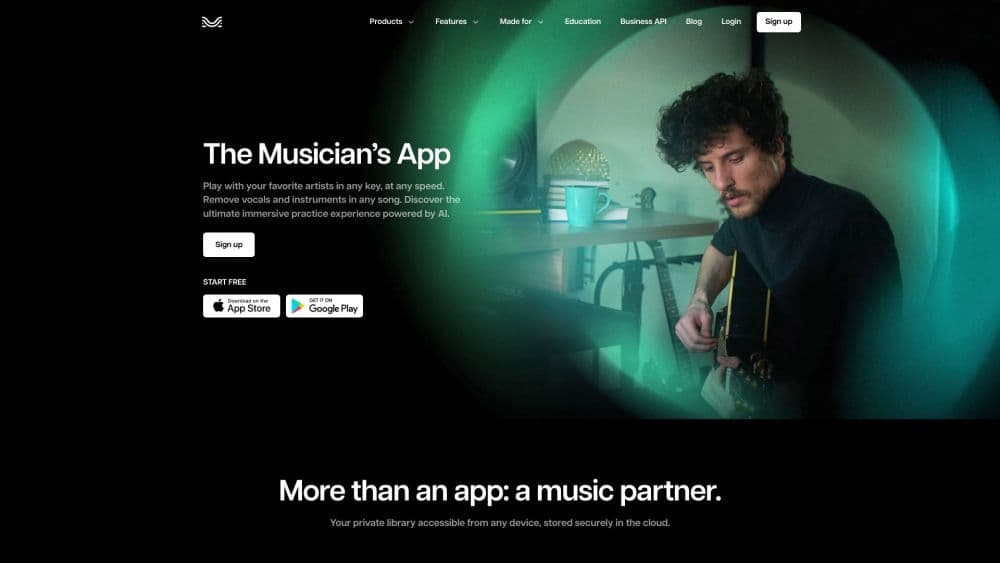
Moises: The Musician's AI App 소개
What Is Moises
Moises is an AI-powered music platform for musicians, producers, and anyone who wants to work with songs in new ways. It runs a process called stem separation, which uses machine learning to pull a finished track apart into individual parts like vocals, drums, bass, guitar, piano, and keys. You upload a song. Seconds later, you get separate files. You can mute, solo, or slow any of them on their own.
The company behind Moises is Moises AI. The platform works on the web, iOS, Android, macOS, and Windows. According to Moises, the app separates songs into up to 27 stem types, and its Mobile Studio has won a Microsoft Store Award in 2025 for Best Music App. It's widely used by guitarists practicing solos, vocalists training pitch, drummers chasing grooves, and producers who want clean loops without waiting on a full studio session or a paid engineer.
Getting Started
- Create a free account at moises.ai, or install the app from the App Store, Google Play, or the Microsoft Store.
- Upload a song from your device or link a track from a supported source.
- Let the AI separate the track into stems, which usually takes a few seconds.
- Mute or solo individual parts, then change the pitch, tempo, or key to match your practice needs.
- Save your mix, add a metronome or chord view, and export stems when you're ready to share.
제품 정보
Moises: The Musician's AI App의 요금, 지원 플랫폼, 성능을 한눈에 확인해 보세요.
추천 대상
이 도구가 가장 잘 맞는 사용자, 작업, 상황입니다.
사용자
- Guitarists and bassists
- Singers
- Drummers and percussionists
- Producers and audio engineers
- Music teachers
작업
- Stem separation
- Pitch and tempo changes
- Chord detection
- Lyrics transcription
- Performance capture
활용 상황
- Practicing a difficult solo slowly, then speeding it up as you improve.
- Building a custom backing track by muting the part you play.
- Learning a cover song in a new key that fits your vocal range.
- Writing and arranging with bandmates in a shared browser session on Moises Studio.
- Creating clean acapellas and instrumentals for remixes or DJ sets.
주요 기능
AI Stem Separation
This is the feature that put Moises on the map. You upload any audio file, and the AI splits it into separate tracks for vocals, drums, bass, guitar, piano, keys, strings, and winds. Moises supports up to 27 stem types with its Hi-Fi models, according to the company, which means even less common instruments like winds and strings can be pulled out on their own for closer study. Once separated, each stem plays as its own file. What's the payoff? You can mute the guitar and play it yourself, or solo the drums to study a rhythm.
Pitch and Tempo Control
Moises lets you shift the pitch of a song up or down and change its tempo without distorting the sound. That means you can learn a song in a key that suits your voice. You can also slow a fast passage to half speed and still hear it clearly. The changes apply to the whole mix or to individual stems, so you get real control. This is the pitch and tempo changer most players reach for first.
Chord Detection
The app listens to your track and shows the chords as they change, which is a huge help if you're learning a song by ear. Follow the chord strip while you play. Check whether you heard a progression right. It pairs well with the pitch and tempo tools, since you can slow a section down and read the chords at the same time.
AI Lyrics Transcription
Moises can transcribe the words in a song automatically, then let you edit the result. This saves a lot of time if you want a lyrics sheet or you're checking a line you can't quite catch. Line the lyrics up with the audio. Fix any mistakes by hand. Handy for covers and language practice.
Metronome and Backing Tracks
A built-in metronome keeps you on tempo while you practice, and you can build a custom backing track by muting the part you play. Both features turn a finished song into a personal practice tool. Drummers often keep everything but the drums. Guitarists mute the guitar and play over the rest of the band. Simple idea, big payoff.
Moises Studio
Moises Studio is a browser-based space where you arrange, record, and edit the same session in real time with bandmates, producers, or co-writers. According to Moises, there's nothing to install and no file handoffs, which makes remote collaboration simpler. One session. Everyone on the same version at once. It's a clean way to write together when you can't share a room.
Video Recording and Social Export
Moises can film your performance with studio-quality audio and video in a single app. You then export and share to your social channels if you teach, perform, or want to build a following. No separate camera. No messy recording setup. It's aimed at creators who want a clean capture without the hassle.
Cross-Platform Access
The platform runs on the web, iOS, Android, macOS, and Windows, so your projects follow you across devices and you never have to rebuild a session from scratch when you switch machines. Start a session on a phone at band practice. Keep working on a laptop later. That flexibility is a big part of why it fits casual players and working musicians alike.
장단점
장점
- Stem separation is fast and clean enough for real practice and remixing work.
- Pitch and tempo changes stay clear, so slowed-down songs are still easy to follow.
- A free plan lets you test the core features before you pay anything.
- It works across phones, tablets, desktops, and the web with one account.
단점
- Stem quality drops on dense or low-quality recordings, so old live bootlegs, phone recordings, or heavily compressed files can start to sound muddy and full of artifacts after separation.
- The free plan limits how many songs you can separate and caps upload length, which gets frustrating fast for regular use and pushes most active players toward a paid tier sooner than they expected.
- The best stems and higher upload limits sit behind the paid tiers, so casual users hit a paywall sooner than expected.
- Automatic chord and lyric detection still needs manual fixes on complex songs, so you can't fully trust it for jazz, dense mixes, or anything with layered vocals and quick key changes.
자주 묻는 질문
Moises takes a finished song and pulls it apart into separate tracks using AI. You can then mute, solo, slow down, or change the key of any part, which turns a normal recording into a flexible practice tool.
관련 콘텐츠
Moises: The Musician's AI App와 관련된 도구, 스킬, 아티클을 살펴보세요.
Moises: The Musician's AI App 대안

Prosp
Prosp · 글쓰기 · 음성 및 언어 · 마케팅Prosp는 에이전시와 영업팀을 위해 만들어진 AI LinkedIn 아웃리치 도구다. 잠재 고객마다 자신의 목소리로 메시지와 음성 메시지를 작성해, 상대가 실제로 답장하도록 만든다. 계정을 연결하고 리드를 찾고, AI가 개인화된 메시지를 대량으로 작성해 보내도록 맡긴다. 전부 하나의 받은편지함에서 처리한다. 대량으로 아웃바운드를 돌리는 사람을 위해 만들어졌다. 그게 이 제품의 전부다. 그래도 모든 접점은 인간처럼 느껴져야 한다.

Wordly AI Translation
Wordly · 음성 및 언어 · 생산성Wordly AI Translation은 회의, 콘퍼런스, 행사를 위해 만들어진 실시간 AI 번역 및 자막 플랫폼이다. 60개 이상 언어로 실시간 번역, 자막, 스크립트, 요약을 제공하며, 참가자는 전용 헤드셋 대신 QR 코드를 스캔하거나 링크를 열어 참여한다. Zoom, Microsoft Teams, Google Meet, Webex와 함께 작동하고, 세션마다 사람 통역사를 고용하지 않고도 다국어 접근을 원하는 조직을 겨냥한다. 그게 전부다.
Musicful
Musicful AI · 음성 및 언어 · 동영상Musicful은 텍스트를 몇 분 만에 음악으로 바꾸는 AI 음악 생성기이자 AI 뮤직비디오 제작 도구다. 텍스트 프롬프트, 가사 한 묶음, 또는 흥얼거린 멜로디를 주면 보컬과 악기가 들어간 완성 트랙을 돌려준다. AI 곡 생성기로도 쓰이고, 직접 만든 곡으로 뮤직비디오를 만들며, AI 커버 도구와 개발자용 API도 제공한다. 웹 브라우저와 Android 앱에서 실행되므로 데스크톱에서 곡을 시작하고 휴대폰에서 이어서 할 수 있다.