

Bizplanr: Business Plan Maker
Upmetrics · Business
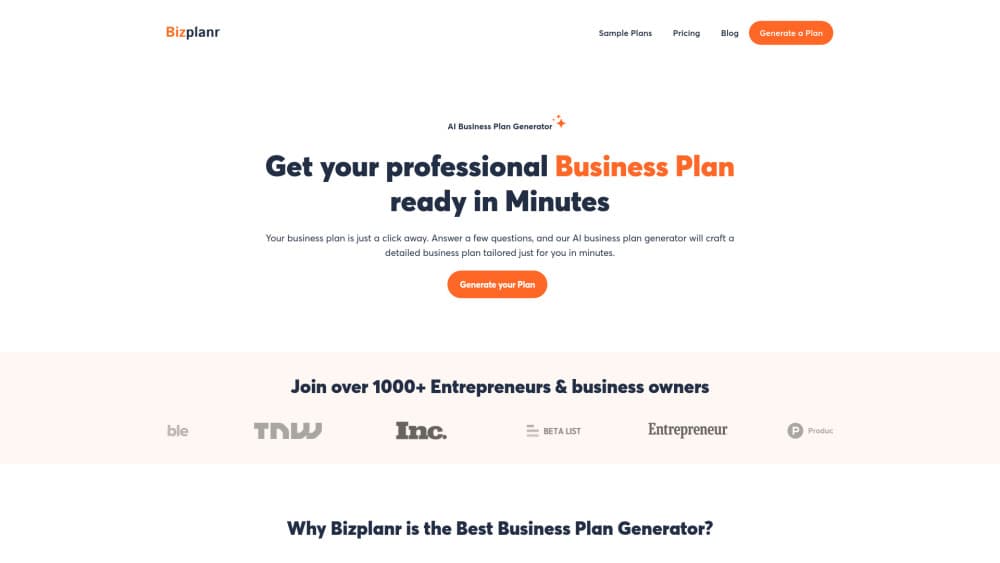
Bizplanr is an AI business plan generator that turns a six-step questionnaire into a full plan with market analysis and financial sections, then exports it as a PDF.
About Bizplanr: Business Plan Maker
What Is Bizplanr
Bizplanr is a business plan maker built for people who need a plan document and don't want to start from a blank page. You answer six short steps about your idea, industry, business model, and goals. The tool then writes the sections a lender or investor expects: executive summary, company overview, market analysis, marketing strategy, and operations.
The free tier gets you a complete draft and a PDF download. Paid features cover the parts that usually need more work: rewriting sections, adding financial forecasting, and exporting to Word or Excel. Those upgrades run through the paid Upmetrics plans, which is the company behind the app, and the mobile versions also offer a one-time in-app unlock for unlimited exports.
The main limit is depth. The tool builds a solid first draft from what you feed it, and thin answers produce a generic plan. It also won't replace a consultant on complex funding rounds or regulated filings, so treat the output as a working document you refine, not a finished submission.
Getting Started
- Create an account on the Bizplanr site or install the app on iOS or Android.
- Work through the guided questions about your idea, target market, revenue model, and goals.
- Let the AI assemble the plan, then read each section and fix details it guessed wrong.
- Open the AI advisor chat to rewrite weak sections or pressure-test your numbers.
- Download the plan as a PDF, or upgrade to unlock Word export and financial projections.
Product Information
A quick look at Bizplanr: Business Plan Maker's pricing, supported platforms, and performance.
Best for
The users, tasks, and scenarios where this tool fits best.
Users
- First-time founders
- Small business owners applying for a loan or grant
- Students and consultants
Tasks
- Drafting a startup business plan from scratch
- Building an investor-ready business plan for a seed conversation
- Producing a one-page executive summary
- Testing whether an idea holds up
Scenarios
- A weekend funding deadline
- A bank appointment next week
- A side project that needs a formal plan
Key features
Guided plan questionnaire
Six short steps collect your idea, industry, business model, customers, and goals. The output is a structured document rather than a chat transcript, which matters when you need to hand something to a lender. You can go back and change answers later and regenerate the affected sections.
Full section drafting
The AI writes the executive summary, company overview, market analysis, marketing strategy, and operations sections. Each one arrives as editable text, so you can keep the structure and replace the parts that don't match your business. This is the core of the business plan builder, and it's what separates the tool from a static business plan template.
AI business advisor chat
A chat panel answers planning questions and rewrites sections on request. Ask it to make the market analysis more specific, or to explain why a projection looks off. It's the fastest way to fix the flat, generic paragraphs that AI drafts tend to produce on the first pass.
Financial forecasting
Paid plans add revenue projections, expense breakdowns, and connected statements. You can run what-if scenarios to see how a price change or a slower sales ramp affects the plan. This is the part most free generators skip, and it's usually the first thing an investor asks about.
Export and sharing
Free users download a PDF. Paid users get Word and Excel exports, which matter when an advisor wants to edit the file or a bank asks for a spreadsheet. Plans are saved to your account, so you can return and update them as the business changes.
Collaboration and multilingual output
Invite partners or advisors to review a plan and leave comments. The paid tier also translates a plan into other languages while keeping the section structure consistent, which helps teams applying for funding in more than one market.
Pros and cons
Pros
- The free tier produces a complete draft and a PDF, with no card required.
- The questionnaire enforces the section order lenders expect, so nothing obvious goes missing.
- The advisor chat makes it easy to rewrite a weak paragraph without starting over.
- Plans stay editable and saved across web, iOS, and Android.
- Setup takes minutes, which is a real advantage when a deadline is close.
Cons
- Financial forecasting and Word or Excel export sit behind the paid plans, so the free output is text and PDF only.
- The quality of the market analysis tracks the quality of your answers, and short answers return generic filler you'll have to rewrite.
- There's no documented public API, so pulling plan data into other tools means copying it by hand.
- Complex funding rounds still need a human reviewer, since the AI won't catch a weak assumption in your revenue model.
Frequently asked questions
Yes. You can answer the questions, generate a full plan, and download it as a PDF without paying. Upgrades cover financial forecasting, Word and Excel export, and collaboration.
Related content
Explore related tools, skills, and articles for Bizplanr: Business Plan Maker.
Bizplanr: Business Plan Maker Alternatives

Claude for Google Workspace
Anthropic · Writing · Productivity · BusinessClaude for Google Workspace puts Claude in a sidebar inside Google Docs, Sheets, and Slides, where it reads the file you have open and edits it in place.

KloudMate 2.0
KloudMate · Coding · BusinessKloudMate 2.0 is an AI observability platform that keeps logs, metrics, traces, and incidents in one place, with KloudMate Assistant investigating alerts and proposing the fix.
Cekura Bench
Cekura · Voice & Language · BusinessCekura Bench is a public benchmark that runs speech-to-speech models and deployed voice agents through 82 simulated phone calls, three times each, then publishes pass rates, latency and cost.