

Bobble AI Keyboard Memes, Gifs
TouchTalent · Chatbot
Bobble AI Keyboard Memes, Gifs is an AI keyboard app for Android and iOS that suggests stickers, GIFs, and emojis in over 100 languages as you type.
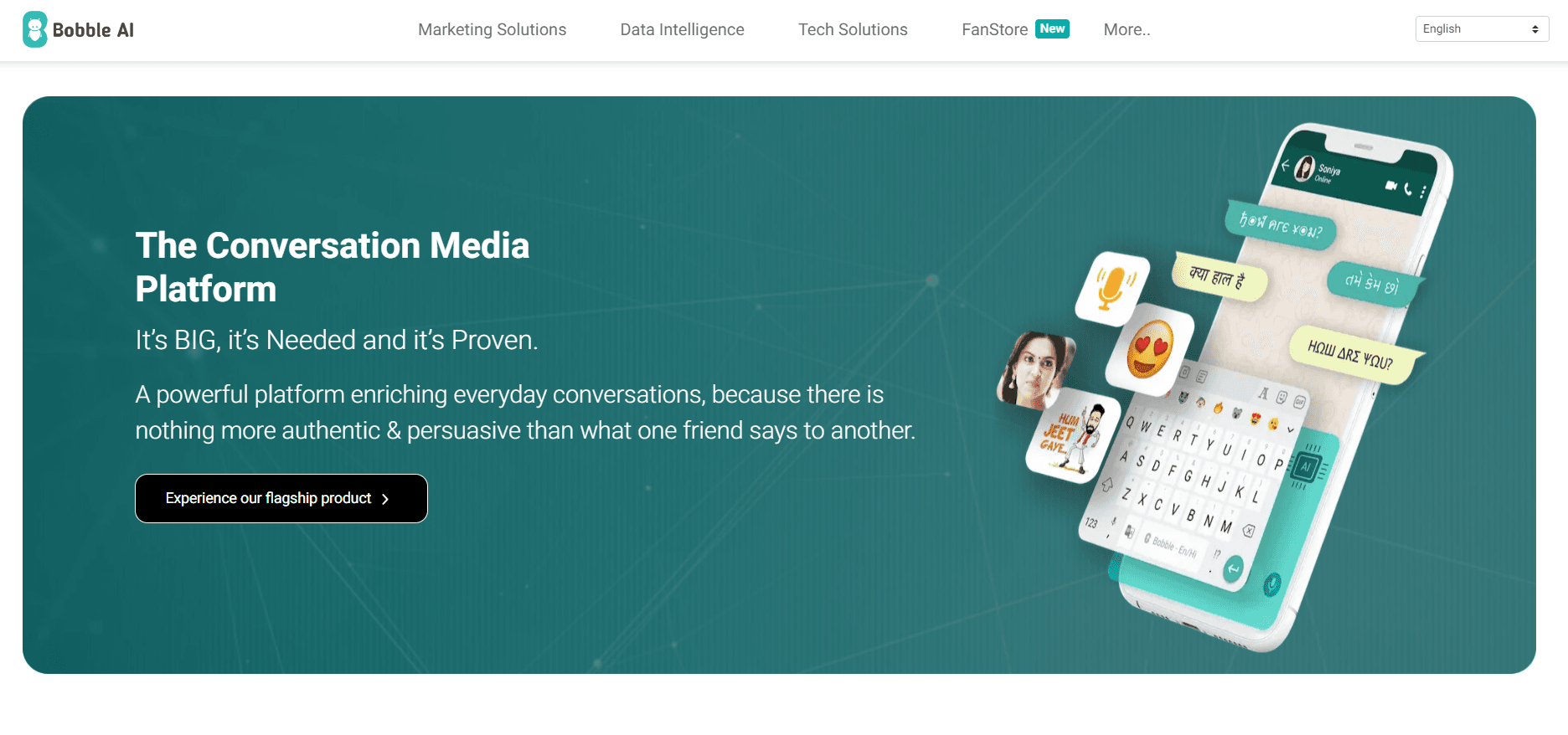
About Bobble AI Keyboard Memes, Gifs
What Is Bobble AI Keyboard Memes, Gifs
Bobble AI Keyboard Memes, Gifs is a replacement keyboard that sits on top of whatever messaging app you already use. Instead of digging through a sticker pack, you type a thought and the keyboard reads the context of your sentence, then offers reactions that fit: a GIF, a sticker, a BigMoji, or a meme. The company behind it, TouchTalent, calls the product a conversation media platform, and the framing is fair. It's less a typing tool than a suggestion engine that lives inside your chat.
The pitch works best for people who message in more than one language. Bobble AI claims support for over 100 languages, with text prediction and stickers tuned to each one. That range is the real draw. Most AI keyboards treat English as the default and bolt on everything else as an afterthought. Bobble AI was built in India and treats regional languages as a first-class feature, so Hindi, Tamil, Bengali, and dozens of others get the same sticker and prediction treatment as English. That's rare.
The honest limits come down to platform and privacy. There's no desktop version, so this is phone-only. A keyboard that reads your messages also needs broad access to what you type, and that trust bar is high for some users. Free use is generous, but the flashier AI features sit behind the Bobble Club subscription, and the app needs internet access for most suggestions. Worth knowing before you commit.
Getting Started
- Install Bobble AI Keyboard Memes, Gifs from Google Play or the App Store.
- Open the app and follow the setup wizard to grant the keyboard permissions it asks for.
- Enable Bobble AI as your active keyboard in your phone's language and input settings.
- Pick your languages so prediction and stickers match how you actually write.
- Open any chat app and start typing to see suggestions, or upgrade to Bobble Club for the unlimited AI features.
Product Information
A quick look at Bobble AI Keyboard Memes, Gifs's pricing, supported platforms, and performance.
Best for
The users, tasks, and scenarios where this tool fits best.
Users
- Multilingual typers
- Heavy chat users
- Meme sharers
Tasks
- Replying to messages in your own language
- Sending reactions fast
- Personalizing your setup
Scenarios
- Group chats that move fast
- Messaging family members in a regional language
- Winding down a reply with a visual
Key features
Context-Aware GIF and Sticker Suggestions
The keyboard reads the words you've typed and offers stickers or GIFs that match the mood. Type something celebratory and it surfaces something to match. Type a complaint and it leans the other way. The value is timing. You don't leave the chat to search, so reactions stay part of the conversation instead of an interruption.
Support for Over 100 Languages
Prediction, autocorrect, and stickers extend across more than 100 languages, and the company treats regional languages as a core feature rather than a bonus. For anyone who messages in a language other than English, this is the difference between a keyboard that fights you and one that keeps up. The sticker set adapts too, so a suggestion in Hindi doesn't feel like a translated English one. It just fits.
BigMoji and Emoji Tools
BigMoji turns a single emoji into a large, image-style reaction you can drop into a chat. It's an emoji keyboard feature, and it sits alongside a fuller emoji bar for daily use. Small thing, big effect. A text reply stops feeling like a plain text reply, and this is one of the tools the app pushes hardest for paid users.
Custom Themes and Keyboard Backgrounds
You can reskin the keyboard with themes and photo backgrounds. It's cosmetic, not functional. Still, a keyboard you look at hundreds of times a day is worth making yours. Changes are quick and reversible, so experimenting costs nothing.
Talk-to-Type and Voice Input
The keyboard supports voice input so you can dictate instead of tapping. When is that useful? Long messages, or any moment you're on the move and tapping is awkward. It works alongside the text suggestions rather than replacing them.
Bobble Club Subscription
Bobble Club is the paid tier. It's pitched as a way to get unlimited AI features and build your social presence. The free app stays usable. So the subscription is about lifting limits and reaching the newer AI tools, not about unlocking basic typing.
TouchTalent's Wider Research
TouchTalent holds patents and publishes research in image translation and image quality, and some of that work shows up in camera and image features inside the product. It's a signal that the keyboard is a platform the company keeps building on, not a one-off app.
Pros and cons
Pros
- Genuine multilingual support, with regional languages treated as first-class rather than translated English.
- Inline GIF, sticker, and meme suggestions cut the back-and-forth of leaving a chat to find a reaction.
- The free version stays useful, so you can test the core experience before paying for Bobble Club.
- Works across messaging apps since it's a keyboard layer, not a single-purpose app.
Cons
- Phone-only, with no desktop or web version for anyone typing on a computer.
- A keyboard that reads your messages needs broad input access, which is a real trust decision for privacy-minded users.
- Most suggestions need an internet connection, so the experience thins out offline.
- The most advanced AI features sit behind Bobble Club, so free users hit limits.
Frequently asked questions
It's a replacement keyboard for Android and iOS that suggests stickers, GIFs, emojis, and memes based on what you type, in over 100 languages. You use it inside your normal chat apps instead of a separate sticker app.
Related content
Explore related tools, skills, and articles for Bobble AI Keyboard Memes, Gifs.
Bobble AI Keyboard Memes, Gifs Alternatives

Emma AI
Emma AI · Business · ChatbotEmma AI is a no-code AI assistant builder for creating custom assistants that answer questions from your own business data. You connect the tools your team already uses, like Slack, Notion, Google Sheets, or Zendesk, upload documents, or let Emma train the assistant through a Q&A process. It's fast. Each assistant you create can be scoped to a specific team, project, or workflow, so a marketing assistant and an accounting assistant never see the same sources.

Chatgbot
Chatgbot · Image · Productivity · ChatbotChatgbot is a multi-model AI chat platform that gathers OpenAI GPT models, Anthropic's Claude Sonnet, and open-source options like GLM and Qwen behind one login. Instead of juggling separate subscriptions, you pick a model per conversation, upload PDFs to question them, generate images, and search the web, all inside a single interface and a single membership.

Validator AI
ValidatorAI · Business · ChatbotValidator AI is an AI idea validation tool for founders who want a straight answer before they build anything. Think of it as a startup idea validator and an AI startup mentor rolled into one. You describe your startup, product, or small business concept, and the tool scores it, analyzes the competitive field, suggests who the ideal customer is, and points to next steps. It leans on behavioral data gathered from hundreds of thousands of founder sessions. The core check is free to run. It suits solo founders, indie makers, and small teams testing a concept in the earliest stage, not companies that have already shipped.