

Hirempire
Hirempire · Business
Hirempire is an AI recruitment platform that screens candidates, sends follow-ups, and keeps sourcing, scheduling, and email in one inbox. Plans start free.
About Hirempire
What Is Hirempire
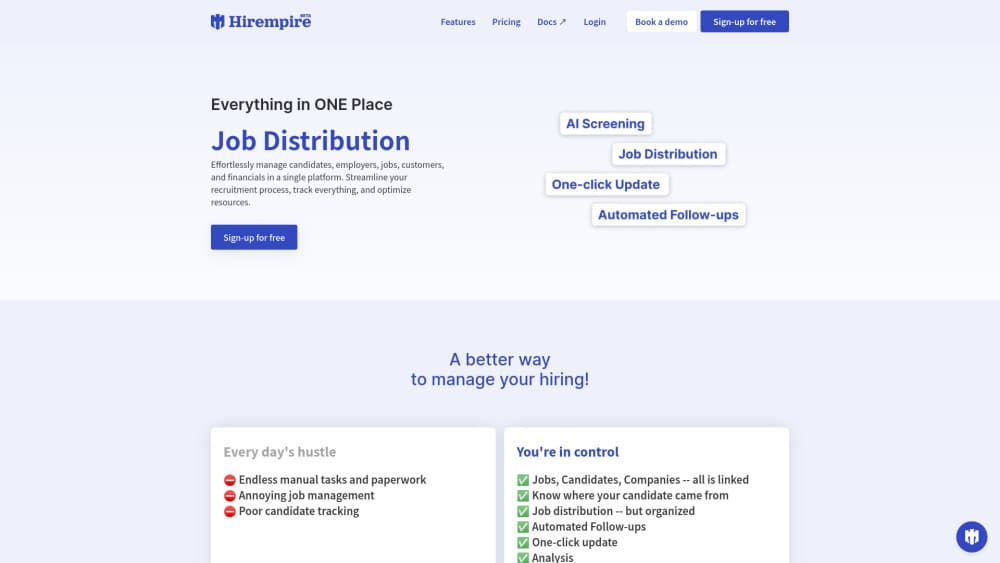
Hirempire is a browser based hiring platform for teams that have outgrown a job board and a spreadsheet but don't want five separate subscriptions. It puts an applicant tracking system, AI screening, LinkedIn sourcing, email, interview scheduling, and a candidate database in one workspace. The company rebuilt the product from the ground up in April 2026 as version 2, and says more than 500 hiring teams now use it.
The problem it targets is coordination rather than headcount. A small team typically runs an ATS, LinkedIn Recruiter, a calendar tool, a shared inbox, and a couple of forms, and every handoff between them costs a day. Hirempire keeps the pipeline, the conversation, and the booking on one screen, so a recruiter can move someone from applied to interviewed without exporting a spreadsheet.
The limits are worth knowing before you sign up. AI work runs on credits, from 1,200 a year on the free plan to 24,000 on Premium. There's no mobile app, only the browser and a Chrome extension. Screening scores are a shortcut for the first pass, not a hiring decision, and billing runs yearly.
Getting Started
- Create an account on the 14 day trial, which doesn't ask for a card.
- Connect an email account, then link LinkedIn and install the Chrome extension if you source candidates there.
- Add a job. You can paste a rough description and let the AI draft it, or write your own and set the stages.
- Upload a CV or let incoming applicants get scored. Each match score comes with a short reason for the number.
- Switch on follow-ups and the scheduling page, then invite the team to work the pipeline from the shared inbox.
Product Information
A quick look at Hirempire's pricing, supported platforms, and performance.
Best for
The users, tasks, and scenarios where this tool fits best.
Users
- Small in house recruiting teams
- Recruitment agencies and HR consultancies
- Founders hiring their first few people
Tasks
- Screening a stack of applications
- Sourcing on LinkedIn
- Chasing candidates who went quiet
- Booking interviews
Scenarios
- A single role with 200 applicants and one recruiter
- An agency juggling three client roles
- A startup opening a second role
Key features
AI Screening With Match Scores
Every applicant gets a score against the job plus a two line summary of relevant experience and gaps. The score sorts the pipeline, so the recruiter reads the top of the list first. It's a filter for volume, and a hiring manager should still read the CV before an interview is booked.
LinkedIn Sourcing and Chrome Extension
Linking a LinkedIn account lets you post jobs, pull a profile into the pipeline, and message from Hirempire instead of the LinkedIn tab. The extension does the same from a candidate profile page. Each user gets one LinkedIn account, on every plan including Premium.
One Inbox for Candidate Conversations
Candidate email, LinkedIn messages, and follow-ups land in a single thread per person, next to their stage and notes. Anyone on the team can pick up a reply without asking who spoke last. The inbox also sends automated sequences, which stop when a candidate responds.
Workflows and Automated Follow-Ups
Workflows move candidates between stages on rules you set, and the follow-ups run on top of them. Pro includes 3 active workflows; the free and Starter plans include the feature without a stated limit on active flows. The point is to remove the manual reminder step that usually gets skipped during a busy week, which is the part of recruitment automation most small teams never get to.
Scheduling, Job Board, and Requisitions
A branded scheduling page shows interviewer availability and books the slot, and a company job board publishes open roles on your own domain. Requisitions, e-signatures, and skills tests sit in the same module, so an offer doesn't need a separate document tool. All of it is included from Starter up.
Analytics and Team Tasks
The analytics view tracks pipeline movement, stage drop off, and time in stage, which is the data most small teams never collect. A tasks board and team chat keep interview prep and feedback inside the same tool as the candidates. Premium adds 10 users and 30 active jobs for teams that run several roles at once.
Pros and cons
Pros
- One login replaces an ATS, a sourcing tool, a shared inbox, and a scheduling app, which is the saving Hirempire markets hardest.
- AI screening returns a score with a written reason, so a recruiter can check the logic instead of trusting a black box.
- Multi company support from Starter up suits agencies that run parallel client pipelines.
- Follow-ups stop automatically when a candidate replies, which removes the most common complaint about automated outreach.
- An API, webhooks, and a public status page exist, so a team with its own tooling isn't locked out.
Cons
- AI work is metered by credits: 1,200 a year on free, 2,400 on Starter, and 24,000 on Premium. Heavy sourcing burns through them and the extra credits cost money.
- The free plan is a demo in practice, with one active job, one user, and 5 AI chat messages a month.
- There's no mobile app, so reviewing candidates on a phone means the browser.
- Match scores are a first filter only. Teams hiring in regulated markets still need their own bias review and candidate notice.
Frequently asked questions
It combines applicant tracking, AI screening, LinkedIn sourcing, candidate email, interview scheduling, and a job board in one web app. The pitch is replacing four or five subscriptions with one, which is why the pricing page includes a savings calculator.
Related content
Explore related tools, skills, and articles for Hirempire.
Hirempire Alternatives

Claude for Google Workspace
Anthropic · Writing · Productivity · BusinessClaude for Google Workspace puts Claude in a sidebar inside Google Docs, Sheets, and Slides, where it reads the file you have open and edits it in place.

KloudMate 2.0
KloudMate · Coding · BusinessKloudMate 2.0 is an AI observability platform that keeps logs, metrics, traces, and incidents in one place, with KloudMate Assistant investigating alerts and proposing the fix.
Cekura Bench
Cekura · Voice & Language · BusinessCekura Bench is a public benchmark that runs speech-to-speech models and deployed voice agents through 82 simulated phone calls, three times each, then publishes pass rates, latency and cost.