

Inventory Mate
Inventory Mate · Business
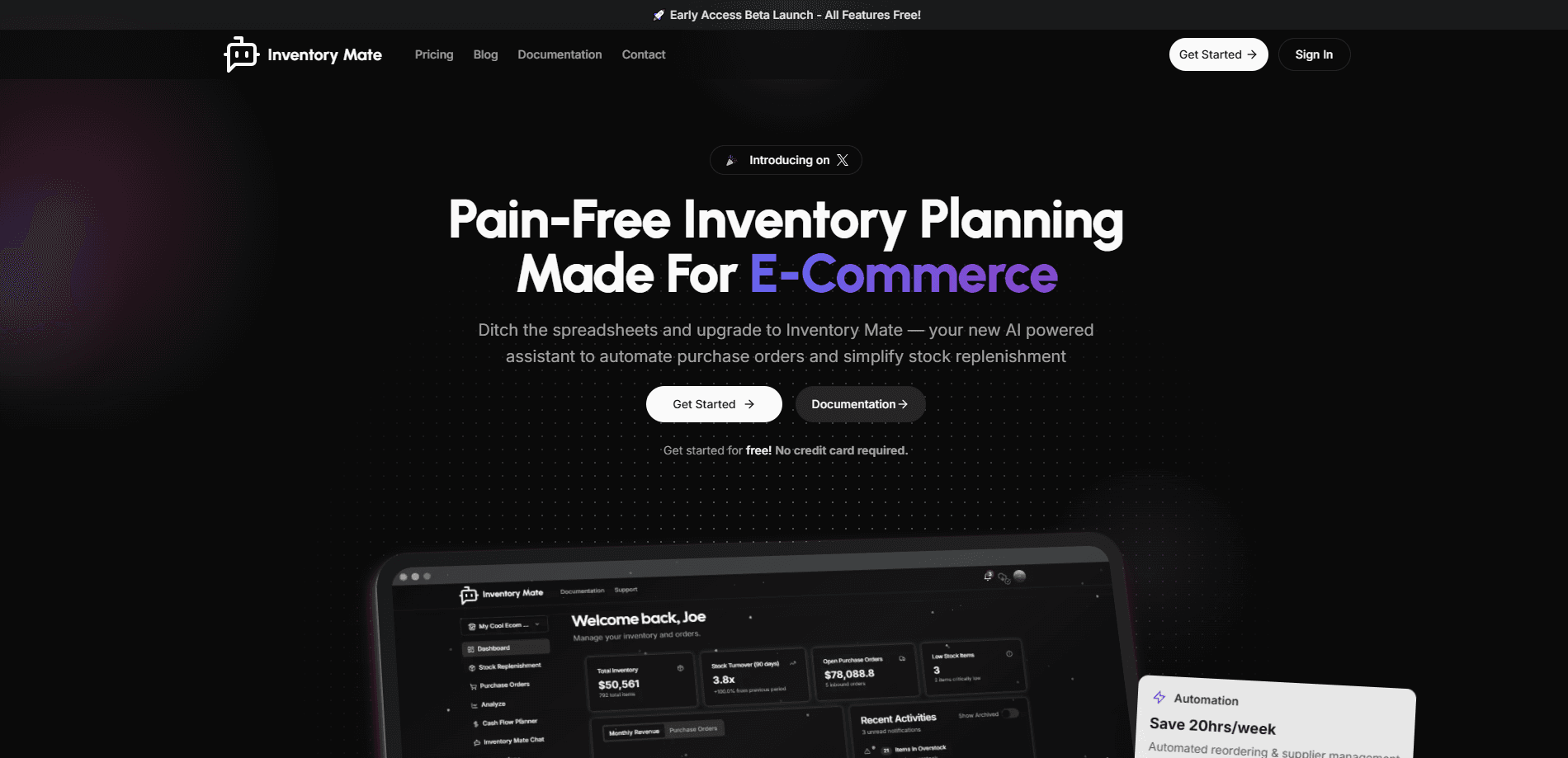
Inventory Mate is an inventory planning app for Shopify stores. It forecasts demand, suggests what to reorder, automates purchase orders and syncs true weighted average cost back to Shopify.
About Inventory Mate
What Is Inventory Mate
Inventory Mate is a Shopify app that handles the inventory side of running an online store. It handles reorder automation, predicts what will sell next, tells you what to reorder and how much, turns those suggestions into purchase orders and pushes the real cost of goods back into Shopify. The company built it as a direct replacement for Stocky, the free Shopify inventory app that was retired in 2024, and it keeps the workflow merchants already knew while fixing one thing Stocky never solved: a true weighted average cost.
Running out of a bestseller or sitting on cash tied up in overstock are the two ways inventory quietly eats a month's profit. Inventory Mate targets both. Its forecasting weighs actual sales against each supplier's lead time, so reorder suggestions land before you sell out, not after. A cash flow planner shows the projected balance moving as you plan a large purchase, so a big reorder does not become a surprise shortfall months later.
Two things are worth knowing up front. It is a paid add-on with no permanent free tier, only a 14-day trial, and the plans are priced by catalog size, so a store with tens of thousands of variants needs the higher tiers. It also lives inside Shopify and is built around that platform, with QuickBooks as the main accounting connection. If you sell outside Shopify, this is not the tool for you.
Getting Started
- Install the app from the Shopify App Store and start the 14-day free trial, no credit card needed
- Approve the Shopify permissions so products, variants, locations and inventory levels pull in automatically
- Set each supplier's lead time and reorder rules, then review the suggested restock quantities the app generates
- Select the items you need and turn them into a purchase order, then receive shipments and let the cost sync write back to Shopify
Product Information
A quick look at Inventory Mate's pricing, supported platforms, and performance.
Best for
The users, tasks, and scenarios where this tool fits best.
Users
- Shopify store owners
- Small e-commerce teams
- Retailers moving off Stocky
- Operations and finance leads
Tasks
- Demand forecasting
- Reorder planning
- Purchase order management
- Cost tracking
- Cash flow planning
Scenarios
- A bestseller is two weeks from a stockout
- A large seasonal buy
- Landed cost spreads across a shipment
- Multiple Shopify stores
- Year-end costing
Key features
AI Demand Forecasting
The app predicts what customers will want next by reading your actual sales history rather than a flat reorder point. Forecasts feed directly into the restock suggestions, so seasonal peaks and steady sellers each get a number that reflects real demand. The stated goal is fewer stockouts on popular items and less cash parked in overstock, and the forecast is what drives every downstream suggestion in the app.
Automated Replenishment Alerts
Inventory Mate watches stock levels and warns you right before you need to reorder, not when a product has already run dry. Suggested quantities are lead-time aware, so an order placed for a slow supplier goes out early enough to land before the shelf empties. You review the suggestions, pick what you need and move straight into a purchase order in one step.
Purchase Order Management
Purchase orders live on a single record that carries the supplier, destination, carrier, costs, payment terms and receipts. You can draft, send and receive POs without leaving the app, handle partial receipts as shipments arrive out of the blue, and keep payment status honest as the order moves. Finished orders can be pushed into QuickBooks so the books stay in sync with what you actually bought.
True Weighted Average Cost Sync
Shopify does not keep a running average when you receive stock, so the cost on your product pages drifts from reality. Inventory Mate writes a true weighted average cost back to Shopify, automatically at PO receipt or whenever you run the SKU COGS report. Every plan includes the manual SKU COGS push with a confirmation step before Shopify updates, and higher tiers add automatic sync at receipt.
Landed Cost View
Real cost includes more than the unit price, and the landed cost view allocates shipping and duties across a shipment the way a supply chain team would. That gives you a cost figure you can defend to a bookkeeper or an accountant, and it mirrors how the retired Shopify app handled landed cost. Getting this right matters because it changes your margin on every product in the order, not just one.
Cash Flow Planner
Before you commit to a large purchase, the cash flow planner shows how the projected balance moves as you plan. You can see a shortfall forming months ahead rather than discovering it when the bill comes due. The built-in argument is blunt: a single missed restock on a product selling ten units a day can cost more than a year of the subscription, and the planner exists to keep that from happening.
Supplier Portal
The supplier portal gives each vendor a place to see their orders, update shipment status and confirm what is on the way. That removes the back-and-forth spreadsheet and email juggling that usually sits between a purchase order and a delivery. Combined with lead times and tracking, it keeps the order status current without you chasing updates by hand.
Shopify and QuickBooks Integration
The app is built around Shopify, pulling products, variants, locations and inventory into one place and keeping stock aligned with your storefront without manual exports. QuickBooks is the optional accounting connection: push purchase orders across when you are ready, so you avoid double entry and keep the books clean. Higher tiers also add multi-store support, more teammate seats and multi-location visibility.
Pros and cons
Pros
- Solves a gap Shopify leaves open by writing a true weighted average cost back to the platform
- Combines forecasting, reorder suggestions, purchase orders and cash flow in one app instead of four tools
- Keeps the familiar Stocky workflow, so merchants switching over do not have to relearn the basics
- Includes the SKU COGS report on every plan, with automatic cost sync reserved for higher tiers
- 14-day trial needs no credit card, and the app holds a 5.0 rating on the Shopify App Store
Cons
- There is no permanent free plan, so cost-conscious stores pay for the subscription after the trial
- Pricing is tiered by SKU count, so large catalogs pay more and the top tiers add up quickly
- It is built for Shopify, so merchants selling on other platforms cannot use it
- Automatic cost sync at PO receipt is not on the Starter tier, which may push you to a higher plan
Frequently asked questions
Inventory Mate is a Shopify app for inventory planning and purchasing. It forecasts demand, suggests what to reorder and how much, turns those suggestions into purchase orders, and syncs a true weighted average cost back to Shopify. It also adds a cash flow planner and a supplier portal for tracking orders and shipments.
Related content
Explore related tools, skills, and articles for Inventory Mate.
Inventory Mate Alternatives

Claude for Google Workspace
Anthropic · Writing · Productivity · BusinessClaude for Google Workspace puts Claude in a sidebar inside Google Docs, Sheets, and Slides, where it reads the file you have open and edits it in place.

KloudMate 2.0
KloudMate · Coding · BusinessKloudMate 2.0 is an AI observability platform that keeps logs, metrics, traces, and incidents in one place, with KloudMate Assistant investigating alerts and proposing the fix.
Cekura Bench
Cekura · Voice & Language · BusinessCekura Bench is a public benchmark that runs speech-to-speech models and deployed voice agents through 82 simulated phone calls, three times each, then publishes pass rates, latency and cost.