
Isgen AI
Isgen · AI Detection
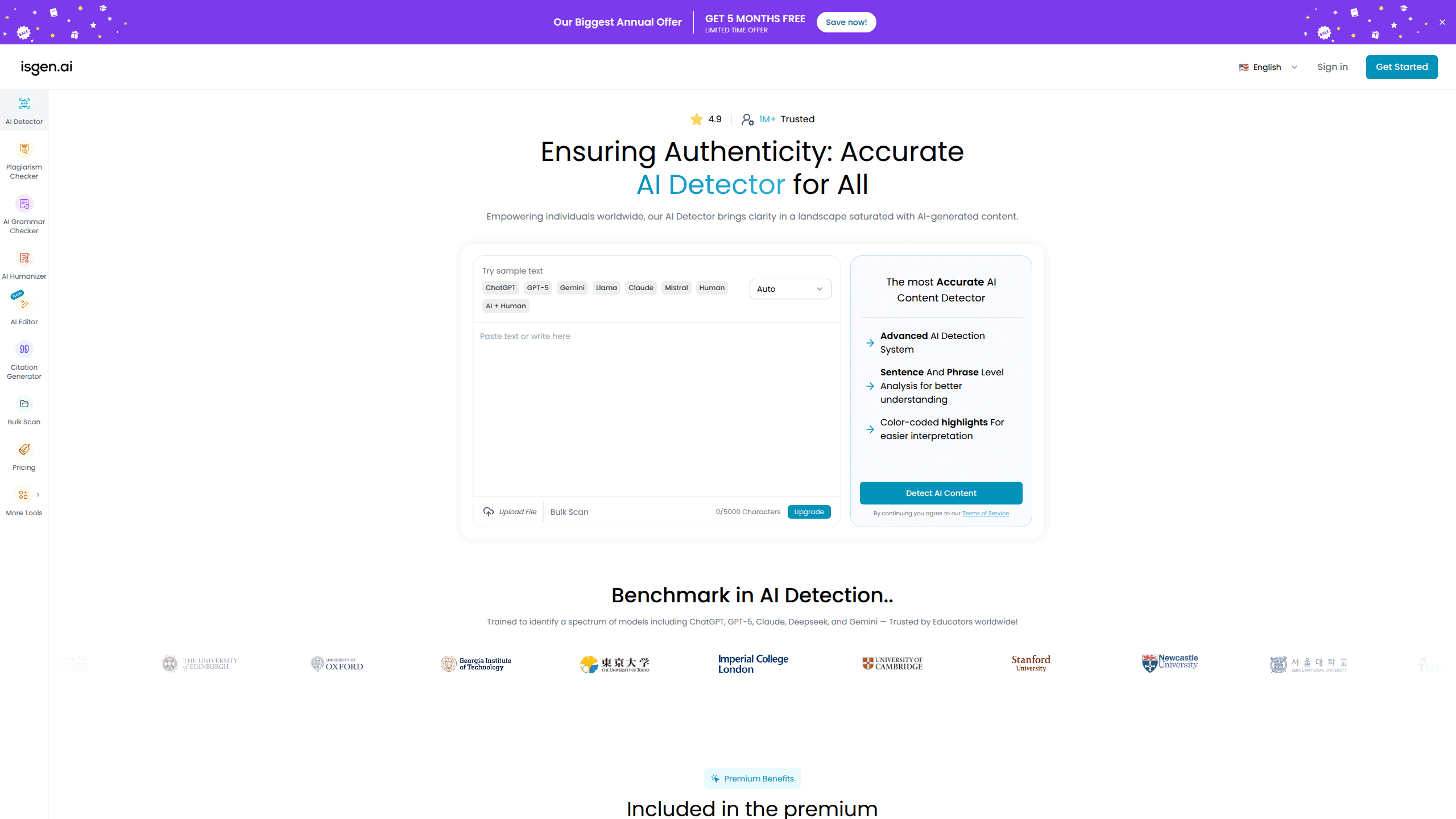
Isgen AI is a web-based AI detector that scores text for machine authorship and shows you which sentences and phrases push the number up. It's built for teachers, editors, students, and writers. Their question is simple: did this draft come from ChatGPT, GPT-5, Claude, Gemini, DeepSeek, or another model? You paste or upload content, run a scan, and get a Human, AI, and Mixed breakdown in seconds. There's also a companion editor that scores text while you write it.
About Isgen AI
What Is Isgen AI
Isgen AI is an AI content detector that reads a block of text and estimates how much of it an AI model likely wrote. Instead of a single pass/fail verdict, it splits the result into three buckets, Human, AI, and Mixed, so you can see the shade of gray instead of a hard yes or no. As an AI detection tool it goes further than most, flagging the individual sentences and phrases inside a document rather than just the document itself. The tool covers over 80 languages, which matters if you work with students or clients outside the English-speaking world.
The product leans on an ensemble of large language models trained on millions of samples, according to the company. That's the vendor's claim, and you can't verify it from the outside. So treat the accuracy numbers with some caution. What you can check is the output: a color-coded view of the text, an AI impact score per sentence, and a list of the top flagged lines.
The big caveat is that no detector is a courtroom-grade proof. Isgen gives probability-style signals, not evidence. A low score doesn't guarantee a human wrote something, and a high one doesn't prove an AI did. Use it to detect AI writing as one input among several, not as a verdict.
Getting Started
- Open isgen.ai and paste your text into the detection field, or upload single files or a batch of them.
- Pick your language from the 80+ supported options if it isn't English.
- Hit Detect AI Content. The tool scans the whole text first, then breaks it down sentence by sentence and phrase by phrase.
- Read the Summary tab for the overall Human, AI, and Mixed percentages.
- Switch to Detailed Analysis to toggle between Sentence Analysis and Phrase Analysis and check each flagged line's AI Impact score.
Product Information
A quick look at Isgen AI's pricing, supported platforms, and performance.
Best for
The users, tasks, and scenarios where this tool fits best.
Users
- Teachers and professors
- Editors and content managers
- Students
- Non-English writers
Tasks
- Screening a batch of essay submissions
- Spotting mixed authorship
- Pre-publish checks
- Locating robotic sentences
Scenarios
- Grading season with hundreds of papers to review
- Freelance writing intake
- Localizing content
Key features
Sentence-Level and Phrase-Level Detection
Isgen doesn't just give you one score for the whole document. It breaks the text into sentences and then into phrases, highlighting which parts are pushing the AI score up. That granularity is the main reason to pick it over a simple detector, because it turns a vague number into something you can actually act on. You'll know whether one paragraph is the problem or whether the whole draft reads machine-made.
Human, AI, and Mixed Scoring
Instead of a binary verdict, Isgen reports three percentages: how much looks human, how much looks AI, and how much sits in between. The Mixed bucket is the useful one for editors. Real documents rarely land all on one side. A tool that admits as much beats one that forces a yes or no. That honesty matters.
Support for Over 80 Languages
Most AI detectors are built around English and fall apart on anything else. Isgen claims coverage for more than 80 languages, which makes it viable for international classrooms and multilingual content teams. Take the accuracy claim with a grain of salt, but the language range itself is a real differentiator.
File Upload and Batch Scanning
You can drop in a single file or upload several at once rather than pasting text by hand. If you're reviewing a stack of submissions, batch mode saves a lot of copy-paste time. It's a small feature. It matters once you're checking more than a couple of documents a day.
Built-In AI Editor
Isgen ships an editor where you draft, edit, and proofread in one place while an AI score updates as you write. The pitch is that you catch robotic passages before you finish, not after. It's a different workflow from checking a finished document, and for people who write every day it can be the more useful half of the product.
Model Coverage Across Major LLMs
The detector is trained to flag text from ChatGPT, GPT-5, Claude, Gemini, DeepSeek, and other open-source models. Model coverage matters. Each model writes a little differently, and a detector tuned to one family can miss another. Broad coverage is a reasonable signal that the tool was built to keep pace with the field.
Pros and cons
Pros
- Sentence-level and phrase-level highlights make the score useful instead of abstract
- The Human / AI / Mixed breakdown handles real-world mixed authorship better than a binary verdict
- Coverage of 80+ languages sets it apart from English-only competitors
- Batch file upload speeds up checking multiple documents
- The built-in editor scores text as you write, which fits a daily writing workflow
Cons
- No AI detector is conclusive, so a high or low score can't be treated as proof on its own
- The accuracy figures come from the vendor and can't be independently verified from the outside
- Pricing details aren't listed plainly on the site, so you'll need to sign in or contact the team to see plan numbers
- It's web-only, so there's no offline or desktop option for people who work without a connection
Frequently asked questions
It scans a piece of text and estimates how likely an AI model wrote it, then shows you which sentences and phrases drove that result. You get an overall score plus a Human, AI, and Mixed breakdown.
Related content
Explore related tools, skills, and articles for Isgen AI.
Isgen AI Alternatives
Humanizeai Tools
Humanizeai Tools · Writing · AI DetectionHumanizeai Tools is a web-based AI humanizer that rewrites machine-generated text so it sounds like a person wrote it, which is the whole point of the category it belongs to. Paste a draft from ChatGPT, Claude, or Gemini, run it through the tool, and it swaps out the phrases and sentence patterns that AI detectors flag. If your goal is to make AI text sound human before you publish it, this is the kind of tool built for exactly that. It suits students, bloggers, and marketers who need copy that reads naturally and clears tools like GPTZero, Copyleaks, and Winston AI after a single pass.

Hidemyai
Hidemyai · Writing · AI DetectionHidemyai is an AI content humanizer. It rewrites text from ChatGPT, Jasper, and similar tools so the result reads like a person wrote it. You paste your draft, pick a document type and tone, and the service returns a version meant to bypass AI detectors such as Originality.ai, Turnitin, and ZeroGPT. It targets writers, marketers, and students who lean on AI drafts but can't ship copy that sounds robotic. The promise is simple: make AI content undetectable.
Arting
Arting AI · Image · Video · AI DetectionArting is an all-in-one AI creation platform that bundles image generation, video generation, and content verification into a single workspace. It's built for people who bounce between a dozen tabs to make one poster or short clip, and it ships with an AI image generator, a video generator powered by models like Kling and Vidu, an AI detector, and an AI summarizer. There's also a mobile app on Google Play, so the same tools stay within reach on a phone.