

Lucidly — Finally say what you mean.
Abhinav C V · Business
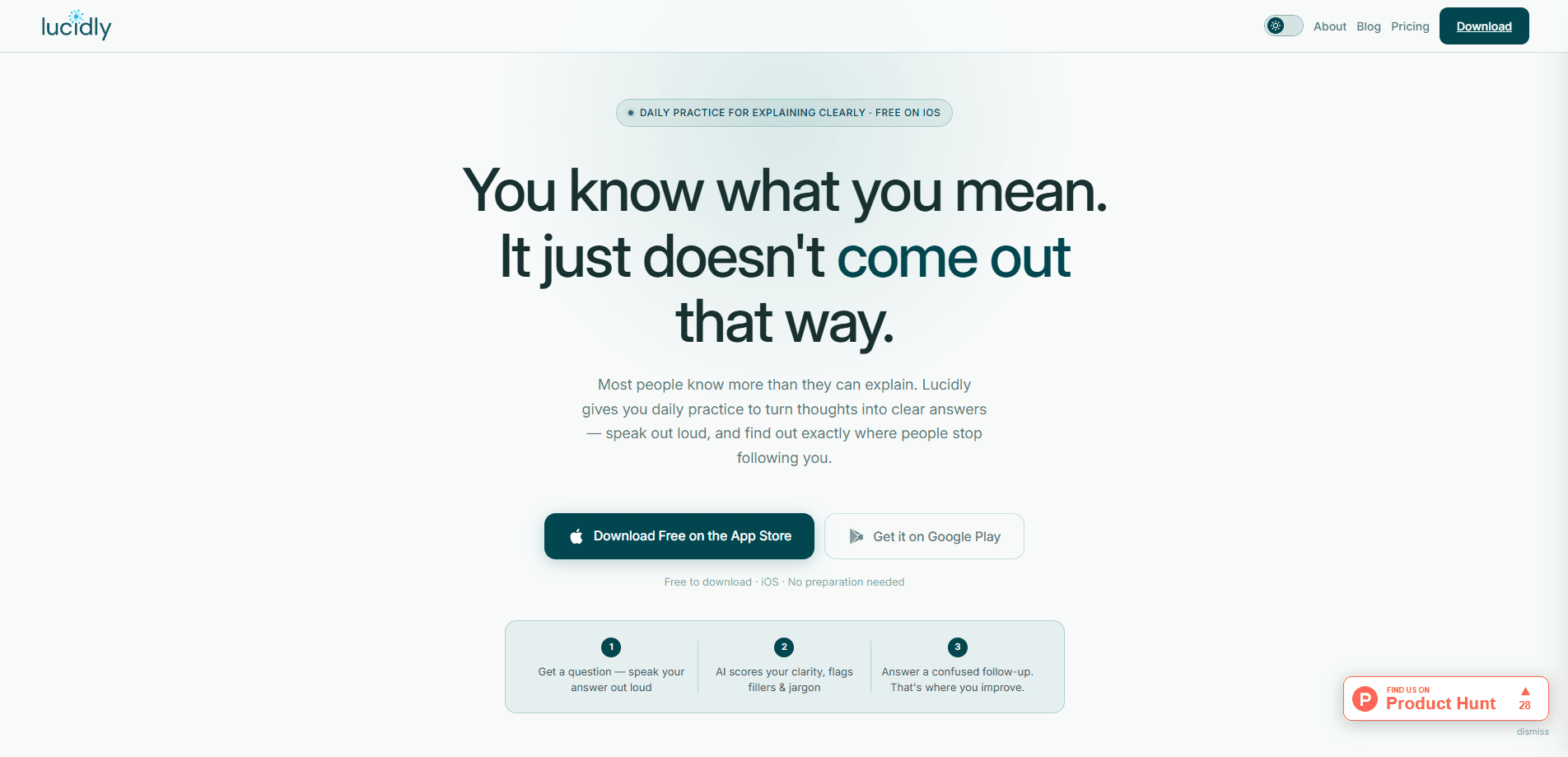
Lucidly is an AI communication coach for iPhone that turns five minutes a day into real speaking practice. You get a question, answer it out loud, and the app scores your clarity while flagging filler words and jargon. Think of it as public speaking practice you can do alone. It's built for people who know their stuff but lose the thread the moment they have to explain it under pressure. Most AI communication coach apps ask you to read. This one makes you talk. That's the whole point.
About Lucidly — Finally say what you mean.
What Is Lucidly
Lucidly is a free speaking practice app for iPhone built around one idea: you already know more than you sound like you do. The gap between knowing something and explaining it clearly is a trainable skill, and this iOS speaking coach trains it directly. Instead of reading tips about communication, you speak, get challenged, and try again.
Each session hands you a prompt drawn from a domain you pick, such as technology, business, science, or communication. You record your answer out loud with no script and no prep. Then an AI character named Lumi plays the role of a confused but curious listener. She tells you exactly where she lost you and rewrites the weakest line from your own words.
That rewrite is the part people remember, because it uses your sentence and not a stock example.
The biggest limitation is platform. Lucidly is iOS only right now, so Android users can't use it yet. The team is collecting emails for a Play Store release, but there's no firm date. There's also no typing option by design. If you'd rather work in text, this isn't the app for you.
So where does a communication skills app fit in your day? Anywhere you have five quiet minutes. No preparation, no script, no audience.
Getting Started
- Download Lucidly free from the App Store and open the app on your iPhone.
- Pick a practice domain and answer your first question out loud. No account setup gets in the way.
- Read the AI feedback on each answer, checking your clarity score, filler count, and flagged jargon.
- Answer the follow-up question Lumi asks, since that round is where most of the improvement happens.
- Track your scores over time to see which habits are holding you back.
Product Information
A quick look at Lucidly — Finally say what you mean.'s pricing, supported platforms, and performance.
Best for
The users, tasks, and scenarios where this tool fits best.
Users
- Engineers who freeze when a stakeholder asks a simple question about their work, and who want to rehearse those explanations without an audience.
- Students prepping for vivas, interviews, or presentations, since the daily prompts mirror the pressure of speaking without notes.
- English speakers who write well but stumble when explaining ideas out loud will get the most from it, since the feedback targets speech rather than grammar.
- Managers and team leads who need to give clear feedback or run meetings people can follow.
Tasks
- Cutting filler words like "um" and "uh" from everyday speech, tracked as a count after each answer.
- Practicing the explain, get pushed back on, re-explain loop that sharpens how you handle follow-up questions.
- Rehearsing roleplay scenarios such as job interviews, tough conversations, and client pitches.
- Explaining a source you've read back in your own words using the Teach It Back mode.
Scenarios
- A five-minute session squeezed into a commute or lunch break, since no preparation is needed.
- The night before a job interview, when you want to practice answering without a script.
- A weekly challenge against other users when you want a leaderboard to hold you accountable.
- Preparing to walk a non-technical audience through a technical topic you know cold.
Key features
Daily Voice Prompts With Instant AI Feedback
Every session starts with a structured question built around where people actually get stuck. You answer out loud, and the app returns a clarity score, a filler word count, and any jargon it caught. Because the feedback lands on your exact words, it tells you what to fix rather than offering generic advice, which is why the app pushes back instead of just grading you. A full session takes about five minutes. Short and focused. The scoring is the feature most people notice first, and it's blunt.
Lumi, the Pushback Listener
Lumi is the AI listener who reacts to your answer and then asks a confused follow-up question. She points to the exact moment she lost the thread and rewrites that single line so it lands. This follow-up round is the core of the method, since re-explaining under mild pressure is what builds the reflex you need when a real conversation turns and you have to recover without notes or time to think.
Eight Skill Curricula
Pro unlocks a curriculum that covers eight named skills, including Directness, Structure, Conciseness, Specificity, and Audience Awareness. Each skill has its own short lessons and practice so you can work on one weak spot at a time, then fold it back into full answers. The full path runs five stages with 30 steps and more than 150 questions.
Five Practice Modes
Lucidly offers Impromptu questions, a Weekly Challenge with a leaderboard, Live Roleplay, and Teach It Back. Live Roleplay lets you pick a scenario and practice against an AI that plays the other person, such as an interviewer who keeps pressing for specifics. Teach It Back accepts a PDF, audio, video, or YouTube link and then asks you to explain it out loud.
Progress Tracking
Rather than showing a single score, Lucidly charts your patterns over time. You can see which metrics you consistently nail and which keep holding you back. Tap a metric tab to switch lines, or hover a session to inspect one attempt. It's simple, and it works.
Pros and cons
Pros
- Free plan is genuinely free with no credit card and no countdown, giving you 10 unlocked questions plus full AI feedback.
- Feedback targets your specific words and rewrites your weakest line instead of offering vague encouragement.
- Five-minute sessions fit into a commute, and no preparation or script is needed before you start.
- Teaching and roleplay modes cover both solo drill practice and interview-style pressure.
Cons
- iOS only right now, so Android users can't run it at all until the Play Store version ships.
- The free plan locks most of the curriculum, so you can't judge the deeper skill training without paying.
- No typing option means you can't practice in text, which rules it out for people who dislike recording their voice.
- You'll need a quiet spot to speak out loud, which makes some public settings awkward.
Frequently asked questions
Yes. The free plan is free forever with no credit card and no expiry, and it opens up Stage 1, Step 1 with 10 questions plus full AI feedback. You also get one Lucky spin and one Weekly Challenge attempt. Pro gives you the rest of the curriculum and skill training.
Related content
Explore related tools, skills, and articles for Lucidly — Finally say what you mean..
Lucidly — Finally say what you mean. Alternatives

Claude for Google Workspace
Anthropic · Writing · Productivity · BusinessClaude for Google Workspace puts Claude in a sidebar inside Google Docs, Sheets, and Slides, where it reads the file you have open and edits it in place.

KloudMate 2.0
KloudMate · Coding · BusinessKloudMate 2.0 is an AI observability platform that keeps logs, metrics, traces, and incidents in one place, with KloudMate Assistant investigating alerts and proposing the fix.
Cekura Bench
Cekura · Voice & Language · BusinessCekura Bench is a public benchmark that runs speech-to-speech models and deployed voice agents through 82 simulated phone calls, three times each, then publishes pass rates, latency and cost.