

Povchat AI
PovChat AI · Chatbot
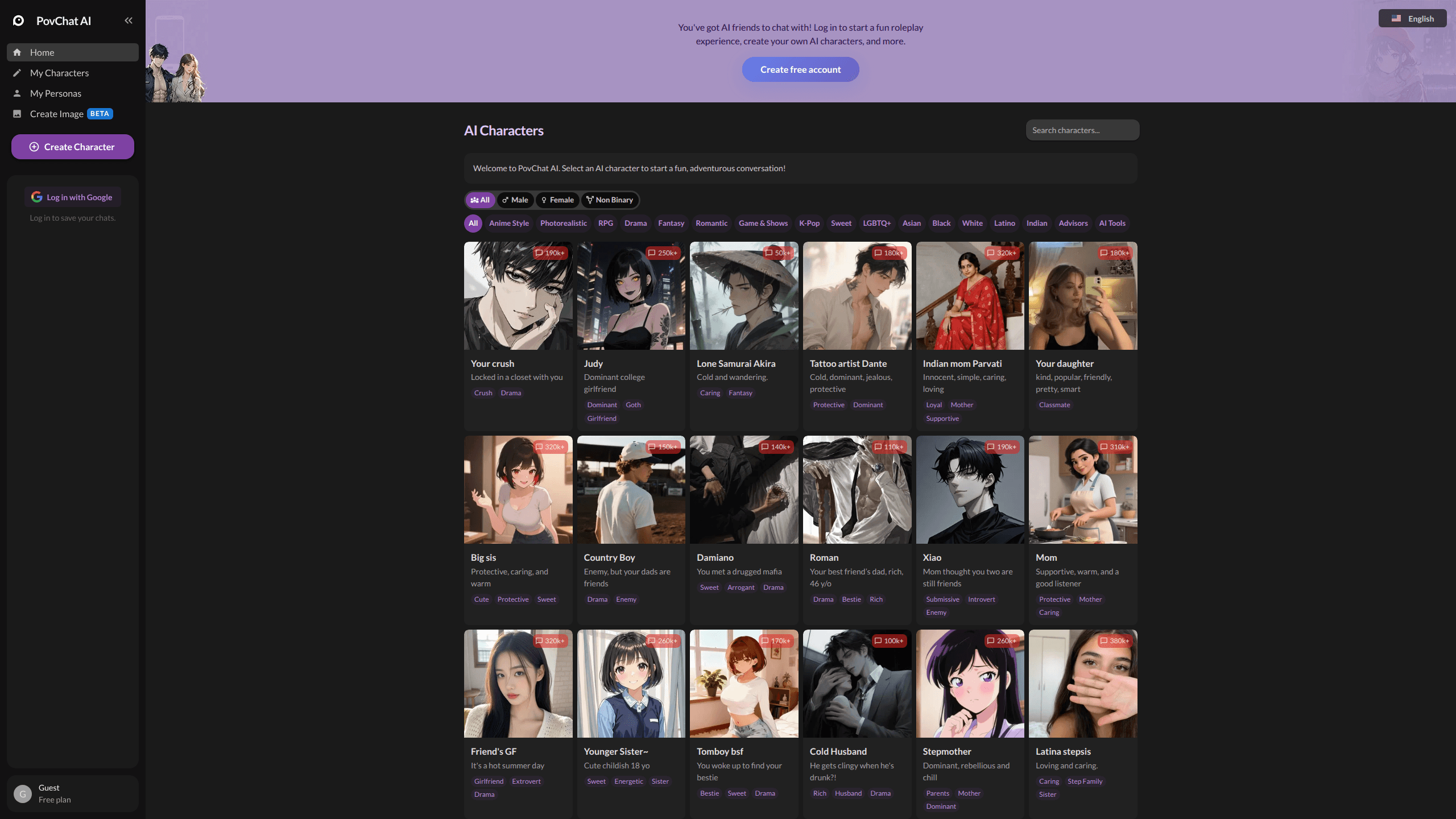
PovChat AI is a free AI roleplay and character chat app where you talk to unlimited AI characters, build your own personas, and play out interactive stories. It runs on the web, iOS, and Android. More than 100,000 people use it for an AI companion, an AI girlfriend, or a plain roleplay chatbot, and none of them pay upfront. The pitch is simple. Open a chat, pick a character, and start a story that adapts to what you type.
About Povchat AI
What Is PovChat AI
PovChat AI is a roleplay-first chatbot platform built around characters rather than a blank prompt box. No typing "act like a pirate" every session. You browse a library of pre-made AI characters with their own backstories, then jump straight into conversation. The app leans on custom models tuned for roleplay and storytelling, and you can switch to bigger names like ChatGPT, DeepSeek, and Claude when a scene calls for heavier reasoning. If you've bounced off general-purpose bots because they feel flat in long conversations, this is the niche it targets.
The main problem it solves is friction. Most AI companion apps cap your messages, hide the good characters behind a paywall, or forget the plot after ten turns. PovChat AI advertises unlimited chatting on the free tier, and it keeps character memory across a session so a story can build instead of restarting every time. Popular picks lean toward an AI boyfriend or girlfriend persona, while the wider library covers plenty of other genres.
It isn't perfect, and it's honest about the tradeoffs. Long, complex plots can drift when the model loses track of earlier details, which means you'll sometimes have to re-explain a scene the character should already know. Weak prompts produce weak characters. Fair warning.
Getting Started
- Go to povchat.ai or install the app from the App Store or Google Play, then sign in with your Google account.
- Browse the character library or open Popular Series to find a story that fits your mood.
- Start chatting. Add context in your first message to set the tone, or toggle the content filter in the sidebar.
- Build your own character with Create Character if nothing in the library fits, giving it traits, a backstory, and an opening scene.
- Generate an avatar or scene image with the Create Image tool to fill out your story.
Product Information
A quick look at Povchat AI's pricing, supported platforms, and performance.
Best for
The users, tasks, and scenarios where this tool fits best.
Users
- Roleplay fans who want a persistent character to chat with instead of a one-off prompt, as long as they're comfortable writing the scene themselves.
- People exploring AI companions for casual conversation, since the free tier removes the message caps that push other apps into paid plans. It works as a character AI alternative when you want that style of chat without the usual restrictions.
- Writers and hobbyists testing character ideas, using Create Character to prototype personalities before committing them to a longer project.
Tasks
- Building an ongoing interactive story
- Drafting character backstories
- Generating a quick scene image
Scenarios
- Killing a commute with a chapter of an ongoing roleplay, since the mobile apps sync with your web account.
- Testing a story premise late at night with no message limit, when you'd rather not burn through a paid quota on a rough idea.
- Switching between a light, filtered chat and an unfiltered one depending on who's around, using the sidebar toggle.
Key features
Character Library With Backstories
PovChat AI ships a large roster of ready-made characters, each with its own name, personality, and opening scene. You scroll, pick one, and start talking. No setup required. For anyone who wants to chat now rather than configure first, this is the fastest path in.
Create Character
The Create Character tool lets you design a persona from scratch with traits, background, and storylines written in your own words, and the site says it supports the kind of long, detailed prompts that give a character a real history. That's the difference between a generic bot and one that answers in a consistent voice.
Multiple AI Models
The app runs on custom models trained for roleplay and storytelling, and it also lets you pick from ChatGPT, DeepSeek, Claude, and others. You get roleplay-tuned responses by default and heavier reasoning models when a scene needs them. Having the choice built in saves you from running two apps side by side. That matters.
Unlimited Free Chat
Chatting on the free tier has no message cap. That's rare for AI companion apps. Paid subscriptions add extra features. They don't gate basic conversation. If your main worry is hitting a wall mid-story, this removes it.
Content Filter Toggle
A sidebar switch turns the content filter on or off, so you can pick how open the conversations get, and illegal content stays banned no matter which setting you choose. Want a gentler chat in the morning and a wilder one at night? Flip the switch.
Create Image
Create Image generates visuals from your chats, useful for avatars and scene art. You can picture a character or a key moment without switching to a separate art tool. It's marked beta on the site, so expect it to keep changing.
Cross-Platform Sync
PovChat AI works on the web, iOS, and Android, with one account across all three. Start a story on your laptop and continue it on your phone. Nothing gets lost. That continuity is what makes long-form roleplay usable day to day.
Pros and cons
Pros
- Free tier with unlimited messaging, which few AI companion apps offer.
- Large library of pre-built characters means you can start chatting in seconds.
- Character creation supports long, detailed prompts for people who want depth.
- Model choice (custom roleplay models plus ChatGPT, Claude, DeepSeek) in one app.
- Web, iOS, and Android clients keep your chats in sync.
Cons
- Story quality depends heavily on how well each character is written, so weaker library entries fall flat.
- Long or complex plots can lose earlier details when the model drops context, which means you'll sometimes re-explain a scene.
- There's no public API, so you can't wire PovChat AI into your own apps or workflows.
- Image generation is still in beta and less developed than the chat experience.
Frequently asked questions
It's for chatting with AI roleplay characters and building interactive stories. You can talk to a ready-made character, create your own, and play out scenes over multiple sessions. It works on the web and on mobile, and the whole platform is built around ready-made characters rather than a blank prompt box.
Related content
Explore related tools, skills, and articles for Povchat AI.
Povchat AI Alternatives

Emma AI
Emma AI · Business · ChatbotEmma AI is a no-code AI assistant builder for creating custom assistants that answer questions from your own business data. You connect the tools your team already uses, like Slack, Notion, Google Sheets, or Zendesk, upload documents, or let Emma train the assistant through a Q&A process. It's fast. Each assistant you create can be scoped to a specific team, project, or workflow, so a marketing assistant and an accounting assistant never see the same sources.

Chatgbot
Chatgbot · Image · Productivity · ChatbotChatgbot is a multi-model AI chat platform that gathers OpenAI GPT models, Anthropic's Claude Sonnet, and open-source options like GLM and Qwen behind one login. Instead of juggling separate subscriptions, you pick a model per conversation, upload PDFs to question them, generate images, and search the web, all inside a single interface and a single membership.

Validator AI
ValidatorAI · Business · ChatbotValidator AI is an AI idea validation tool for founders who want a straight answer before they build anything. Think of it as a startup idea validator and an AI startup mentor rolled into one. You describe your startup, product, or small business concept, and the tool scores it, analyzes the competitive field, suggests who the ideal customer is, and points to next steps. It leans on behavioral data gathered from hundreds of thousands of founder sessions. The core check is free to run. It suits solo founders, indie makers, and small teams testing a concept in the earliest stage, not companies that have already shipped.