

PracticeInterview.ai
PracticeInterview.ai · Business
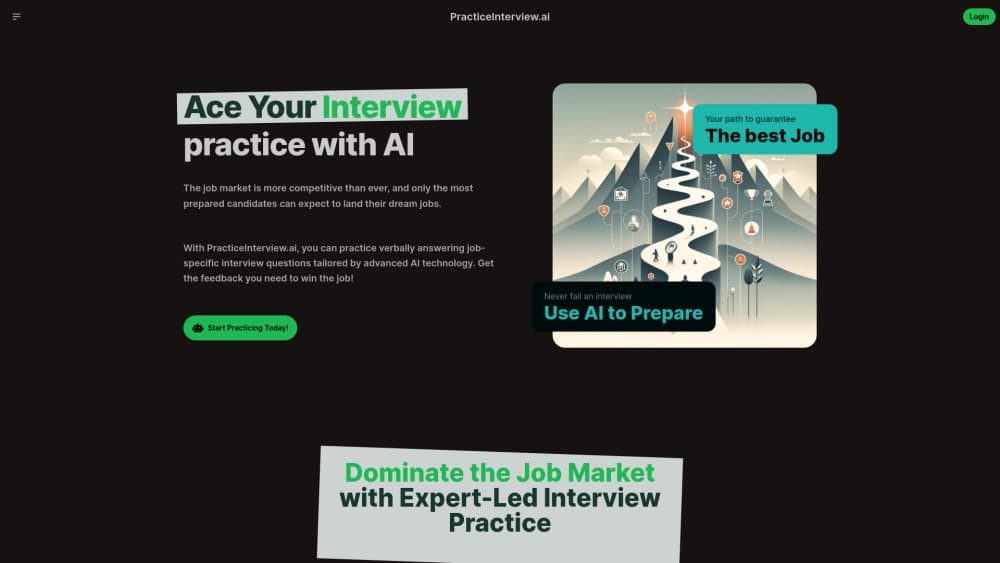
PracticeInterview.ai runs AI mock interviews built from a job description, scores your spoken answers and returns feedback, so you can rehearse a real round before it counts.
About PracticeInterview.ai
What Is PracticeInterview.ai
PracticeInterview.ai is an interview preparation tool and job interview simulator that runs in a browser. You paste in a job description, the tool turns it into a set of AI interview questions for that role, and you answer out loud while a timer runs. When you finish, you get a score plus written notes on what worked and what fell flat.
The problem it targets is narrow and real. Most candidates know their material but freeze when asked to say it out loud under time pressure, and reading sample answers does nothing for that. Speaking into a recorder that behaves like an interviewer is closer to the actual event. It also gives you something a mirror can't: a number to compare across attempts.
The limits are worth knowing before you commit. Everything runs through the mic in your browser, so voice interview practice needs a quiet room and a working headset, and that matters more here than it would with a text tool. Feedback comes from a model, not a hiring manager, so it can reward a tidy answer that misses what your industry actually cares about. And the public site keeps pricing behind a signup, so you can't compare plans without creating an account.
Getting Started
- Open practiceinterview.ai in a desktop or mobile browser and create an account.
- Paste the job description you're targeting, or pick a role preset such as Software Engineer or Product Manager.
- Skim the preview questions so you know what's coming, then start the session.
- Answer each question out loud inside the on screen timer, and let the recorder capture your voice.
- Read the score and the per answer feedback, then rerun the same set to see whether your wording improved.
Product Information
A quick look at PracticeInterview.ai's pricing, supported platforms, and performance.
Best for
The users, tasks, and scenarios where this tool fits best.
Users
- Final year students and new graduates
- Career switchers
- Engineers and analysts returning to the market after years away
- Non native English speakers
Tasks
- Turning a job posting into practice questions
- Rehearsing spoken answers under a clock
- Spotting weak answers
- Building a repeatable routine
Scenarios
- The night before a first round
- A role you've never interviewed for
- A long gap between interviews
- Practicing on a phone during a commute
Key features
Questions Built From a Job Description
The core move is simple. You hand over the posting, and the tool reads the responsibilities and requirements to produce AI interview questions that match that role and seniority. A backend listing and a support listing produce different sets. That beats canned question lists, because the phrasing often echoes what the hiring team wrote.
Voice Answering With a Timer
You answer by speaking, not typing. A countdown runs for each question, and a recording indicator shows when your voice is being captured. The pressure of a visible clock is the point: it trains you to land an answer in the window a real interviewer allows, instead of editing a paragraph for ten minutes.
Scores and Written Feedback
Interview feedback arrives after every answer as a score plus notes on content, structure and delivery. The feedback names specific gaps, such as a missing result or a story with no clear ending. Treat the number as a rough signal and the notes as the useful part, since a model's idea of a strong answer leans on general hiring norms.
Role Presets and Question Previews
If you don't have a posting handy, you can start from a preset role, including Software Engineer, Product Manager, Data Scientist, Business Analyst, Customer Service Representative, Marketing Manager and Graphic Designer. Each one shows sample questions before you begin, so you can judge whether the set fits your level before spending a session on it.
Session History for Repeat Attempts
Sessions are stored, so you can go back, reread the feedback and run the same questions again. Repeating a set is where progress shows up, because the second attempt removes the surprise factor and exposes whether your answer actually got tighter. Comparing two scores on the same question tells you more than one score on ten.
Recording and Privacy Controls
The interface flags voice encryption while it records, and the site's help section addresses whether audio is stored and whether data is shared. Those answers matter for anyone rehearsing details about a current employer. Read the policy before you speak about named colleagues or unreleased projects.
Pros and cons
Pros
- A job description turns into a relevant question set in seconds, which saves the hour you'd spend writing your own.
- Speaking under a visible timer mirrors the pressure of the real thing, and typing practice doesn't.
- Feedback points at specific weak spots rather than telling you the answer was good.
- Role presets cover common tech, data and business tracks, so you can start without a posting.
- It runs in the browser on desktop and phone, with no install and no camera requirement.
Cons
- Scoring is model generated, so a polished but hollow answer can outscore a messy one with real substance, and you'll need your own judgment to correct for that.
- Pricing isn't published on the public pages, which makes comparing plans awkward before signup.
- Voice only practice needs a quiet space and a decent mic, so it's hard to use on a train or in a shared room.
- There's no API or calendar integration, so scheduling sessions and tracking them happens outside the tool.
Frequently asked questions
It runs a mock interview from a job description you paste in. You answer the generated questions out loud, and the tool returns a score and written feedback for each answer, plus a record you can revisit.
Related content
Explore related tools, skills, and articles for PracticeInterview.ai.
PracticeInterview.ai Alternatives

Claude for Google Workspace
Anthropic · Writing · Productivity · BusinessClaude for Google Workspace puts Claude in a sidebar inside Google Docs, Sheets, and Slides, where it reads the file you have open and edits it in place.

KloudMate 2.0
KloudMate · Coding · BusinessKloudMate 2.0 is an AI observability platform that keeps logs, metrics, traces, and incidents in one place, with KloudMate Assistant investigating alerts and proposing the fix.
Cekura Bench
Cekura · Voice & Language · BusinessCekura Bench is a public benchmark that runs speech-to-speech models and deployed voice agents through 82 simulated phone calls, three times each, then publishes pass rates, latency and cost.