

QSourcer
ProfileSpider · Business
QSourcer lives on as ProfileSpider, a Chrome extension that pulls people and company profiles from any site, finds verified emails, and exports lead lists straight to your CRM for lead generation.
About QSourcer
What Is QSourcer
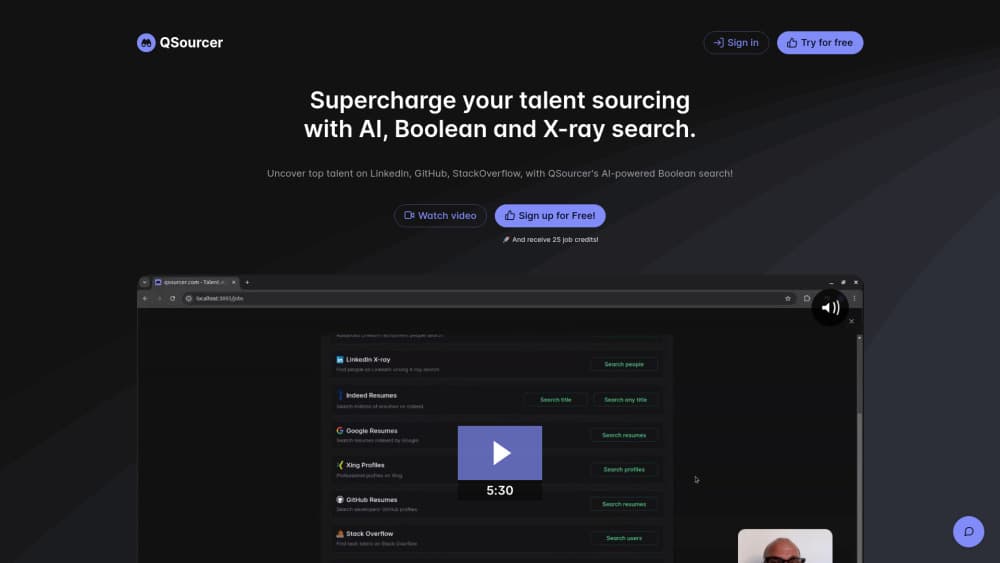
QSourcer started as an AI sourcing tool for recruiters, built around Boolean search strings and X-ray search to surface candidates across the big job platforms. The pitch was simple: type a role, get a shortlist, skip the manual digging.
The product has since rebranded. The qsourcer.com address now forwards to ProfileSpider, and the core idea carried over. Instead of staying tied to job boards, the current tool runs as a Chrome extension that reads profiles on pretty much any page, from LinkedIn search results to a company team page or a conference speaker list. In practice it works as an AI profile scraper and lead list builder that sits in your browser.
That shift changes who gets value from it. Recruiters still use it to build candidate pipelines. Sales teams run the same flow for lead generation and prospecting. Anyone who has copied names out of a browser tab by hand will recognize the problem it solves.
Getting Started
- Install the extension from the Chrome Web Store (Chrome 114 or newer) and pin it to your toolbar.
- Open a page with profiles, such as a LinkedIn search, a team page, or a business directory.
- Click the ProfileSpider icon and run Scrape Profiles; it captures up to 100 profiles from the page in one pass.
- Save the results to a named list, then add tags and notes so the leads stay organized.
- Find verified work emails for the rows you care about, then export the list as CSV, Excel, or JSON.
Product Information
A quick look at QSourcer's pricing, supported platforms, and performance.
Best for
The users, tasks, and scenarios where this tool fits best.
Users
- Recruiters
- Sales and business development teams
- Market researchers
Tasks
- Turning a search results page into a structured CSV
- Finding verified work emails
- Enriching a saved list
Scenarios
- Building a shortlist the evening before interviews
- Running outbound lead generation campaigns
- Mapping a niche market
Key features
One-Click Profile Scraper
Open any page with profiles, and the extension reads what's on screen without any setup. There are no CSS selectors to write and no XPath to fiddle with. It grabs anywhere from a single profile up to 100 in one pass, which is the part that saves the most time.
Any-Website Coverage
Most scrapers only work on the sites they were built for. This one leans on AI to figure out the page structure on the fly, so it handles LinkedIn, GitHub, company sites, directories, and conference pages alike. You stay on the page you're already using.
AI Field Mapping for People and Companies
The AI sorts people from companies and lines up the fields it finds, such as name, title, company, location, email, and profile links. Company records get industry, employee count, and founding year when those details are visible. You spend less time cleaning a messy export afterward.
Find Verified Emails
Look up a work email for any saved person, or pull up to 20 verified team emails at a target company in one go. You only pay credits for valid hits; risky, blacklisted, and not-found lookups come back free. Results are cached for 30 days, so repeat searches on the same target don't charge you twice.
Lists, Tags, and Enrichment
Every captured profile lands in a searchable list. Add tags and notes, group profiles by campaign or client, and use the Enrich column to pull deeper details from saved URLs. It's the difference between a raw dump and a list you can actually work from.
Export to Any CRM
Send your lists out as CSV, Excel, or JSON with the columns you pick. The output fits straight into HubSpot, Salesforce, Pipedrive, Greenhouse, Lemlist, or any tool that takes a spreadsheet. Your data stays in your browser until you export it, since storage is local.
Pros and cons
Pros
- Works on nearly any website with no setup, so there's no selector writing or configuration.
- Charges 1 credit per page rather than per profile, which keeps bulk extraction cheap.
- Finds verified work emails and only charges for valid results.
- Keeps extracted data local in the browser, with no tracking.
- Exports straight into the main CRMs and outreach platforms.
Cons
- Chrome-only extension, so Safari and Firefox users are left out. You also need Chrome 114 or newer.
- It can only extract what's visible, so profiles hidden behind a login or endless scroll won't show up.
- No documented public API, which blocks anyone hoping to plug it into an automated pipeline.
- Credit top-ups and email lookups add up if you run heavy campaigns, and the free plan caps you at 10 profiles per page.
Frequently asked questions
QSourcer has rebranded to ProfileSpider, a Chrome extension that extracts people and company profiles from any website and turns them into lead lists you can export.
Related content
Explore related tools, skills, and articles for QSourcer.
QSourcer Alternatives

Claude for Google Workspace
Anthropic · Writing · Productivity · BusinessClaude for Google Workspace puts Claude in a sidebar inside Google Docs, Sheets, and Slides, where it reads the file you have open and edits it in place.

KloudMate 2.0
KloudMate · Coding · BusinessKloudMate 2.0 is an AI observability platform that keeps logs, metrics, traces, and incidents in one place, with KloudMate Assistant investigating alerts and proposing the fix.
Cekura Bench
Cekura · Voice & Language · BusinessCekura Bench is a public benchmark that runs speech-to-speech models and deployed voice agents through 82 simulated phone calls, three times each, then publishes pass rates, latency and cost.