

Suka:AI Character&AI Story
Ezuseapp · Chatbot
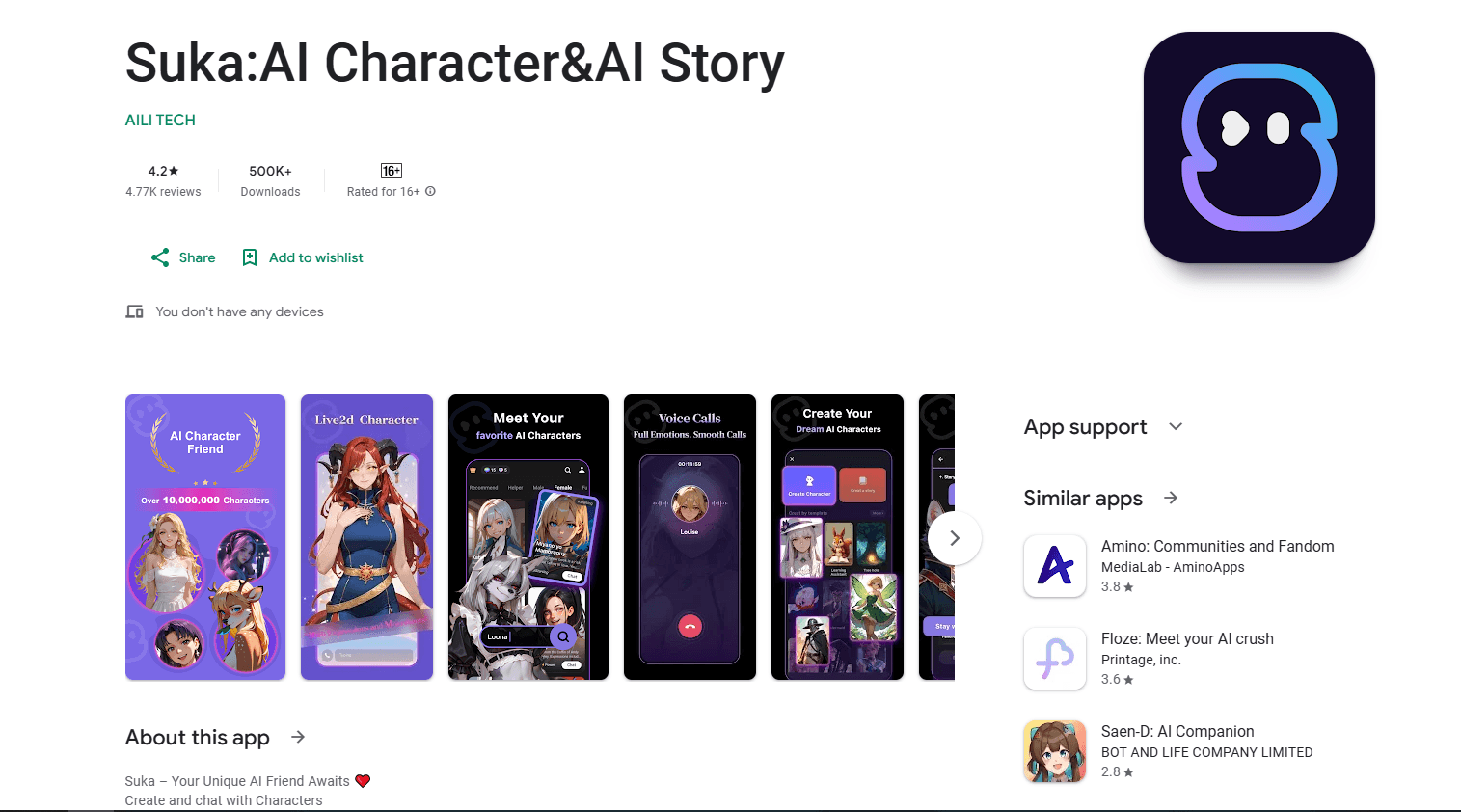
Suka: AI Character & AI Story is an AI companion app built for people who want someone to talk to and a story to shape. You design your own characters, set their looks, personality, and backstory, then build ongoing AI roleplay stories with them through text, voice, and image chats. It sits in the growing corner of AI chat apps aimed at emotional connection rather than quick task answers, and it runs on Android. Simple as that.
About Suka:AI Character&AI Story
What Is Suka: AI Character & AI Story
Suka: AI Character & AI Story is a mobile AI companion chat app where the characters are yours to invent. Instead of picking from a fixed roster, you describe who you want: a warm therapist, a witty travel buddy, a mysterious stranger from another world. The app turns that description into a chat partner that responds in the tone and personality you set.
The draw is the mix of companionship and storytelling. You can hold a normal conversation, or you can push it into a running narrative and steer where it goes. Characters chat back in text, and the app also supports voice and image messages so conversations don't feel stuck in one format. Not everyone wants to type. For people who find standard chatbots too dry or too impersonal for daily use, that combination is the main reason to open it.
There are limits worth knowing before you commit. Suka is Android only, so iPhone users are out unless a version appears later. Companion apps like this lean on subscription tiers, and the free experience usually comes with message caps or slower responses. Is it worth paying? Only if you actually enjoy the format. Treat it as a companion and a creative toy, not a productivity tool or a search assistant.
Getting Started
- Install Suka from the Google Play Store and open the app, then create an account or sign in.
- Tap the plus button at the center of the screen and choose the option to create a character.
- Fill in the character's appearance, personality, and background story, following the prompts the app gives you.
- Save the character and start chatting, then switch chat models or add images and voice when you want a different feel.
- Return to the story whenever you like; the conversation keeps its thread so you can pick up where you left off.
Product Information
A quick look at Suka:AI Character&AI Story's pricing, supported platforms, and performance.
Best for
The users, tasks, and scenarios where this tool fits best.
Users
- People looking for companionship
- Writers and roleplayers
- Casual chat users tired of dry bots
Tasks
- Building a custom character from scratch
- Running an ongoing story
- Practicing conversation or venting
Scenarios
- A quiet evening when you want company without messaging a friend
- Brainstorming a fictional character for a story
- Killing a commute with something interactive
Key features
Custom Character Creation
Suka's core feature is the character builder. You set a name, appearance, personality traits, and a background story, then the app uses those details to shape how the character talks and reacts. That means two users can create completely different companions from the same app. Want a calm listener one day and a sharp-tongued rival the next? Build a second character. That's the whole idea.
AI Story and Roleplay Conversations
Beyond one-off chats, Suka is built around running custom AI characters in roleplay. You pick a scene or a direction, and the character stays in role as the plot moves. The value here is continuity: you aren't restarting a chatbot from zero each time. For anyone who likes collaborative fiction or just wants a storyline to escape into, that threaded narrative is what separates this AI roleplay app from a plain question-and-answer bot.
Text, Voice, and Image Chat
Conversations aren't locked to typing. Suka supports voice messages and image-based exchanges in addition to text, so you can send a picture or talk instead of writing everything out. In practice this makes longer sessions less tiring, and it suits users who would rather speak than compose a paragraph. The formats mix within a single chat. That keeps a long story from feeling monotone.
Character Appearance and Tone Controls
You can tune more than personality. Character settings cover voice and speaking style, so the same character can read as playful, reserved, or blunt depending on how you set them. This gives you finer control over the experience than apps that only let you pick a preset. It also means the more effort you put into the setup, the more distinct the character tends to feel.
Model Switching Mid-Chat
Suka lets you switch chat models inside a conversation. If a reply feels flat or off, you can move to a different model without abandoning the character or the story so far. For users who care about response quality, that flexibility is useful, since different models handle tone and detail differently. It's a small feature. It still gives you an escape hatch when one model isn't clicking.
Pros and cons
Pros
- The character builder is genuinely open-ended: name, looks, personality, and backstory are all yours to define, so companions feel less generic than preset options.
- Text, voice, and image chat in one app cover different moods and reduce the fatigue of typing every message.
- Persistent AI story threads let you build a running narrative instead of restarting conversations from scratch.
- Switching chat models mid-conversation gives you a way to fix a flat or off-key reply without losing progress.
Cons
- Android only. iPhone users can't install it, which rules out the app for a large share of the audience.
- The best experience sits behind paid tiers, so free users hit message limits or slower responses and may find the free plan too thin for long sessions.
- Because it's a companion app, responses can drift or lose the thread over very long chats. You may need to nudge the character back on track.
Frequently asked questions
Suka is an AI companion and story app. You create custom AI characters and chat with them through text, voice, or images, either as casual conversation or as an ongoing roleplay storyline. It's built for companionship and creative play, not for work tasks or factual research.
Related content
Explore related tools, skills, and articles for Suka:AI Character&AI Story.
Suka:AI Character&AI Story Alternatives

Emma AI
Emma AI · Business · ChatbotEmma AI is a no-code AI assistant builder for creating custom assistants that answer questions from your own business data. You connect the tools your team already uses, like Slack, Notion, Google Sheets, or Zendesk, upload documents, or let Emma train the assistant through a Q&A process. It's fast. Each assistant you create can be scoped to a specific team, project, or workflow, so a marketing assistant and an accounting assistant never see the same sources.

Chatgbot
Chatgbot · Image · Productivity · ChatbotChatgbot is a multi-model AI chat platform that gathers OpenAI GPT models, Anthropic's Claude Sonnet, and open-source options like GLM and Qwen behind one login. Instead of juggling separate subscriptions, you pick a model per conversation, upload PDFs to question them, generate images, and search the web, all inside a single interface and a single membership.

Validator AI
ValidatorAI · Business · ChatbotValidator AI is an AI idea validation tool for founders who want a straight answer before they build anything. Think of it as a startup idea validator and an AI startup mentor rolled into one. You describe your startup, product, or small business concept, and the tool scores it, analyzes the competitive field, suggests who the ideal customer is, and points to next steps. It leans on behavioral data gathered from hundreds of thousands of founder sessions. The core check is free to run. It suits solo founders, indie makers, and small teams testing a concept in the earliest stage, not companies that have already shipped.