

1DevTool
1DevTool · Coding · Other
1DevTool is a desktop workspace that runs a whole team of AI coding agents at once. Instead of chatting with one assistant at a time, you brief several CLIs like Claude Code, Codex and Gemini CLI in parallel. Then you watch a live map of who is working, who is waiting and who finished. It ships as a native app for macOS, Windows and Linux. And it costs $29 once rather than a monthly fee.
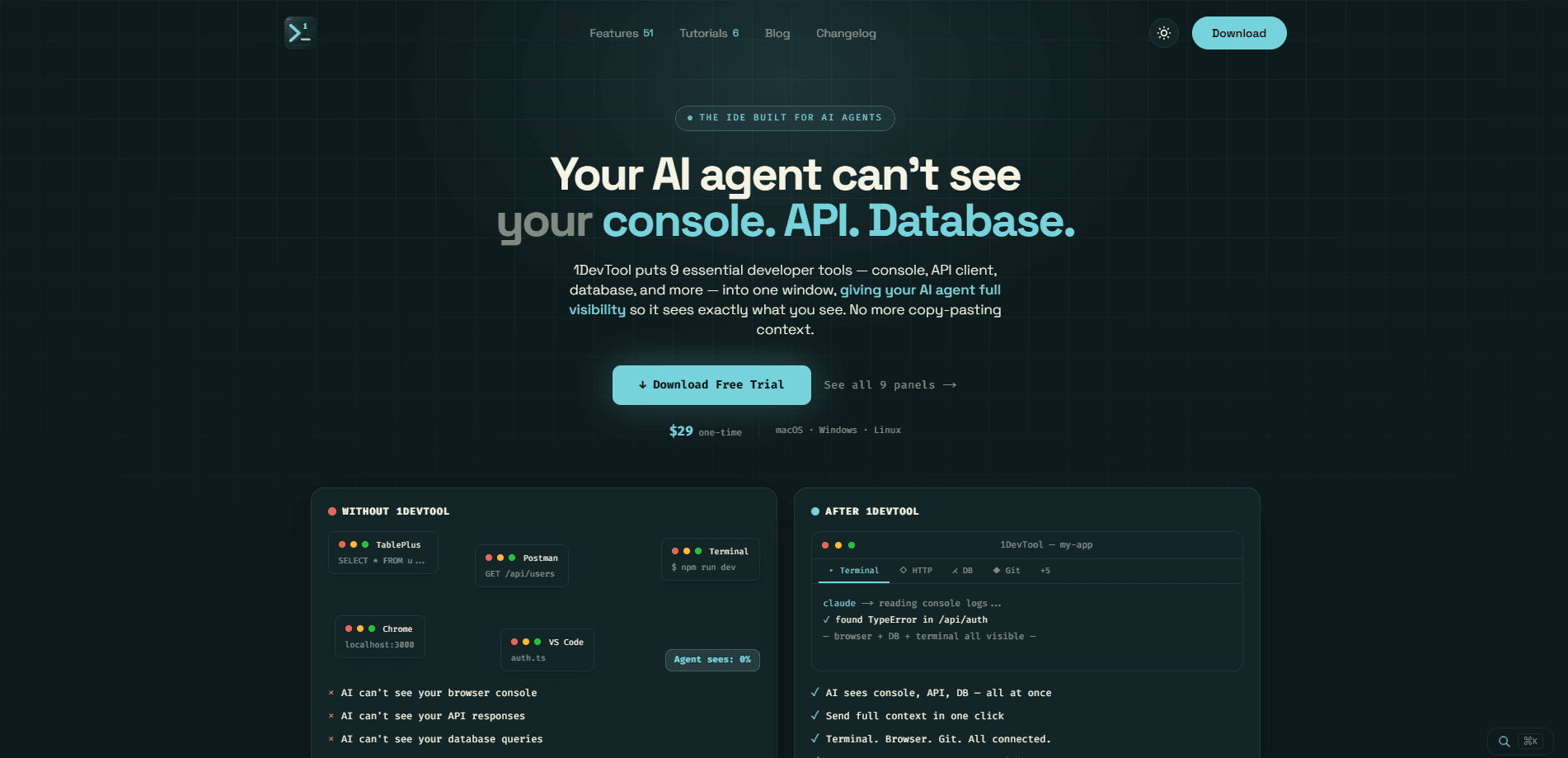
About 1DevTool
What Is 1DevTool
1DevTool is an AI coding agent workspace built around a simple idea: your AI assistants should work like a team, not a single chat window. It wraps the coding CLIs you already use and gives each one a named terminal, a model, a color and a resumable session. You can fan one brief out to several agents, let them work at the same time, and merge the answers in one place.
The tool doesn't fork or proxy those CLIs. It runs the same commands you'd type yourself in a genuine terminal, so nothing about your setup changes underneath you. That matters. If you already pay for Claude Code or Codex directly, 1DevTool uses your existing subscriptions instead of selling you credits at a markup.
The main limitation is scope. This isn't a code editor you'd use for writing files by hand. It won't replace VS Code. It assumes you're comfortable in a terminal and want to coordinate multiple agents rather than learn a new IDE.
Getting Started
- Download the app for macOS, Windows or Linux from the official site and install it.
- Add the AI coding CLIs you already use, such as Claude Code, Codex or Gemini CLI, through your own logins.
- Create a project and a workspace, then pick how you want the panes tiled.
- Open one terminal per agent, give each a name and pin the model it should launch with.
- Write a brief, send it to the agents you want, and follow progress on the Mission Control map.
Product Information
A quick look at 1DevTool's pricing, supported platforms, and performance.
Best for
The users, tasks, and scenarios where this tool fits best.
Users
- Developers already paying for Claude Code, Codex or similar CLIs
- Solo builders juggling several AI agents
- Small teams running parallel work
Tasks
- Fanning one brief out to multiple coding agents and comparing their output in a single window.
- Running long agent sessions that you need to pause and resume without rebuilding the layout.
- Reviewing terminal output as readable text rather than scrolling through a log.
- Keeping separate projects and worktrees open with their panes restored exactly as you left them.
Scenarios
- Refactoring a codebase where you want one agent drafting changes while another reviews them.
- Exploring an unfamiliar repository where several agents probe different parts at once.
- Working across a laptop, a paired desktop and a server over SSH as one setup.
- Shipping on a tight budget where a one-time $29 beats another monthly AI subscription.
Key features
Multi-Agent Orchestration
One brief can fan out to every agent you've set up, each working at the same time, with the terminal merging their answers. You define the way agents hand work to each other instead of copying prompts by hand. This is what coding agent orchestration looks like in practice. If one seat goes down, a backup can take over.
A Real Terminal, Not a Wrapper
1DevTool runs a genuine PTY executing the same command you'd type yourself. No fork. No wrapper. No proxy. Your CLI tools behave exactly as they do outside the app. That's the difference between a tool that respects your workflow and one that quietly changes it.
Mission Control Map
A live view shows who is linked to whom, who is currently working, and who is waiting on your input. Several agents can run at once. This map keeps the work from turning into guesswork. Watch it, and you always know where things stand.
Projects, Workspaces and Layouts
Projects are grouped the way you think about them. Switch to one and the panes, branch and worktree come back exactly as you left them. Layouts cover grid, columns, tiled and stacked views. Switching never rebuilds a pane.
Machine Picker and SSH
Every machine you code on shows up in one place. That covers this laptop, a paired desktop, a server over SSH and terminals 1DevTool never started. You pick the machine per agent rather than switching whole environments.
Dev Tool Panels
The apps you used to alt-tab to, like a browser, HTTP client or database viewer, dock beside the terminal that needs them. Your agents can reach those panels too. So a task doesn't stall waiting for you to paste a result.
Quota and Resource Tracking
The app shows what your agents are costing you. That covers subscription quota and machine resources. On a flat-rate plan, it's the feedback you need. Spot a runaway agent before it burns a day's allowance.
Pros and cons
Pros
- Runs many CLI agents in parallel from one window
- Uses your existing subscriptions, so no credits or markup
- Genuine terminal with no wrapper, fork or proxy
- Sessions, layouts and worktrees resume exactly where you left them
- Single $29 payment instead of a recurring subscription
Cons
- Assumes comfort with a terminal and coding CLIs
- Not a hand-editing code editor, so it won't replace VS Code on its own
- Agent cost tracking depends on your plan's own quota limits
Frequently asked questions
It works with Claude Code, Codex, Gemini CLI, Cursor, Grok, Kimi Code, Antigravity, Pi, OpenCode, Qwen Code and Aider, plus bash, zsh and PowerShell. You can also define custom commands, since anything that runs in a terminal runs here.
Related content
Explore related tools, skills, and articles for 1DevTool.
1DevTool Alternatives
Forefront
Forefront · CodingForefront is a web platform for building with open-source AI. It lets you fine-tune leading open-source language models on your own data, evaluate how they perform, and run them through an API or export them to host yourself. Developers who want the convenience of a closed-source platform but insist on owning their models and data are the target audience here.

Startkit
StartKit.AI · CodingStartkit is a boilerplate for building AI SaaS and AI wrapper products. Think of it as an AI startup boilerplate with the boring parts already wired up: authentication, Stripe and Lemon Squeezy payments, usage limits, transactional email, and an AI API starter that talks to OpenAI, Anthropic, Groq, or Llama. You clone the repo, set your price, and start on the part of your product that people actually pay for. It's Next.js under React and Tailwind, so most of the boilerplate code already feels familiar.
Testim
Tricentis · CodingTestim is an AI-powered test automation platform for building and running end-to-end tests across web, mobile, and Salesforce applications. It leans on machine learning to keep tests stable when an interface changes, so teams spend less time fixing broken selectors. Not bad for an automated testing tool you can start using today. You create tests by recording actions in a browser, then optionally add JavaScript when you need more control. It's a solid pick for busy QA teams.