
2Slash
BLUEJEAN AI LLC · Writing · Marketing
2Slash is a Chrome extension that puts a prompt-free AI assistant inside any text field, so you can draft, rewrite, summarize, or translate without leaving the page.
About 2Slash
What Is 2Slash
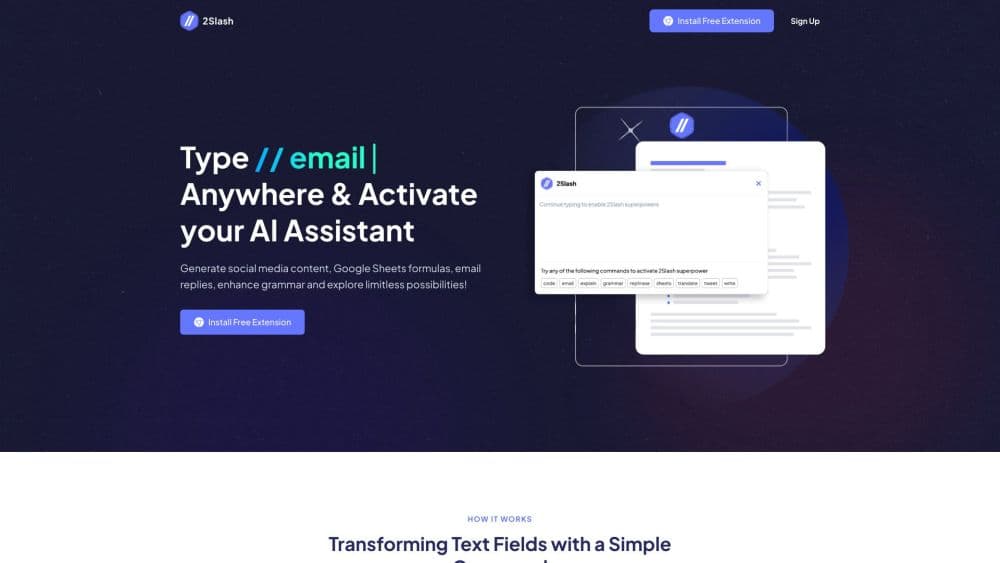
2Slash is a Chrome extension for AI writing, built by BLUEJEAN AI LLC. It adds a small assistant to every text box you click, from Gmail and LinkedIn to Google Docs and a support ticket form. Type // or tap the floating icon, pick a task, and the tool writes straight into the field you were already using.
Think of it as an AI text generator that sits in your toolbar. The point is to remove the tab shuffle. Instead of copying a paragraph into ChatGPT, rewriting it, and pasting it back, you highlight the text and choose an action. The extension also carries a library of more than 150 ready prompts, so you don't need to know how to write a prompt to get a usable result.
The limits are worth knowing before you install. 2Slash runs only in Chrome on desktop, with no Firefox, Safari, or mobile app. It also needs a live internet connection, and the free plan caps output at 3,000 words and 5 images per month.
Getting Started
- Install the 2Slash extension from the Chrome Web Store and pin it to your toolbar.
- Create an account or sign in, then activate the extension with the
//shortcut or the floating 2Slash icon. - Set a default tone and response length, or leave both on automatic and change them per request.
- Pick a prompt from the library or describe the task in plain words, then review the draft in place and edit it like any other text.
Product Information
A quick look at 2Slash's pricing, supported platforms, and performance.
Best for
The users, tasks, and scenarios where this tool fits best.
Users
- Social media managers
- Sales and support reps
- Marketing writers
- Students and non-native speakers
Tasks
- Rewriting an awkward email
- Summarizing a long article or PDF
- Drafting social posts
- Translate a message
Scenarios
- A full day inside the browser
- Fast first drafts under deadline
- Repetitive outreach
Key features
Slash Command in Any Text Field
Type // in a text box and the assistant opens on top of the page. It works on more than a million sites according to 2Slash, including webmail, docs, CRMs, and social platforms. Nothing gets copied to a separate tab, so the draft lands where you need it.
Prompt Library With 150+ Ready Prompts
The library groups prompts by job: email writing, blog content, social media, YouTube, SEO copy, business documents, images, and reviews. Each prompt comes from 2Slash's prompt team and asks only for the details it needs. Free accounts get 50+ prompts, while paid plans unlock the full set and unlimited prompt requests on Premium.
Tone and Length Controls
You can set a default voice such as community manager, legal assistant, or SEO writer, then override it for a single request. Response length follows the same pattern, with four preset options plus an automatic setting. The trained voice option learns from samples so output sounds closer to your own writing.
Selected-Text Actions
Highlight a paragraph on any page and the contextual menu lets you reply, translate, summarize, shorten, or rewrite text with AI. This is the fastest path for editing someone else's draft in a CRM or cleaning up a message before you send it. The original formatting stays intact because the tool writes back into the same field.
Document Uploads and Q&A
You can upload PDFs and Word files, rename or delete them later, and ask questions about their contents. Answers can come back in a different language, which helps when you're reading a contract or report that isn't in your first language. This turns the extension into a light research assistant without a separate chat window.
Model Switcher
A settings panel lets you move between GPT-4o, GPT-4o Mini, Gemini 1.5 Pro, Gemini 2.0 Flash, Claude 3.5, and Llama 3. You pick per task, so a quick grammar fix can run on a small model while a longer brief goes to a stronger one. The list is shorter than what standalone chatbots offer today.
Image Generation and AI Vision
Image prompts produce visuals in square, wide, or horizontal formats through DALL·E and Flux. You can also attach an image to a prompt and ask the assistant to describe it, extract text, or suggest copy based on what's in the frame. 2Slash says generated images are safe to use without extra licensing.
Text to Speech
The microphone tab converts written text into audio with a choice of voices. You can listen to the result, adjust it, and download the file. It's useful for turning a blog draft into a rough voiceover or checking how a script sounds before recording.
Pros and cons
Pros
- Works inside the page you're already using, so there's no copy and paste loop between apps.
- The free tier includes 3,000 words, 5 images, and 1,000 text-to-speech words each month.
- Tone presets and trained voices keep a team's output consistent across different writers.
- Document Q&A reads PDFs and Word files and can answer in 25+ languages.
- The Lite plan costs $10 per month for 10,000 words, which is a low entry point for daily use.
Cons
- Chrome on desktop only, so Firefox, Safari, and mobile users are left out.
- The free plan's 3,000 word cap disappears quickly if you draft long articles.
- The extension build dates to November 2024, and the model menu stops at GPT-4o and Gemini 2.0 Flash.
- There's no public API or admin console listed, which limits automation and team management.
Frequently asked questions
2Slash is an AI writing assistant that lives in your browser. It drafts emails, social posts, summaries, translations, and image prompts directly inside whatever text field you're using, without a separate chat tab.
Related content
Explore related tools, skills, and articles for 2Slash.
2Slash Alternatives

Emailwritr
Emailwritr · Writing · MarketingEmailwritr is an AI email copywriting tool built for affiliates, course creators, and online businesses that want more revenue from the list they already own. Instead of blank pages or generic chatbot prompts, this AI email writer generates welcome sequences, launch campaigns, cart recovery emails, and promo series from frameworks modeled on well-known direct-response copywriters. You connect your autoresponder, answer a few questions about your offer, and it writes the copy for you.

Swms
Swms AI · Writing · Productivity · BusinessSwms is an AI safety compliance tool that turns a plain description of a job into ready-to-use safety documents. Describe your project, trade, and known hazards, and it writes a safe work method statement, job hazard analysis, safe work procedure, RAMS, or safety data sheet in seconds. It also ships with Oscar, a chat assistant that answers workplace safety questions in any language. Teams in construction, mining, transport, and warehousing use it to cut the paperwork that usually eats into a workday.

Prosp
Prosp · Writing · Voice & Language · MarketingProsp is an AI LinkedIn outreach tool built for agencies and sales teams, and it writes the message and the voice note in your own voice for each prospect so they actually reply. You connect your accounts, find leads, and let the AI draft and send personalized messages at scale, all from one inbox. It's built for people running outbound at volume. That's the whole pitch. Every touchpoint still has to feel human.