

4pm.app
Herman Violin · Coding · AI Assistant
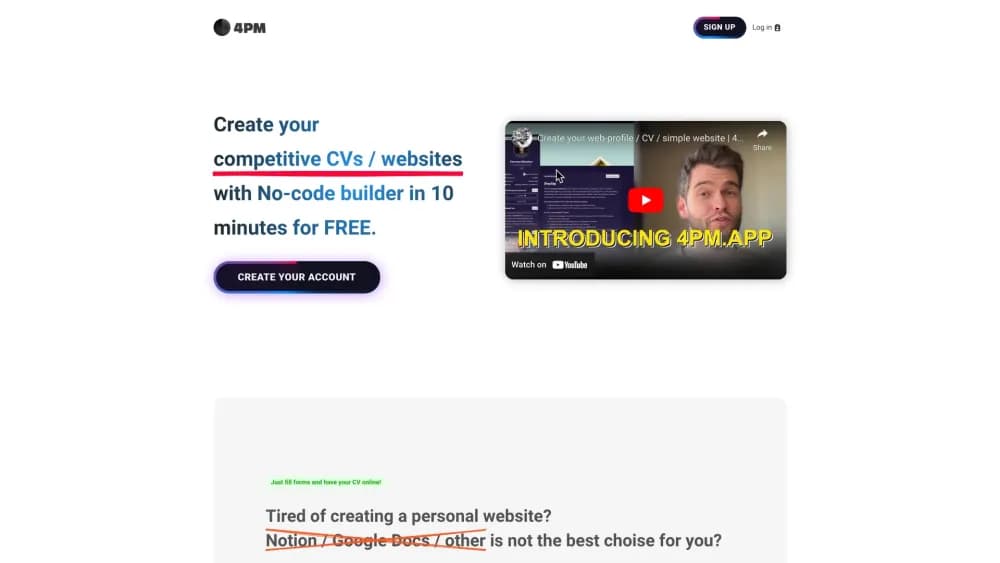
4pm.app is a no-code builder that turns a short form into a professional CV website at a link like 4pm.app/username. Fill in your experience once, share the link, and skip hosting and design work.
About 4pm.app
What Is 4pm.app
4pm.app is a web app for managers, product owners, and other specialists who want a personal website for managers' job hunts without hiring a developer. You answer a form: contacts, social links, languages, courses, work history, education, a photo. The app renders that into a single profile page you can send to recruiters or clients.
The problem it solves is the gap between a PDF CV and a real website. A PDF is easy to make and easy to lose in an inbox. A web profile builder like this one gives you one address that stays current. A website is more persuasive but usually means a domain, hosting, a theme, and an afternoon of fiddling. 4pm.app collapses that into one form and one link on its own domain.
The limit shows up the moment you want to look different. Layouts come from the app's template set, the URL always carries the 4pm.app name, and there's no export to run the page elsewhere. If you need a branded site on your own domain, this isn't the tool. If you need a credible link in a CV today, it is.
Getting Started
- Create an account on 4pm.app with an email address.
- Claim your handle. That becomes the public address, so pick something close to your name.
- Fill the form: headline, contacts, LinkedIn and social links, languages, courses, experience, education, profile photo, and a cover image.
- Set your status. Open to work, open to freelance, or neither, so visitors know what you're after.
- Publish and share. Send 4pm.app/username to recruiters, add it to your CV, or drop it in a job application.
- Optionally pay once for PRO to remove the watermark, unlock themes, and run up to seven profiles.
Product Information
A quick look at 4pm.app's pricing, supported platforms, and performance.
Best for
The users, tasks, and scenarios where this tool fits best.
Users
- Product managers and product owners
- Mid-level specialists applying through job boards
- Freelancers and consultants who need a contact card
Tasks
- Turning an existing CV into an online CV
- Standing out in an application pile
- Collecting your professional links in one place
- Running several role-specific profiles
Scenarios
- Job hunting with a deadline
- Sending a pitch to a client
- Keeping a passive profile up to date
Key features
Form-Based Profile Builder
Everything on the page comes from structured fields rather than a drag-and-drop canvas. You add a headline, contacts, languages, courses, experience, and education, and the app arranges them into sections. That removes layout decisions, which is the point: the page looks consistent whether you have two jobs or eight.
Shareable 4pm.app/username Link
Each profile publishes to a short address built from your handle. You can put that link in a CV header, an email signature, or a LinkedIn bio and it stays the same as you edit. No domain purchase, no DNS records, no hosting bill.
Status Badges and Contact Blocks
The profile carries a status label such as open to work or open to freelance, plus your phone, email, and social links. Recruiters get the useful facts at the top of the page instead of hunting through paragraphs. You can change the status without touching the rest of the content.
Themes, Dark Mode, and Card Styles
PRO unlocks theme selection, a dark mode, an animated border around your photo, and a simple card layout that hides the long experience list. These are cosmetic switches, not new content tools, but they let two profiles look clearly different. Useful if you're sending the same page to very different audiences.
Up to Seven Profiles per Account
A PRO account can hold seven separate profiles under one login. Each gets its own handle and content, so you can keep a product management CV, a consulting page, and a side project portfolio apart. The free tier stays at one.
Privacy Lock, Video, and Analytics
PRO adds a lock so the profile isn't publicly listed, a video presentation block for a short pitch, professional links, a custom cover image, and Google Analytics 4 tracking. The analytics part matters if you want to know whether a recruiter actually opened the link before an interview.
Pros and cons
Pros
- One-time payment of $14.99 per profile instead of a monthly subscription, so a page you built two years ago costs nothing to keep.
- Setup is genuinely short: a form, a photo, a handle, and the page exists. No theme hunting.
- The link works as a CV attachment replacement, which solves the "file won't open on mobile" problem recruiters complain about.
- Status labels and contact blocks put the practical details where a hiring manager looks first.
- Up to seven profiles on PRO covers people who apply to more than one kind of role.
Cons
- Your page always lives at 4pm.app/username. There's no custom domain, so the address carries someone else's brand.
- PRO is priced per profile, which gets awkward if you need several paid pages rather than one.
- Layout control stops at themes and card styles. You can't rearrange sections or build a custom page.
- Content comes entirely from your own input. Nothing drafts or rewrites your experience bullets, so the writing work is still on you.
Frequently asked questions
It builds a personal web profile and online CV from a form. You fill in your work history, contacts, and links, and the app publishes a page at 4pm.app/username that you can send to recruiters, clients, or anyone who asks for your background.
Related content
Explore related tools, skills, and articles for 4pm.app.
4pm.app Alternatives

Base Code
Base44 (Wix) · Coding · ProductivityBase Code is a shared cloud development environment from Base44. Teammates describe changes to an existing GitHub codebase in chat, preview them live and send them back as pull requests.

Google EmbeddingGemma 2
Google DeepMind · Writing · Image · CodingGoogle EmbeddingGemma 2 is a 740M-parameter open model that turns text, code, images, audio, and video frames into vectors in one 768-dimension space, running on phones and laptops.

GitGlow
GitGlow · Coding · ProductivityGitGlow is a local-first desktop Git client that lets independent developers review their own code and their AI agents' changes in one place before shipping.