

99xDev
99xDev · Coding
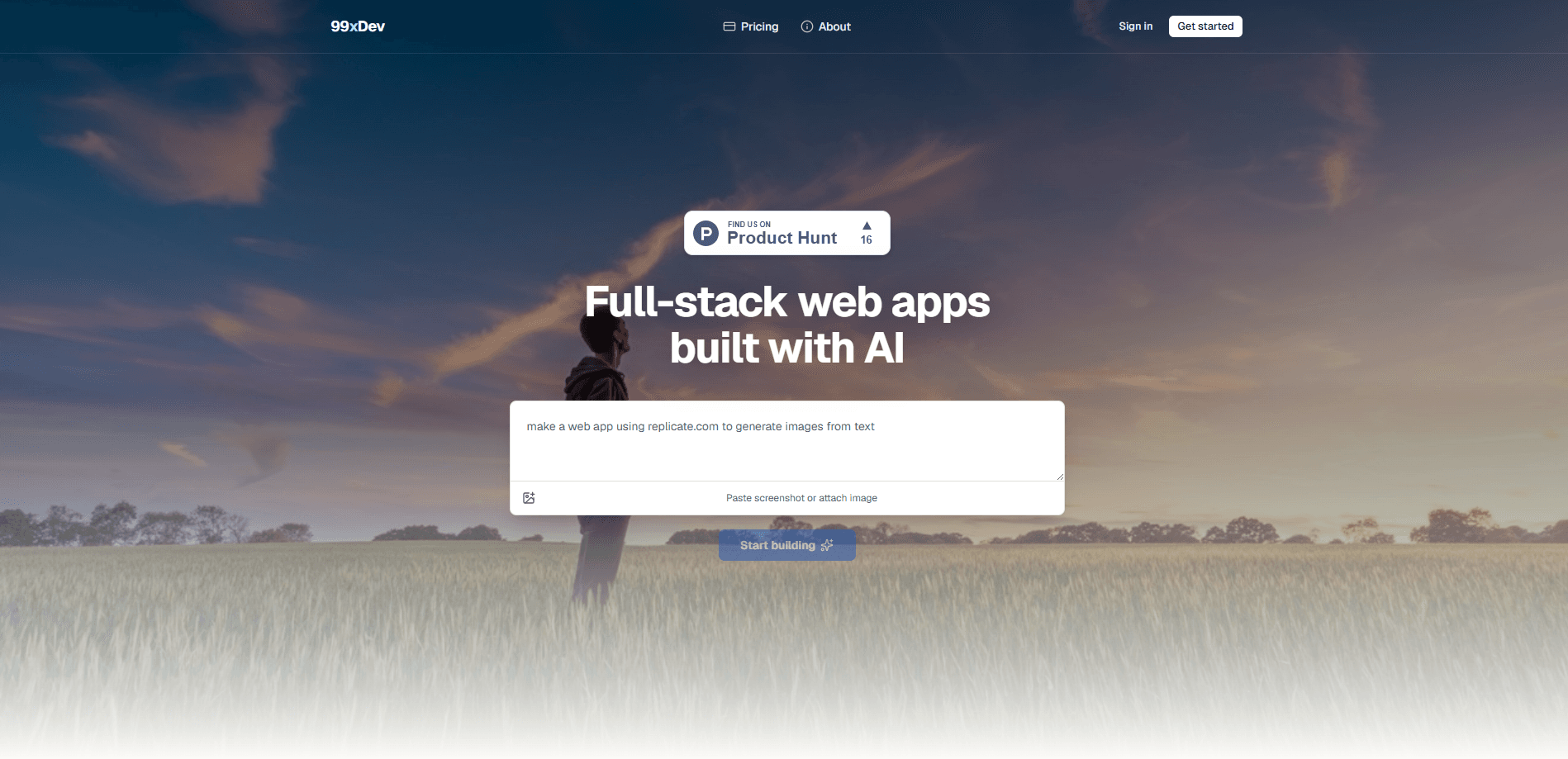
99xDev was an AI-powered full-stack app builder aimed at founders, indie developers, and small teams who wanted working software without weeks of setup. It generated production-ready React and Express applications, wired in a database and file storage by default, and dropped you into an integrated studio where you could preview the app, edit the generated code, and ship it to a live URL. The whole point was speed: describe what you want, get a runnable full-stack app, then refine it instead of starting from a blank repository. As of now, the service is winding down and no longer accepts new work.
About 99xDev
What Is 99xDev
99xDev was an AI full-stack app builder. Instead of generating a single component or a static page, it produced a complete React front end plus an Express back end, with SQLite for data and built-in file storage already connected, so the generated project could store records and accept uploads without any extra wiring on your part. That combination matters because most AI code tools stop at the interface layer and leave you to bolt on a server, a database, and hosting yourself. 99xDev tried to close that gap in one place.
The product targeted people who could describe an app but didn't want to assemble a stack from scratch. You'd start from a prompt, get a working application, and then use the studio to inspect the code, make changes, and push a live version, all without leaving the browser or setting up a local development environment first. Small internal tools and early customer-facing apps were the sweet spot.
The biggest limitation is simple: it's shutting down. New signups and app building are no longer available, and existing workspaces and preview apps have been taken offline. If you were weighing it for a new project, that decision has effectively been made for you. Older reviews and tutorials may still describe features that no longer run. So what happens to a tool like this? It just stops.
Getting Started
- Create a 99xDev account and open a new workspace (this step is no longer available while the service winds down).
- Describe the app you want in plain language. List the main screens and the data you need to store.
- Wait for the builder to generate the React front end, Express back end, and connected SQLite database.
- Open the integrated studio to preview the running app and edit the generated code.
- Ship the app to a live URL directly from the studio once the preview looks right.
Product Information
A quick look at 99xDev's pricing, supported platforms, and performance.
Best for
The users, tasks, and scenarios where this tool fits best.
Users
- Founders and indie builders
- Non-engineers with a clear app idea
- Small teams shipping internal tools
Tasks
- Generating a React and Express starter you can build on
- Wiring up data and file uploads
- Previewing and shipping quickly
Scenarios
- Turning a rough idea into a demo before a meeting
- Prototyping an internal dashboard
- Testing whether a concept is worth a full build
Key features
Full-Stack Generation, Not Just UI
99xDev generated both sides of the app: a React front end and an Express back end. Think of it as a React Express generator, not a UI mockup tool. That's the difference between a pretty mockup and something you can actually run and extend. The server logic comes with the interface instead of waiting for you to write it, which means the very first version you see already handles requests, stores data, and can be deployed as a working application.
Built-In SQLite and File Storage
Data and uploads are usually the first things that stall a prototype. As an SQLite app builder, 99xDev included a database for structured records plus file storage for attachments out of the box. You weren't hunting for a database service or juggling connection strings on day one. For a small team without a backend developer, that single decision removes a whole afternoon of setup and a long list of things that can quietly break later.
Integrated Preview and Code Studio
The studio combined three jobs in one place: preview the running app, edit the generated code, and ship it live. Reviewing the output and making changes didn't require jumping between a code editor, a local server, and a hosting dashboard, which is exactly the kind of context-switching that slows a small prototype team down. One window. That was the idea.
Ship to a Live URL
Publishing was part of the flow, not a separate project. Once the preview looked right, you could send the app to a live URL and share a working link instead of a screenshot. No separate deploy step. That mattered for demos.
Editable, Production-Ready Output
The generated code was meant to be readable and changeable, so you could take it further by hand. That matters if you plan to grow past the first version rather than throw the demo away. Big difference for real projects.
Prompt-Driven App Creation
You described the app in everyday language and let the builder handle the scaffolding. It worked like a general AI code generator, but scoped to a full stack. For people who knew what they wanted but not the exact file structure, this removed a lot of the blank-page friction.
Pros and cons
Pros
- Produces a full React and Express codebase, so you get both front end and back end in one pass.
- SQLite and file storage come built in. That cuts the usual setup work for data and uploads.
- The studio keeps preview, code editing, and deployment in a single place.
- You can ship to a live URL without standing up separate hosting.
- The generated code is editable, so the output isn't a dead end.
Cons
- The service is shutting down, so new signups and app building are no longer available.
- Existing workspaces and preview apps have been taken offline, which means anything you built there is gone.
- Pricing and feature details are hard to verify now, since the live site only carries a shutdown notice.
- Anyone counting on it for a new project needs a different tool, because the platform is no longer an option.
- Because pricing and feature details are now hard to confirm from the live site, it's tough to compare 99xDev against active competitors on value.
Frequently asked questions
It was an AI app builder for creating full-stack web apps from a prompt. It generated a React front end and an Express back end, connected SQLite and file storage, and let you preview, edit, and publish from one studio. In short, it did the scaffolding an AI code generator usually leaves to you.
Related content
Explore related tools, skills, and articles for 99xDev.
99xDev Alternatives
Forefront
Forefront · CodingForefront is a web platform for building with open-source AI. It lets you fine-tune leading open-source language models on your own data, evaluate how they perform, and run them through an API or export them to host yourself. Developers who want the convenience of a closed-source platform but insist on owning their models and data are the target audience here.

Startkit
StartKit.AI · CodingStartkit is a boilerplate for building AI SaaS and AI wrapper products. Think of it as an AI startup boilerplate with the boring parts already wired up: authentication, Stripe and Lemon Squeezy payments, usage limits, transactional email, and an AI API starter that talks to OpenAI, Anthropic, Groq, or Llama. You clone the repo, set your price, and start on the part of your product that people actually pay for. It's Next.js under React and Tailwind, so most of the boilerplate code already feels familiar.
Testim
Tricentis · CodingTestim is an AI-powered test automation platform for building and running end-to-end tests across web, mobile, and Salesforce applications. It leans on machine learning to keep tests stable when an interface changes, so teams spend less time fixing broken selectors. Not bad for an automated testing tool you can start using today. You create tests by recording actions in a browser, then optionally add JavaScript when you need more control. It's a solid pick for busy QA teams.