

tawk.to
tawk.to · Marketing
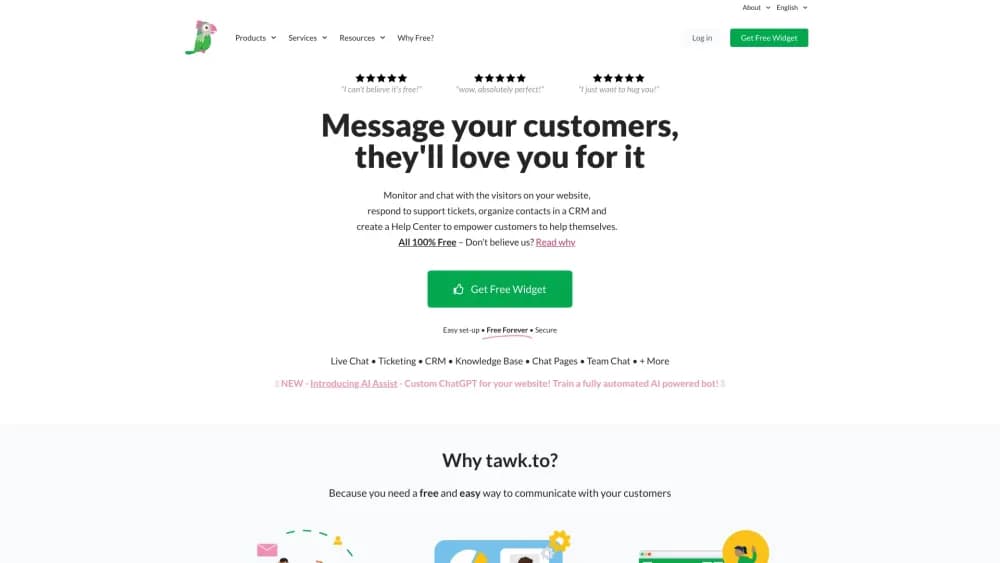
tawk.to is free live chat software that lets you chat with website visitors in real time, monitor their activity, and manage your whole support team from one dashboard.
About tawk.to
What Is tawk.to
tawk.to is a live chat tool you drop onto a website so visitors can message you the moment they have a question, and it grows into a full customer messaging setup. You paste one snippet of code, and a chat widget shows up on every page. The company keeps the core product free and makes money from optional add-ons and paid services instead of a monthly plan.
The idea is simple. Most chat tools bill you per seat per month, and the bill grows as you add agents. tawk.to flips that. You can add unlimited agents and unlimited websites at no cost, so a small shop and a large support desk run on the same footing. It runs in a browser and ships as desktop and mobile apps, so agents answer from a laptop or a phone.
The catch is how it pays for itself. The tawk.to branding, their own agents to cover chats, and a few extras all sit behind paid add-ons. The free tier also runs on their infrastructure with no self-hosted option, so you depend on their uptime and their data handling. There's no offline mode.
Getting Started
- Sign up for free at tawk.to with a name, email, and password.
- Add your site by filling in the site name and URL, then name your organization.
- Copy the generated widget code and paste it before the closing body tag on your site.
- Customize the widget look, welcome message, and pre-chat form from the dashboard.
- Invite teammates as admins or agents, then start answering chats from the web, desktop, or mobile app.
Product Information
A quick look at tawk.to's pricing, supported platforms, and performance.
Best for
The users, tasks, and scenarios where this tool fits best.
Users
- Small business owners
- Support teams
- Solo founders
Tasks
- Answering visitor questions in real time
- Turning chats into tickets
- Staffing support around the clock
Scenarios
- A pre-sales question on a product page
- Running support on the go
- A shared inbox for a small team
Key features
Live chat widget
The chat widget is the core of the tool. You paste one JavaScript snippet into your site and a customizable chat bubble appears on every page, on desktop and mobile. Visitors type a message, and it reaches your dashboard in real time. You control the placement, colors, icon, and welcome text, so the widget matches your brand rather than looking bolted on.
Visitor monitoring and proactive chat
Before anyone types a word, tawk.to shows you who is on the site, which page they are reading, and how they got there. You can watch the activity feed and start a conversation first when someone lingers on a pricing page. It is a live chat tool built for reaching out, not just for waiting to be asked.
Team management and roles
You can add unlimited agents and give each one an admin or agent role. Admins manage settings and other members, while agents handle their own conversations. Chats can be assigned or transferred, so a busy queue gets spread across the team. That structure keeps a growing help desk organized without extra seats to pay for.
Tickets and shortcuts
A chat is not always resolved in one sitting. tawk.to turns a conversation into a ticket you can track to the end, with notes and status. That ticket system, plus shortcuts for canned replies, lets agents answer common questions with a couple of keystrokes and cover the follow-up work that live chat alone tends to drop.
Knowledge base and automations
Beyond the chat window, tawk.to acts as knowledge base software where you publish help articles, and adds automations that greet visitors, trigger chat rescues, and push the right conversation to the right agent. These pieces turn a plain live chat app into something closer to a full help desk software setup, all still on the free plan.
Mobile and desktop apps
The Windows, macOS, iOS, and Android apps keep you reachable away from the browser. Push notifications fire when a new visitor arrives or an agent sends a message, and you can reply, monitor visitors, and open tickets from the phone. It means support does not stop when you step away from the computer.
Pros and cons
Pros
- The core live chat software and its customer messaging are genuinely free, with unlimited agents and unlimited websites, which most competitors charge per seat for.
- Visitor monitoring and proactive chat let you start conversations with people who look ready to buy, not only those who speak up first.
- Native apps for Windows, macOS, iOS, and Android keep chats answerable from a phone, so a small team never leaves a queue unattended.
- Tickets, shortcuts, and a knowledge base are bundled in, so it covers follow-up and self-service without stacking on more subscriptions.
Cons
- Removing the tawk.to branding sits behind a paid add-on, so the free widget keeps their name visible to your visitors.
- Everything runs on tawk.to's own servers with no self-hosted option, which means you trust their uptime and their handling of chat data.
- The interface can feel dense for a first-time agent, since monitoring, tickets, and settings all live in one dashboard.
- Round-the-clock coverage leans on paid services like hiring their agents, so a truly 24/7 desk is not entirely free.
Frequently asked questions
tawk.to is live chat software for websites. You add a chat widget so visitors can message you in real time, then answer from a browser or an app while monitoring who is on the site and turning chats into tickets when needed.
Related content
Explore related tools, skills, and articles for tawk.to.
tawk.to Alternatives

ngram 2.0
ngram · Video · Marketingngram 2.0 is an AI video generator for teams. It turns a prompt, a screen recording, or a product URL into a narrated explainer, product demo, or AI avatar video, and every scene stays editable.

shippedit.me
Krawlup · Marketing · Businessshippedit.me now redirects to Krawlup, a web platform that audits SEO, AEO and page speed every week, then hands the fixes to AI coding agents over MCP.

MePersona
MePersona, Inc. · Writing · Productivity · MarketingMePersona is an AI unified inbox for creators. It learns your voice, drafts replies to fan messages from 12 platforms, and sends only what you approve.