

ngram 2.0
ngram · Video · Marketing
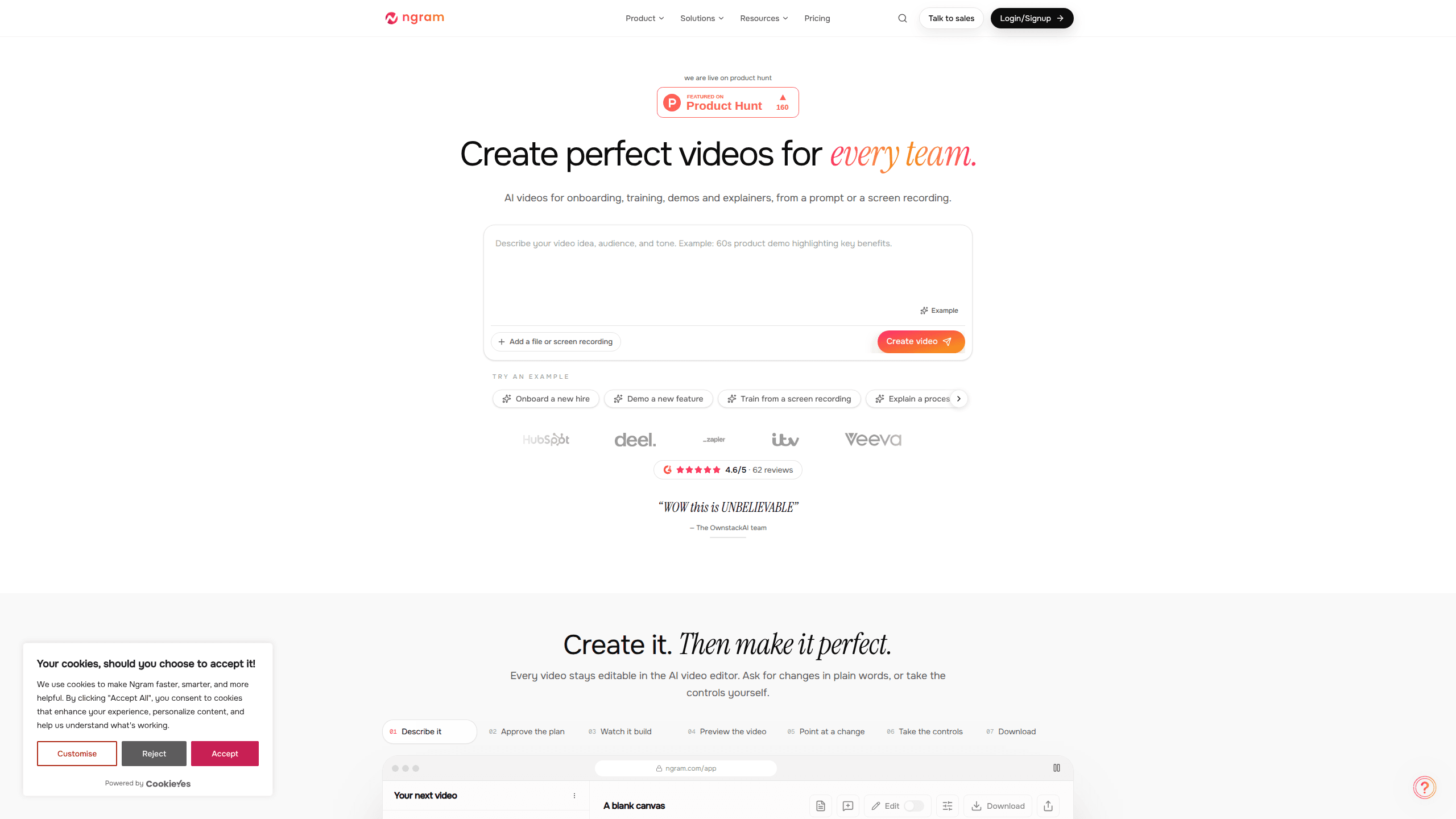
ngram 2.0 is an AI video generator for teams. It turns a prompt, a screen recording, or a product URL into a narrated explainer, product demo, or AI avatar video, and every scene stays editable.
About ngram 2.0
What Is ngram 2.0
ngram 2.0 is a browser-based video creation tool built around a simple trade: you describe the video you need, and the platform writes the script, plans the storyboard, and generates the footage. Teams use it for product launches, onboarding lessons, demos, and internal training. The output is a normal video file or a shareable link, not a slide deck with a voiceover stapled on.
Version 2 adds a full AI video editor underneath the generation layer. You approve one plan that contains the script, then adjust scenes, swap footage, rewrite captions, or open the timeline and work frame by frame. That matters because generated video rarely lands perfectly on the first pass. The difference here is that fixing a weak intro takes a sentence in chat instead of a re-shoot.
The limits are worth knowing before you commit. Credits drive everything, and premium generation burns 10 credits per second, so a three-minute video can eat most of a Basic month. Downloads need a paid plan, and the deepest controls assume you're willing to learn a timeline editor.
Getting Started
- Create an account at ngram.com. The Free plan needs no credit card and includes 1,000 credits per month.
- Describe the video: who it's for, what it should achieve, and where it will run. You can also paste a product URL or upload a screen recording instead of writing a brief.
- Review the plan. It holds the script and scene order, and it's the one approval step before generation.
- Generate the video, then refine it in plain language or take over the timeline for precise cuts.
- Export an MP4 on a paid plan, or share the public watch link straight from the Free plan.
Product Information
A quick look at ngram 2.0's pricing, supported platforms, and performance.
Best for
The users, tasks, and scenarios where this tool fits best.
Users
- Product marketers
- Support and documentation teams
- Learning and development teams
- Founders and small teams
Tasks
- Turning a written help article into a narrated walkthrough
- Recording a product demo without scheduling a call
- Making a launch video from release notes
- Refreshing a training video after a UI change
Scenarios
- Weekly release notes
- Customer onboarding
- Sales enablement
Key features
Plan before render
ngram writes a script and storyboard first, and you approve both in a single plan. That one review step is where you catch a wrong claim or a flat opening. It also means the tool spends credits on a story you've already agreed to, not on a draft you'll throw away.
Live browser capture
Give ngram a product URL and a task, and it opens a browser, clicks through the flow, and records the real screens. If a login wall appears, you take over the browser, sign in, and hand control back. The result is a product demo video with genuine interface footage instead of mockups.
AI presenters
The avatar library covers a range of looks, and you can bring your own portrait on higher-end setups. Presenters gesture while they speak, which keeps an AI avatar video from feeling like a talking head pasted over slides. A Conversation style handles two or more speakers.
Chat edits and a real timeline
Ask for changes in plain words, such as a shorter intro or a swapped second scene, and the project updates. When you want exact control, the timeline editor exposes cuts, text, and timing at frame level. Older projects can be imported into the current editor, so a video made months ago isn't stranded.
Brand kits
Save colors, fonts, and a logo once, then apply the kit to every project. Teams on Premium get one BrandKit, while Ultimate removes the cap on kits, custom voices, and custom avatars. Consistent branding is the difference between a video that looks commissioned and one that looks improvised.
Exports and interactive layers
Paid plans export MP4, and eligible short videos can be saved as a GIF. You can build in 16:9, 9:16, or 1:1 when the selected model supports it, and captions can match your brand colors. Ultimate and Enterprise add polls, quizzes, and clickable buttons for shared playback.
Pros and cons
Pros
- The plan approval step keeps you in control of the message before any credits are spent on rendering.
- Browser capture produces a product demo video from the live app, which saves a recording session and a script read.
- Every generated scene stays editable, so a weak section can be replaced without starting the project over.
- The Free plan includes 1,000 credits per month and public sharing, enough to judge output quality before paying.
- Unlimited teammates on Ultimate make it practical for a marketing or enablement team to share one workspace.
Cons
- Premium generation costs 10 credits per second, so long videos burn through a Basic allowance fast; heavy users will need top-ups at 1,000 credits for $20 on that plan.
- MP4 downloads require a paid plan, and Free users can only share a watch link.
- The timeline editor has a learning curve, and frame-level work is not something a first-time user will master in an afternoon.
- Public API access isn't documented on the pricing page, so teams that need programmatic video creation should confirm with sales first.
Frequently asked questions
Explainers, product demos, customer onboarding lessons, training video modules, launch clips, and AI avatar video segments. The common thread is a message that benefits from showing a screen or a presenter rather than describing both in text.
Related content
Explore related tools, skills, and articles for ngram 2.0.
ngram 2.0 Alternatives

OpenScreen 2
OpenScreen (open-source project) · Video · ProductivityOpenScreen 2 is a free, open-source screen recorder and demo video editor for Windows, macOS, and Linux, with automatic zooms, styled frames, local captions, and agent edits.

Skreno
Skreno · Video · ProductivitySkreno is a browser screen recorder that captures a tab, a window or your whole display, then attaches AI transcripts, summaries and console logs to one share link.

Claude Dashboards & Motion
Anthropic · Video · Productivity · BusinessClaude Dashboards & Motion are two Claude features from Anthropic: one turns company data into a live dashboard, the other builds an editable animated explainer as an MP4 file.