

AcceptMyApp
AcceptMyApp · Coding
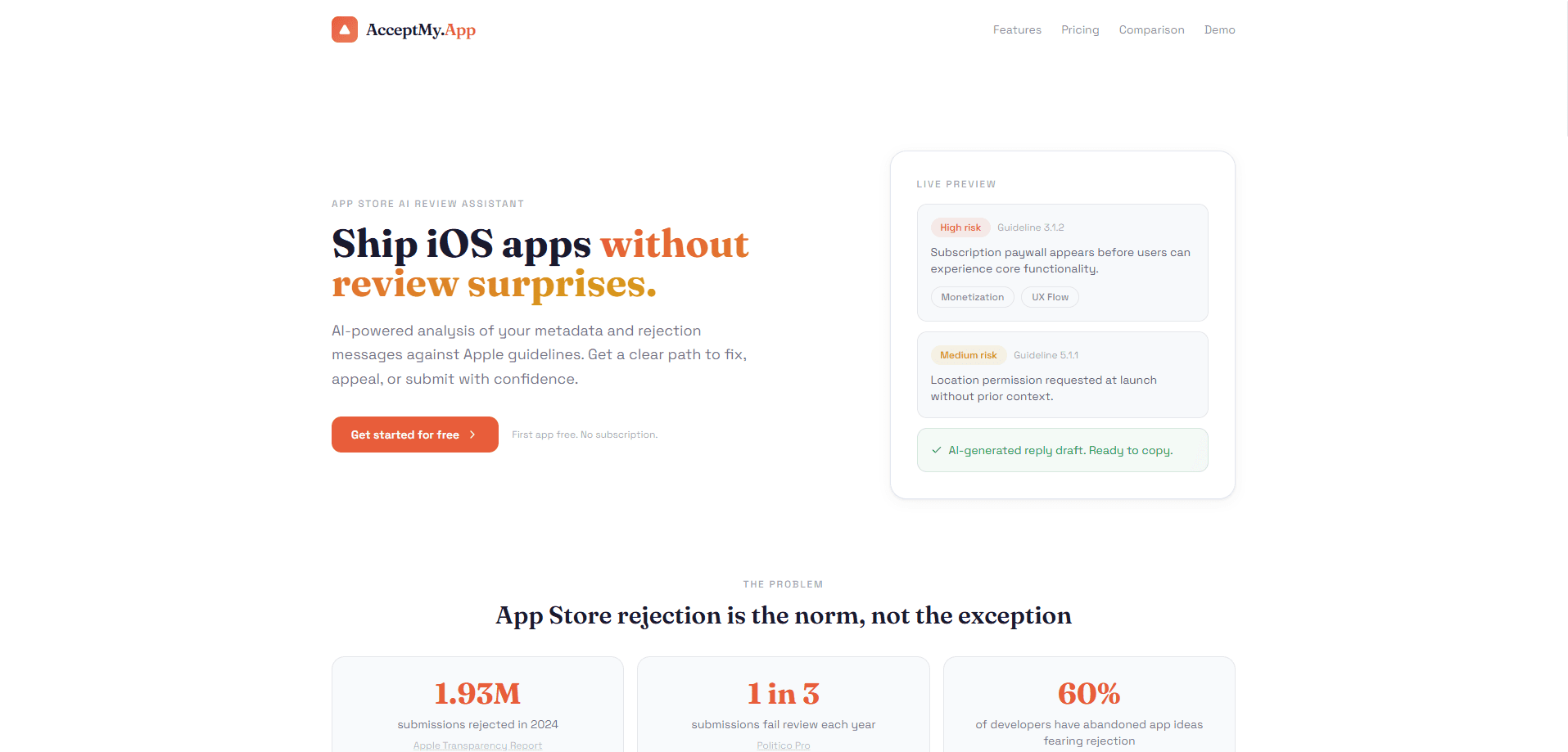
AcceptMyApp is an AI review assistant for iOS developers who want to clear App Store review on the first try. It runs pre-submission checks against Apple's guidelines, scores the risk areas most likely to get an app rejected, and drafts reply text for the Resolution Center when a rejection does land. The tool is a web app, so you bring your app details and metadata rather than installing anything on your Mac. If you've ever waited a week just to hear the build was bounced, this is built for you. It works as an AI app review tool that doubles as an App Store review assistant.
About AcceptMyApp
What Is AcceptMyApp
AcceptMyApp is a web-based app review tool built for iOS developers. The premise is simple: most rejections come from a small set of recurring problems, and those problems are predictable. The service reads your app's metadata, permissions, and monetization setup, then flags the spots where Apple's reviewers tend to push back.
Not magic. Just pattern matching done well.
Its core job is turning a rejection email into a fix list. You paste in the App Review response, and AcceptMyApp explains the root cause in plain language, tells you whether to fix the issue or appeal, and hands you two draft replies you can edit and send. That's app rejection analysis without the guesswork. It saves a few nervous days per release.
The main limit is scope. This is a review-prep tool, not an App Store Connect replacement. It can't rewrite your binary. Its risk scores are guidance, not a guarantee of approval. Anything it flags still needs a human to verify against the current guidelines, since Apple updates its rules through the year.
Getting Started
- Open acceptmy.app in a browser and start a submission review. The first analysis is free, so you can test the risk scoring before paying.
- Enter your app's details: name, category, business model, and the permissions it requests.
- Paste in your metadata, or connect a GitHub repo with one-time read-only access so the Code Checker can scan Info.plist, privacy manifests, and entitlements.
- Read the scored risk areas and the safe-to-submit verdict, then work through the recommended fixes.
- If Apple already rejected the build, paste the rejection text and use the generated fix or appeal drafts in the Resolution Center.
Product Information
A quick look at AcceptMyApp's pricing, supported platforms, and performance.
Best for
The users, tasks, and scenarios where this tool fits best.
Users
- Indie iOS developers
- Small mobile teams shipping frequent updates
- Freelance app contractors
Tasks
- Pre-submission risk checks
- Source code review
- Metadata rewriting
- Appeal drafting
Scenarios
- First-time App Store submissions from solo developers
- Resubmitting after a rejection when you're unsure whether to fix or appeal.
- Auditing an app's permissions before a major release to avoid a Guideline 5.1.1 flag.
Key features
Pre-submission Checklist
AcceptMyApp builds a personalized checklist that mixes universal App Store requirements with items tailored to your app's features, permissions, and business model. It covers screenshots, metadata, age ratings, and privacy declarations, then adds app-specific items you can tick off as you go. The point is simple. It stops you from submitting with a gap you didn't notice.
AI Risk Analysis
Think of it as an iOS app review checker that runs before Apple's own review does. The risk analysis surfaces guideline problems before you submit, focusing on the monetization, permission, and metadata issues that quietly trigger rejections. Each flagged area gets a score, and the tool ends with a safe-to-submit verdict. You see concrete examples, like subscription terms that aren't visible before the paywall (Guideline 3.1.2) or competitor names hiding in your keywords (Guideline 2.3.7).
Code Checker
Grant one-time, read-only access to a GitHub repo and the Code Checker scans the source for review traps. It looks at Info.plist, privacy manifests, and entitlements, then flags things like a camera purpose string that says "We need access" without explaining why. That kind of vague string is a common Guideline 5.1.1 rejection. It's also easy to miss when you wrote the string yourself.
Review-friendly Metadata Rewrites
The tool rewrites your title, subtitle, and keywords so they read clearly and stay within Apple's character limits. It shows your current copy side by side with the suggestion, so you can see exactly what changed. Since keyword stuffing and unrelated brand terms fall under Guideline 2.3, a cleaner metadata pass removes a whole class of metadata rejections. Small edits. Big effect on your odds.
Rejection Analysis and Reply Drafts
Paste Apple's rejection and AcceptMyApp gives you the root cause in plain language, guidance on whether to fix or appeal, and two ready-to-send reply drafts for the Resolution Center. The drafts acknowledge the feedback and spell out the changes you made, which is the structure reviewers expect. You still edit them. But you're not starting from a blank page.
Personalized Guidance Grounded in Apple Guidelines
The guidance is written against Apple's official guidelines, which the tool tracks as they update. That matters. The rules shift through the year, and advice built on last season's guidelines can send you in the wrong direction. Treat the output as a strong starting point and verify anything specific before you rely on it.
Pros and cons
Pros
- Covers the full loop, from pre-submission checks to appeal drafts, in one web tool.
- The Code Checker catches vague permission strings and missing privacy manifests that are easy to overlook.
- First analysis is free, so you can judge the risk scoring before paying.
- Side-by-side metadata rewrites respect Apple's character limits instead of just suggesting keywords.
Cons
- It's guidance, not a guarantee. A clean score doesn't mean Apple approves the build.
- The Code Checker needs GitHub access, which won't help if your source lives elsewhere.
- Risk scores lean on patterns, so a niche app with unusual permissions may get flagged for things that turn out to be fine.
Frequently asked questions
It checks your iOS app against Apple's App Store guidelines before you submit, scores the risk areas likely to cause a rejection, and drafts reply text if you've already been rejected. Think of it as a review prep pass, not an App Store Connect replacement. What does it replace? Nothing. It sits next to App Store Connect, not inside it.
Related content
Explore related tools, skills, and articles for AcceptMyApp.
AcceptMyApp Alternatives
Forefront
Forefront · CodingForefront is a web platform for building with open-source AI. It lets you fine-tune leading open-source language models on your own data, evaluate how they perform, and run them through an API or export them to host yourself. Developers who want the convenience of a closed-source platform but insist on owning their models and data are the target audience here.

Startkit
StartKit.AI · CodingStartkit is a boilerplate for building AI SaaS and AI wrapper products. Think of it as an AI startup boilerplate with the boring parts already wired up: authentication, Stripe and Lemon Squeezy payments, usage limits, transactional email, and an AI API starter that talks to OpenAI, Anthropic, Groq, or Llama. You clone the repo, set your price, and start on the part of your product that people actually pay for. It's Next.js under React and Tailwind, so most of the boilerplate code already feels familiar.
Testim
Tricentis · CodingTestim is an AI-powered test automation platform for building and running end-to-end tests across web, mobile, and Salesforce applications. It leans on machine learning to keep tests stable when an interface changes, so teams spend less time fixing broken selectors. Not bad for an automated testing tool you can start using today. You create tests by recording actions in a browser, then optionally add JavaScript when you need more control. It's a solid pick for busy QA teams.