

accessiBe
accessiBe · Coding
accessiBe is an AI web accessibility tool that audits sites and applies automatic code fixes to help them meet WCAG 2.2 AA and ADA standards.
About accessiBe
What Is accessiBe
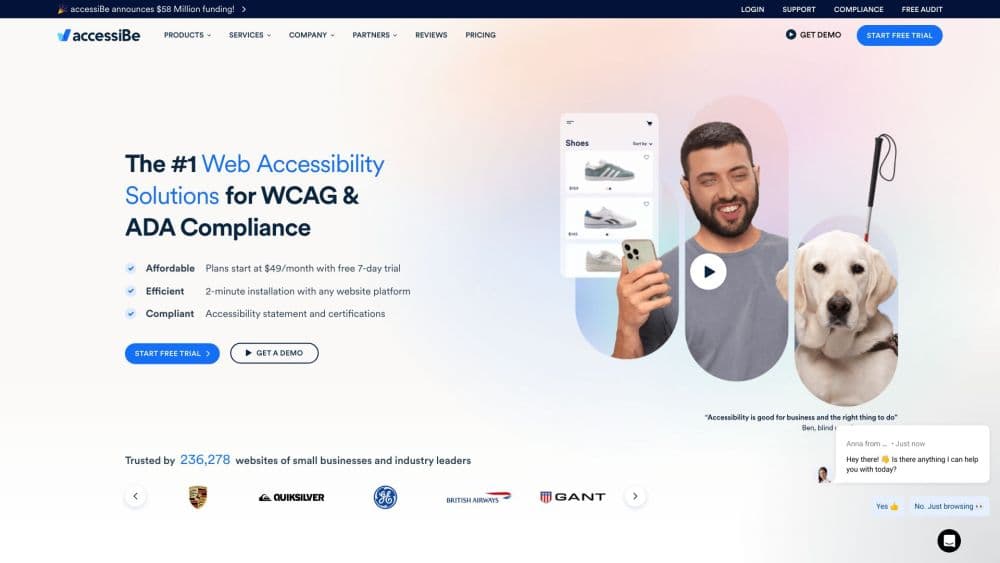
accessiBe is a web accessibility platform, and its ADA compliance software is built for site owners who need to meet digital accessibility rules without hiring a full audit team. Its two products split the job in two. The accessWidget is the visitor-facing piece: a website accessibility widget installed on a site that adjusts contrast, text size and navigation for people with disabilities. The accessFlow is the developer-facing piece: a platform that finds accessibility problems inside the code and helps teams fix them.
The company is based in Israel and was founded in 2018. It has become one of the most widely used names in the "overlay" corner of accessibility, with accessWidget installed on more than 100,000 websites. That reach is also why it draws scrutiny. Overlays are a contested approach: disability advocates argue that a script running on top of a page can't repair the underlying markup. A 2025 FTC action put real weight behind that debate. The FTC found that accessiBe overstated how fully accessWidget delivered compliance, and that it passed off company-written reviews as independent. accessiBe paid $1 million to settle and agreed to change how it advertises.
The practical takeaway for buyers is narrow but important. accessiBe can shave real time off finding and fixing common accessibility issues, and its own documentation is unusually candid about what it won't touch. It can't caption videos, fix PDFs, or repair content locked inside third-party iframes and CAPTCHAs. For a business that wants a running start rather than a finished job, that scope matters more than the marketing.
Getting Started
- Run your site URL through accessiBe's free accessibility checker to see a rough issue count before paying.
- Sign up and pick a plan sized to your monthly traffic, then install accessWidget by pasting a short script or using the plugin for your CMS.
- Wait up to 48 hours for the first AI audit and remediation pass, then review the accessibility statement the platform generates.
- For code-level fixes, connect accessFlow to your repository or IDE through its MCP integration and SDK to catch new issues in staging.
Product Information
A quick look at accessiBe's pricing, supported platforms, and performance.
Best for
The users, tasks, and scenarios where this tool fits best.
Users
- Small business owners
- Frontend and QA teams
- Agencies managing multiple client sites
Tasks
- Running a first-pass accessibility audit
- Reducing manual remediation work
- Tracking compliance over time
Scenarios
- A WordPress or Shopify store that wants visible accessibility controls for shoppers with low vision or motor impairments.
- A product team shipping frequently that needs accessibility checks to run alongside every release.
- A company responding to a demand letter that needs documentation of remediation efforts.
Key features
Automated audit and remediation
accessWidget scans a site shortly after installation and applies code-level fixes to markup, ARIA attributes and alt text. The remediation targets WCAG 2.2 Level AA criteria, and the platform re-scans every 24 hours to catch new content. Setup is meant to take minutes, with results appearing within 48 hours.
AI accessibility assistant
On Growth Plus plans and above, visitors can describe what they need in plain language and the assistant answers. It can enlarge text, raise contrast, summarize a page, or guide someone to a specific element. The full settings menu and preset profiles stay available for people who prefer to pick adjustments directly.
accessFlow for developers
accessFlow moves accessibility checks into the development cycle with automated audits and ready-to-commit code fixes. Its MCP integration brings detection into the IDE, and the SDK runs checks in local and staging environments so issues get caught before they reach production.
Accessibility profiles and adjustments
Visitors pick profiles built for specific needs: screen reader support, keyboard navigation, cognitive support, seizure-safe mode, low-vision adjustments and an ADHD-friendly layout. These let a user reshape a page's presentation without changing the underlying code.
Litigation support package
Growth, Scale and Enterprise plans include litigation support with a dedicated case manager, advice from an ADA attorney and documentation of remediation. This is aimed at businesses that have received a demand letter or want a defensible record of their efforts.
Free accessibility checker
Before committing to a paid plan, anyone can run a URL through accessiBe's checker to get a sense of how many issues a site has. It works as a low-stakes way to gauge whether the platform is worth a closer look.
Compliance documentation
The platform produces a personalized accessibility statement, audit reports and an impact report showing widget loads and the most-used adjustments. These give teams something concrete to show clients, auditors or legal teams.
Pros and cons
Pros
- Fast to deploy, with a script or CMS plugin that takes minutes to install and up to 48 hours to produce results.
- Two products cover both the visitor-facing layer and the developer workflow, so one vendor can serve marketing and engineering.
- Publishes an explicit excluded issues list, which lets buyers judge fit honestly before committing.
- Higher plans bundle litigation support, documentation and manual testing with certified experts.
- SOC 2 compliance and 33 built-in languages make it usable for organizations with regulatory and multilingual needs.
Cons
- It can't fix every issue. Videos, PDFs, iframes, CAPTCHAs and non-QWERTY keyboard layouts fall outside its scope, so the underlying site still needs manual work.
- Automatic overlays are disputed. Many accessibility professionals argue a widget alone can't guarantee compliance, and relying on one can raise legal risk rather than lower it.
- Pricing scales with monthly visits, so high-traffic sites move quickly into the custom Enterprise tier.
- The 2025 FTC settlement over overstated claims and undisclosed reviews is a reason to treat marketing language on any overlay with caution.
Frequently asked questions
No automated tool can guarantee full compliance on its own, and accessiBe's own excluded issues list names things it can't fix. It remediates many WCAG 2.2 AA issues automatically, but captions, PDFs and third-party embedded content still require manual work.
Related content
Explore related tools, skills, and articles for accessiBe.
accessiBe Alternatives

Base Code
Base44 (Wix) · Coding · ProductivityBase Code is a shared cloud development environment from Base44. Teammates describe changes to an existing GitHub codebase in chat, preview them live and send them back as pull requests.

Google EmbeddingGemma 2
Google DeepMind · Writing · Image · CodingGoogle EmbeddingGemma 2 is a 740M-parameter open model that turns text, code, images, audio, and video frames into vectors in one 768-dimension space, running on phones and laptops.

GitGlow
GitGlow · Coding · ProductivityGitGlow is a local-first desktop Git client that lets independent developers review their own code and their AI agents' changes in one place before shipping.