

ACE Studio
TimeDomain, Inc. · Voice & Language
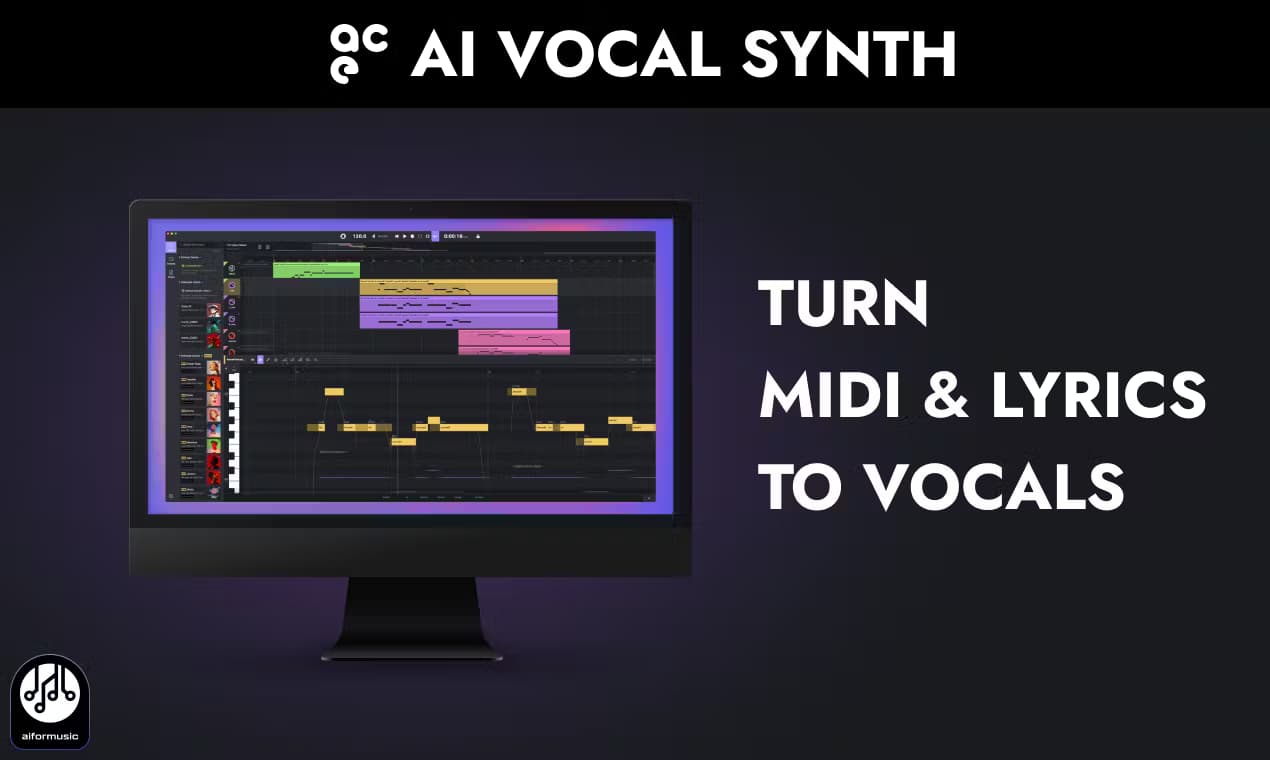
ACE Studio is an AI music workspace that turns MIDI and lyrics into royalty-free singing vocals, aimed at producers and songwriters.
About ACE Studio
What Is ACE Studio
ACE Studio is a desktop AI music studio built by TimeDomain, Inc. It generates singing vocals from MIDI notes and typed lyrics, so you can write a melody, pick a voice, and hear a full performance without hiring a session singer or renting a sample library. The voices are royalty-free, and the company says every one is trained on licensed recordings from artists who get paid when their voice is used commercially.
It's grown well past a single vocal tool. ACE Studio 2.0 bundles AI instruments, voice cloning, stem separation, a music generator, and video scoring into one workspace. Producers use it to build backing tracks, demo songs with real-sounding vocals, or replace a rough scratch take with something that finally sits right in a mix.
The main catch is what it isn't. This is a singing tool, not text to speech, and there's no mobile app. The final vocal rendering runs on ACE Studio's cloud, so you need an internet connection to finish a track. You can still edit your session offline.
Getting Started
- Download the ACE Studio desktop app for Mac or Windows and sign in, then start the free trial.
- Create a project, add an instrument track, and import or draw your MIDI melody.
- Type your lyrics into the vocal track below the notes and pick a voice from the library.
- Shape the performance with pitch curves, breath controls, and vocal envelopes until it sounds right.
- Export the vocal stem, or sync it back into your DAW through the ACE Bridge plugin.
Product Information
A quick look at ACE Studio's pricing, supported platforms, and performance.
Best for
The users, tasks, and scenarios where this tool fits best.
Users
- Songwriters and bedroom producers who want vocals on a demo without booking a singer or renting a sample pack.
- Professional producers scoring client work who need royalty-free stems they can clear for commercial release.
- Video and game creators looking for custom vocals or instruments that match a specific mood.
Tasks
- Turning a MIDI melody and written lyrics into a finished lead vocal or backing harmony.
- Cloning your own voice into a singing model so you can perform parts you can't sing live.
- Splitting a finished song into stems and converting an existing vocal line back into editable MIDI and lyrics.
Scenarios
- Building a quick demo at night when you can't record live vocals without waking the neighbors.
- Drafting an opera, pop, or kids-choir arrangement to test how a hook lands before committing studio time.
- Laying down a scratch track in your DAW, then swapping in a polished AI vocal before the client deadline.
Key features
Vocal Synthesis from MIDI and Lyrics
This is the core of the product. You feed it a melody as MIDI plus lyrics as text, and it sings them back with phrasing, vibrato, and breath that follow the tune in a way that sounds less like a machine and more like a take you'd actually keep. Because you control the notes directly, you can rewrite a line, change its timing, or swap a syllable without re-recording anything. Simple as that. The company's own materials describe it as SVS technology, meaning it builds vocals rather than simply swapping an existing voice onto audio.
Royalty-Free AI Voice Library
The voice library covers pop, R&B, jazz, folk, bel canto, kids, and cinematic styles, and the site advertises 100+ voices across 8 languages. As an AI vocal synthesizer, it renders each of those voices on demand rather than shipping fixed samples. Every pre-made voice is royalty-free, so vocals you generate can go into commercial releases, client projects, or content without extra fees or attribution. That licensing model matters if you sell your music. It removes a chunk of clearance work. Sell a track, keep the rights, no paperwork.
AI Voice Cloning
Voice cloning lets you turn your own recordings into a custom singing model. You upload clean samples, the system trains on how you sing, and the result sings in your voice across styles. It's built for people who have a sound in their head but can't hit the notes live. Neither can I. Unlike some cloning tools, it uses consented, licensed data. The feature isn't available for plain speech, only singing.
ACE Bridge Plugin for DAWs
The ACE Bridge plugin drops ACE Studio into your existing workflow as a VST3, AU, or AAX plugin. You trigger vocals and instruments from your DAW over MIDI, and ARA link mode keeps playback and tempo synced. In plain terms, ACE Studio becomes a second window of your DAW instead of a separate app you export files out of. No bouncing files back and forth.
AI Instruments
Beyond vocals, the workspace generates instrument parts such as strings and violin. You input MIDI and the AI renders a performance; producers use it to fill out an arrangement when they don't have a real player on hand. It plugs into the same MIDI workflow as the voices, so the learning curve is shared. Same notes, new sound.
Stem Splitter and Vocal to MIDI
Upload an existing track and the Stem Splitter pulls it apart into separate parts, including the vocal. From there, Vocal to MIDI converts that vocal line into editable notes and lyrics. Remixing gets easy. It's the feature that makes remixing and re-singing possible: you can take a finished song and rebuild it, change the key, or layer harmony on top of what's already there without ever tracking a new take.
Pros and cons
Pros
- Royalty-free, licensed voices mean generated vocals can ship in commercial tracks without extra clearance.
- MIDI-plus-lyrics workflow keeps every note and syllable editable, unlike voice-changer tools that only swap timbres.
- ACE Bridge (VST3, AU, AAX) keeps it inside your DAW, so you don't break an existing production setup.
- Bundles vocals, instruments, cloning, and stem separation in one subscription instead of four separate tools.
Cons
- Final vocal rendering happens in the cloud, so an internet connection is required to finish a track.
- No mobile app and no Android version, so it's desktop-only for now.
- Custom voice cloning needs clean, unprocessed samples, and messy recordings give weak results.
Frequently asked questions
It generates singing vocals from MIDI and lyrics, and also offers AI instruments, voice cloning, stem separation, a music generator, and video scoring. Quite a lot. The singing voice generator is the main draw, but the workspace has grown well past that single job.
Related content
Explore related tools, skills, and articles for ACE Studio.
ACE Studio Alternatives

Foley
Hanamori Labs, LLC · Voice & Language · Productivity · AI AssistantFoley is a voice to-do list that turns a spoken sentence into a filed task, complete with project, date and time, then helps you plan the day around what is already there.

HireKey
HireKey · Voice & Language · Productivity · LeaningHireKey is an AI job search copilot built by a former tech recruiter. It checks role fit, tailors resumes, runs interview practice and tracks every application.

Fluence
Yay Software (Yannick Huchard) · Writing · Voice & Language · ProductivityFluence is an Android app that reads PDFs, EPUBs, Word files and web articles aloud, follows each sentence as it speaks, and answers questions about the text on the phone itself.