

AckeeAI
Elite Concepts, Inc. · Other
AckeeAI is a web-based all-in-one AI suite that brings image generation, writing help, speech-to-text, voice separation, and chatbot assistants together under one credit system.
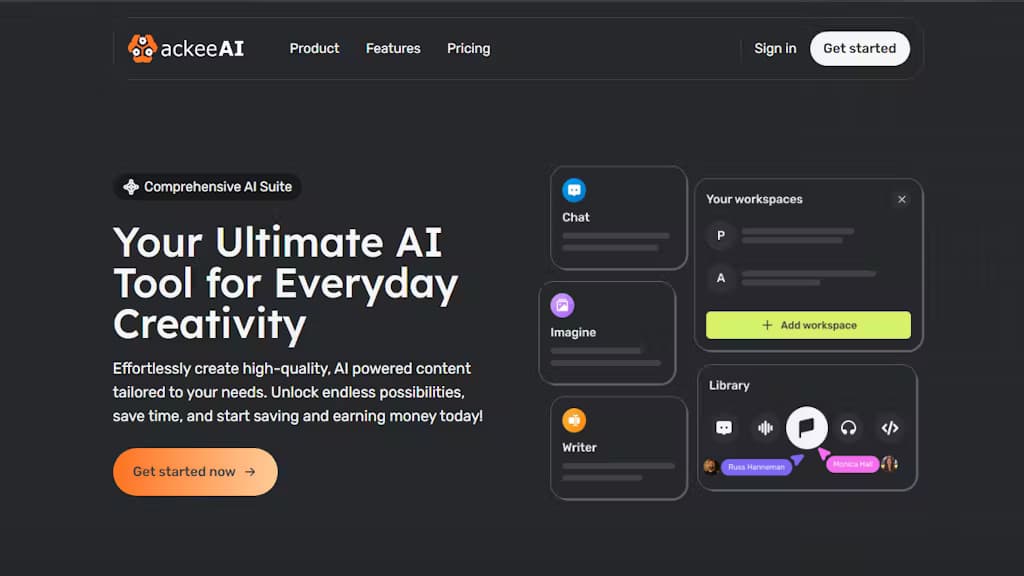
About AckeeAI
What Is AckeeAI
AckeeAI is a web platform that collects several common AI tasks in one place instead of making you sign up for five separate services. It handles text-to-image generation, writing and editing, real-time transcription, voice isolation, content moderation, and chat-based help from a single interface, and everything runs on a shared pool of credits.
The pitch is convenience. If you regularly move between an image tool, a voice tool, and a chat assistant, keeping them on one account and one billing meter saves time. The company behind it, Elite Concepts, Inc., names the ackee fruit as its inspiration and leans on the idea that AI has a helpful side and a risky side, so users should stay in control.
AckeeAI is aimed at general users rather than specialists. The features are useful for everyday content work, but the platform does not publish deep technical specs, model names, or a public developer API, so teams that need fine-grained control or programmatic access should look elsewhere.
Getting Started
- Open ackeeai.com and start a free trial to test the core tools.
- Pick the tool you need, such as the image generator, the writing assistant, or speech-to-text.
- Work on your task and spend credits as you generate images, transcribe audio, or run chat prompts.
- Track your remaining credits in the dashboard and top up or move to a paid plan when you run low.
Product Information
A quick look at AckeeAI's pricing, supported platforms, and performance.
Best for
The users, tasks, and scenarios where this tool fits best.
Users
- Everyday creators who want one login for images, text, and audio instead of juggling several subscriptions.
- Writers and students who need a writing assistant beside a speech-to-text tool for turning lectures or interviews into text.
- Podcasters and video editors who want to pull clean voice from noisy recordings before editing.
Tasks
- Turning a text prompt into an image
- Turning speech into text in real time
- Checking text for harmful content
Scenarios
- A freelancer who needs several AI tools but does not want to pay for four separate services.
- A student processing recorded lectures into notes without leaving one browser tab.
- A small team drafting content and images for a campaign with a single shared credit pool.
Key features
AI Image Generator
You describe what you want in text and the tool returns an image, which the site calls your gateway to creative exploration. It covers the basic text-to-image job, so you can sketch out concepts or make visuals for posts without a separate design subscription.
AI Writing Assistant
The writing tools help you draft and speed up text, and the site positions it as a writing tool people actually keep using. It targets the usual jobs like beating a blank page and tightening drafts, not long-form publishing pipelines.
Real-Time Speech to Text
The transcription tool converts speech to text as it happens, which the company says boosts productivity and improves accessibility. It fits meetings, voice notes, and any case where typing gets in the way.
Voice Separation
This tool pulls voice apart from background noise rather than just lowering the volume. It is the standout audio feature, and the site lists it as a unique capability, useful when a recording has music or ambient sound behind the speaker.
Content Moderation
The platform can flag content as potentially harmful across several categories. It is a review aid for catching risky text before publishing, and it sits alongside the creative tools rather than replacing a dedicated trust-and-safety system.
Chat Assistants
A set of chatbots lets you interact with an assistant to brainstorm, improve content, or just chat. This is the most general-purpose part of the suite, and it works the way most chat tools do: you pick an assistant and start a conversation.
Pros and cons
Pros
- Bundles images, writing, transcription, voice separation, and chat in one account, which cuts the number of tools you juggle.
- A single credit pool and one meter make costs easier to follow than several separate subscriptions.
- The free trial lets you test the core tools before paying anything.
- Voice separation and real-time transcription are strong pickups for a general-usage suite.
- Runs in the browser, so there is nothing to install and no device lock-in.
Cons
- The platform does not publish model names, quality benchmarks, or technical specs, so it is hard to judge output quality before trying it.
- There is no public developer API, which rules it out for teams that need programmatic access.
- Pricing is credit-based, so heavy image or transcription use can eat through credits quickly.
- The suite spreads across many tasks, so it may not match a specialist tool for any single job.
Frequently asked questions
AckeeAI is a web-based all-in-one AI suite. It groups image generation, writing help, speech-to-text, voice separation, content moderation, and chat assistants into one platform with a shared credit system.
Related content
Explore related tools, skills, and articles for AckeeAI.
AckeeAI Alternatives

Odyssey 3
Odyssey · OtherOdyssey-3 is Odyssey's foundation world model. It simulates physics in real time, turns a prompt into an interactive environment, and adapts to robots, cars and games.

JarvisCore
Prescott Data · Coding · Productivity · OtherJarvisCore is an open source Python runtime where AI agents work as equal peers on an agent mesh, claim tasks from a shared ledger, and reach external services through a zero-trust broker.
Clef
Cloudflare · Business · OtherClef is Cloudflare's open-source decision model for Workers AI. It returns calibrated probabilities for typed questions, not generated text, so agents can classify, route, and act fast.