

Actionize
Actionize AI · Coding
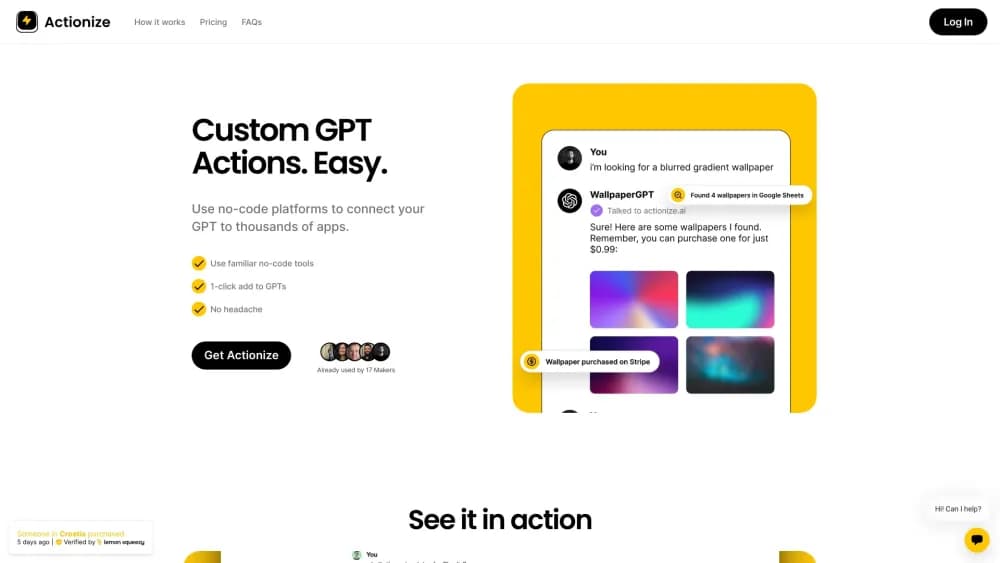
Actionize gives custom GPTs real Actions without hand-writing OpenAPI schemas. You build the task in Zapier or Make.com, describe it in Actionize, then export a schema you paste into the GPT builder.
About Actionize
What Is Actionize
Actionize is a small web app that sits between a custom GPT and the no-code automation you already run. OpenAI lets a GPT call outside services through Actions, but every Action needs an OpenAPI description of the endpoint, its parameters and its response. Most people stop there. Actionize writes that description for you from a plain form.
The product calls itself the glue between a GPT and thousands of apps, and for the current build that's fair. You still create the working automation in Zapier, Make.com, n8n, ActivePieces, Pabbly, Albato or IFTTT, and that platform still handles the actual conversation with Gmail, Notion, Airtable or your CRM. Actionize covers the layer in front of it: the endpoint, the schema and the wording the model reads when it decides whether to fire the Action.
The catch is the alpha label. Direct integrations are listed as coming soon, so today every Action leans on a second subscription and on your grasp of that platform's builder. If you already run automations, that's a short step. If you don't, the setup moves work around rather than removing it.
Getting Started
- Build the workflow in your automation platform and copy the webhook URL or endpoint it exposes.
- Open Actionize, create an Action and paste that URL. Write a short description of what the Action does, in the same language you'd use with a colleague.
- List the inputs the model should fill in, such as an email address or a project name, and mark which ones are required.
- Press export, copy the generated schema, and paste it into the Actions section of the GPT editor. Then test it with a real prompt and tighten the description if the model picks the wrong Action.
Product Information
A quick look at Actionize's pricing, supported platforms, and performance.
Best for
The users, tasks, and scenarios where this tool fits best.
Users
- Solo GPT builders
- Automation consultants
- Small teams with a shared automation account
- Tinkerers in the GPT Store
Tasks
- Connecting a GPT to a CRM
- Turning a GPT into a task creator
- Sending mail from a chat
- Prototyping an assistant for a client
Scenarios
- A content marketer wants a GPT that files research into Notion
- A support lead needs a GPT that checks order status
- A developer is wiring a GPT into the Assistants API
- An agency ships five client GPTs a month
Key features
No-Code Action Builder
The core screen is a form, not an editor. You name the Action, paste the endpoint, write a description and add parameters. Actionize assembles the request body and the response shape behind the scenes, so no-code GPT actions take minutes rather than an evening with the OpenAPI docs. This is the part that decides whether a non-developer can finish the job.
One-Click OpenAPI Export
When the Action is ready, one click produces a schema snippet sized for the GPT editor. Think of it as an OpenAPI schema generator tuned for GPTs: You paste it into the Actions panel in ChatGPT and the model can call your workflow. The export keeps every Action in a single document, which matters once a GPT has four or five of them and you don't want to stitch JSON by hand.
Works With Your Existing Automation Stack
Actionize doesn't replace Zapier, Make.com or n8n. It feeds them. Any service that exposes a webhook can sit behind an Action, and the supported list covers the common platforms: Zapier, Make.com, ActivePieces, n8n, IFTTT, Albato and Pabbly. For teams already paying for one of those, this is the shortest path to connect GPT to apps you use daily.
Plain-Language Descriptions the Model Understands
A GPT decides which Action to call by reading the description you wrote, so vague wording produces wrong calls. Actionize keeps that text next to the endpoint, which makes it easy to revise after a failed test. A Zapier GPT integration that misfires usually needs one clearer sentence, not new code.
Action Library per GPT
Every GPT gets its own set of Actions inside the workspace. You can keep a shared library for common jobs, like logging a row or sending a Slack note, and attach it to new builds. That's the practical difference between a one-off experiment and a repeatable gpt action builder for client work.
Assistants API Support Without ChatGPT Plus
Creating a GPT with Actions normally requires a paid ChatGPT plan. Actionize also works with the Assistants API, so a developer can test the same schema without a Plus subscription. That opens the door to internal tools and prototypes that never touch the ChatGPT interface.
No Stored Data
Actionize relays the request between your automation platform and the model and states that it doesn't store or log the payload. The actual data still lives in whichever apps the workflow touches, so your privacy posture depends on those vendors as much as on Actionize.
Pros and cons
Pros
- Removes the hardest part of custom GPT actions, which is writing and debugging an OpenAPI schema by hand.
- Sits on top of tools you may already pay for, so there's no new automation platform to learn.
- The alpha lifetime deal covers unlimited GPTs, unlimited Actions and unlimited usage for a one-time $47.
- Descriptions live beside each endpoint, which makes fixing a misbehaving Action a matter of editing a sentence.
Cons
- It's alpha software with a small team behind it, so features and pricing can shift after the subscription tier arrives.
- Nothing works without a separate automation platform, and free tiers on Zapier or Make.com impose task limits that a busy GPT will hit.
- There's no free trial or demo account, so you pay $47 before you know whether the flow fits your setup.
- Direct native integrations are still listed as coming soon, which means every Action depends on a webhook you maintain.
Frequently asked questions
It generates the OpenAPI schema that a custom GPT needs in order to call an outside service, and it hosts the endpoint that schema points to. You bring a webhook from Zapier, Make.com or a similar platform. Actionize turns it into an Action the model can use.
Related content
Explore related tools, skills, and articles for Actionize.
Actionize Alternatives

Base Code
Base44 (Wix) · Coding · ProductivityBase Code is a shared cloud development environment from Base44. Teammates describe changes to an existing GitHub codebase in chat, preview them live and send them back as pull requests.

Google EmbeddingGemma 2
Google DeepMind · Writing · Image · CodingGoogle EmbeddingGemma 2 is a 740M-parameter open model that turns text, code, images, audio, and video frames into vectors in one 768-dimension space, running on phones and laptops.

GitGlow
GitGlow · Coding · ProductivityGitGlow is a local-first desktop Git client that lets independent developers review their own code and their AI agents' changes in one place before shipping.