

Adam CAD Copilot
Adam · Coding
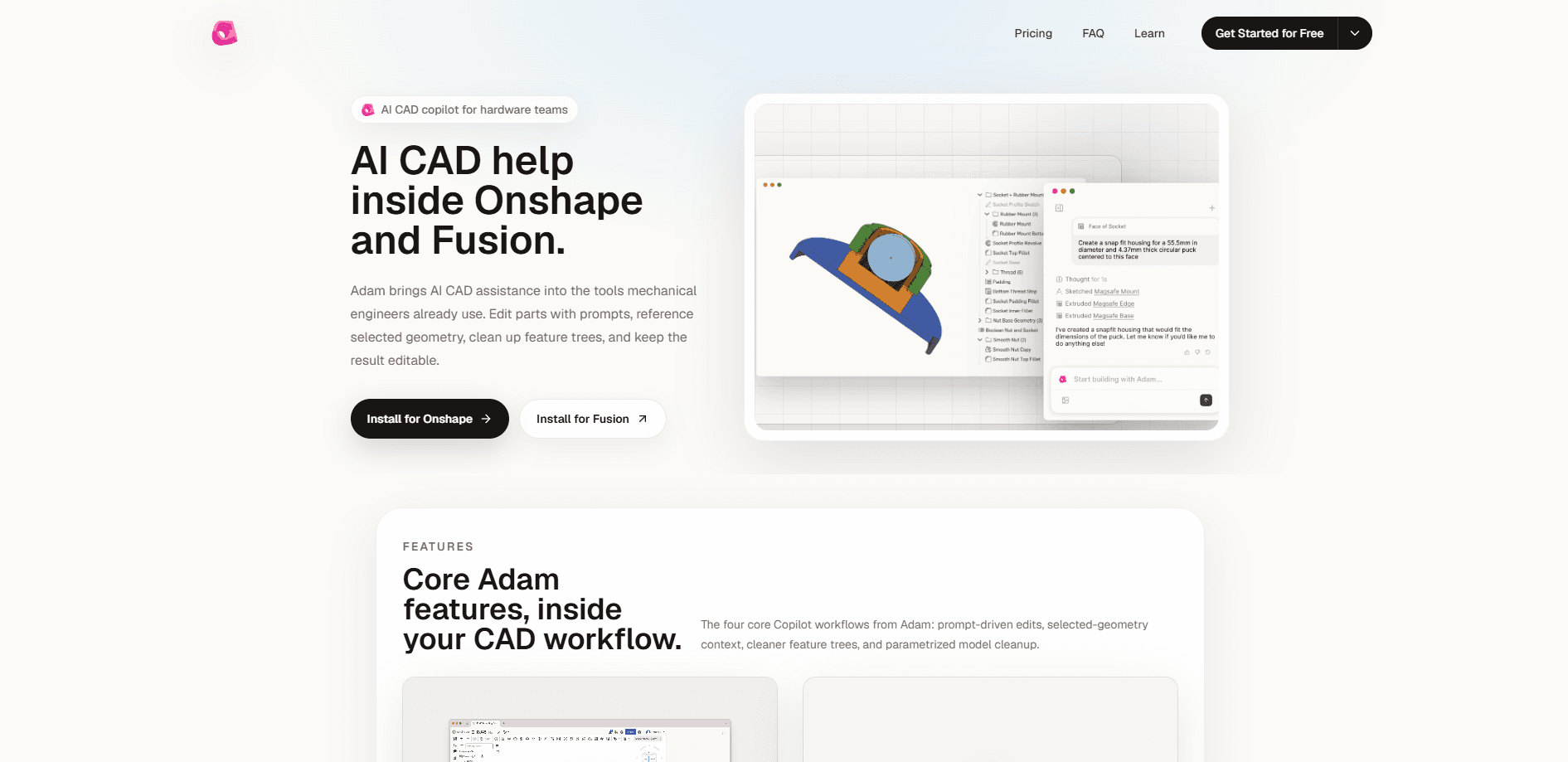
Adam CAD Copilot is an AI assistant that runs inside Onshape and Autodesk Fusion, so you edit parts by typing what you want instead of clicking through a feature tree. It reads the geometry you select as context, cleans up rough or imported models, and rebuilds them as editable parametric CAD. If you already open CAD every day, it slots into the tools you use rather than asking you to learn a new one.
About Adam CAD Copilot
What Is Adam CAD Copilot
Adam CAD Copilot is an AI CAD assistant built for engineers who work in mainstream modeling software. It doesn't replace Onshape or Autodesk Fusion. It sits inside them as a store extension or add-in and takes instructions in plain language, with the geometry you've selected as the reference for what you mean.
The pitch is narrow on purpose. CAD software is powerful but slow to drive, and the tedious part isn't design thinking. It's the feature-tree housekeeping, the re-parameterizing of a messy imported mesh, and the small edits that somehow take twenty clicks. Adam targets that work. Nothing else.
The limits matter too. Adam is a copilot for mechanical design and CAD, not a general assistant. It won't help with 2D graphic design or photorealistic rendering, and it wants a real CAD document to act on. So what does it actually do? It reads the geometry you've selected, applies the change you described in words, and leaves you with a model you can still edit. Treat it as a fast pair of hands inside Onshape or Fusion, not as a standalone modeling app.
Getting Started
- Go to adam.new and create a free account, then pick a plan if you need more usage.
- Install the extension for Onshape from the store, or download the add-in for Autodesk Fusion (installers are available for Windows and macOS).
- Open a part in your CAD tool, select the geometry you want Adam to work with, and type a prompt describing the change.
- Review the edit in the feature tree, tweak the parameters if needed, and keep modeling.
- For programmatic use, connect the MCP server or the REST API using an API key.
Product Information
A quick look at Adam CAD Copilot's pricing, supported platforms, and performance.
Best for
The users, tasks, and scenarios where this tool fits best.
Users
- Mechanical engineers
- Product designers
- CAD power users and makers
Tasks
- Prompt-driven part edits
- Cleaning up imported or rough models
- Feature-tree cleanup
- Reviewing and explaining parts
Scenarios
- Late-stage tweaks before a design review
- Reworking a supplier's STEP or mesh file
- Prototyping a variant
- Handing a model to someone else
Key features
Prompt-Driven Part Edits
You describe the change in words and Adam applies it inside Onshape or Autodesk Fusion. The selected geometry acts as context, so a prompt like "make this boss taller" points at what you've highlighted instead of guessing at the whole model. This is the core of the workflow. It's what saves the most clicks on small modifications, because a change that used to mean opening the feature tree, finding the right sketch, and editing a dimension now happens in a single sentence.
Selected-Geometry Context
Adam doesn't operate blind on the whole model. It reads whatever faces, edges, or bodies you select and uses that as the reference for the edit. Pick the right geometry. Then type. That habit is the difference between a clean result and a mess you have to undo.
Rough-to-Parametric Conversion
One of the more useful tricks is turning a rough mesh or imported model into clean parametric CAD, which is the kind of job that normally eats an afternoon of rebuilding sketches and features from scratch. If you've ever fought with a supplier file that had no usable history, this is aimed squarely at that pain.
Feature-Tree Cleanup
Adam can tidy and re-parameterize a model so it stays editable down the line, which matters most when a part has accumulated junk features or when someone else's build needs to be reshaped before you can move forward with your own changes on top of it.
Works Inside Your CAD Tool
There's no new modeling app to learn. Adam ships as an Onshape store extension and an Autodesk Fusion add-in, with installers for Windows and macOS. Your existing files stay put. Your habits stay put too.
Developer Access via API and MCP
Beyond the in-app copilot, Adam exposes a versioned REST API and an MCP server, so teams can wire CAD tasks into their own tools without asking anyone to work inside the CAD app at all. OAuth and personal API keys are supported, and public share links can be read through the OpenAPI spec, which makes it practical to pull a task's output into a build script or a review dashboard.
Pros and cons
Pros
- Lives inside Onshape and Autodesk Fusion, so there's no separate app to adopt.
- Selected-geometry context makes prompt-driven CAD edits more precise than a blind text-to-CAD tool.
- Strong at cleaning up imported meshes and re-parameterizing models that lost their history.
- Free tier exists, and the API and MCP server give developers a real integration path.
- Keeps models editable instead of producing a dead-end shape.
Cons
- Only works with Onshape and Autodesk Fusion, so SolidWorks or other CAD users are out of luck.
- It's a copilot, not a standalone modeler, and it's useless for 2D design or photorealistic rendering.
- Results depend on selecting the right geometry, which is its own skill to learn.
- Paid pricing isn't published in a machine-readable spot, so you'll need to check the site for current numbers.
Frequently asked questions
It's used to edit, clean up, and re-parameterize mechanical CAD parts from text prompts inside Onshape and Autodesk Fusion. Think of it as an AI assistant for the tedious parts of modeling rather than a full design tool.
Related content
Explore related tools, skills, and articles for Adam CAD Copilot.
Adam CAD Copilot Alternatives
Forefront
Forefront · CodingForefront is a web platform for building with open-source AI. It lets you fine-tune leading open-source language models on your own data, evaluate how they perform, and run them through an API or export them to host yourself. Developers who want the convenience of a closed-source platform but insist on owning their models and data are the target audience here.

Startkit
StartKit.AI · CodingStartkit is a boilerplate for building AI SaaS and AI wrapper products. Think of it as an AI startup boilerplate with the boring parts already wired up: authentication, Stripe and Lemon Squeezy payments, usage limits, transactional email, and an AI API starter that talks to OpenAI, Anthropic, Groq, or Llama. You clone the repo, set your price, and start on the part of your product that people actually pay for. It's Next.js under React and Tailwind, so most of the boilerplate code already feels familiar.
Testim
Tricentis · CodingTestim is an AI-powered test automation platform for building and running end-to-end tests across web, mobile, and Salesforce applications. It leans on machine learning to keep tests stable when an interface changes, so teams spend less time fixing broken selectors. Not bad for an automated testing tool you can start using today. You create tests by recording actions in a browser, then optionally add JavaScript when you need more control. It's a solid pick for busy QA teams.