

Adslibrary
Adslibrary · Marketing
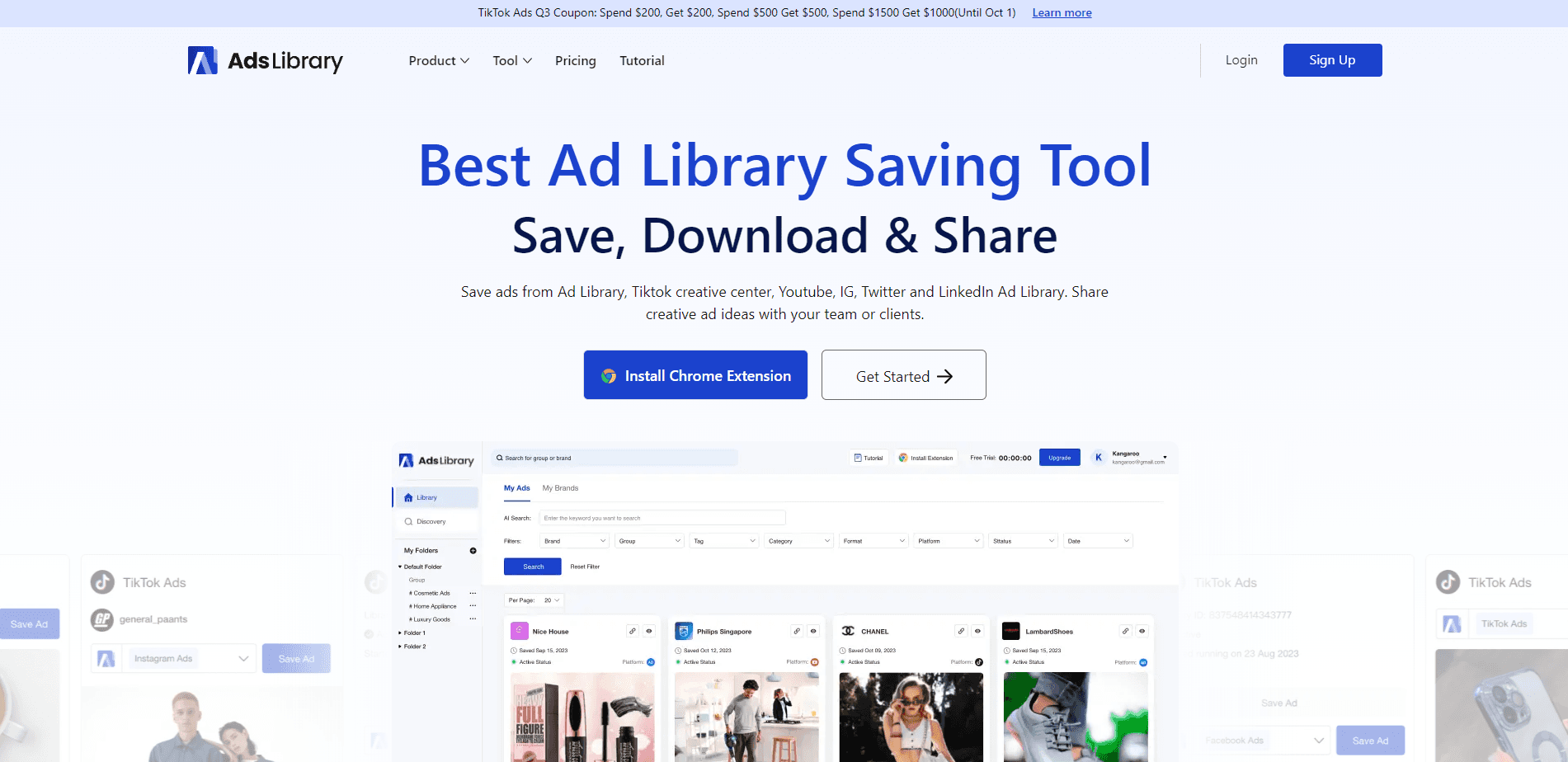
Adslibrary is a Chrome extension and web platform that saves and organizes ads from Facebook, TikTok, YouTube and Instagram, so marketing teams can build a shared ad library fast.
About Adslibrary
What Is Adslibrary
Adslibrary is an ad library tool for marketers, agencies and creative teams. It saves ads from Facebook Ad Library, TikTok Creative Center, YouTube and Instagram into one collection, then lets you search, filter and download them. The company says more than 3,000 brands use the platform, and its public discovery feed lists over 600,000 ads from 80,000 brands.
The problem it goes after is scattered research. Teams that study competitors usually keep saved ads in browser bookmarks, screenshots and Slack threads, so nobody can find the winning creative six months later. Adslibrary puts saving, tagging and sharing in one place, and adds a lobby where you can browse ads other users have saved.
Two limits matter up front. The core saving tool runs as a Chrome extension, so it works from a desktop browser rather than on mobile. And the free tier is small, with 100MB of storage and no download, discover or grouping features until you pay.
Getting Started
- Install the Chrome extension from the Adslibrary site and sign in to create your account
- Open a supported source like Facebook Ad Library or TikTok Creative Center and click Save on any ad you want to keep
- Drop saved ads into custom folders and groups so a client or campaign stays together
- Use keyword search and filters to find an ad again, or download its media and data
- Share a group with a teammate or client through a quick link
Product Information
A quick look at Adslibrary's pricing, supported platforms, and performance.
Best for
The users, tasks, and scenarios where this tool fits best.
Users
- Performance marketers
- Creative teams
- Agencies
- Small brands
Tasks
- Ad research
- Swipe file building
- Bulk download
- Client sharing
- Ad tracking
Scenarios
- Planning a new campaign
- Pitching a client
- Onboarding a copywriter
- Watching a rival launch
Key features
Save From Four Ad Networks
The extension saves ads from Facebook Ad Library, TikTok Creative Center, YouTube and Instagram in one click. You can also pull ads in from a link or upload videos and photos by hand, so nothing gets stranded on a platform you didn't cover. Everything lands in one collection instead of four tabs.
Folders, Groups and Tags
Saved ads sort into custom folders and groups, with tags and team discussion on top. A client or campaign gets its own group, so a growing library stays navigable. That structure is what makes the third month of saving more useful than the first.
Keyword Search and Filters
The library has keyword search for brand names and ad copy, plus filters for category, platform and format. An AI search option helps when you can't recall the exact words. Finding a specific ad should take seconds, not a scroll through hundreds of thumbnails.
Bulk Download of Media and Data
You can download the media and the data behind saved ads, either one at a time or in bulk from TikTok Creative Center. High-quality exports mean you can drop an ad straight into a mood board or a competitor report. Bulk download is a paid feature, not something the free tier includes.
Active Status Tracking
Adslibrary keeps checking whether a saved ad is still running and records how long it has been live. Long-running ads are a decent signal of what's working, so the running time turns a flat library into a read on performance. It runs in the background once an ad is saved.
Discovery Feed and Screenshots
A shared discovery feed shows ads saved by the wider community, so you can browse 600,000-plus creatives from 80,000 brands for ideas. A screenshot tool saves whole web pages, useful when a landing page matters as much as the ad. It's the research layer most swipe files never build.
Pros and cons
Pros
- Saves from Facebook, TikTok, YouTube and Instagram in one place, so research stops living in four tabs
- Search by brand or copy plus filters makes a large library usable months later
- Group links let you show a client the exact ads you're talking about
- Discovery feed opens access to 600,000-plus ads from 80,000 brands for inspiration
- Active status tracking adds a running-time signal on top of a plain saved list
Cons
- Runs as a Chrome extension, so there's no mobile saving and you're tied to a desktop browser
- The free plan holds only 100MB and blocks download, discovery and grouping, so most of the value needs a paid tier
- Bulk download and full ad data are split across paid levels, which can push a small team up a plan
- No public API, so pulling the library into another tool isn't an option
Frequently asked questions
Adslibrary saves ads from Facebook Ad Library, TikTok Creative Center, YouTube and Instagram into one searchable library through a Chrome extension. You can organize saved ads into folders and groups, search them by brand or copy, download their media and data, and share a group with a teammate or client.
Related content
Explore related tools, skills, and articles for Adslibrary.
Adslibrary Alternatives

ngram 2.0
ngram · Video · Marketingngram 2.0 is an AI video generator for teams. It turns a prompt, a screen recording, or a product URL into a narrated explainer, product demo, or AI avatar video, and every scene stays editable.

shippedit.me
Krawlup · Marketing · Businessshippedit.me now redirects to Krawlup, a web platform that audits SEO, AEO and page speed every week, then hands the fixes to AI coding agents over MCP.

MePersona
MePersona, Inc. · Writing · Productivity · MarketingMePersona is an AI unified inbox for creators. It learns your voice, drafts replies to fan messages from 12 platforms, and sends only what you approve.