

Afforai
Afforai (now Logically) · Other
Afforai is an AI reference manager and research assistant that stores your papers, generates citations in thousands of styles, and helps you write with citations. It now runs as Logically.
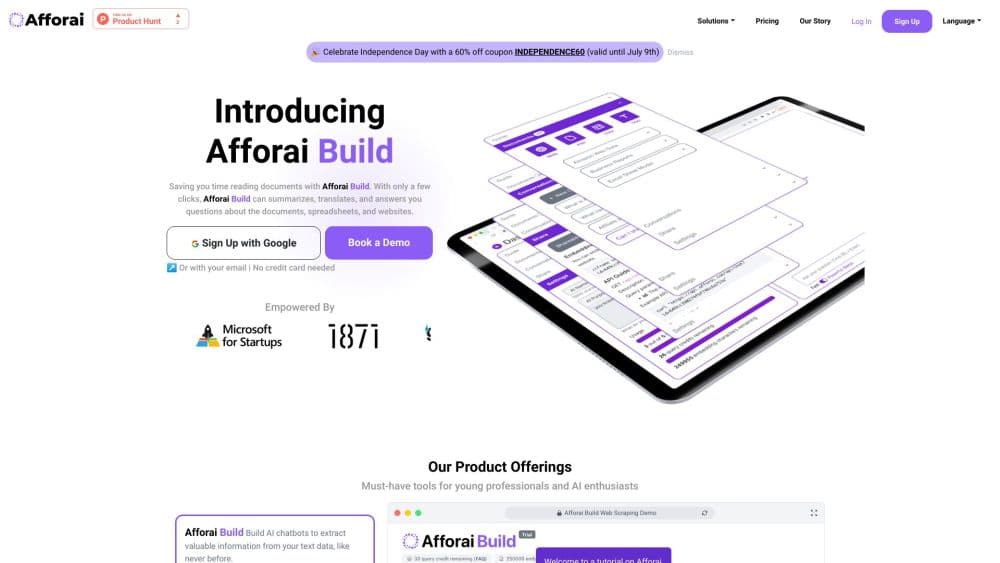
About Afforai
What Is Afforai
Afforai started as a citation manager with an AI research assistant built in. You upload your papers, and the tool keeps them in one place while answering questions about them, pulling quotes, and drafting text that cites what you have on file. The company rebranded the product under the name Logically, and the original afforai.com address now points there.
The problem it targets is familiar to anyone who has written a long paper. References pile up in one app, notes live in another, and the writing happens somewhere else entirely. Afforai folds those steps together so that a source you add can be quoted, summarized, and cited without leaving the workspace. It also reaches outside your own library, using an academic search mode to surface new papers on a topic.
The main catch is that the useful parts sit behind a paywall. The free plan hands you a handful of AI actions per day and 100MB of storage, which runs out fast if you annotate a lot of PDFs. Heavy researchers will need a paid seat, and the tool works in the browser only, since there's no desktop or mobile app.
Getting Started
- Create a free account with an email address, using a university address if you want the student discount.
- Upload references by dragging in PDFs, or by adding a URL, DOI, DOCX, EPUB, or plain text file. The tool reads the metadata for you.
- Sort papers into folders and tags, then share a folder with collaborators if you work in a group.
- Open any paper to annotate it, highlight passages, or ask the AI to summarize a section.
- Start writing in the document editor, where AI autosuggest drafts text and attaches citations from your library as you go.
Product Information
A quick look at Afforai's pricing, supported platforms, and performance.
Best for
The users, tasks, and scenarios where this tool fits best.
Users
- Students
- Academic researchers
- Writers working from sources
Tasks
- Building a bibliography
- Finding more papers on a topic
- Annotating and summarizing PDFs
Scenarios
- Prepping a literature review for a thesis
- Group projects and co-authored papers
- Switching over from another manager
Key features
AI Research Assistant
Ask questions about the papers you've uploaded and get answers with citations pointing back to the source. It reads across the documents in a library, so you can compare findings instead of scrolling through each PDF by hand.
Citation Generator
Create citations in more than 10,000 styles, from APA and MLA to niche journal formats. Bibliographies build automatically as you write, which cuts the fiddly work that tends to eat an afternoon before a deadline.
Document Writer with AI Autosuggest
Write in the editor and let AI autosuggest continue your sentences, attaching relevant citations as it goes. You stay in control of the argument while the tool handles the mechanical work of linking claims to sources.
Reference Manager
Import references by file, URL, or DOI, then organize them into folders and tags. Metadata gets extracted automatically, and you can back up the whole library.
File Annotator
Mark up PDFs with three annotation styles, highlight the lines you care about, and download the file with your notes baked in. Annotations feed back into your documents, so what you marked while reading shows up when you write.
Shared Libraries and Collaboration
Set up a shared library so a group can add references and annotations to the same pool. Everyone sees the same sources, which removes the usual version mismatch when several people research the same topic.
Pros and cons
Pros
- Bundles a reference manager, citation tool, and writing editor in one web workspace, so you avoid juggling separate apps.
- Citation support spans 10,000+ styles and covers automatic bibliographies.
- Imports references from other managers, which lowers the cost of switching.
- AI autosuggest pulls citations from your own library rather than inventing sources.
- Student discount cuts the yearly plan in half for those with a university email.
Cons
- The free plan caps AI actions per day and storage at 100MB, so it stalls quickly on a real project.
- No desktop or mobile app, which means using it in a browser tab and dealing with an internet connection.
- The file size limit per upload sits at 25MB on the free tier, lower than what some scanned books need.
- Advanced and reasoning AI models are locked to the paid plan, so free users get the standard models only.
Frequently asked questions
Afforai is an AI reference manager and research assistant. It stores your papers, generates citations, and helps you draft writing that cites the sources in your library, which is why it tends to show up in literature review workflows.
Related content
Explore related tools, skills, and articles for Afforai.
Afforai Alternatives

Odyssey 3
Odyssey · OtherOdyssey-3 is Odyssey's foundation world model. It simulates physics in real time, turns a prompt into an interactive environment, and adapts to robots, cars and games.

JarvisCore
Prescott Data · Coding · Productivity · OtherJarvisCore is an open source Python runtime where AI agents work as equal peers on an agent mesh, claim tasks from a shared ledger, and reach external services through a zero-trust broker.
Clef
Cloudflare · Business · OtherClef is Cloudflare's open-source decision model for Workers AI. It returns calibrated probabilities for typed questions, not generated text, so agents can classify, route, and act fast.