

Agen
Agen · Coding
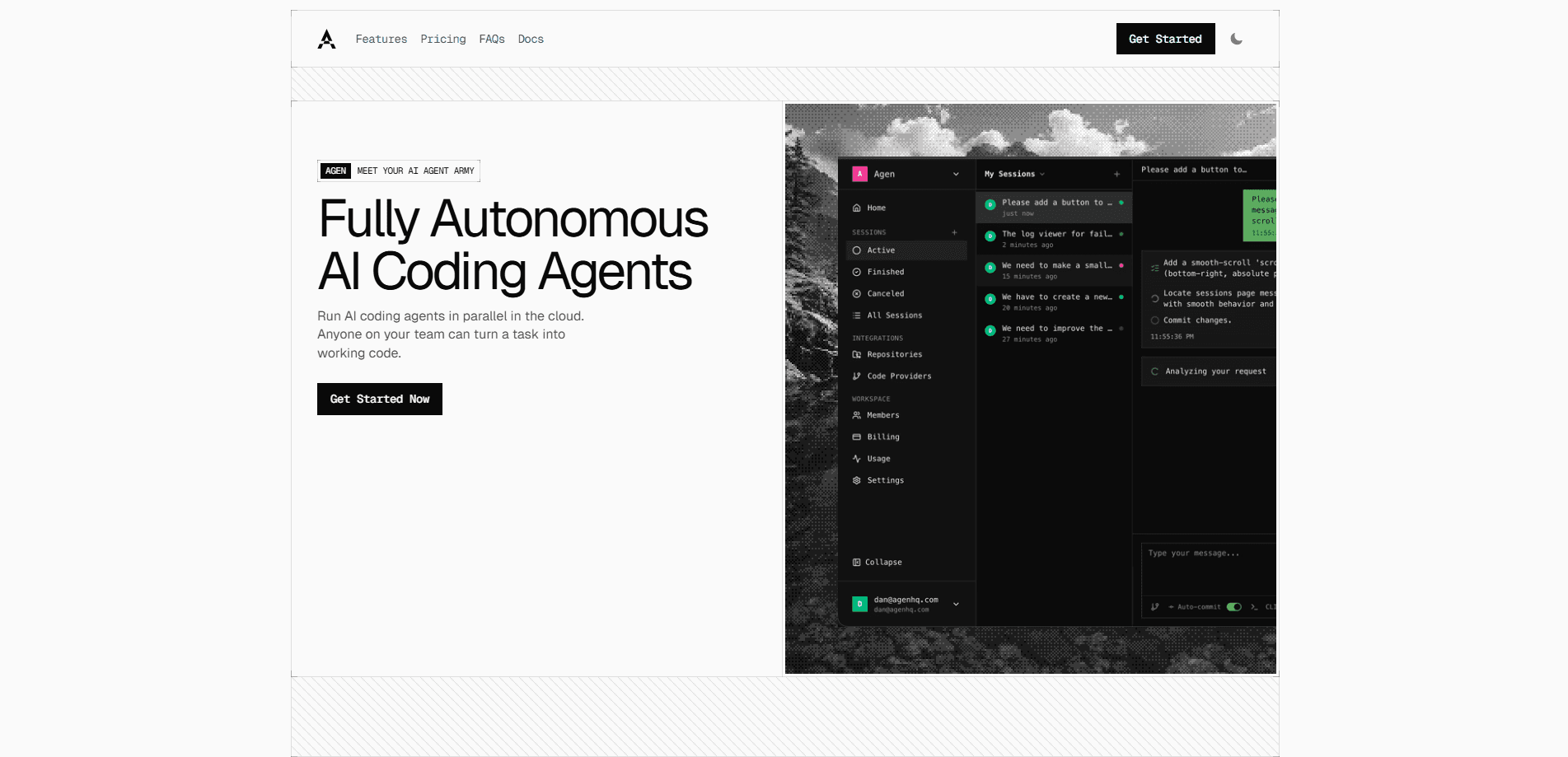
Agen is a cloud platform where autonomous AI coding agents take a plain-English task, work across your repositories, fix failing pipelines, and open merge-ready pull requests.
About Agen
What Is Agen
Agen is a browser-based platform for running autonomous AI coding agents in the cloud. You describe a task in ordinary language. An agent clones the repositories involved, reads the code, makes the edits, starts the services, and prepares a pull request you can review.
Nothing runs on your laptop. Each session gets its own isolated sandbox, so there's no IDE to configure, no dependencies to install, and no Docker image to rebuild before work starts. That matters when the person assigning the task is a product manager or a founder rather than an engineer.
What separates Agen from editor-first tools is scope. Cursor and GitHub Copilot assume you work in an IDE, and Claude Code assumes a terminal. Agen was designed around cloud execution: a single session that spans a backend repo, a frontend repo, and the infrastructure config between them. The agent makes matching changes in all three and opens one PR per repository.
The billing model deserves a look before you commit. Every plan bundles a monthly credit allowance that covers sandbox compute, model inference, and pipeline runs. Go past it and the extra usage is billed at standard rates, which is worth watching on long tasks. Agen also says SOC 2 Type II certification is in progress rather than complete, so teams with strict procurement rules may need to wait.
Getting Started
- Sign up at agenhq.com with your GitHub or GitLab account. No credit card is required, and new accounts get $20 in usage credits.
- Connect the repositories the agent may touch. Access is scoped per repository, and the agent works on a separate branch instead of your main branch.
- Write the task in the browser. Name the repos involved, describe the expected behavior, and add any acceptance criteria your team checks before merging.
- Follow the session while it runs. The agent explores the codebase, edits files, runs the app, and retries failing pipeline steps on its own.
- Review the diff and open the live preview. Merge the pull request when the change looks right, or leave a comment and let the agent take another pass.
Product Information
A quick look at Agen's pricing, supported platforms, and performance.
Best for
The users, tasks, and scenarios where this tool fits best.
Users
- Product managers and founders
- Solo developers and small studios
- Engineering teams with split frontend, backend, and infra repos
Tasks
- Shipping a small feature end to end
- Clearing a backlog of pipeline failures
- Routine maintenance
Scenarios
- A non-technical teammate needs a landing page change by Friday
- A monorepo or multi-service product needs a cross-cutting change
- A team wants to see a feature running before merging
Key features
Plain-English Task Assignment
You type what you want in the browser, the way you'd brief a colleague. Agen turns that into a plan, then executes it: cloning the repo, reading the surrounding code, editing files, and running commands in a cloud sandbox. No local setup means a designer or PM can start a task on a borrowed laptop.
Multi-Repo Sessions
A feature rarely stays inside one repository. Agen agents work across frontend, backend, and infrastructure repos in a single session, keeping names and types aligned as they go. The output is a set of linked pull requests, one per repo, rather than three unrelated diffs you have to reconcile by hand.
Self-Fixing Pipelines
When CI fails, the agent doesn't hand the error back to you. It reads the logs, works out whether the cause is a missing dependency, a type error, a stale snapshot, or a lint rule, applies a fix, and reruns the pipeline. This loop repeats until the build is green, which removes the copy-paste relay that most AI coding workflows still require.
Parallel Agents and Queueing
Plans allow 3, 5, 20, or unlimited parallel AI agents working at the same time, depending on the tier. Each one holds its own sandbox and branch, so parallel work doesn't collide. If you hit the limit, new tasks wait in a queue until a slot frees up instead of failing.
Live Previews Before Merge
The agent starts the application and gives you a preview URL tied to its branch. You can click through the change as a user would, check a form, or confirm that the billing flow actually completes. Reviewing a running build catches problems that a code diff hides.
Scheduled Agents with Budget Limits
You can put an agent on a recurring schedule and set a spending cap. Typical jobs are dependency updates, nightly test runs, performance checks, and vulnerability scans. Maintenance happens without anyone remembering to file a ticket, and the cap stops a runaway job from eating your credits.
Pros and cons
Pros
- The whole workflow lives in a browser, so there's nothing to install and no environment drift between teammates.
- Multi-repo sessions cover the frontend, backend, and infra side of one feature, which most cloud coding agents don't attempt.
- Self-fixing pipelines cut the most tedious part of AI-assisted work: shuttling CI errors back into the model by hand.
- Live previews make review concrete, because you test a running app rather than reading a diff.
- Flat monthly pricing from $10 to $199, with unlimited sessions on every plan, is easy to budget compared with per-task metering.
Cons
- Usage credits sit on top of the subscription. Heavy tasks can push you into overage charges that the plan price doesn't show.
- No IDE extension or local mode. If your team wants an agent inside VS Code, this isn't that product.
- SOC 2 Type II is still in progress, which can block adoption at companies that require certified vendors.
- Linear integration is listed as coming soon, and the integration list beyond GitHub, GitLab, and Slack is short.
Frequently asked questions
Agen is a cloud platform for autonomous AI software development. You assign a task, and an agent clones your repositories, writes the code, runs the app, fixes pipeline failures, and opens a pull request for review.
Related content
Explore related tools, skills, and articles for Agen.
Agen Alternatives

Base Code
Base44 (Wix) · Coding · ProductivityBase Code is a shared cloud development environment from Base44. Teammates describe changes to an existing GitHub codebase in chat, preview them live and send them back as pull requests.

Google EmbeddingGemma 2
Google DeepMind · Writing · Image · CodingGoogle EmbeddingGemma 2 is a 740M-parameter open model that turns text, code, images, audio, and video frames into vectors in one 768-dimension space, running on phones and laptops.

GitGlow
GitGlow · Coding · ProductivityGitGlow is a local-first desktop Git client that lets independent developers review their own code and their AI agents' changes in one place before shipping.