

Agent 37 Cloud
Agent 37 · Coding
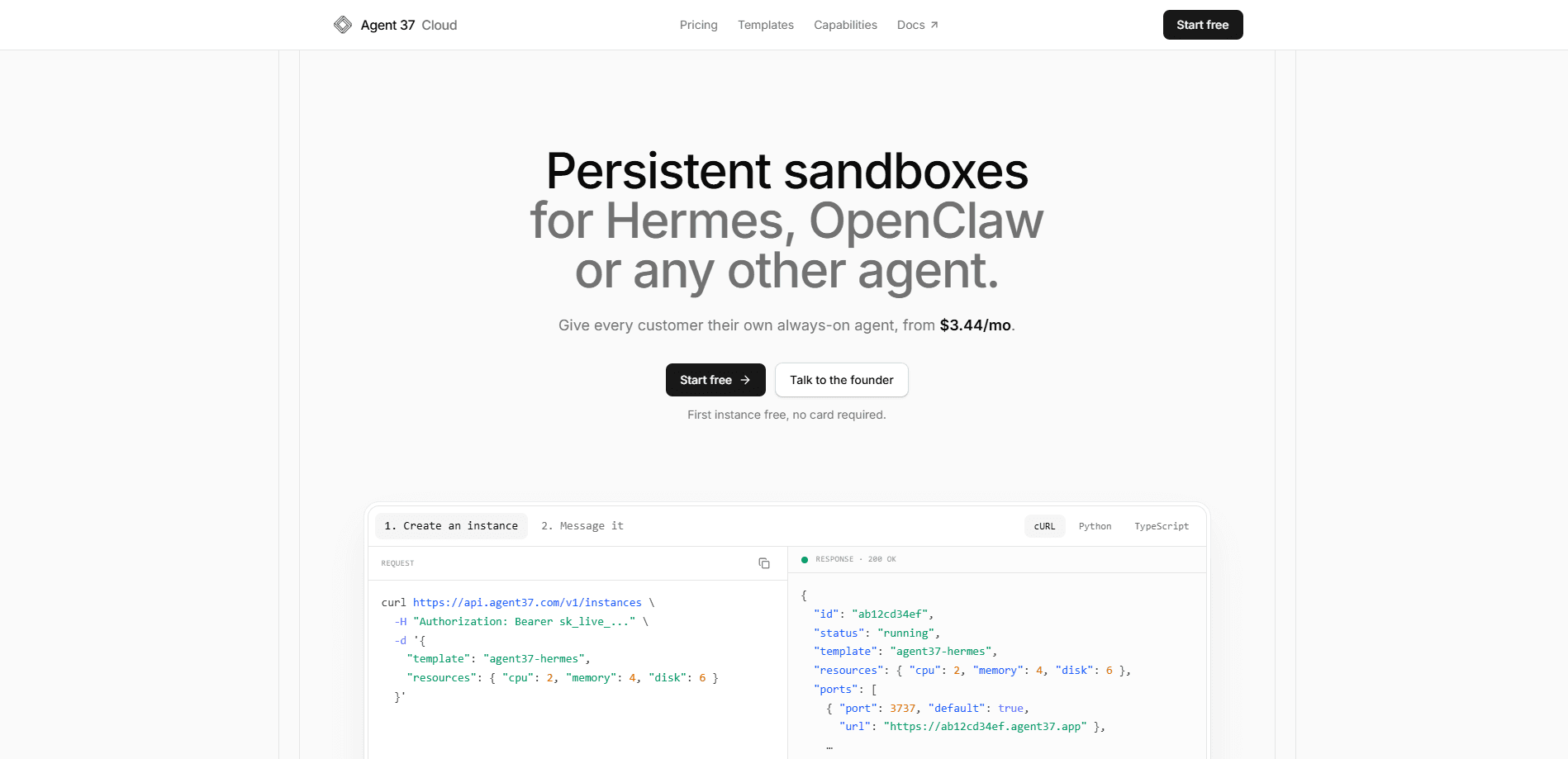
Agent 37 Cloud is a hosted sandbox platform for AI agents. One call to its agent hosting API gives each of your users their own always-on, isolated computer, with files, memory, terminal access, and connections to Gmail, Slack, and 1000+ apps. It's built for teams that want to ship an agent product without running their own servers. And you pay only for the compute and disk each sandbox uses. Why does that matter? Running one agent is easy. Running a thousand isn't.
About Agent 37 Cloud
What Is Agent 37 Cloud
Agent 37 Cloud is infrastructure you build agent products on top of. Instead of hardening and scaling servers yourself, you call one endpoint and a fresh sandbox appears for each customer. It runs whatever agent framework you pick: OpenClaw, Hermes, Claude Code, Codex, or something you built. The sandbox keeps its files, memory, and connected tools until you delete it, so an agent can pick up a task days later and still find its own notes.
The problem it solves is the gap between a working demo and a product you can sell. Running one agent is easy. Running a thousand, each isolated and billed correctly, is where most teams stall. Agent 37 handles the isolation, the model routing, the metering, and the billing plumbing so you don't have to. All of it. Per customer.
The main limit is that this is a developer product, not a no-code builder. You need to write code against its API, and pricing is metered rather than a flat monthly fee, so costs scale with how much your sandboxes run. If you want a drag-and-drop agent maker, this isn't it.
Getting Started
- Create an account on the Agent 37 dashboard and add a card to claim the $1 signup credit.
- Grab an API key, then send a request to
https://api.agent37.com/v1/instanceswith a template name likeagent37-hermes. - Read the response for the sandbox id and its port URL, then message that sandbox across as many sessions as you need.
- Optionally connect Gmail, Slack, Notion, or other apps, or bring your own model keys.
- Ship it under your own brand and let usage meter against your prepaid balance.
Product Information
A quick look at Agent 37 Cloud's pricing, supported platforms, and performance.
Best for
The users, tasks, and scenarios where this tool fits best.
Users
- Developers building an agent product
- Startups selling branded AI agents
- Teams with bursty agent workloads
Tasks
- Provisioning one isolated environment per customer
- Running long agent jobs that resume later
- Embedding a live terminal, desktop, or file browser
- Connecting agents to everyday apps
Scenarios
- Launching an MVP that needs to scale to many users
- Letting customers keep a personal agent that remembers context
- Scheduled unattended work
Key features
One Call, One Sandbox Per Customer
The core idea is simple. You send a request, and each user gets a persistent agent sandbox: an isolated computer with a filesystem, a disk quota, and its own memory. That sandbox stays put across sessions until you delete it. That's what makes an always-on agent product possible without hand-building the plumbing.
Persistent State Across Sessions
Agents keep their files and memory between conversations. If a task runs long or your user comes back a week later, the work is still on disk. Nothing times out mid-task, so you're not fighting a clock when an agent needs more time to finish something real. That matters. Long jobs rarely respect a timer.
Any Model, Your Keys or Theirs
You can route model calls through the Agent 37 gateway, or bring your own API keys. Spend on your own keys never touches your balance. If you use the gateway, models, search, and integrations meter from the same prepaid pool, with a spend cap you set per sandbox.
Integrations and Custom Skills
Agents connect to Gmail, Slack, Notion, and over 1000 other apps, all routed and metered by the platform. You can also preinstall your own skills, prompts, and tools using a custom template, so a new sandbox boots already knowing how to do your specific job.
Files, Shell, and Embedded UI
Users can upload and download files, run shell commands, and work inside a live terminal, desktop, or file browser that you embed with signed URLs. That means you can offer a real working environment inside your product instead of just a chat box.
Streaming Events and Scheduled Runs
Text, reasoning, and tool activity stream live over Server-Sent Events, so your interface can show what the agent is doing as it happens. Separately, you can hand an agent a cron schedule and let it run unattended, then read the results whenever you like.
Security Treated as Untrusted by Default
Every sandbox is enforced by gVisor with its own filesystem and a hard disk quota, so tenants can't see each other. Hosts have no public hostname, all traffic enters through Cloudflare's edge over TLS, and egress is firewalled to the public internet only. Data is encrypted at rest, and the company says it doesn't collect your prompts, files, or terminal sessions.
Pros and cons
Pros
- Per-customer isolation is built in, so you don't have to solve multi-tenancy yourself.
- Usage-based pricing with no subscription or plan fee means idle agents cost only disk.
- White-label support lets you resell OpenClaw and Hermes agents under your own brand.
- Bring-your-own model keys keep that spend off your prepaid balance.
- Persistent sandboxes handle long-running and scheduled agent work without timing out.
Cons
- It's a developer API, so there's no no-code builder for teams without engineering help.
- Metered pricing is harder to forecast than a flat monthly plan, especially with many always-on sandboxes.
- The free tier is just $1 of credit, so evaluating it at real scale costs money quickly.
Frequently asked questions
It hosts AI agent sandboxes. You call its API and it provisions a separate, isolated computer for each of your customers, complete with files, memory, terminal access, and app integrations. You build your product on top of those sandboxes.
Related content
Explore related tools, skills, and articles for Agent 37 Cloud.
Agent 37 Cloud Alternatives
Forefront
Forefront · CodingForefront is a web platform for building with open-source AI. It lets you fine-tune leading open-source language models on your own data, evaluate how they perform, and run them through an API or export them to host yourself. Developers who want the convenience of a closed-source platform but insist on owning their models and data are the target audience here.

Startkit
StartKit.AI · CodingStartkit is a boilerplate for building AI SaaS and AI wrapper products. Think of it as an AI startup boilerplate with the boring parts already wired up: authentication, Stripe and Lemon Squeezy payments, usage limits, transactional email, and an AI API starter that talks to OpenAI, Anthropic, Groq, or Llama. You clone the repo, set your price, and start on the part of your product that people actually pay for. It's Next.js under React and Tailwind, so most of the boilerplate code already feels familiar.
Testim
Tricentis · CodingTestim is an AI-powered test automation platform for building and running end-to-end tests across web, mobile, and Salesforce applications. It leans on machine learning to keep tests stable when an interface changes, so teams spend less time fixing broken selectors. Not bad for an automated testing tool you can start using today. You create tests by recording actions in a browser, then optionally add JavaScript when you need more control. It's a solid pick for busy QA teams.