

agent-harness
ar27111994 · Coding · Productivity
agent-harness is an open-source CLI that manages the reusable assets which power AI coding agents, such as skills, MCP servers, instructions, and prompt packs. If you've ever wished for an MCP server package manager, this is close to it. It scans a workspace, picks the assets that fit the work, mirrors them into a pinned local copy, and then wires them into whatever host you use, whether that's VS Code, Cursor, Zed, Claude Code, OpenCode, Pi, or Codex. For a CLI for AI agents, the job is narrow and clear: decide what your agent gets to use.
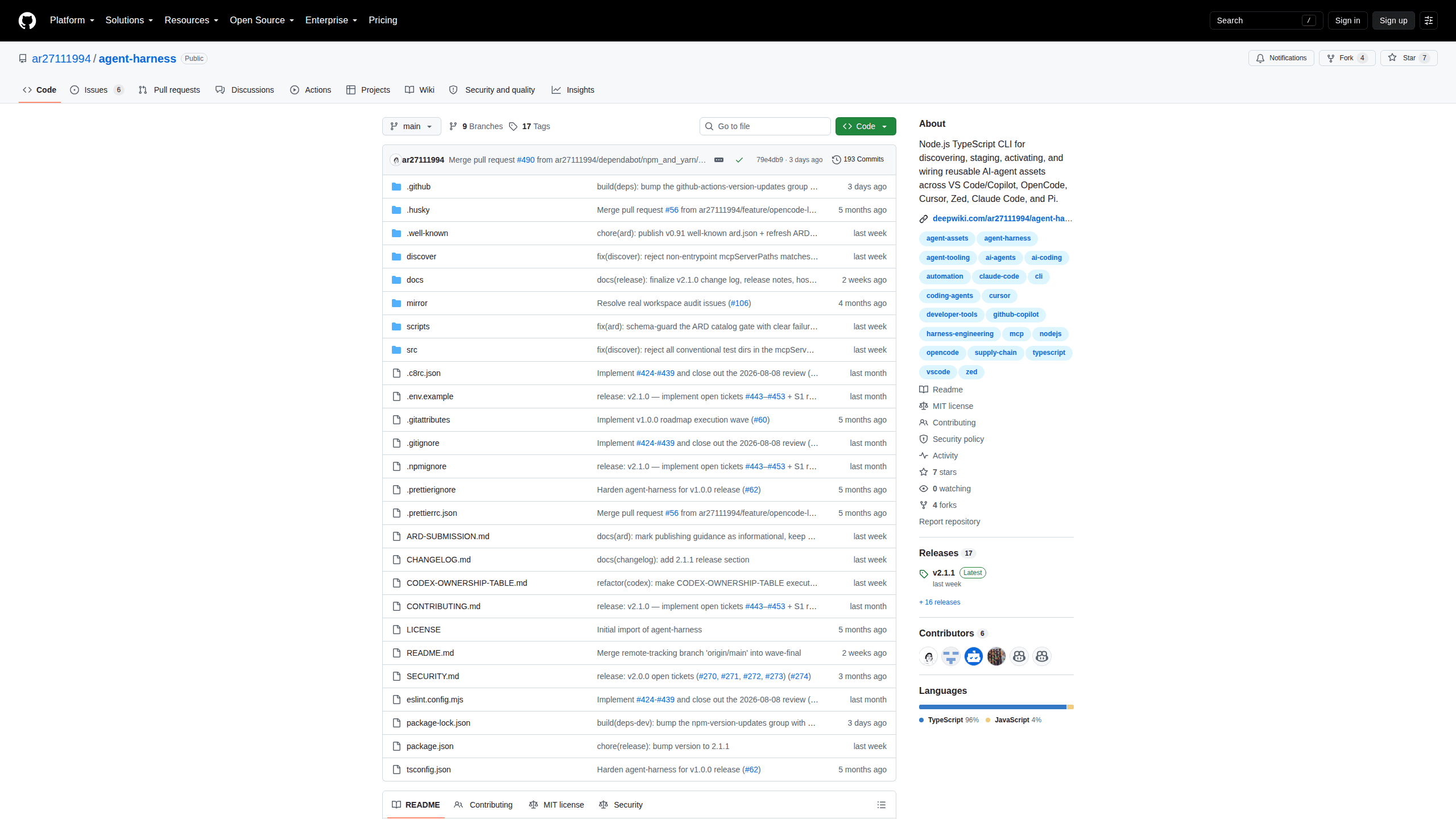
About agent-harness
What Is agent-harness
agent-harness is a Node.js and TypeScript CLI that handles the boring, error-prone part of working with AI coding agents: keeping their reusable assets in order. Some people describe it as an AI agent asset manager, and that fits. Most developers now juggle skills, MCP servers, instruction files, and prompt packs across more than one editor. Each tool wants those assets in a different place and a different format. agent-harness turns that mess into one repeatable lifecycle.
It doesn't run agents. It prepares inspectable inputs for the host you already use, so you can see what enters your workspace before anything changes. The core model is deliberately plain: one command surface, a host-adapter layer, preview-first writes, and explicit native install steps. The project is MIT-licensed and lives on GitHub.
The main limitation is reach. It manages assets for seven coding hosts and expects Node 23 or newer, so it isn't useful yet if your workflow runs entirely in the browser or on a tool that isn't on the supported list. So who should skip it? Anyone who only ever touches one host and never changes settings. It's also young, which means fewer real-world war stories than the bigger package managers have.
Getting Started
- Install Node.js 23 or newer, plus npm and Git, then run
npm install -g @ar27111994/agent-harness. - From the workspace you want to configure, check what your host supports with
agent-harness setup hostsandagent-harness setup doctor --host vscode(swap in your own host). - Run the full pipeline in one shot:
agent-harness workspace opencode --intent general, choosing an intent likefrontendorresearchthat matches your project. - Inspect the generated
.agent-harness/folder to review what was discovered, selected, and staged. - Re-run the same command whenever your needs shift, using preview mode first if you want to see planned file changes before they're applied.
Product Information
A quick look at agent-harness's pricing, supported platforms, and performance.
Best for
The users, tasks, and scenarios where this tool fits best.
Users
- Developers juggling more than one AI coding host
- Teams that want repeatable setups
- Open-source contributors and tinkerers
Tasks
- Installing and wiring MCP servers
- Managing agent skills and instructions
- Auditing what an agent can access
- Refreshing an existing setup
Scenarios
- Switching editors mid-project
- Onboarding a teammate
- Keeping risky inputs out
Key features
Cross-host asset lifecycle
agent-harness runs the same lifecycle regardless of which host you pick: discover, recommend, mirror, stage, activate, then wire. That consistency matters because the underlying tools don't agree on anything. A skill that works in Claude Code isn't packaged the same way as one for Cursor, and this tool smooths out those differences behind a single command surface. One surface, one lifecycle.
One-command workspace setup
The workspace <host> command is the default path for new users. It runs broad discovery, ranks the candidates, stages and activates the chosen assets, and finishes with the host's wire-in, all from a single line like agent-harness workspace cursor --intent frontend. Intents such as devops, design, or research steer the selection toward your kind of work, and you can pass more than one. Setup is one line. That's the appeal.
Preview-first wiring
Wiring a host is non-mutating unless you ask otherwise. By default, wire <host> writes a reviewable plan and touches nothing. You can read the exact target paths and planned writes, then apply or reset when you're ready. For anyone who's had a tool quietly rewrite editor settings, that's a welcome line in the sand.
Pinned mirrors and quarantine
Rather than pulling assets straight from the internet into your workspace, the tool mirrors a bounded set into reproducible local artifacts and pins each generation. Candidates that look risky get routed through a quarantine folder instead of being activated. The result is a setup you can inspect and roll back rather than one that shifts under you.
ARD publisher and consumer
agent-harness implements the Agentic Resource Discovery 1.0 spec, the standard backed by Google, Microsoft, Hugging Face, GitHub, and NVIDIA. It publishes a .well-known/ai-catalog.json so registries can index its curated assets, and it can consume other ARD registries as discovery sources. Its tagline sums up the intent: discover anywhere, install everywhere.
Seven host adapters
The project registers adapters for VS Code with Copilot, OpenCode, Cursor, Zed, Claude Code, Pi, and OpenAI Codex. Each adapter owns its host's files, settings, apply and reset behavior, and safety boundaries. Some reuse another host's package layout while ranking through their own policy, which keeps Cursor, for example, compatible with Copilot-style assets.
Intent-aware recommendations
Recommendations weigh policy, demand signals, trust, cost, and diversity, not just popularity. Official and verified sources are preferred, and first-party sources get demoted when the owner evidence doesn't check out. The upshot is fewer sketchy packages landing in your workspace and more of the ones that actually fit what you're building.
Pros and cons
Pros
- Solves a real problem across seven popular AI coding hosts with one command surface
- Preview-first writes and pinned mirrors make changes inspectable and reversible
- Free and open source under MIT, with a clean adapter architecture for extensions
- Quarantine handling and trust-aware ranking add a layer of supply-chain caution
Cons
- Requires Node.js 23 or newer, so older set-ups need an upgrade first
- No browser or non-CLI host support, which rules out some workflows entirely
- Still early with a small user base, so edge cases and docs can lag behind
- Expects comfort with the terminal, which puts it out of reach for casual users
Frequently asked questions
It manages the reusable assets that AI coding agents rely on, such as skills, MCP servers, instructions, and prompt packs. It discovers candidates, ranks them, mirrors a pinned local copy, then wires the selected ones into your chosen host. It doesn't run agents itself.
Related content
Explore related tools, skills, and articles for agent-harness.
agent-harness Alternatives
Forefront
Forefront · CodingForefront is a web platform for building with open-source AI. It lets you fine-tune leading open-source language models on your own data, evaluate how they perform, and run them through an API or export them to host yourself. Developers who want the convenience of a closed-source platform but insist on owning their models and data are the target audience here.

Startkit
StartKit.AI · CodingStartkit is a boilerplate for building AI SaaS and AI wrapper products. Think of it as an AI startup boilerplate with the boring parts already wired up: authentication, Stripe and Lemon Squeezy payments, usage limits, transactional email, and an AI API starter that talks to OpenAI, Anthropic, Groq, or Llama. You clone the repo, set your price, and start on the part of your product that people actually pay for. It's Next.js under React and Tailwind, so most of the boilerplate code already feels familiar.
Testim
Tricentis · CodingTestim is an AI-powered test automation platform for building and running end-to-end tests across web, mobile, and Salesforce applications. It leans on machine learning to keep tests stable when an interface changes, so teams spend less time fixing broken selectors. Not bad for an automated testing tool you can start using today. You create tests by recording actions in a browser, then optionally add JavaScript when you need more control. It's a solid pick for busy QA teams.