

Agent Starter Pack
Google · Coding
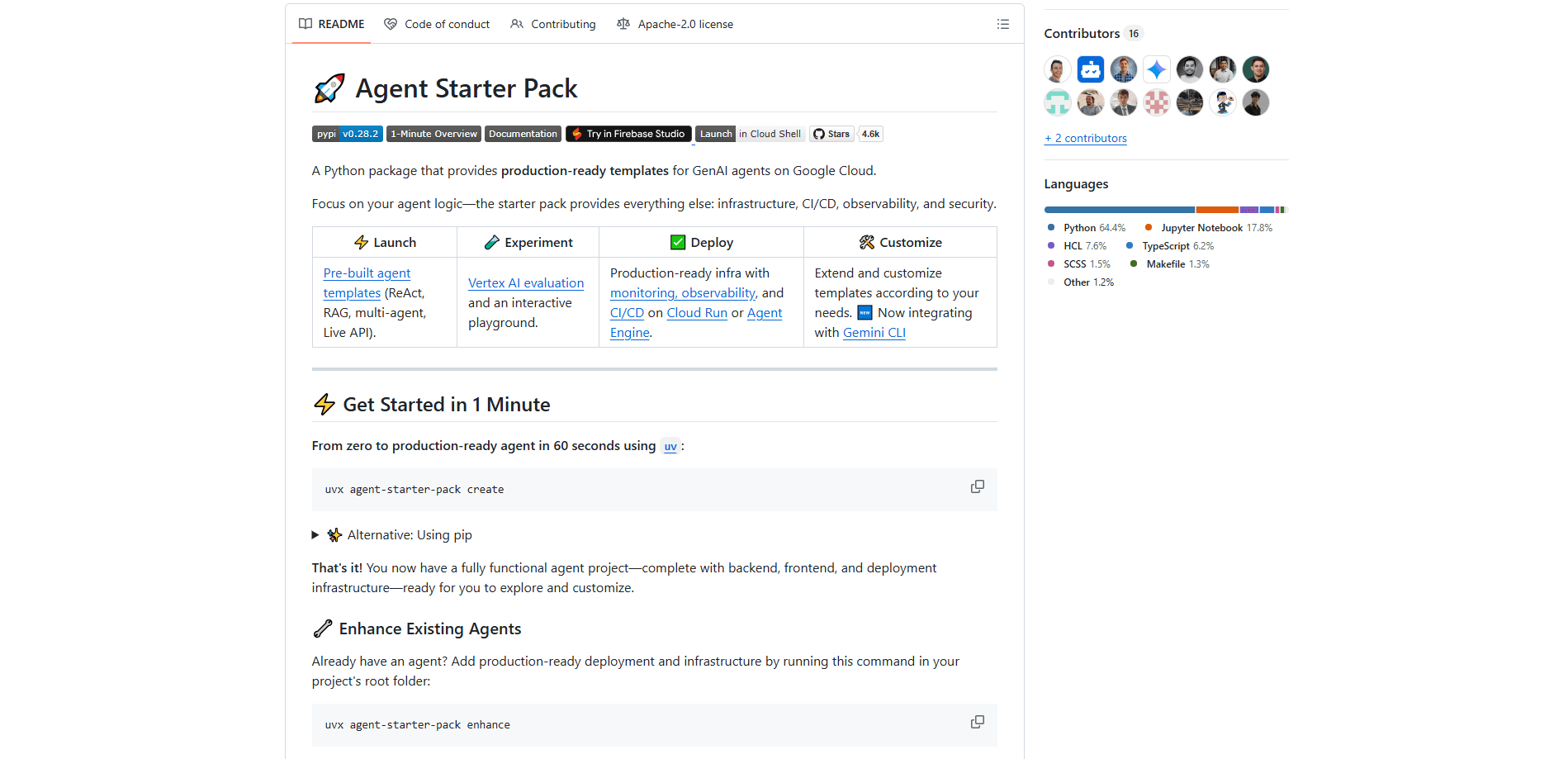
Agent Starter Pack is a free Python package from Google Cloud that gives developers a running start on GenAI agents. Instead of wiring up infrastructure, CI/CD, and observability from scratch, you run one command and get a full project scaffold with a backend, a frontend, and deployment config. It ships GenAI agent templates for common patterns like ReAct, RAG, and multi-agent setups, and it runs on Google Cloud's Cloud Run or Agent Engine. Think of it as a Google Cloud agent framework in a box. It's built for developers who already know what their agent should do and don't want to rebuild the plumbing around it.
About Agent Starter Pack
What Is Agent Starter Pack
Agent Starter Pack is a command-line toolkit that generates production-ready AI agents from templates. The pitch is that your agent logic should be the only thing you write by hand. Everything else, the infrastructure, the deployment pipeline, the monitoring, and the security defaults, comes prebuilt and ready to customize.
It targets a real pain point. Getting a demo agent to work is easy. Getting it to run reliably in production, with logs you can read and a release process you trust, is where most teams stall. Agent Starter Pack assumes that gap is the whole job and hands you a scaffold that already crossed it. You pick a template, generate the project, and start thinking about the parts that actually make your agent different.
The main caveat is scope and momentum. This is a Google Cloud product. Its deployment targets assume you're on Google Cloud. And as of early 2026 the project is in maintenance mode, which means critical fixes continue but new features, templates, and deployment targets don't. Google points new projects to its successor, agents-cli, and says migration takes minutes. So this is a solid choice for existing projects or teams already invested in Google's stack, and a reasonable starting point if you're willing to plan a migration later.
Getting Started
- Install the tool with uv by running the command uvx agent-starter-pack create, or install it through pip into a virtual environment.
- Pick a template when prompted. Options include a base ReAct agent, a RAG agent for document Q&A, a multi-agent setup, and a real-time multimodal agent built on Gemini.
- Generate the project. The command scaffolds the backend, frontend, tests, and Terraform infrastructure in one folder.
- Configure Google Cloud access and run the agent locally in an interactive playground to test prompts and behavior.
- Run the setup command for CI/CD to wire up a pipeline, then deploy to Cloud Run or Agent Engine when you're ready.
Product Information
A quick look at Agent Starter Pack's pricing, supported platforms, and performance.
Best for
The users, tasks, and scenarios where this tool fits best.
Users
- Backend and ML developers
- Teams shipping on Google Cloud
- Solo builders and hackathon teams
Tasks
- Scaffolding a GenAI agent
- Wiring CI/CD for an agent
- Adding production tooling to an existing agent
Scenarios
- Standing up a document Q&A agent with a RAG data pipeline for embeddings.
- Building a customer-facing agent that needs observability and a release process, not just a working demo.
- Prototyping a multimodal voice agent powered by Gemini before committing to an architecture.
Key features
Prebuilt Agent Templates
Agent Starter Pack ships a set of GenAI agent templates you can generate and run immediately. The lineup covers a base ReAct agent template built on Google's Agent Development Kit, a RAG agent template for document retrieval and Q&A, a multi-agent setup, an Agent2Agent variant for distributed agent communication, and a real-time multimodal agent powered by Gemini that handles audio, video, and text. You don't start from a blank file. You start from a working pattern that matches most common agent designs, then shape it to your use case. Need something custom? Remote templates let you pull a starter pack from any Git repository.
One-Command Project Scaffolding
The core command, uvx agent-starter-pack create, scaffolds an entire project in one step: a backend, a frontend, tests, and Terraform infrastructure land in a single folder. That's the point of the toolkit. It collapses the setup phase, which is usually a week of glue work, into a command you run before coffee gets cold. No manual wiring. If you already have an agent, the upgrade command adds the same production scaffolding to your existing project instead of forcing a fresh start.
Agent Deployment Pipeline
Agent Starter Pack sets up a full agent deployment pipeline for every environment with a single command. It supports both Google Cloud Build and GitHub Actions, so you wire releases into the tooling your team already uses. The result is a repeatable build-and-deploy path rather than a set of manual steps someone has to remember. For teams that treat agent code as production code, this is the feature that keeps releases boring and predictable.
Deployment to Cloud Run and Agent Engine
Generated projects deploy to Google Cloud's Cloud Run or Vertex AI Agent Engine. Cloud Run suits agents that fit a container and want to scale on request, while Agent Engine handles agent workloads Google optimized for that platform. Because the deployment config is generated with the project, you don't hand-write the container and service definitions. You pick a target and the scaffold already speaks its language.
Built-In Observability and Security
The templates come with monitoring, observability, and security defaults already in place. That means logs, traces, and access controls are part of the project from the first commit, not something bolted on after an incident. For anyone who has shipped an agent and then scrambled to figure out why it failed in production, having observability present from the start is the quiet difference between a demo and a service.
RAG Data Pipeline With Terraform
For retrieval-heavy agents, the toolkit includes a data pipeline that processes embeddings for RAG and wires it into the agent system through Terraform and CI/CD. It supports both Vertex AI Search and Vector Search, so you can connect the retrieval backend that fits your data. Setting up document ingestion and embedding pipelines by hand is tedious and easy to get wrong. This handles it as part of the generated project.
Evaluation and Interactive Playground
Generated projects include Vertex AI evaluation and an interactive playground. The playground lets you test prompts and agent behavior locally before you deploy, and the evaluation tooling measures model output against your criteria. Why does that matter for agents? Because agent behavior is harder to eyeball than a plain chatbot reply. You get a way to compare changes in quality, not just a way to see that the code runs.
Pros and cons
Pros
- Free and open source under the Apache 2.0 license, so there's no cost to scaffold or inspect the code.
- Turns a multi-day setup of infrastructure, CI/CD, and monitoring into a single command.
- Ships several working agent patterns, including ReAct, RAG, and multimodal options, so you start from something runnable.
- Integrates with Google Cloud Build, GitHub Actions, and Gemini CLI rather than locking you into one workflow.
- Remote templates let you create and share your own starter packs from any Git repository.
Cons
- The deployment targets assume Google Cloud, so teams on AWS, Azure, or other clouds can't use the generated infrastructure as-is.
- It's in maintenance mode, meaning new features, templates, and deploy targets have stopped, and Google steers new work toward its successor agents-cli.
- You still need to know your way around Python, Terraform, and Google Cloud to customize the scaffold, so it's not aimed at non-developers.
Frequently asked questions
Yes, it's free and open source under the Apache 2.0 license. There's no charge for the package or the templates. You do pay for the Google Cloud resources your deployed agent uses, like Cloud Run or Vertex AI, and those costs depend on how much you run.
Related content
Explore related tools, skills, and articles for Agent Starter Pack.
Agent Starter Pack Alternatives
Forefront
Forefront · CodingForefront is a web platform for building with open-source AI. It lets you fine-tune leading open-source language models on your own data, evaluate how they perform, and run them through an API or export them to host yourself. Developers who want the convenience of a closed-source platform but insist on owning their models and data are the target audience here.

Startkit
StartKit.AI · CodingStartkit is a boilerplate for building AI SaaS and AI wrapper products. Think of it as an AI startup boilerplate with the boring parts already wired up: authentication, Stripe and Lemon Squeezy payments, usage limits, transactional email, and an AI API starter that talks to OpenAI, Anthropic, Groq, or Llama. You clone the repo, set your price, and start on the part of your product that people actually pay for. It's Next.js under React and Tailwind, so most of the boilerplate code already feels familiar.
Testim
Tricentis · CodingTestim is an AI-powered test automation platform for building and running end-to-end tests across web, mobile, and Salesforce applications. It leans on machine learning to keep tests stable when an interface changes, so teams spend less time fixing broken selectors. Not bad for an automated testing tool you can start using today. You create tests by recording actions in a browser, then optionally add JavaScript when you need more control. It's a solid pick for busy QA teams.