

AgentCraft. Like Cursor, but for n8n
AgentCraft · Coding
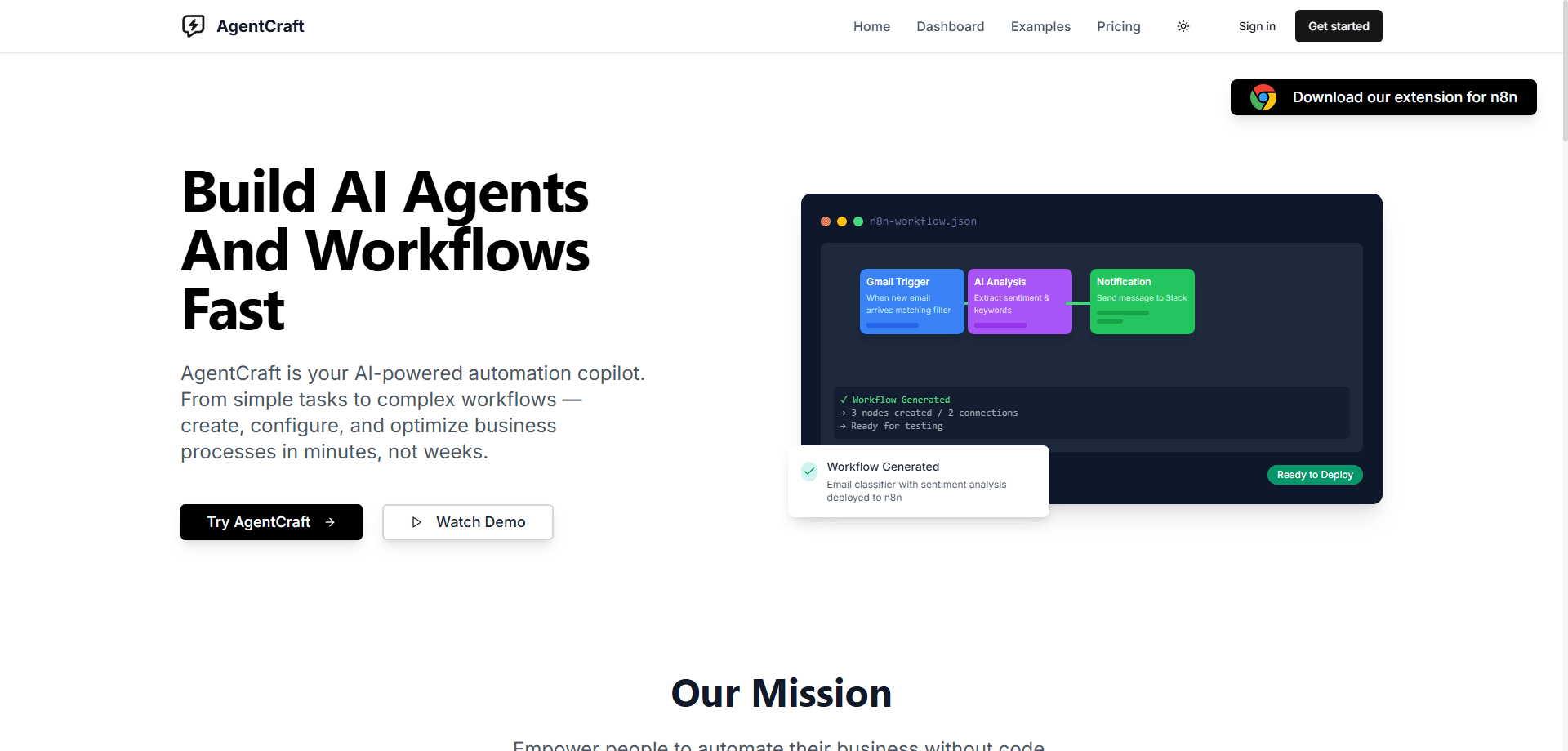
AgentCraft is a Chrome extension that puts an AI copilot inside the n8n workflow builder. It generates nodes, fixes errors and writes Function code so you build automations faster.
About AgentCraft. Like Cursor, but for n8n
What Is AgentCraft
AgentCraft works like Cursor does for code, except it sits inside n8n. It's a Chrome extension you add to your browser, and once installed it shows up as an AI workflow assistant in the n8n editor. You describe what you want in plain English, and it builds or repairs the workflow in front of you. There's nothing to configure and no API key to paste, which is unusual for an AI coding tool.
The problem it targets is the fiddly part of n8n. Wiring nodes together is quick once you know each node's settings, but finding the right option, mapping fields, and debugging a failed execution can eat an afternoon. AgentCraft handles those moments. It generates node configurations from a description, diagnoses broken workflows, and writes the JavaScript that Function nodes run, so you spend less time in documentation tabs.
The main limit is scope. AgentCraft layers on top of n8n rather than replacing any part of it, so you still need an n8n account, whether that's n8n Cloud or a self-hosted instance. It's built for Chrome only, so Safari, Firefox and Edge users are out unless they switch browsers. And because it leans on AI to generate and fix things, its output is a starting point you review, not something to trust blind.
Getting Started
- Install AgentCraft from the Chrome Web Store and pin it to your toolbar. There's no account and no API key to set up.
- Open your n8n instance in the same browser, either on n8n Cloud or a self-hosted URL you run yourself.
- Describe the workflow you need, or open a broken one and ask AgentCraft to fix it. The assistant reads the canvas you're looking at.
- Review the nodes, code or fix it proposes, adjust anything that needs a tweak, then save the workflow in n8n as usual.
Product Information
A quick look at AgentCraft. Like Cursor, but for n8n's pricing, supported platforms, and performance.
Best for
The users, tasks, and scenarios where this tool fits best.
Users
- n8n newcomers
- Automation engineers
- DevOps and IT staff
- Chrome-based developers
Tasks
- Generating node configurations
- Debugging failed executions
- Writing Function node code
- Turning cURL into a node
- Documenting and versioning workflows
Scenarios
- Learning n8n by building
- Testing without live data
- Recovering a broken JSON import
- Speeding up API-heavy builds
Key features
AI node generator and configurator
Describe the task you need and AgentCraft sets up the nodes for you. This node generator for n8n is built for quickly adding HTTP Request, Code or Function nodes, where the settings take the most reading. You describe the goal, it proposes the configuration, and you check it before saving.
AI error fixer and debugger
When a workflow breaks, the n8n error fixer reads the canvas and works out what went wrong. It targets the usual suspects: node execution failures, data-mapping mismatches and expression errors. You get a proposed fix rather than a stack trace to decipher, which shortens the debugging loop.
JavaScript generator for Function nodes
Function nodes expect code, which stops people who don't write JavaScript. This n8n code generator takes a plain-English description of the logic and returns code you can drop in. That closes one of the bigger gaps for non-coders working in n8n.
cURL to n8n importer
APIs document themselves with cURL commands, and translating one into an HTTP Request node by hand is tedious. Paste the command and AgentCraft builds the node, so the n8n workflow builder brings a new service into a workflow in seconds.
Trigger emulation with mock data
You can fire a workflow with sample data in one click instead of waiting on a real trigger. For testing branching logic and mapping, that saves a lot of back-and-forth with live systems.
JSON validator and auto-fixer
Broken JSON is a common reason a workflow won't import. The validator formats and checks the JSON, then fixes syntax errors so the workflow loads. It's a small feature that rescues a frustrating moment.
Autosave and version history
AgentCraft saves your workflow as you go and keeps versions you can roll back to. If a change makes things worse, you restore an earlier state instead of rebuilding from memory.
Context-aware chat assistant
Ask about an n8n feature and the assistant answers with quotes from the official documentation. It keeps the docs in reach without leaving the editor, which helps when you're learning the platform.
Pros and cons
Pros
- Works inside the n8n editor you already use, so there's no separate app to juggle.
- Zero setup: no API key and no account, which removes the usual barrier for AI coding tools.
- Runs on both n8n Cloud and self-hosted instances, so it suits teams that keep n8n on their own servers.
- The error fixer and Function code generator target the two slowest parts of building a workflow.
- Free to add from the Chrome Web Store, and autosave with version history protects your work.
Cons
- Chrome only. Firefox, Safari and Edge users can't use it without changing browsers.
- It's a helper that sits on top of n8n, so you still need your own n8n account and instance to do anything.
- AI-generated nodes, code and fixes can be wrong or incomplete, so you have to review the output rather than accept it as-is.
- No public API and no published pricing details, which makes it hard to plan for team-wide or automated use.
Frequently asked questions
AgentCraft is a Chrome extension that adds an AI copilot to the n8n workflow editor. It generates node configurations, fixes broken workflows, writes JavaScript for Function nodes and converts cURL commands into HTTP Request nodes. Its makers describe it as Cursor, but for n8n.
Related content
Explore related tools, skills, and articles for AgentCraft. Like Cursor, but for n8n.
AgentCraft. Like Cursor, but for n8n Alternatives

Base Code
Base44 (Wix) · Coding · ProductivityBase Code is a shared cloud development environment from Base44. Teammates describe changes to an existing GitHub codebase in chat, preview them live and send them back as pull requests.

Google EmbeddingGemma 2
Google DeepMind · Writing · Image · CodingGoogle EmbeddingGemma 2 is a 740M-parameter open model that turns text, code, images, audio, and video frames into vectors in one 768-dimension space, running on phones and laptops.

GitGlow
GitGlow · Coding · ProductivityGitGlow is a local-first desktop Git client that lets independent developers review their own code and their AI agents' changes in one place before shipping.